Aviatrix does not officially support Juniper SRX, but you can configure
Juniper SRX to work with the Aviatrix software. Aviatrix does not actively
test our software with Juniper SRX and you should rigorously test your
configuration in a development environment before deploying in a production
system.
Creating an External (Site2Cloud) Connection
- In Aviatrix CoPilot, launch an Aviatrix Transit Gateway at the subnet of VPC/VNet-multicloudvpc1 (public subnet for AWS, GCP, or OCI). Collect the Gateway’s public IP addresses (3.213.233.93 in this example).
-
Navigate to Networking > Connectivity > External Connections (S2C) and click
Add New to create a Site2Cloud connection using the values for one of the
below options (for either you can select either PSK or certificate-based
authentication).
Substitute the following values:
- Remote Device Type: Generic
- Algorithms: turn Off
- Remote Device IP: Public IP of Juniper SRX WAN port (18.214.241.32 in this example)
- Remote Subnet CIDR(s): 10.0.2.0/16 (On-Prem Private Network CIDR)
- Local Subnet CIDR(s): 10.1.2.0/24 (VPC-multicloudvpc1 private subnet)
-
After the connection is created, select the vertical ellipsis
 menu
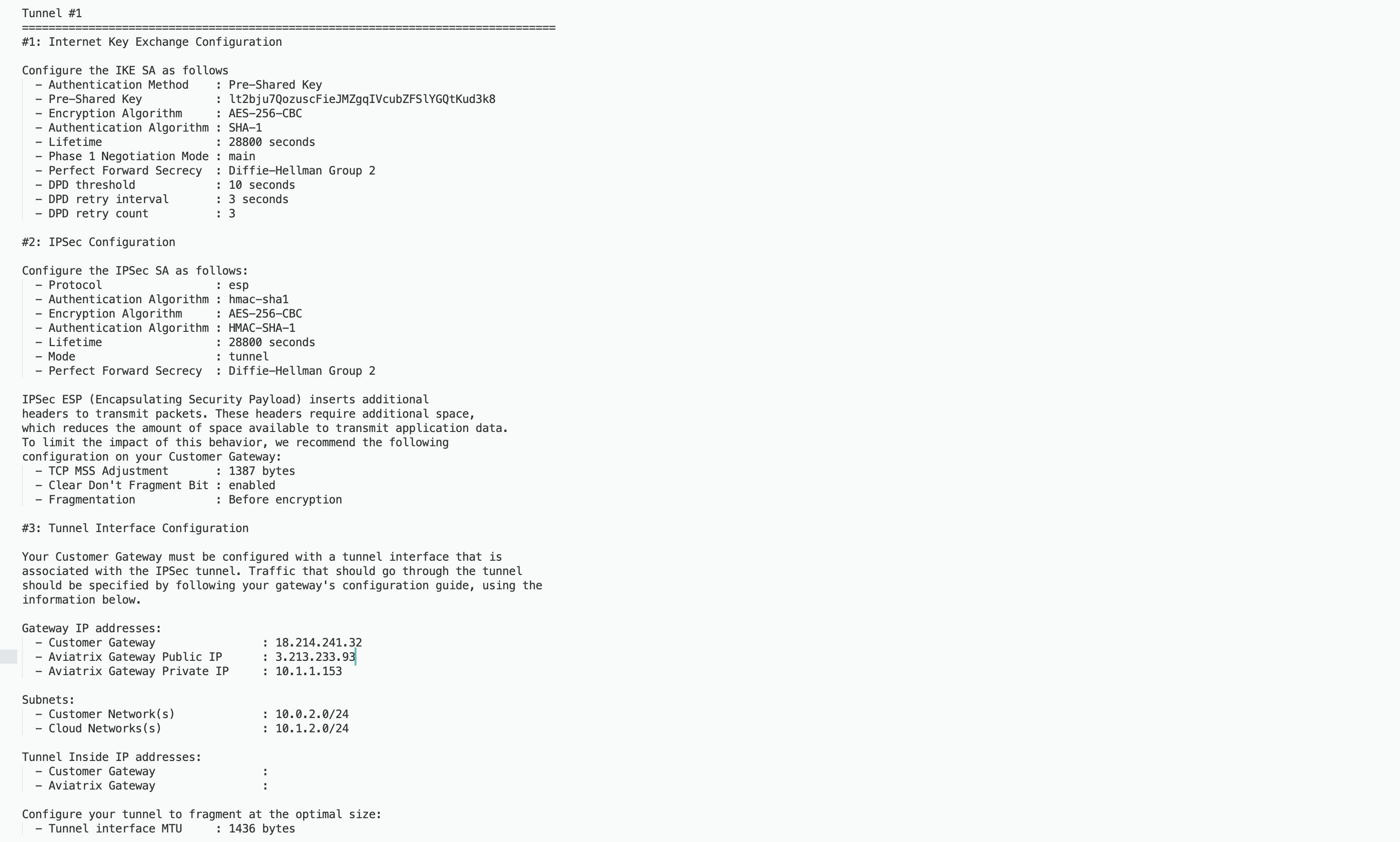
for that connection and select Download Configuration.
menu
for that connection and select Download Configuration.
-
Select Generic from the Vendor dropdown list and click the
Download to download the external (S2C) configuration. Use this
configuration file to configure the tunnels and interfaces in your Juniper
SRX firewall.
The following is an SRX sample configuration based on the Site2Cloud
configuration above.