The Scenario
This document illustrates an example solution to a specific use case. In this AWS use case, a customer needs to connect certain on-prem hosts to certain EC2 instances in a VPC over an IPsec tunnel over the Internet, but the on-prem network range overlaps with the VPC CIDR range, and the requirement from the customer is that no NAT function will be performed on the customer side. In addition, traffic can be initiated from either side. The scenario is described in the following diagram: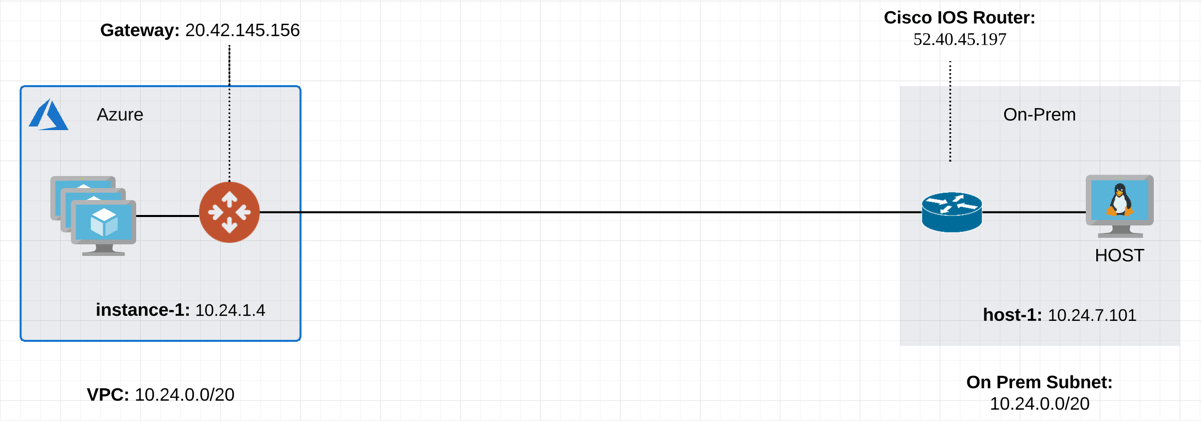
The Solution
This solution uses the “network mapped” feature in Site2Cloud which removes the need to configure individual SNAT/DNAT rules. This solution uses a Site2Cloud route-based IPsec tunnel using Virtual Tunnel Interface (VTI) between VPC and On-Prem Router. The packet flow is demonstrated as below:- instance-1 sends a packet to host-1 with a virtual destination IP address, for example 192.24.7.101. From instance-1’s point of view, the destination instance is a virtual address - 192.24.7.101.
- When the packet arrives at the VPC-1 gateway, the gateway performs DNAT on the packet to translate the virtual destination IP address to 10.24.7.101 which is the host-1 physical IP address.
- The gateway at VPC then translates the packet source IP address (10.24.1.4) to a virtual source IP address (172.24.1.4).
- The packet then arrives at the on-prem Cisco IOS Router with a destination IP address of 10.24.7.101 and a source IP address of 172.24.1.4. From host-1’s point of view, instance-1’s address is a virtual IP address - 172.24.1.4.
- When host-1 sends a packet to instance-1, the destination is the virtual IP address 172.24.1.4.
- When the packet arrives at the VPC-1 gateway over the IPSEC tunnel, the VPC gateway translates its destination IP address from virtual address 172.24.1.4 to 10.24.1.4.
- The VPC gateway then translates the source IP address of the packet from 10.24.7.101 to virtual address 192.24.7.101.
The Configuration Steps
Following the Site2Cloud Workflow to Launch Gateways
In Aviatrix CoPilot, create a Transit Gateway. For the above example, a gateway is also launched in VPC/VNet-2 to emulate an on-prem environment.Creating a Site2Cloud Tunnel
In CoPilot, go to Networking > Connectivity > External Connections (S2C) tab, and create Static Route-Based Unmapped connection.VPC/VNet-1 gateway-1 side
For the VPC/VNet-1 gateway side, the Local Subnet field should be 192.168.0.43/32, and the Remote Subnet field should be 10.17.7.81/32, as shown below.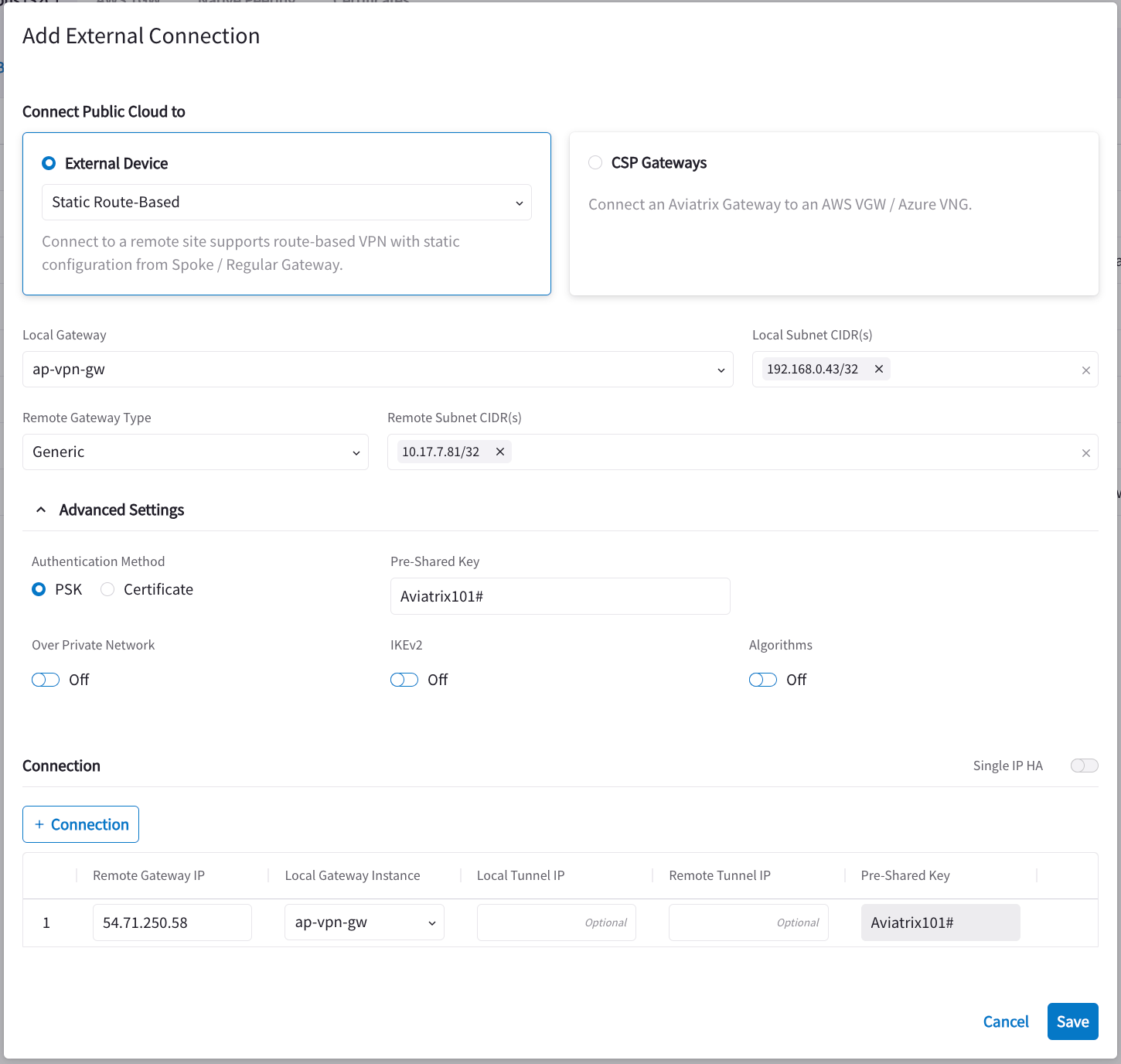
Configure On-Prem Cisco Router
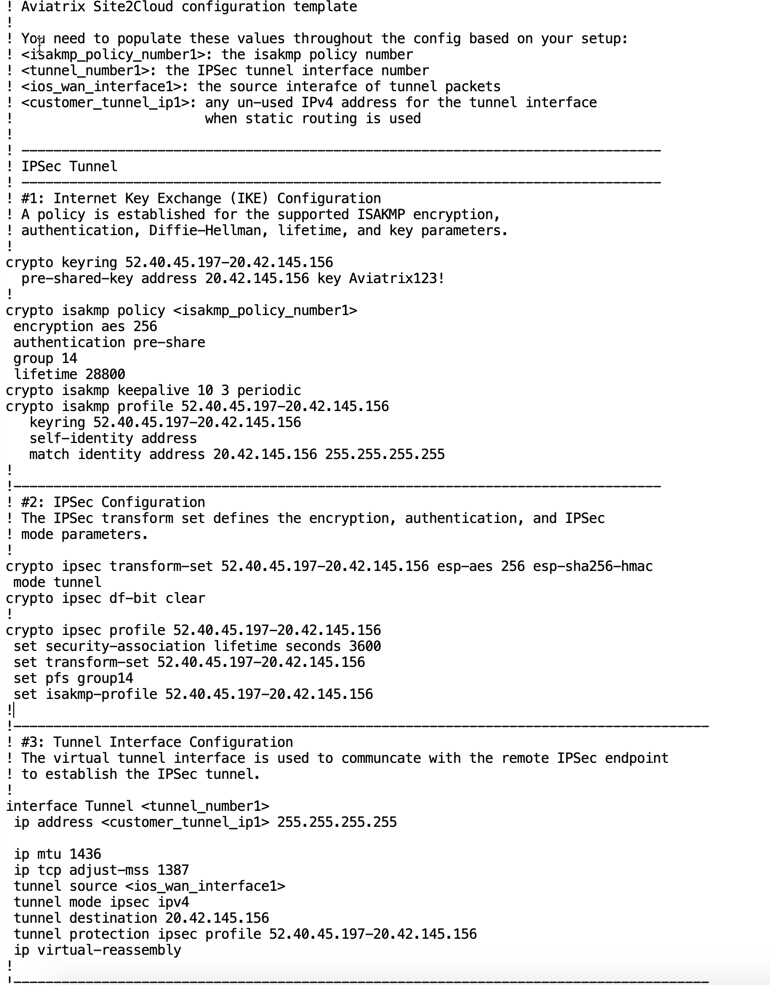
On the Networking > Connectivity > External Connections (S2C) tab, click the vertical ellipsis and click Download Configuration.
In the Download Configuration dialog, select:
and click Download Configuration.
In the Download Configuration dialog, select:
- Cisco from the Vendor dropdown.
- ISR, ASR, or CSR from the Platform dropdown.
- IOS(XE) from the Software dropdown.