

Creating the Default RBAC Access Account for Edge
To create an RBAC group with permissions to create, delete, and manage Edge gateways, follow these steps.- In Aviatrix CoPilot, go to Administration > User Access > Permission Group.
- Click + Permission Group.
- In the Name field, enter a name for this Permission group.
- From the Users dropdown list, select the users to add to this Permission group.
- From the Access Accounts dropdown list, select the Edge Platform account this group should be able to access.
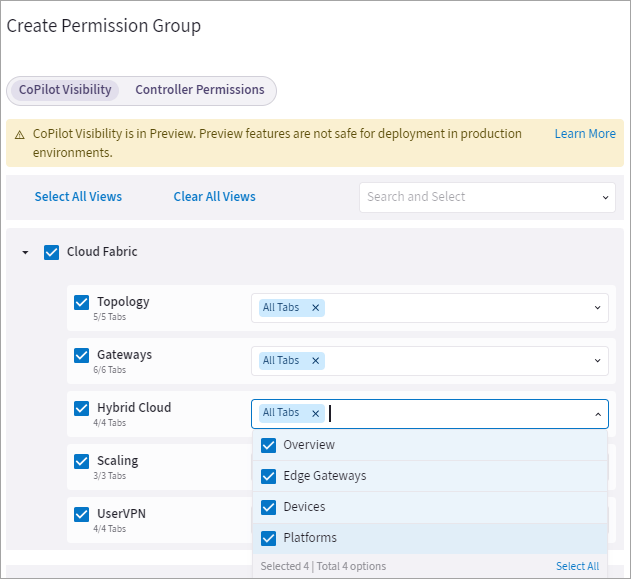
- Click CoPilot Visibility tab.
- Under Cloud Fabric > Hybrid Cloud, select the permissions for the users in this Permission group.
-
Click Save.
- Go to Administration > User Access > Users tab.
- Click + User.
- Enter the user credentials, then from the Permissions Groups dropdown list, select the RBAC Permission group.