Understanding Firewall Keep Alive Checks
Aviatrix Transit FireNet uses two types of health checks to monitor firewall status: the LAN keepalive health check and the API health check. Both health checks operate independently and in parallel when Vendor Integration is enabled. LAN keepalive healthchecks remain mandatory for proper functionality, even if API integration is active. LAN keepalive health checks:- Are enabled by default, and only applicable for AWS and OCI.
- Determine whether the firewall related to an Aviatrix Transit FireNet is ready to receive traffic.
AWS and OCI Health Check
LAN keepalive health checks are mandatory, enabled by default, and only
applicable for AWS and OCI. To check firewall health in Azure and GCP, see
below.
- The Aviatrix gateway sends the LAN keepalive to the firewall LAN interface.
- The ICMP ping is sent first with a timeout of 150ms.
- If ICMP fails, a TCP ping on port 443 is sent immediately with a timeout of 300ms.
- These checks are performed every five seconds.
- Two consecutive failed cycles (i.e., both ICMP and TCP fail twice) trigger firewall failover. The minimum time to declare a firewall down is approximately ten seconds (two five second intervals).
ICMP and TCP pings are sent back-to-back within a cycle, not spaced five seconds apart. A new cycle begins five seconds after the previous cycle completes.If using AWS Gateway Load Balancer (GWLB), health is checked by the GWLB via the
AWS API for target group health (for display purposes only). The GWLB is
responsible for failover.
API Checks
- Vendor API only for PAN/Panorama when firewall integration is enabled: Used to check management plane readiness.
- If vendor API probe fails, firewall status in the UI shows “inaccessible.”
- Route push (e.g., new CIDRs) may fail if the firewall is inaccessible.
Azure Health Check
Adding FireNet to a Transit gateway in Azure automatically creates a Load Balancer in the Azure cloud console. HTTPS in these Load Balancers performs the firewall health check (not ping).- The Azure Load Balancer (LB) probe (TCP/443) is the only failover mechanism.
- The Aviatrix Controller/gateway does not perform LAN keepalive checks in Azure.
- Failover is handled natively by the Azure LB health probes.
IPv6 vendor integration in Azure is currently not functional. If you require
vendor-driven IPv6 route programming in Azure, configure IPv6 routes manually
in the firewall.
API Checks
- CSP API: Aviatrix Controller queries Azure API every 60s for VM instance status (display only, such as up/down status).
- Vendor API only for PAN/Panorama: If enabled, the Aviatrix Controller probes via vendor API.
- If the vendor API fails, status shows “inaccessible.”
GCP Health Check
Adding FireNet to a Transit gateway in GCP automatically creates a Load Balancer in the GCP cloud console. HTTPS in these Load Balancers performs the firewall health check (not ping).- The GCP Internal Load Balancer (ILB) health probe (TCP/443 or ICMP) is the only failover mechanism.
- The Aviatrix Controller/gateway does not perform LAN keepalive checks in GCP.
- Failover is handled natively by the GCP ILB health probes.
API Checks
- CSP API: Aviatrix Controller queries GCP backend health every 60s (display only).
- Vendor API only for PAN/Panorama: If enabled, the Aviatrix Controller probes via vendor API.
- If vendor API fails, status shows “inaccessible.”
Comparison Table
The following table provides a side-by-side comparison of firewall health check and failover mechanisms across major cloud providers.
Failover is only triggered by LAN keepalive in AWS and OCI, or CSP-native LB
probes in Azure and GCP.
CSP API and Vendor API are only used for management plane status/display.
Enabling Ping for LAN-Based Health Checks
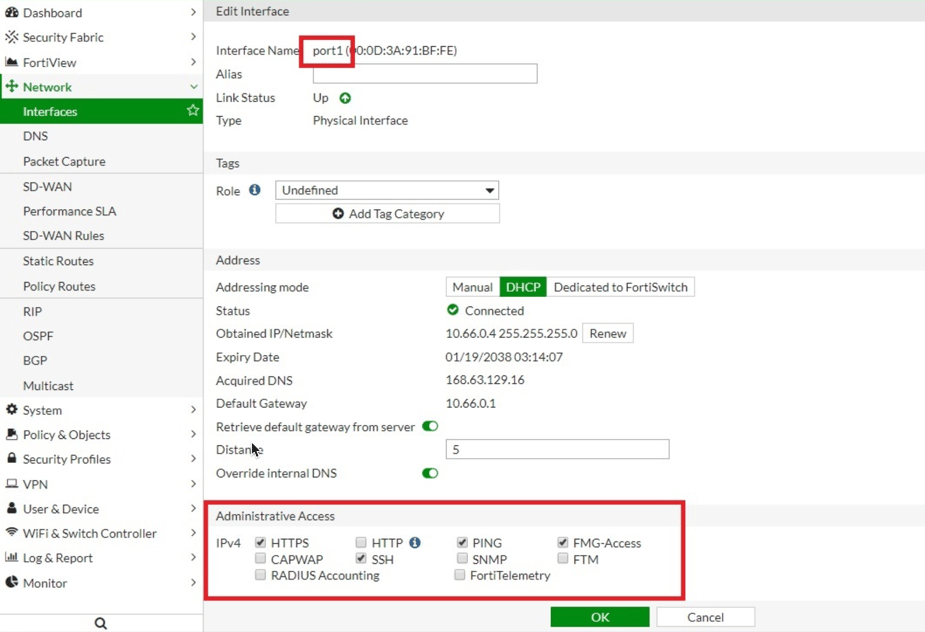
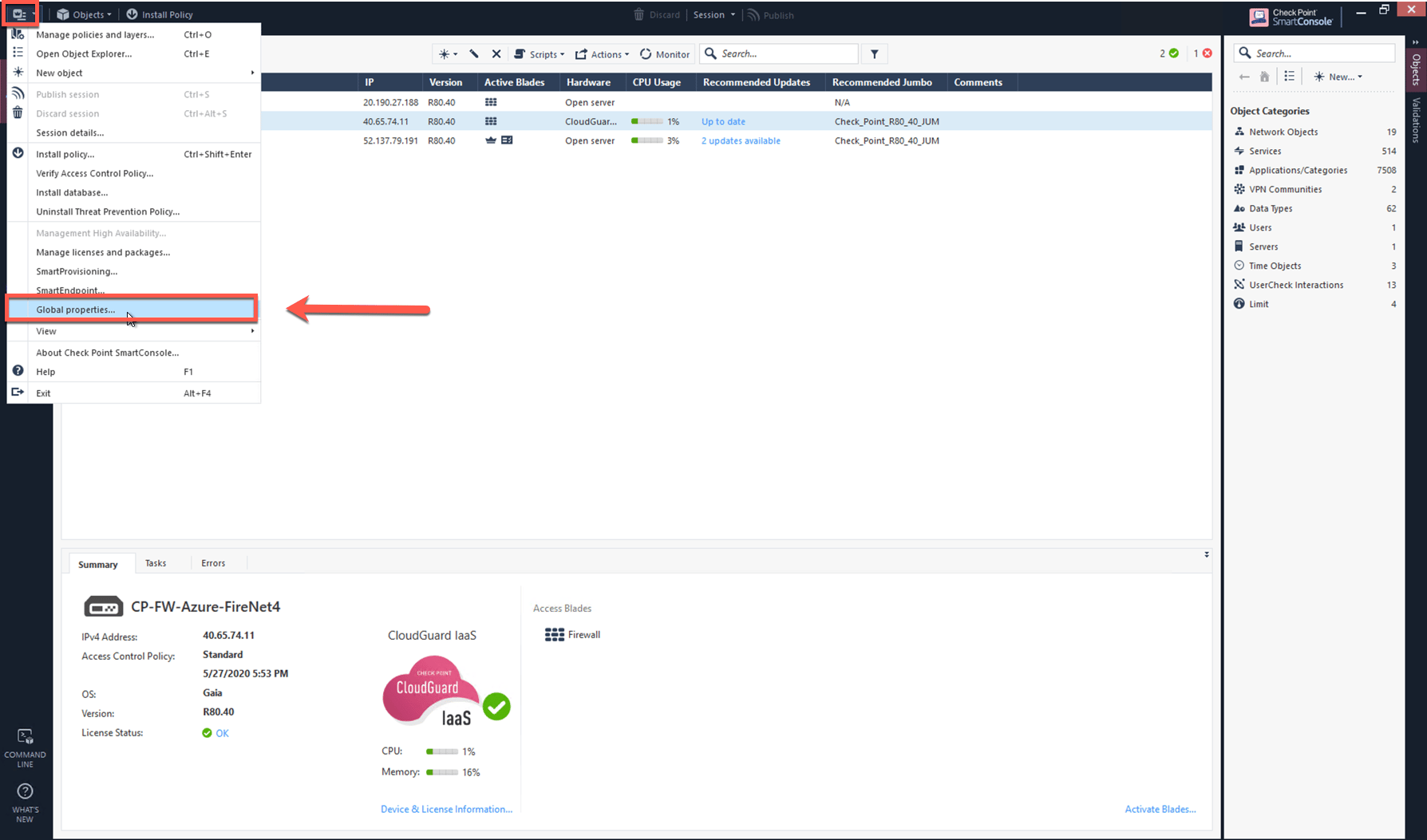
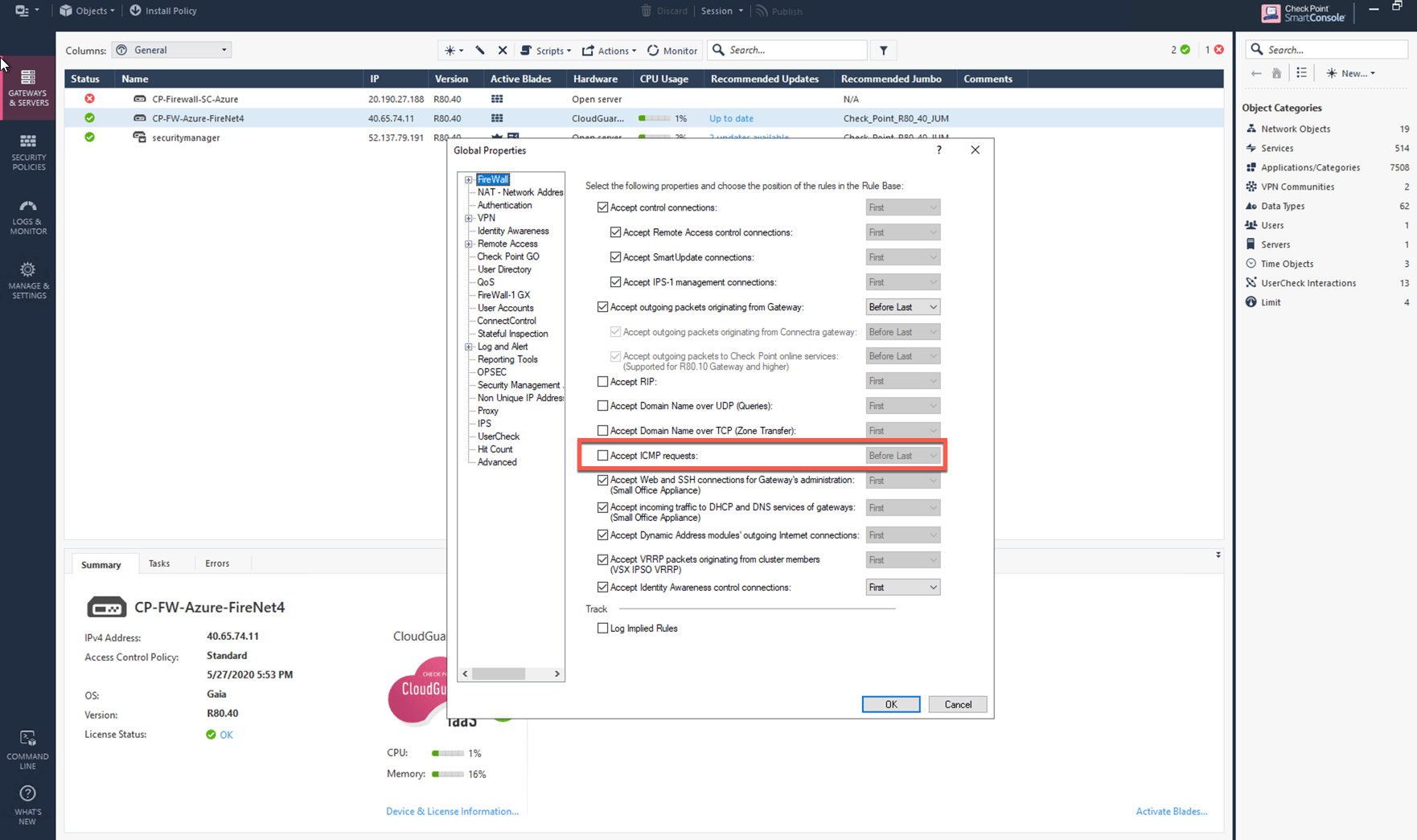
To ensure accurate LAN-based health monitoring, firewalls must be configured to allow ICMP (ping) traffic on their LAN interfaces. The following subsections provide step-by-step instructions for enabling ping on supported firewall platforms, including Palo Alto VM-Series, Fortinet FortiGate, and Check Point firewalls. Proper configuration is essential for Aviatrix to perform reliable keepalive checks and maintain high availability.Ping for LAN-based health check does not support IPv6 addresses.
Enabling Ping on VM-Series Firewall
In the Palo Alto UI, go to Network > Network Profiles > Interface Mgmt and create profile to allow ping.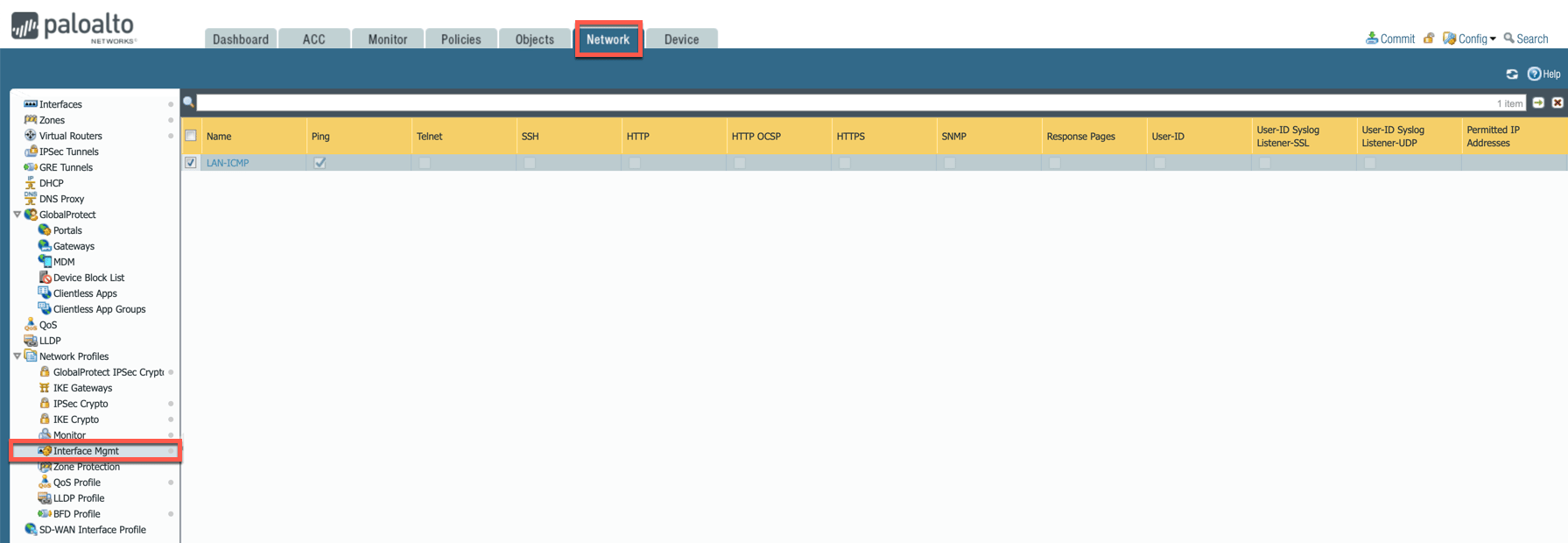
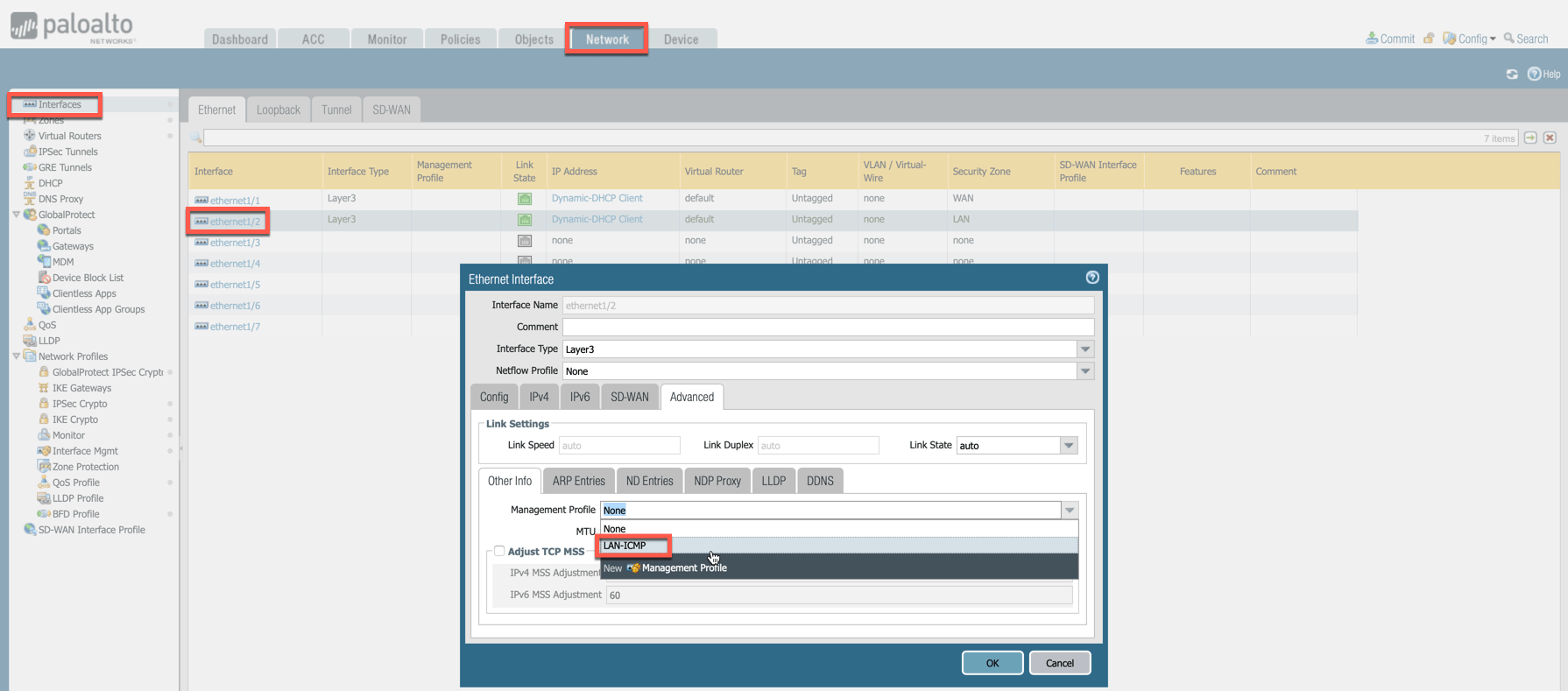
Enabling Ping on Check Point and Fortinet
For Check Point CloudGuard and Fortinet FortiGate, CoPilot uses AWS API to check instance health. In the Fortinet FortiGate UI, navigate to Network > Interfaces > Edit Interface and select the PING checkbox.