

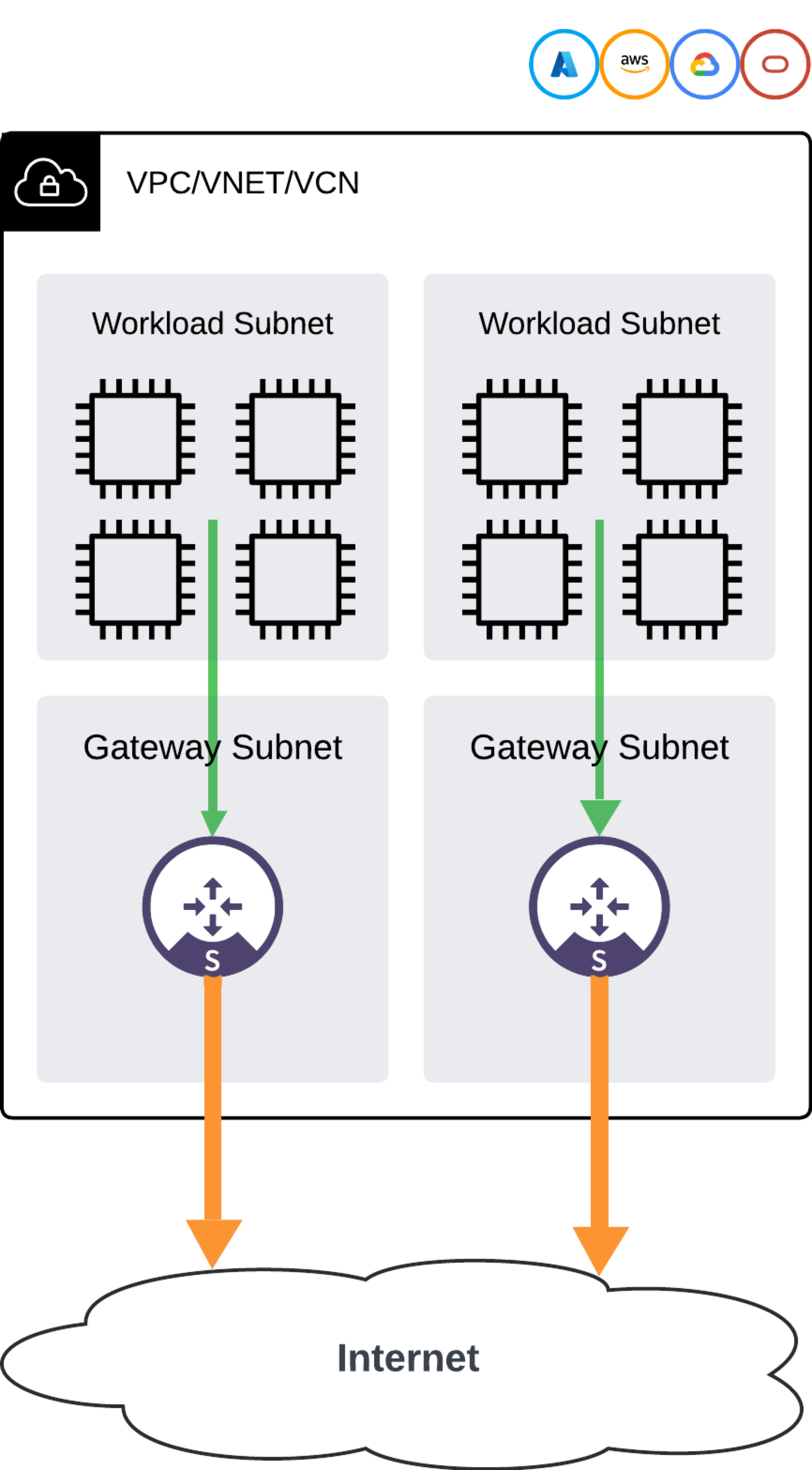
Network Design
Aviatrix PaaS utilizes a centralized management and control plane to scale management across multiple VPCs. This enables customers to deploy and manage Spoke gateways, along with their NAT and security policies, from a single console or through automation capabilities such as Terraform and API. Aviatrix recommends following these steps to implement your cloud egress security.Onboard Your Cloud Accounts and VPC/VNets
- Ensure that your cloud accounts are onboarded:
- Onboard VPC/VNets
Monitor Your VPC/VNets
After VPC/VNets are onboarded, you can monitor them to check the traffic flows. Monitoring your VPC/VNets also enables egress. After monitoring your VPC/VNets, you can do one of the following to protect your traffic:Protect Your VPC/VNets using AI
After VPC/VNets are monitored, the top traffic destinations, domains, and offenders are displayed on the Security > Egress > Analyze tab. You can use filter options on this tab to show results for specific VPC/VNets. Based on this information, and using AI to reveal information about traffic flows, you can protect specific traffic flows to ensure that only trusted traffic is going to the Internet.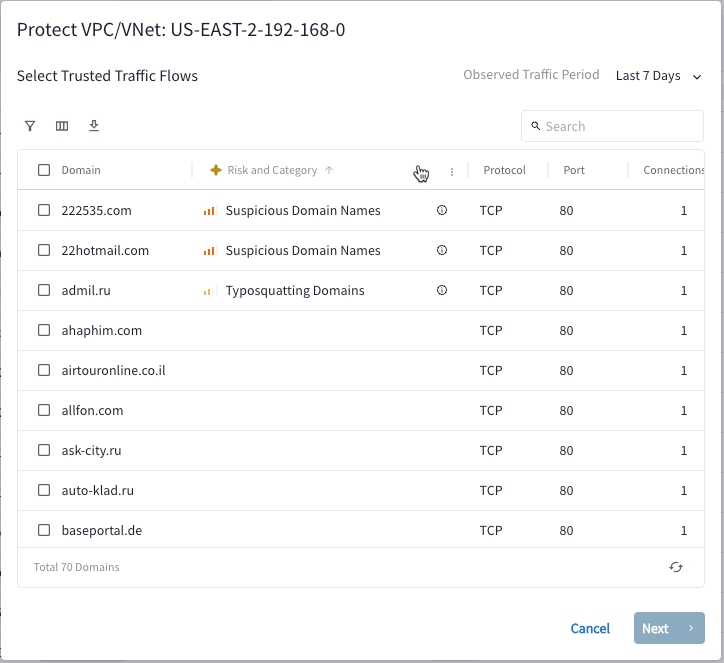
Protect Your VPC/VNets with Groups and Rules
Protecting your VPC/VNets using groups and rules requires a manual approach. After monitoring your traffic for a certain period, you can establish the necessary groups and DCF rules to safeguard your traffic.Create Groups
- SmartGroups: Create logical groupings of resources for DCF egress rules.
- WebGroups: Manage outbound Internet traffic with WebGroups.
- ExternalGroups: Manage external feeds (such as Countries, Threat Feeds, and SaaS-based services) with ExternalGroups.
SmartGroups
- Create a SmartGroup named “Marketing-Department” that includes all VMs or
resources tagged with
Department: Marketing. - Create a SmartGroup named “Sales-Team” that includes all VMs or resources
tagged with
Team: Sales. - Create a SmartGroup named “All-Employees” that includes all VMs or resources within the organization.
- Create a SmartGroup named “Security-Team” that includes all VMs or resources
tagged with
Team: Security.
WebGroups
- Create a WebGroup named “SaaS-Allowed” that includes the domains salesforce.com and office.com.
- Create a WebGroup named “Social-Media-Restricted” that includes the domains
facebook.com,x.com, andinstagram.com. - Create a WebGroup named “Gambling-Sites” that includes the domains
bet365.com,pokerstars.com, and888.com.
ExternalGroups
Create an ExternalGroup named “Blocked-Countries” that includes countries such asNorth Korea and Iran.
Create Distributed Cloud Firewall Egress Rules
The Aviatrix Distributed Cloud Firewall (DCF) solution in Aviatrix PaaS ensures consistent security policies across cloud platforms by defining egress rules that describe the relationship and trust between resources in different SmartGroups (including the predefined SmartGroup Public Internet, which cannot be deleted), WebGroups, and External Groups. Operating within individual VPCs or VNets, DCF inspects and enforces egress security rules directly in the cloud network where the traffic originates, regardless of its destination. These rules are applied at the point of egress and can be customized for logging. Rules are evaluated in order and should follow a naming convention that indicates their intent, allowing you to establish a pattern that suits your cloud deployment needs. All of these rules should use the TCP protocol and port 443.Example 1: Restricting Access to Social Media Sites
Scenario: You want to restrict access to social media sites for a specific department within your organization. Create a DCF rule with the following characteristics:- Source: “Marketing-Department” SmartGroup
- Destination: “Social-Media-Restricted” WebGroup
- Action: Deny
Example 2: Allowing Access to Specific SaaS Applications
Scenario: You want to allow access to specific SaaS applications such as Salesforce and Office 365 for the Sales team. Create a DCF rule with the following characteristics:- Source: “Sales-Team” SmartGroup
- Destination: “SaaS-Allowed” WebGroup
- Action: Allow
Example 3: Blocking Access to Gambling Sites
Scenario: You want to block access to gambling sites for all employees. Create a DCF rule with the following characteristics:- Source: “All-Employees” SmartGroup
- Destination: “Gambling-Sites” WebGroup
- Action: Deny
Example 4: Allowing Access to External Threat Feeds
Scenario: You want to allow access to external threat intelligence feeds for your security team. Create a DCF rule with the following characteristics:- Source: “Security-Team” SmartGroup
- Destination: Default ThreatGroup ExternalGroup: you can also select one or more threat types and/or severity types
- Action: Allow
- Source: “All-Employees” SmartGroup
- Destination: “Blocked-Countries” ExternalGroup
- Action: Deny