

- Onboard: Onboards the discovered VPC/VNets. This is necessary before monitoring or protecting the VPC/VNets. If a VPC/VNet is not onboarded, or is in the process of onboarding, this is indicated next to the VPC/VNet name. When a VPC/VNet is not onboarded, this means Aviatrix is not yet managing the networking and security on the VPC/VNet (meaning there are no Aviatrix gateways deployed in it).
-
Monitor: Enables egress on the VPC/VNets, which modifies the Default Route and
enables SNAT. Monitoring the VPC/VNet also enables a Watch Rule for the
selected VPC/VNets. You must monitor your VPC/VNets before you can apply
protection.
Aviatrix strongly recommends monitoring your VPC/VNets for a period of time before applying protection, to establish egress traffic patterns from the VPC/VNets and determine what traffic should be allowed.
-
Protect: Enables egress on the VPC/VNets; ensures that VPC/VNets are
monitored; and adds the protected VPC/VNets to a Protect Rule and a Protect
SmartGroup.
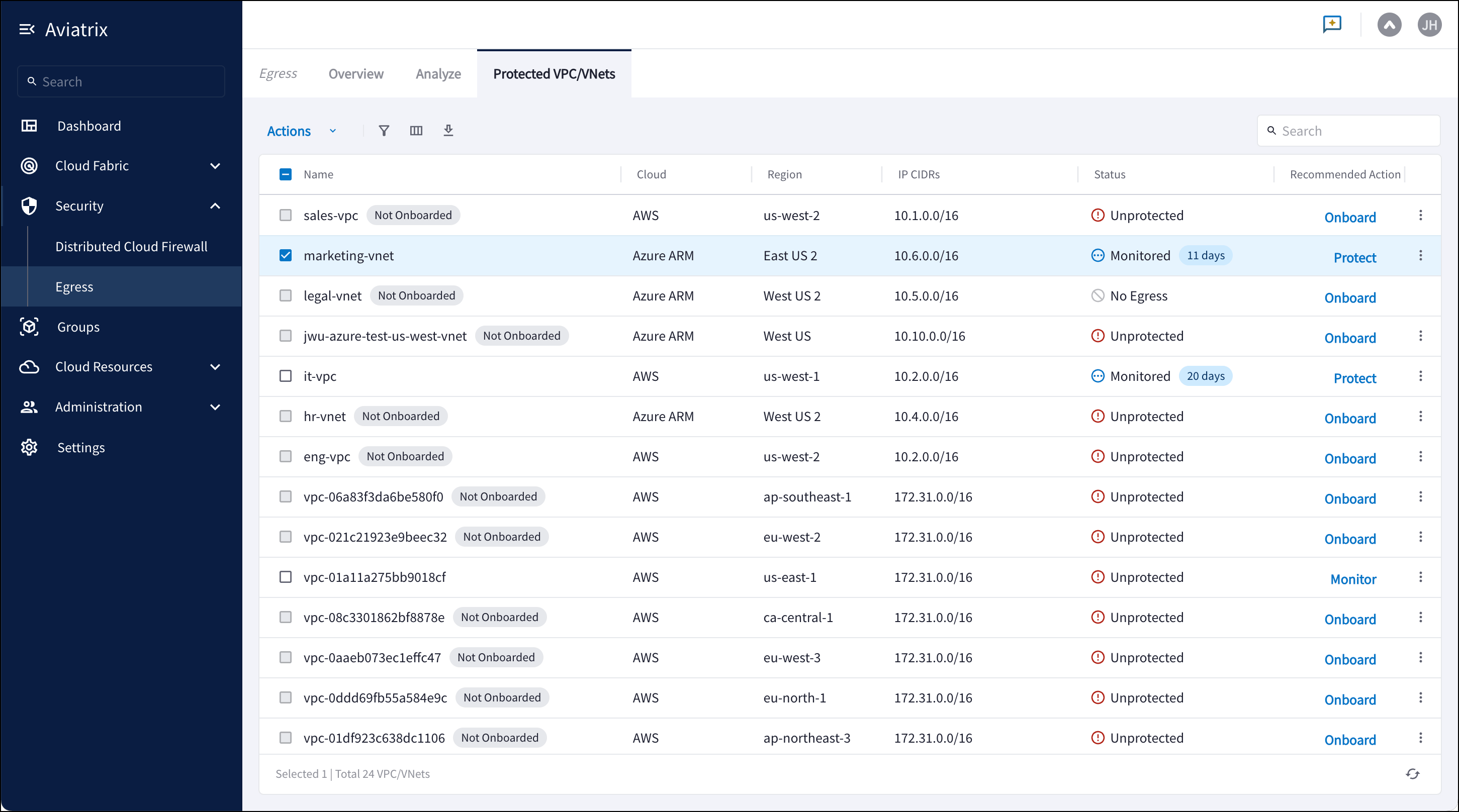
- No Egress: VPC/VNet is private and does not have a route table entry to the Internet.
- Unprotected: No enforced Default Deny to Internet.
- Monitored: No enforced Default Deny to Internet; logging enabled.
- Partially Protected: Default Allow to Internet with some blocking rules.
- Protected: Default Deny to Internet.
- Ignored: Unprotected/partially protected and not included in Egress Score calculations.
- Unknown: VPC/VNet has a route to the Internet, but the destination is not a native Egress point.
- Default (shows all VPC/VNets)
- Monitored VPC/VNets
- Unprotected VPC/VNets
- Not Onboarded VPC/VNets