

- Alerts
- Alert Configurations
- System Messages
- Tasks
- Recipients
- Settings
Purpose
The Alerts page displays active alerts with details about affected entities, conditions, and timestamps.Elements

- Search: Search box for filtering alerts (disabled when no data).
- Default View: Dropdown to select or manage default view settings.
- Actions button: Performs actions on selected alerts (disabled when no selection).
- Show filters button: Opens filter dialog to filter alerts.
- Select columns button: Opens column selection dialog to customize visible columns.
- Export button: Exports alert data.
- Refresh button: Refreshes alert data.
Actions
View Alerts
View Alerts
To view active alerts:
- Go to Monitor > Notifications > Alerts.
- The Alerts page appears with the list of active alerts (Name, Affected Entities, Condition, First Received, Last Received).
- Optionally, use Search, Default View, Show filters, or Select columns to customize the view.
- Optionally, select alerts and use Actions, or click Export or Refresh.
Parameter Details
| CoPilot Parameter Name | Description |
|---|---|
| Name | Shows alert name. |
| Affected Entities | Shows entities affected by alert. |
| Condition | Shows alert condition. |
| First Received | Shows timestamp when alert was first received. |
| Last Received | Shows timestamp when alert was last received. |
Purpose
The Alert Configurations page manages alert configuration rules with conditions, monitored entities, and recipients.Elements
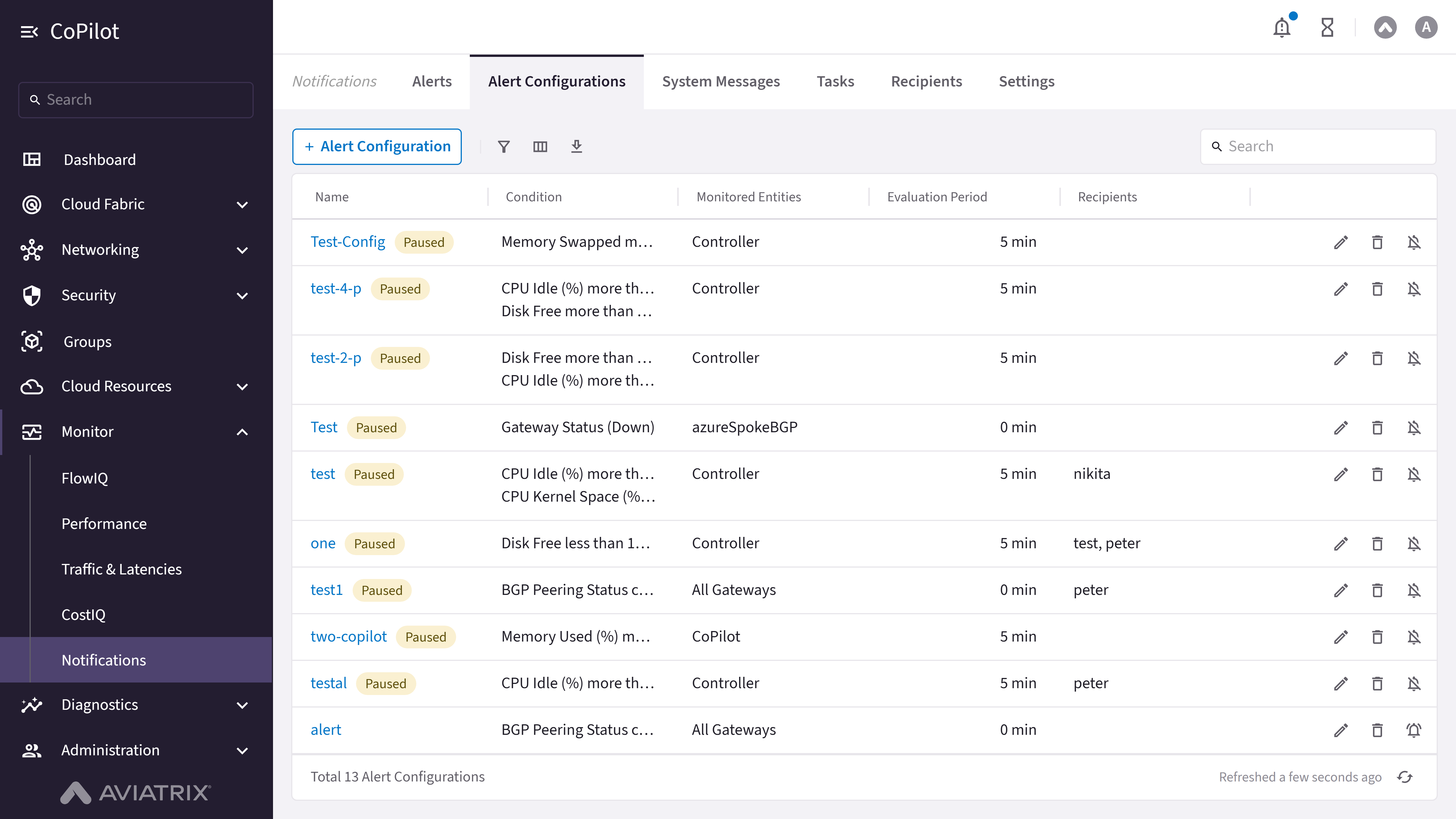
- Alert Configuration button: Opens dialog to create new alert configuration (admin only).
- Search: Search box for filtering alert configurations.
- Show filters button: Opens filter dialog to filter configurations.
- Select columns button: Opens column selection dialog to customize visible columns.
- Export button: Exports configuration data.
- Refresh button: Refreshes configuration data.
- actions column (admin only): Per-row menu with Edit, Delete, and Pause/Unpause. Edit and Delete are disabled for certain built-in alert configurations (for example, Global Control Plane Health, Global Network Health, Global Memory Swap Surge, Scaling, and Anomaly alerts).
Actions
View Alert Configurations
View Alert Configurations
To view alert configurations:
- Go to Monitor > Notifications > Alert Configurations.
- The Alert Configurations page appears with the list of alert configuration rules.
- Optionally, use Search, Show filters, Select columns, Export, or Refresh.
- Click a configuration’s Name to open a details drawer showing its full configuration. If you are an admin, the drawer also provides Edit, Delete, and Pause/Unpause icon buttons.
Parameter Details
| CoPilot Parameter Name | Description |
|---|---|
| Name | Shows alert configuration name. A Paused chip appears next to the name if the alert is paused. |
| Condition | Shows alert conditions configured. |
| Monitored Entities | Shows entities monitored by configuration. |
| Evaluation Period | Shows evaluation period for alert. |
| Recipients | Shows recipients for alert notifications. |
| actions | Admin-only per-row menu with Edit, Delete, and Pause/Unpause. |
Create Alert Configuration
Create Alert Configuration
To create a new alert configuration:
- Go to Monitor > Notifications > Alert Configurations.
- Click Alert Configuration to open the create dialog.
- Configure conditions, monitored entities, evaluation period, and recipients.
- Save the configuration.
Edit, Delete, or Pause an Alert Configuration
Edit, Delete, or Pause an Alert Configuration
To manage an existing alert configuration:
- Go to Monitor > Notifications > Alert Configurations.
- In the row’s actions menu (or in the details drawer opened from the configuration’s Name), select Edit, Delete, or Pause/Unpause.
- If editing, update the configuration in the dialog and save. If deleting, confirm the deletion.
Purpose
The System Messages page displays system messages with timestamps, types, and descriptions.Elements
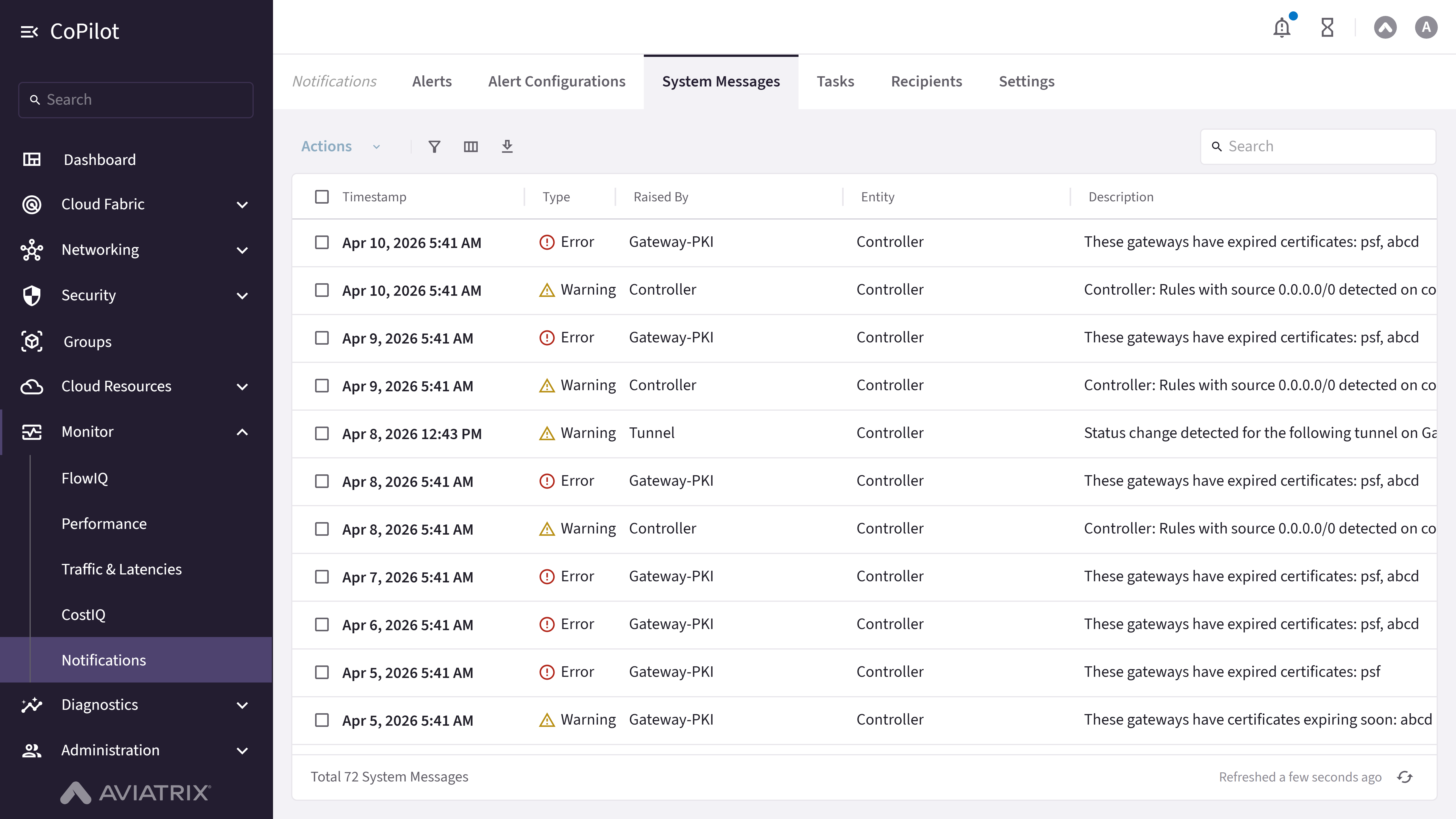
- Search: Search box for filtering system messages.
- Actions button: Performs actions on selected messages (disabled when no selection).
- Show filters button: Opens filter dialog to filter messages.
- Select columns button: Opens column selection dialog to customize visible columns.
- Export button: Exports message data.
- Default View: Dropdown to select or manage default view settings.
- Refresh button: Refreshes message data.
- actions column: Per-row Mark as Read button.
Actions
View System Messages
View System Messages
To view system messages:
- Go to Monitor > Notifications > System Messages.
- The System Messages page appears with the list of messages (Timestamp, Type, Raised By, Entity, Description).
- Optionally, use Search, Default View, Show filters, Select columns, Export, or Refresh. Select messages and use Actions as needed.
- Click a message’s Mark as Read button to dismiss it from the unread list.
Parameter Details
| CoPilot Parameter Name | Description |
|---|---|
| Timestamp | Shows message timestamp. |
| Type | Shows message type. |
| Raised By | Shows component that raised message. |
| Entity | Shows entity associated with message. |
| Description | Shows message description. |
| actions | Per-row Mark as Read button. |
- Tasks
- Active Gateway Operations
Purpose
The Tasks page displays task information with status, progress, and timing details.Elements

- Show filters button: Opens filter dialog to filter tasks.
- Select columns button: Opens column selection dialog to customize visible columns.
- Export button: Exports task data.
- Refresh button: Refreshes task data.
- Expand row icon: Shown for tasks that have nested subtasks; expands to reveal the subtask hierarchy.
Actions
View Tasks
View Tasks
To view tasks:
- Go to Monitor > Notifications > Tasks > Tasks.
- The Tasks page appears with the list of tasks (Name, User, Status, Progress, Start Time, End Time).
- Optionally, use Show filters, Select columns, Export, or Refresh. Click the expand icon on a task with subtasks to view its hierarchy.
Parameter Details
| CoPilot Parameter Name | Description |
|---|---|
| Name | Shows task name. |
| User | Shows user who initiated task. |
| Status | Shows task status: Pending, In Progress, Completed, Error, or Unknown. |
| Progress | Shows task progress percentage. |
| Start Time | Shows task start timestamp. |
| End Time | Shows task end timestamp. |
Purpose
The Active Gateway Operations page displays in-progress gateway operations (such as upgrades or restarts) with the affected gateways and progress.Elements
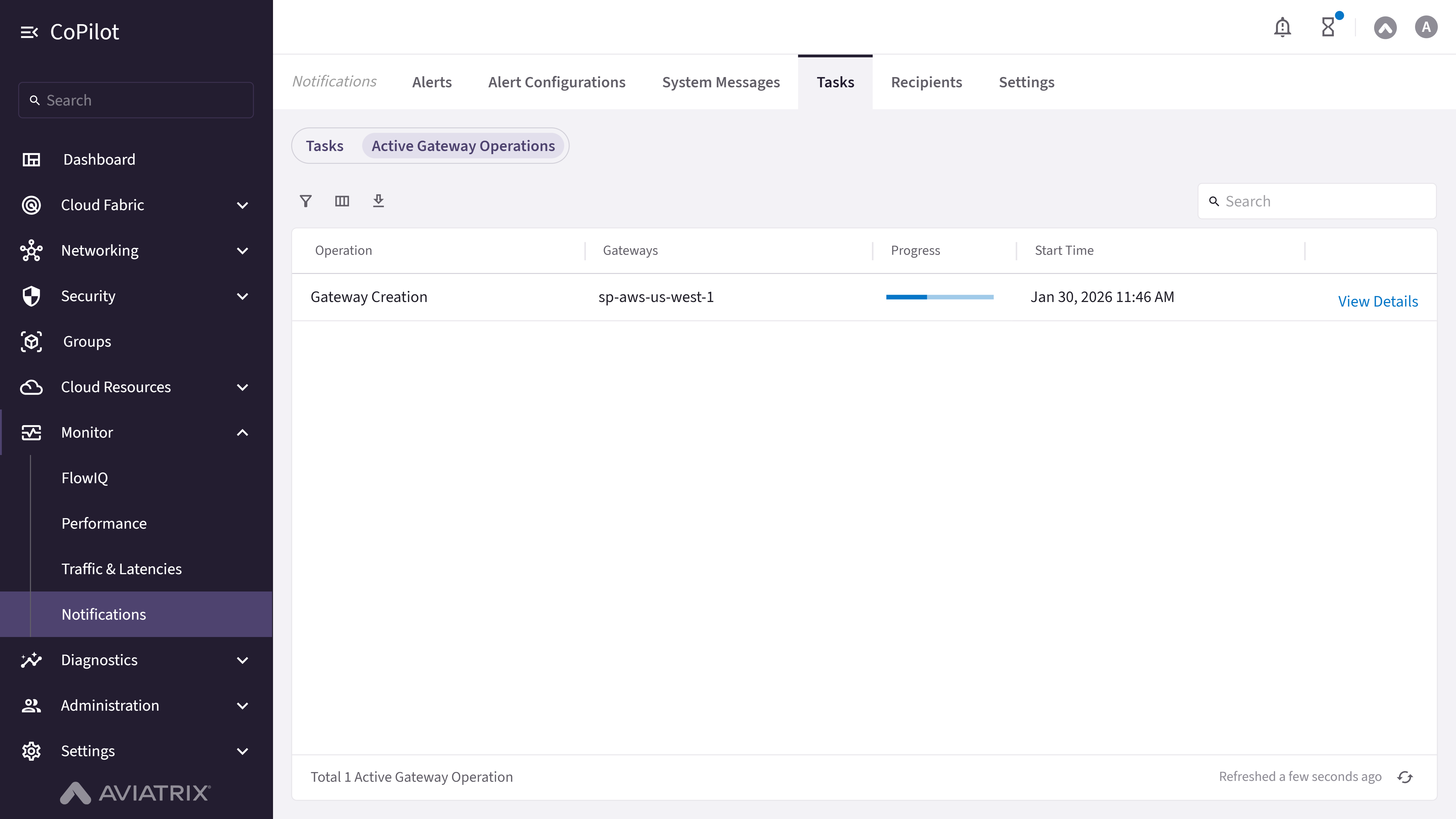
- Refresh button: Refreshes the list of active gateway operations.
- View Details: Row action that opens a dialog with the operation’s full details and event log.
Actions
View Active Gateway Operations
View Active Gateway Operations
To view active gateway operations:
- Go to Monitor > Notifications > Tasks > Active Gateway Operations.
- The Active Gateway Operations page appears with the list of operations (Operation, Gateways, Progress, Start Time).
- Click View Details on a row to open a dialog showing the operation’s Gateways, Start Time, a progress bar, and an event log.
- Optionally, click Refresh to reload the list.
Parameter Details
| CoPilot Parameter Name | Description |
|---|---|
| Operation | Shows the type of gateway operation. |
| Gateways | Shows the gateway(s) affected by the operation. |
| Progress | Shows the operation’s progress bar. |
| Start Time | Shows the operation’s start timestamp. |
| View Details | Opens a dialog with the operation’s Gateways, Start Time, progress bar, and event log console. |
- Email Addresses
- Webhooks
Purpose
The Recipients page manages email addresses and webhooks for alert notifications.Elements
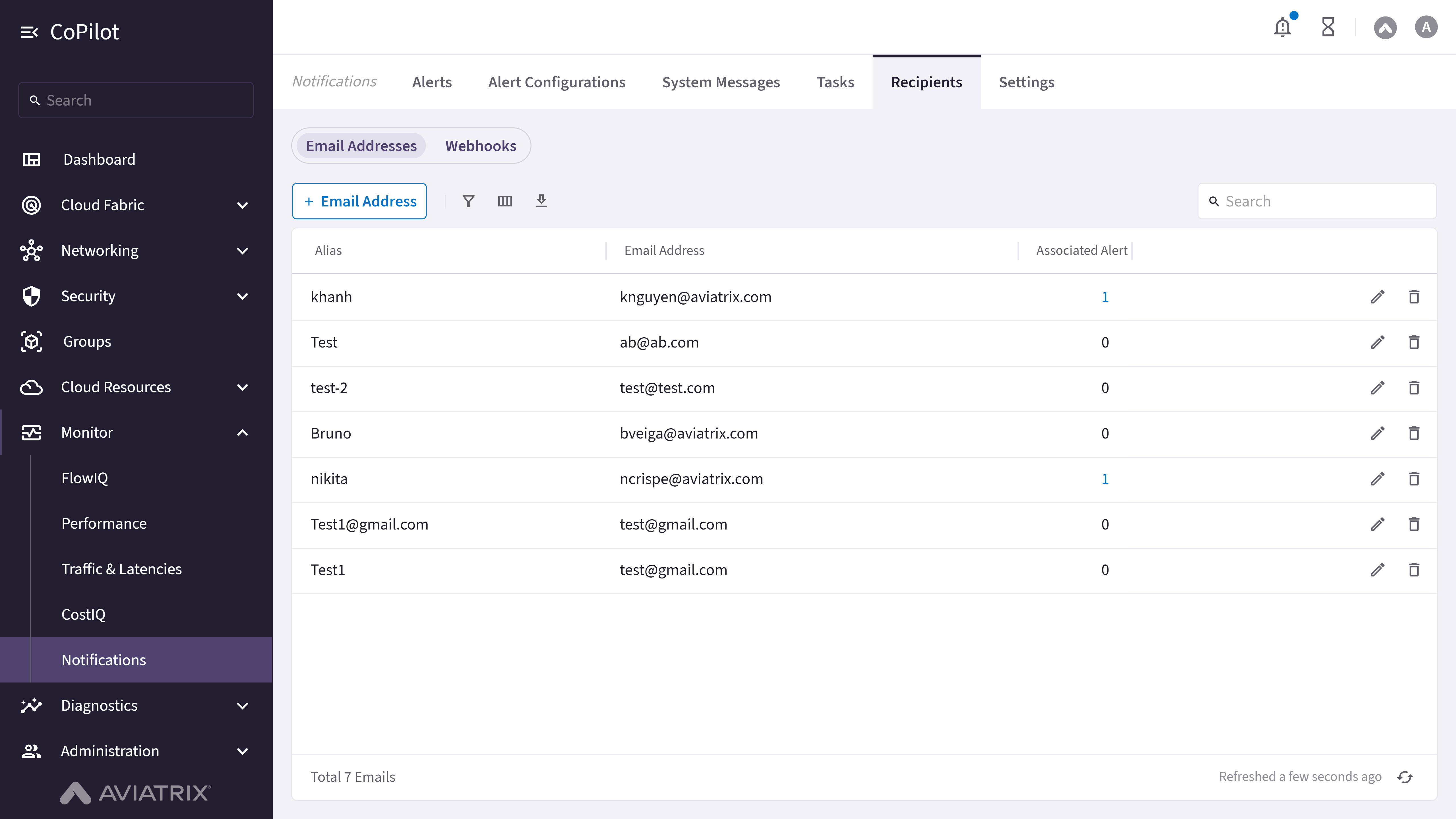
- Email Address button (admin only): Opens dialog to add a new email recipient.
- Show filters button: Opens filter dialog.
- Select columns button: Opens column selection dialog.
- Export button: Exports recipient data.
- Refresh button: Refreshes recipient data.
- actions column (admin only): Per-row Edit and Delete.
Actions
View Email Recipients
View Email Recipients
To view email recipients for alerts:
- Go to Monitor > Notifications > Recipients > Email Addresses.
- The Email Addresses page appears with the list of recipients (Alias, Email Address, Associated Alerts).
- Optionally, use Show filters, Select columns, Export, or Refresh.
Parameter Details
| CoPilot Parameter Name | Description |
|---|---|
| Alias | Shows recipient alias. |
| Email Address | Shows email address. |
| Associated Alerts | Shows the number of alert configurations that send to this recipient; expand to see their names. |
| actions | Admin-only per-row Edit and Delete. If the recipient is associated with alert configurations, the delete confirmation asks you to acknowledge removing it from those configurations. |
Add an Email Recipient
Add an Email Recipient
To add a new email recipient:
- Go to Monitor > Notifications > Recipients > Email Addresses.
- Click Email Address.
- Enter the recipient’s alias and email address, then save.
Purpose
The Webhooks page manages webhooks for alert notifications.Elements
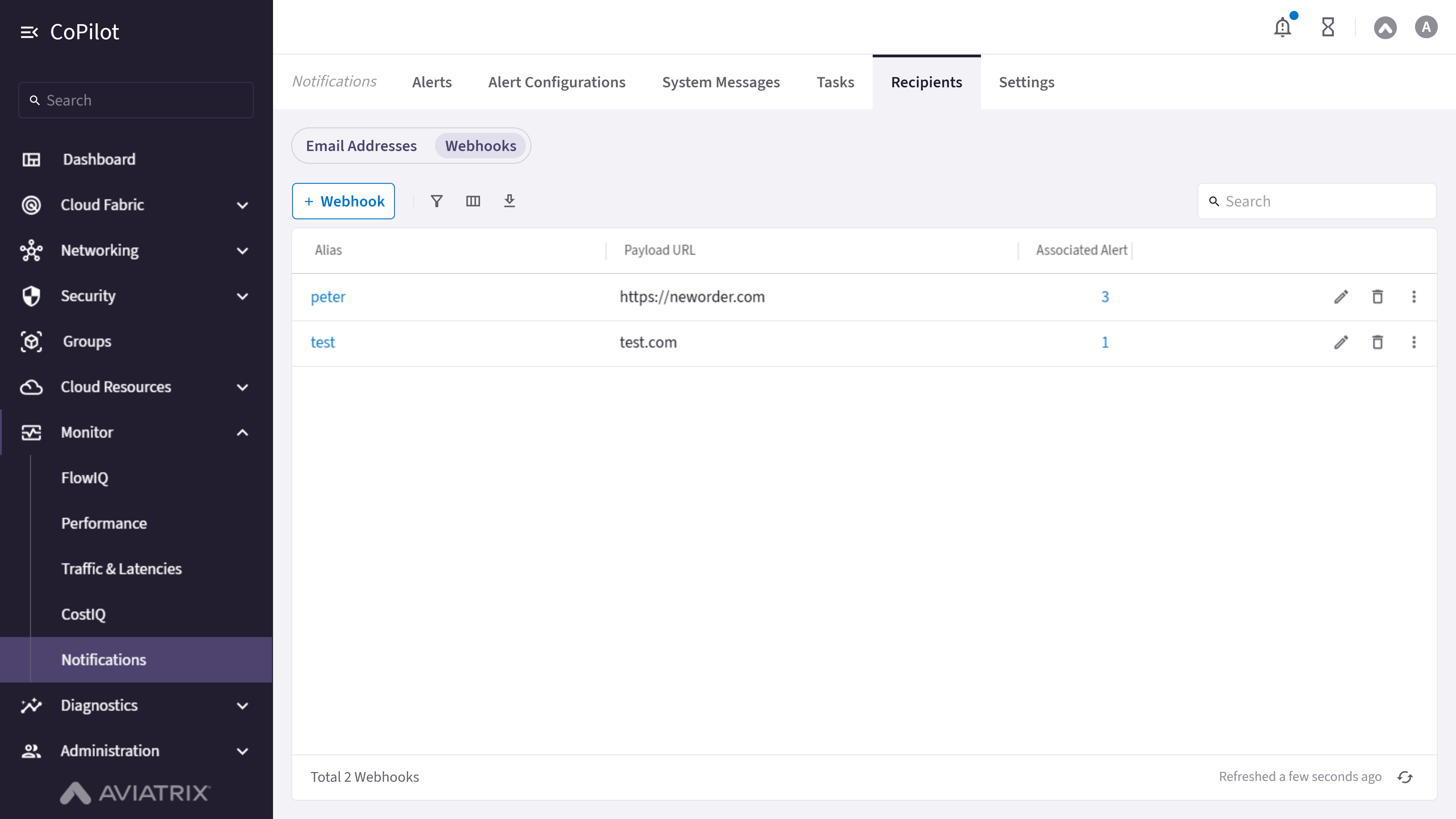
- Webhook button (admin only): Opens dialog to add a new webhook.
- Show filters button: Opens filter dialog.
- Select columns button: Opens column selection dialog.
- Export button: Exports webhook data.
- Refresh button: Refreshes webhook data.
- actions column (admin only): Per-row Edit, Test Webhook, Preview Payload, and Delete.
Actions
View Webhook Recipients
View Webhook Recipients
To view webhook recipients for alerts:
- Go to Monitor > Notifications > Recipients > Webhooks.
- The Webhooks page appears with the list of webhooks (Name, Payload URL, Associated Alerts).
- Click a webhook’s Name to open its details drawer.
- Optionally, use Show filters, Select columns, Export, or Refresh.
Parameter Details
| CoPilot Parameter Name | Description |
|---|---|
| Name | Shows the webhook name; click to open its details drawer. |
| Payload URL | Shows the webhook’s destination URL. |
| Associated Alerts | Shows the number of alert configurations that send to this webhook; expand to see their names. |
| actions | Admin-only per-row Edit, Test Webhook (sends a test payload), Preview Payload, and Delete. If the webhook is associated with alert configurations, the delete confirmation asks you to acknowledge removing it from those configurations. |
Add a Webhook Recipient
Add a Webhook Recipient
To add a new webhook recipient:
- Go to Monitor > Notifications > Recipients > Webhooks.
- Click Webhook.
- Enter a Name and the Payload URL to receive the webhook POST requests.
- Optionally, add up to 10 Headers, an optional Secret (to validate request authenticity), an optional CA Certificate (PEM) (for a private CA or self-signed HTTPS endpoint), and optional Tags/Labels.
- Optionally, edit the Template field (toggle Preview Sample Payload to see the resolved JSON payload), then save.
Purpose
The Settings page configures notification settings including recipient email addresses, SMTP service, software exception reporting, and which system messages generate bell notifications.Elements

- Account and Certificate Alerts card: Configures the Administrator Group Email address that receives account and certificate information.
- Security Events card: Configures the Security Group Email address that receives security and CVE (Common Vulnerabilities and Exposures) notifications.
- Critical Alerts card: Configures the IT Admin Group Email address that receives field notices and critical notices.
- Status Change Notifications card: Configures the IT Admin Group Email address and Status Change Notification Interval (in seconds, 10-3600) for system/tunnel status notifications.
- SMTP Service card: Displays the configured SMTP Server, Protocol, and port, with an edit icon to open the SMTP configuration dialog.
- Send Software Exception Notification Emails to Aviatrix: On/Off toggle to enable/disable sending software exception notifications to Aviatrix.
- System Message Management card: On/Off toggles per system message type that control which system events generate a bell notification (see Parameter Details), with Save/Cancel buttons that appear when a toggle is changed.
Actions
Configure Email Notification Recipients
Configure Email Notification Recipients
To configure email notification recipients:
- Go to Monitor > Notifications > Settings.
- In the Account and Certificate Alerts, Security Events, Critical Alerts, or Status Change Notifications card, enter the email address (and, for Status Change Notifications, the notification interval).
- Optionally, click Verify to send a verification email.
- Click Save to apply the change, or Cancel to discard it.
Configure the SMTP Service
Configure the SMTP Service
To configure the SMTP service used for email notifications:
- Go to Monitor > Notifications > Settings.
- In the SMTP Service card, click the edit icon.
- Enter the SMTP Server, Protocol (TLS, SSL, or None), Port, Sender Email, Test Email, and optional Sender Login/Sender Password.
- Save your changes.
Manage System Message Notifications
Manage System Message Notifications
To control which system events generate a bell notification:
- Go to Monitor > Notifications > Settings.
- In the System Message Management card, toggle individual message types On or Off.
- Click Save to apply your changes, or Cancel to discard them.
Parameter Details
| CoPilot Parameter Name | Description |
|---|---|
| Overlapped CIDR Checks | Notifies when overlapping CIDRs are detected. |
| Log Service Checks | Notifies on log service issues. |
| Reach of Route Limit Checks | Notifies when a gateway approaches its route limit. |
| Blackhole Route Entry Checks | Notifies when a blackhole route entry is detected. |
| Edge Gateway Alerts | Notifies on Edge gateway events. |
| Gateway Alerts | Notifies on gateway events. |
| Tunnel Alerts | Notifies on tunnel events. |
| BGP Alerts | Notifies on BGP events. |
| Telemetry Alerts | Notifies on telemetry events. |
| Metering Alerts | Notifies on metering events. |