

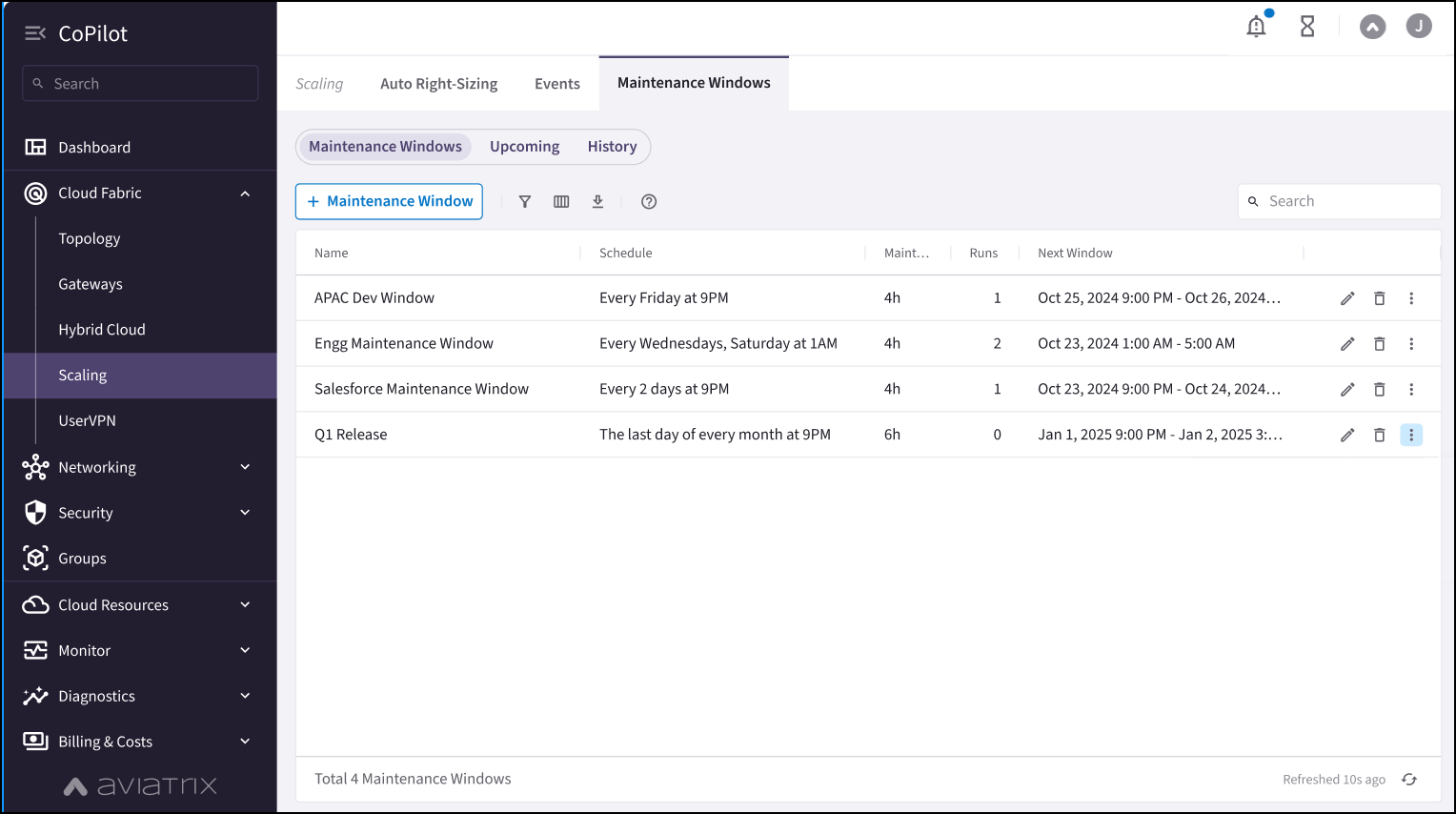
Maintenance Windows Tab
The Maintenance Windows tab shows all scheduled maintenance windows, how many times the maintenance window has been run, and the next time the maintenance window is scheduled to run.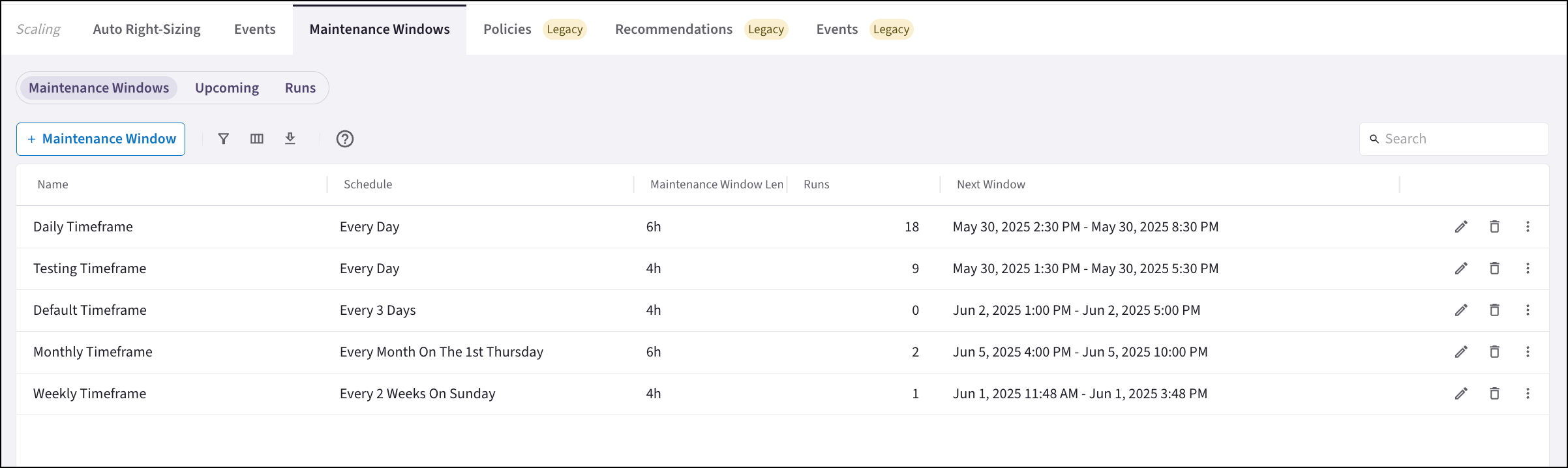
- Add Auto Right-Sizing maintenance windows
- Edit Auto Right-Sizing maintenance windows
- Delete Auto Right-Sizing maintenance windows
- View upcoming schedules and durations for a maintenance window on the Upcoming
tab: Click the vertical ellipsis
 next to the
maintenance window to view upcoming schedules.
next to the
maintenance window to view upcoming schedules. - View runs related to a maintenance window on the Runs tab: Click the vertical
ellipsis next
to the maintenance window to view runs for this maintenance window.
Upcoming Tab
The Upcoming tab shows the scheduled start time of upcoming maintenance windows.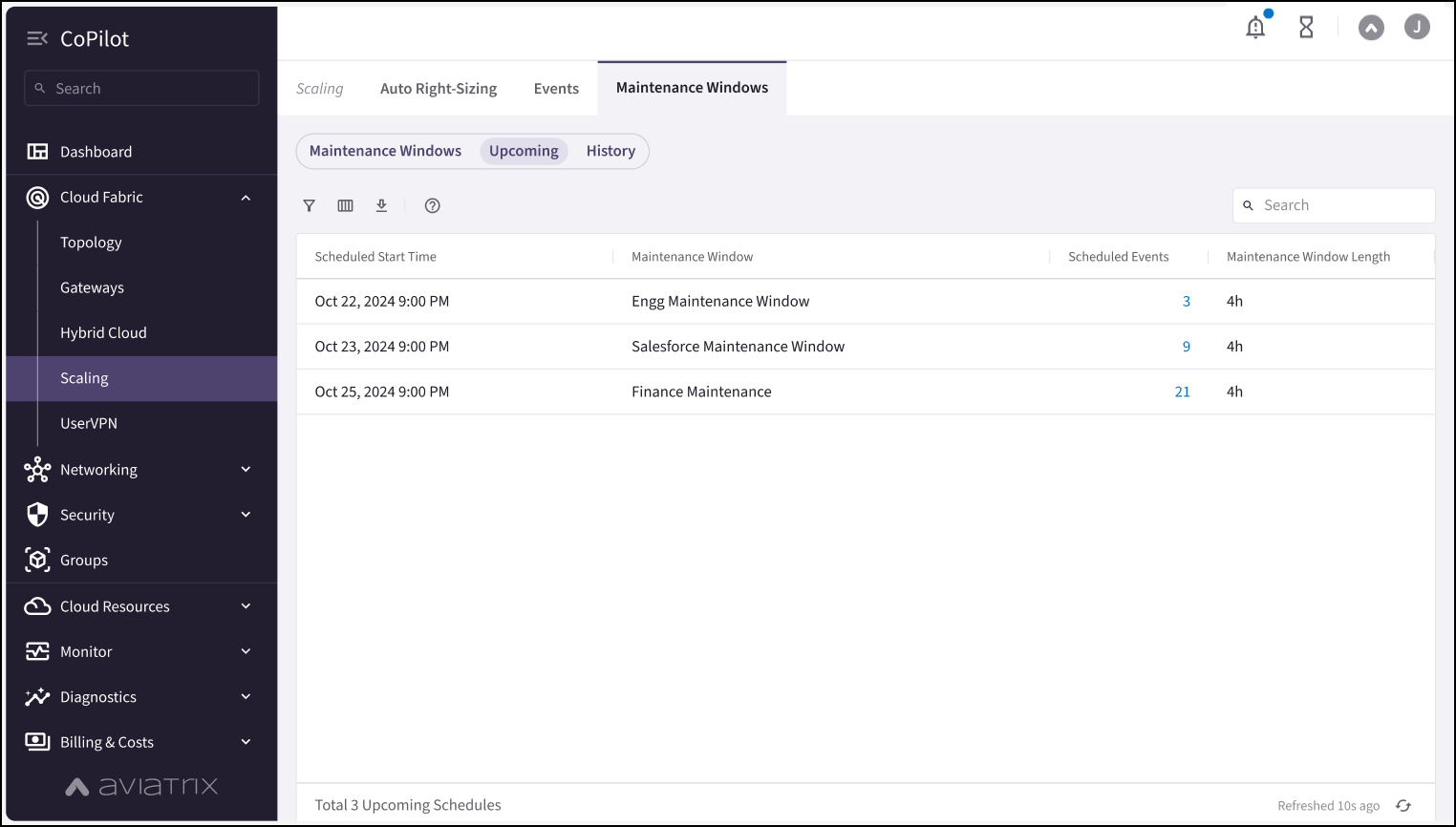
- When the maintenance window is scheduled to start
- The maintenance window length
- The list of gateway instances being resized
- Delete scheduled events from the maintenance window
Runs Tab
The Runs tab shows the history of all in-progress and completed maintenance windows, and their associated status.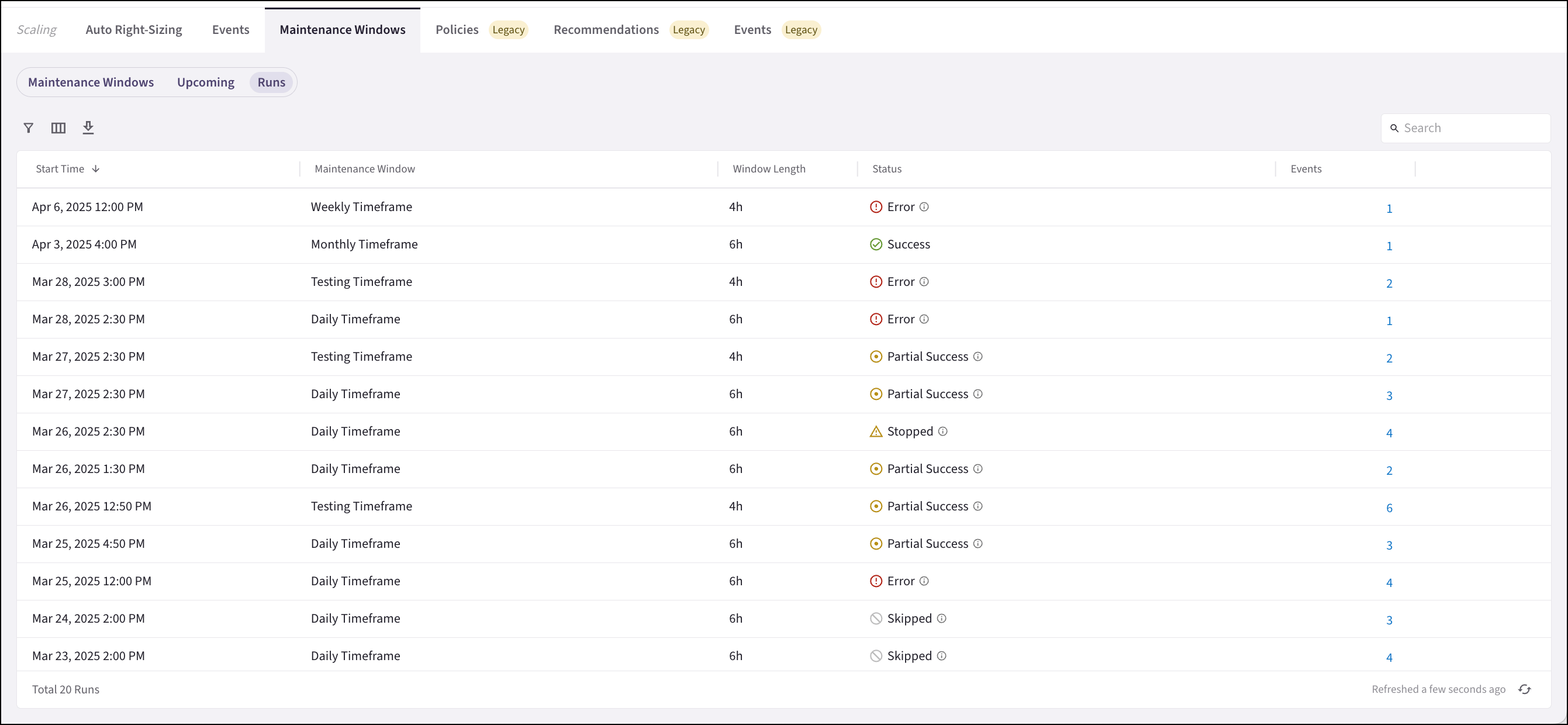
- In Progress: When maintenance begins, the maintenance window schedule moves from the Upcoming tab to the Runs tab and displays as In Progress.
- Partial Success: At least one operation within the maintenance window occurred. Operations may be skipped because the maintenance window was not long enough to complete all tasks, or because a gateway instance was already at the correct size.
- Skipped: The gateway instance is already at the recommended size, or because the maintenance window was not long enough to complete all tasks.
- Error: Errors that occurred during resizing. For example, the gateway instance scheduled to be resized was deleted.
- Success: The maintenance window completed all operations successfully.
- Stopped: The maintenance window was stopped by a user.
- Stopping a maintenance window that is in progress
- Viewing the events that occurred during the maintenance window