

Configuring Transitive Routing
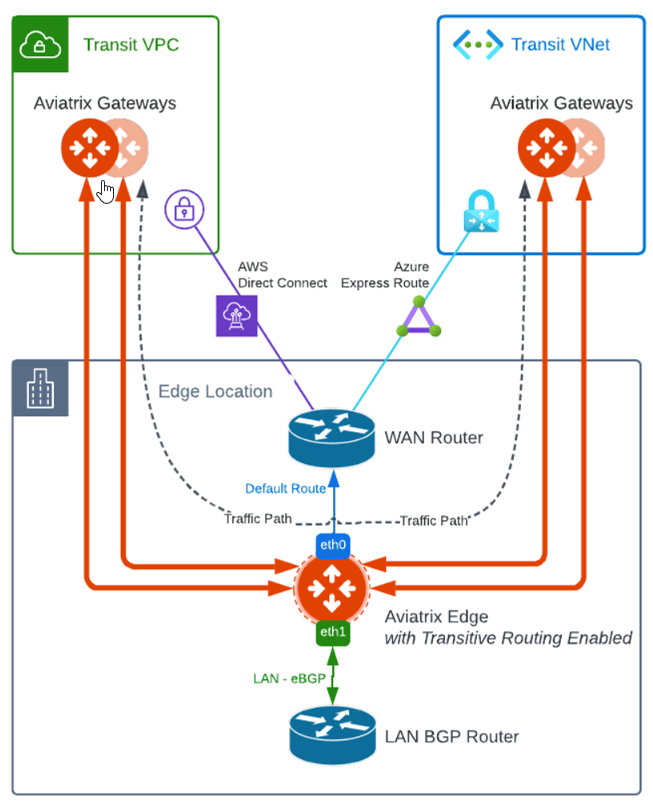
To configure Transitive Routing for an Edge Spoke Gateway, follow these steps.- Attach the Edge Spoke Gateway to the first Transit Gateway. Follow the steps in Attach Edge Gateway to Transit Gateway.
- Repeat and attach the Edge Spoke Gateway to the second Transit Gateway.
- Go to Cloud Fabric > Hybric Cloud > Edge Gateways tab.
- Click Spoke Gateways.
- Select the Edge Spoke Gateway.
- In the Edge Spoke Gateway’s Settings tab, expand the Routing section.
- Set the Transitive Routing toggle to On.
- Verify the routes on each Aviatrix Transit Gateway.