

- Only AWS gateways and Controllers are supported. Other cloud types are not supported.
- AWS gateways created from an access account with AWS secret key and access key are not supported.
Configuring AWS CloudWatch
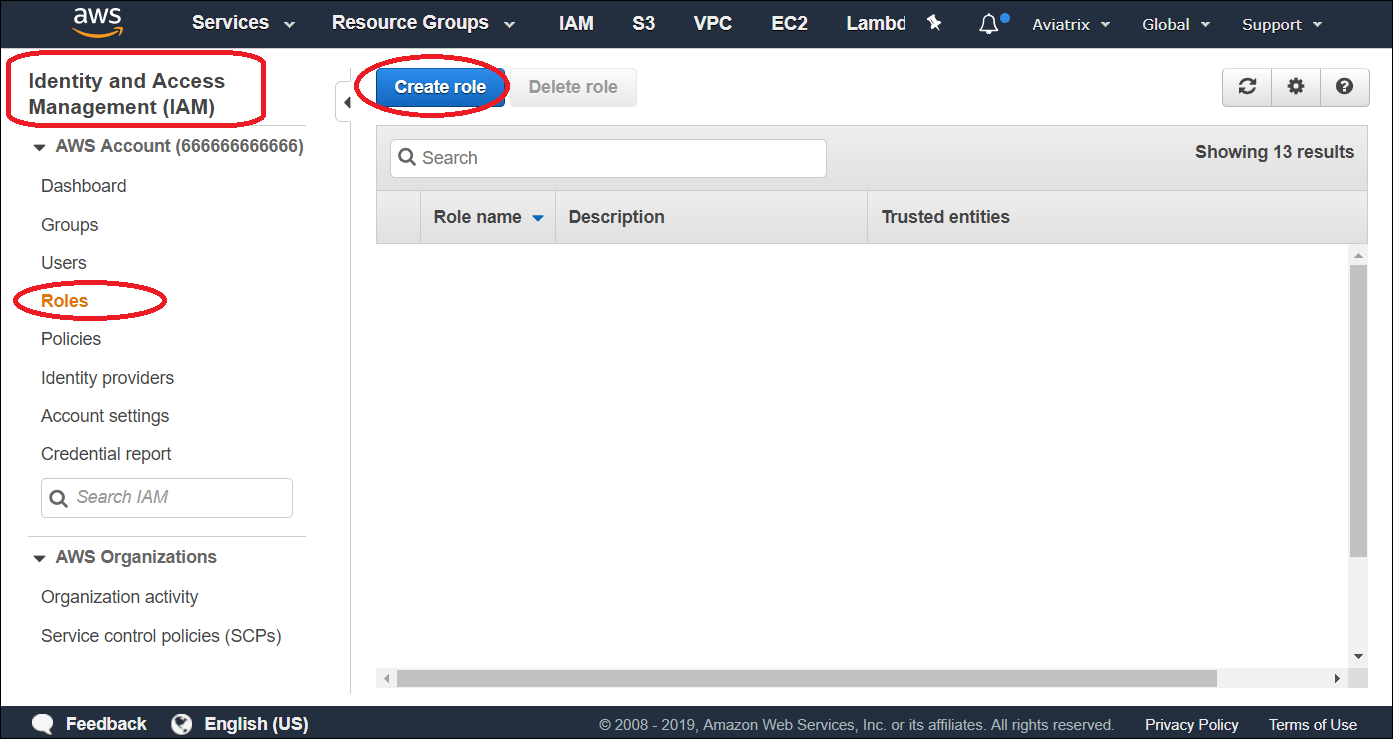
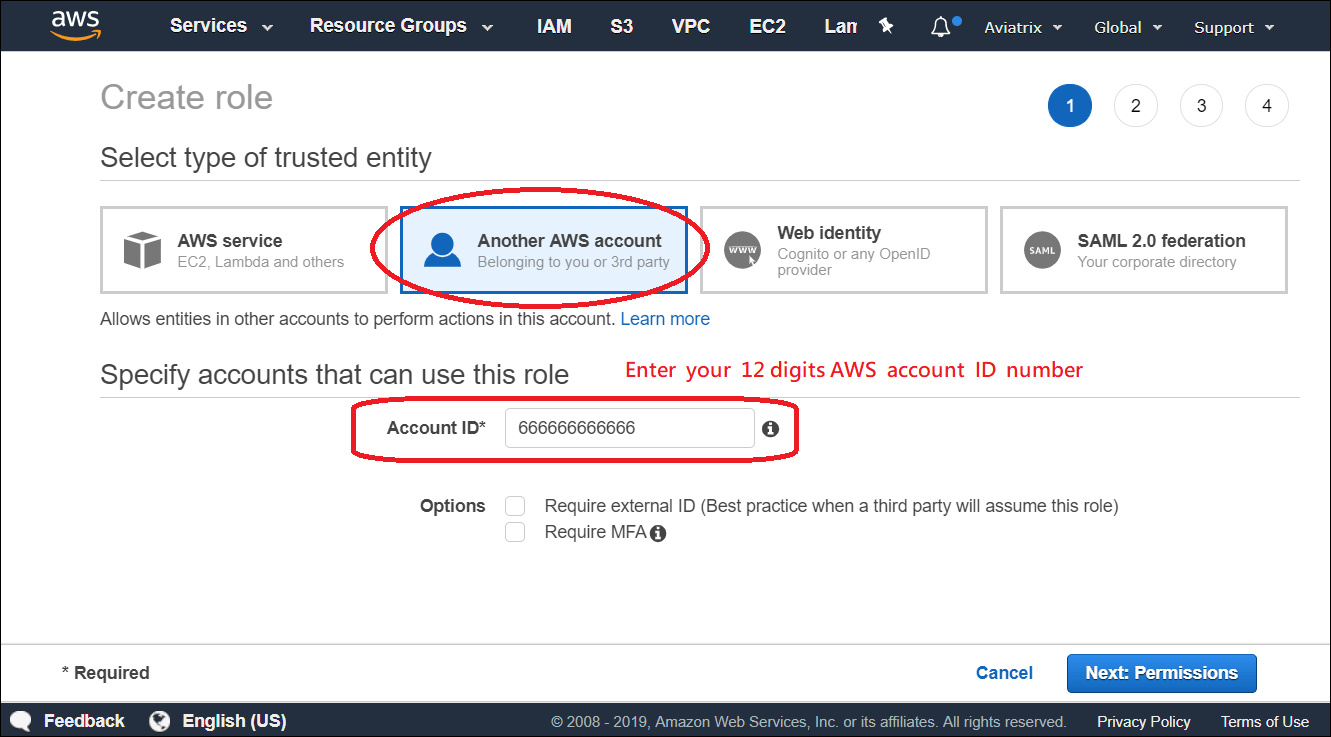
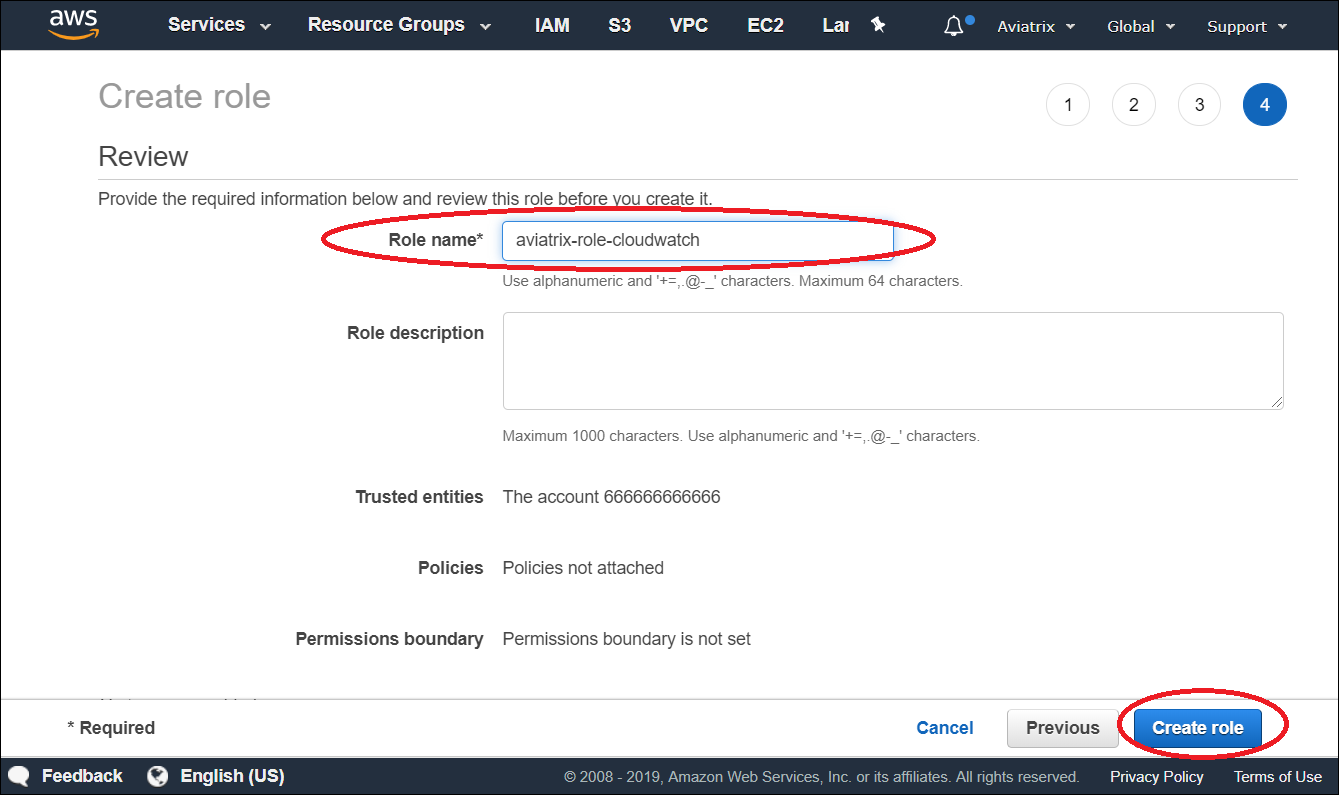
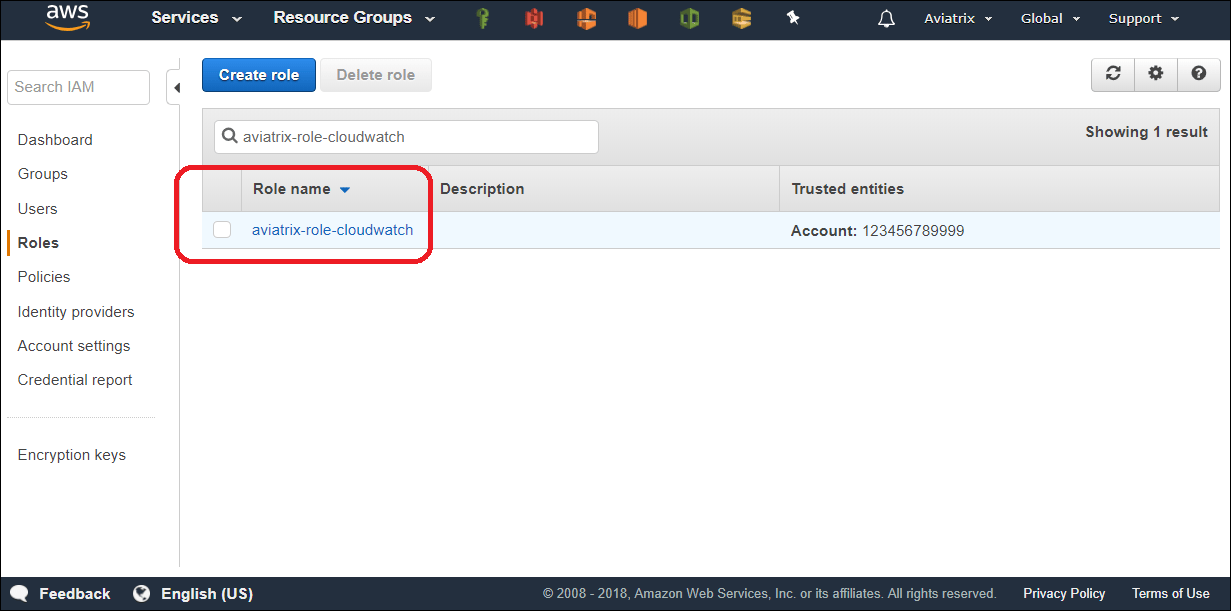
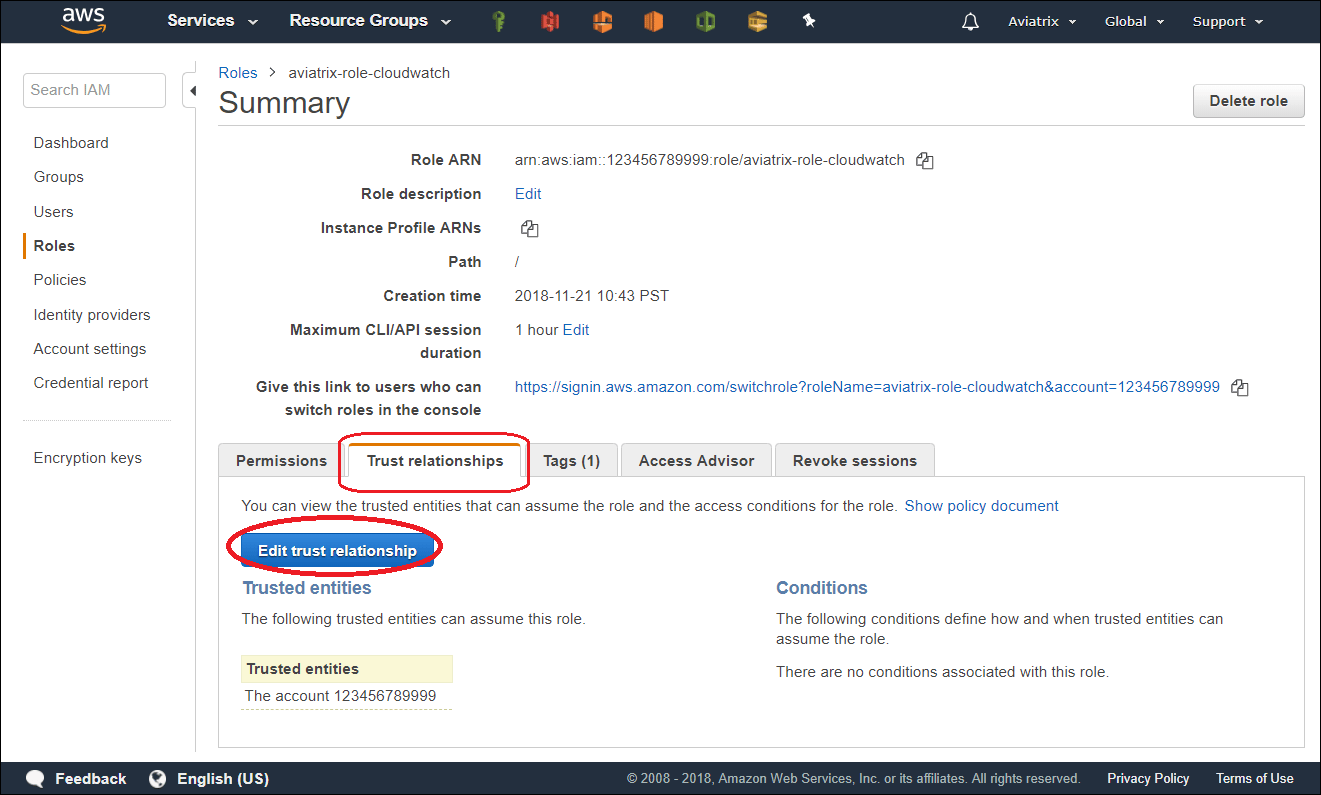
In order for Aviatrix Controllers and gateways in different AWS accounts to send/update logs to the collector’s AWS account, follow the instructions below to set up IAM role and policies on the collector’s AWS account.- Go to AWS console, create an IAM role with a name aviatrix-role-cloudwatch.
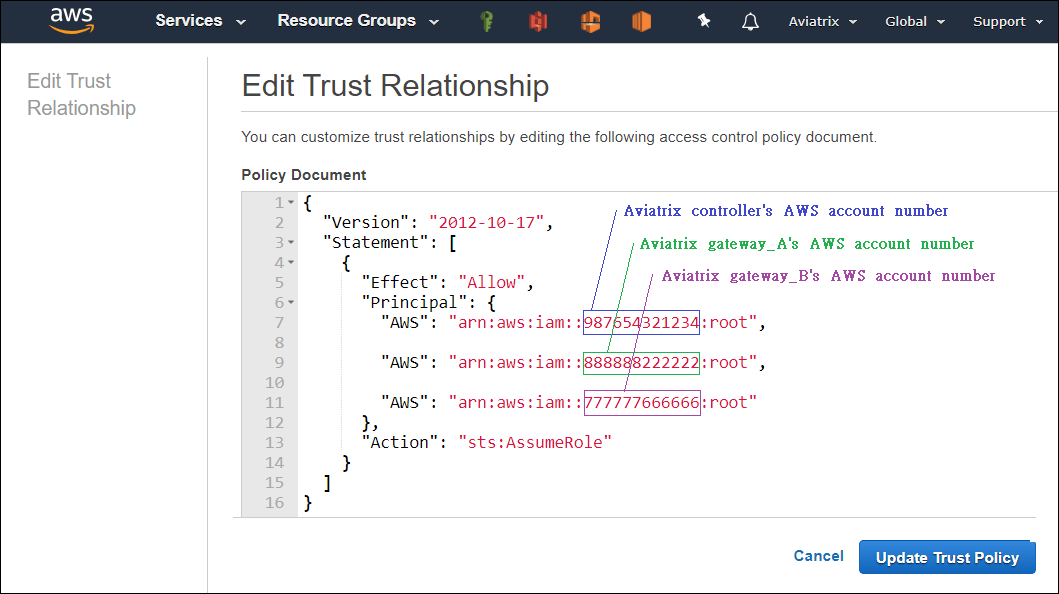
- Add Trust-Relationships for Aviatrix Controllers’ and all gateways’ AWS accounts. If you are already using CloudWatch for logs from all your AWS accounts, you may have already built the trust relationship between accounts. If this is the case, skip this step.
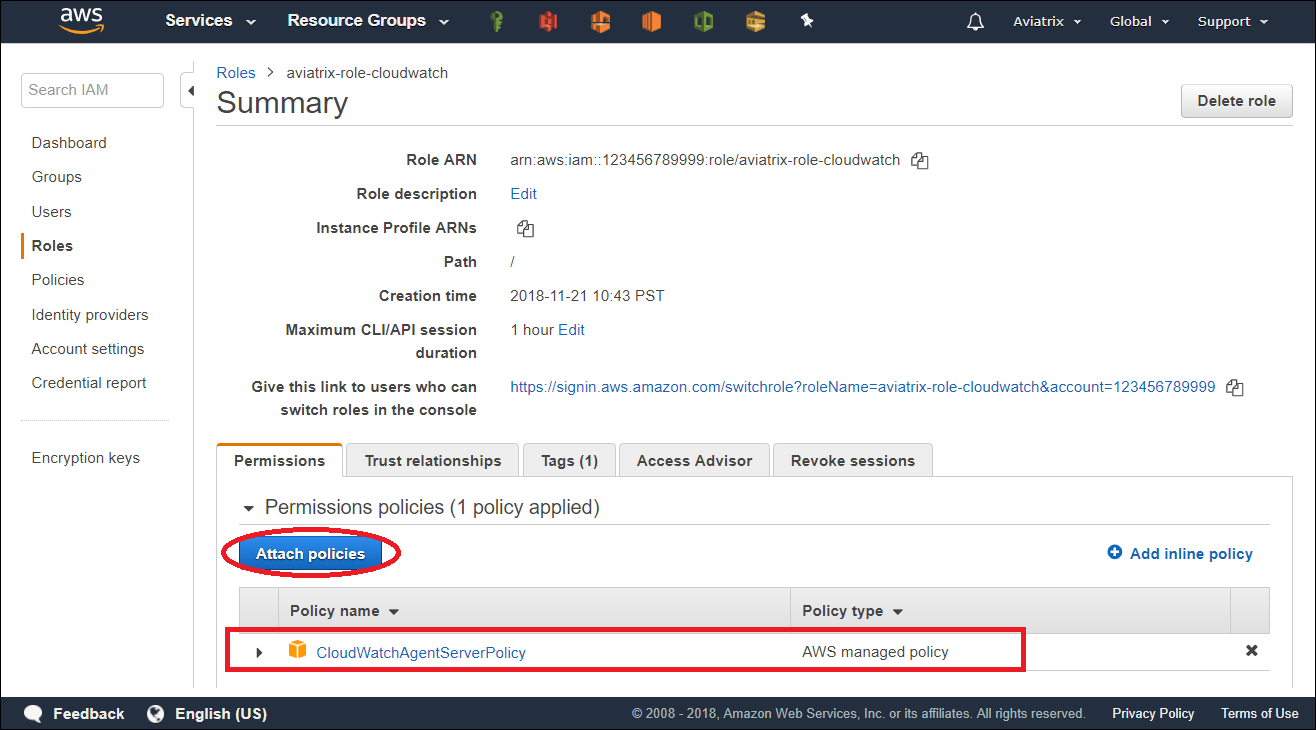
- Attach AWS IAM Cloudwatch policy to the role aviatrix-role-cloudwatch.
Enable CloudWatch log on the Controller
If you are using the Aviatrix Controller user interface, you configure the Aviatrix CloudWatch agent in Controller > Settings > Logging > CloudWatch Agent.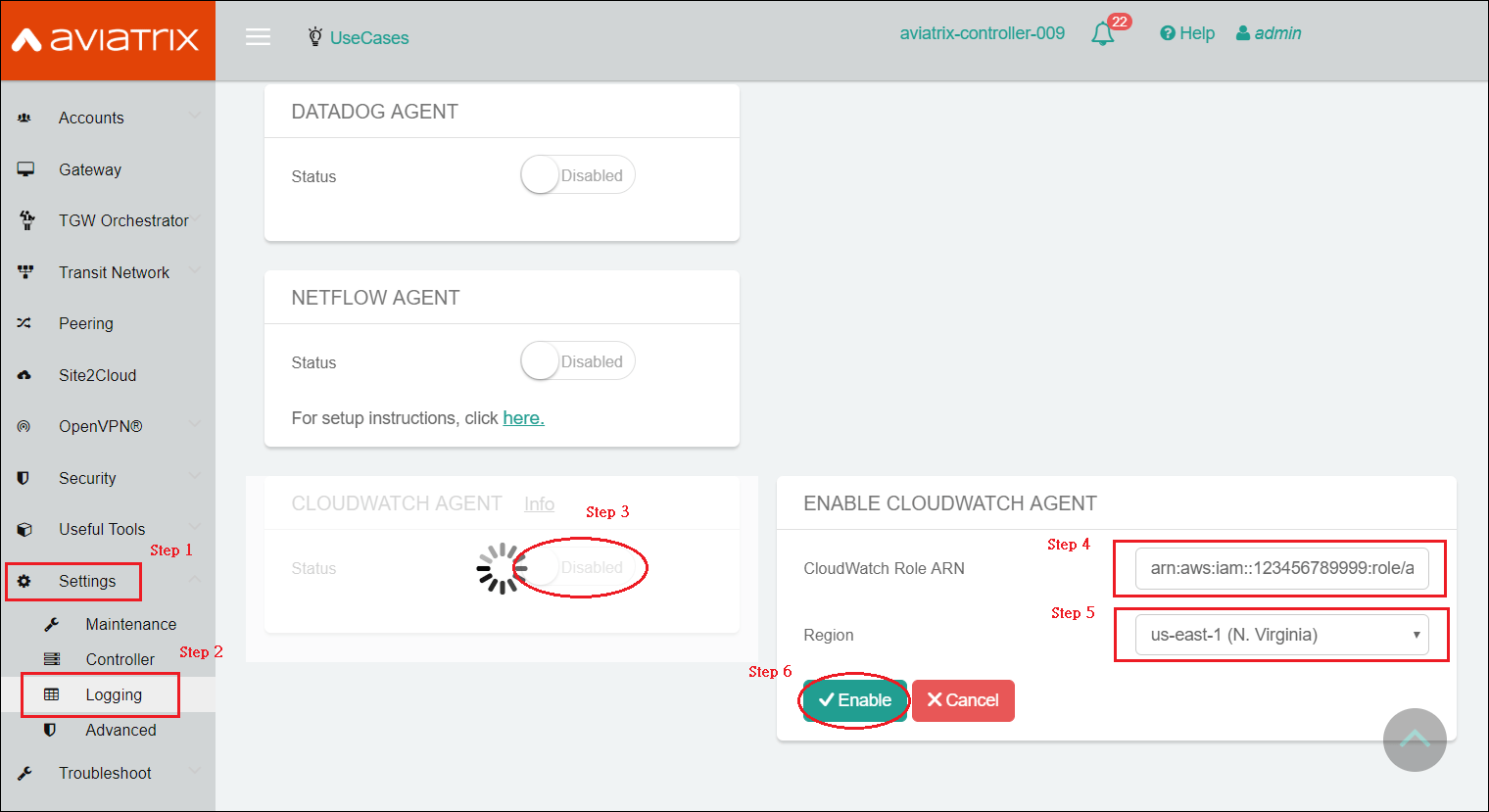
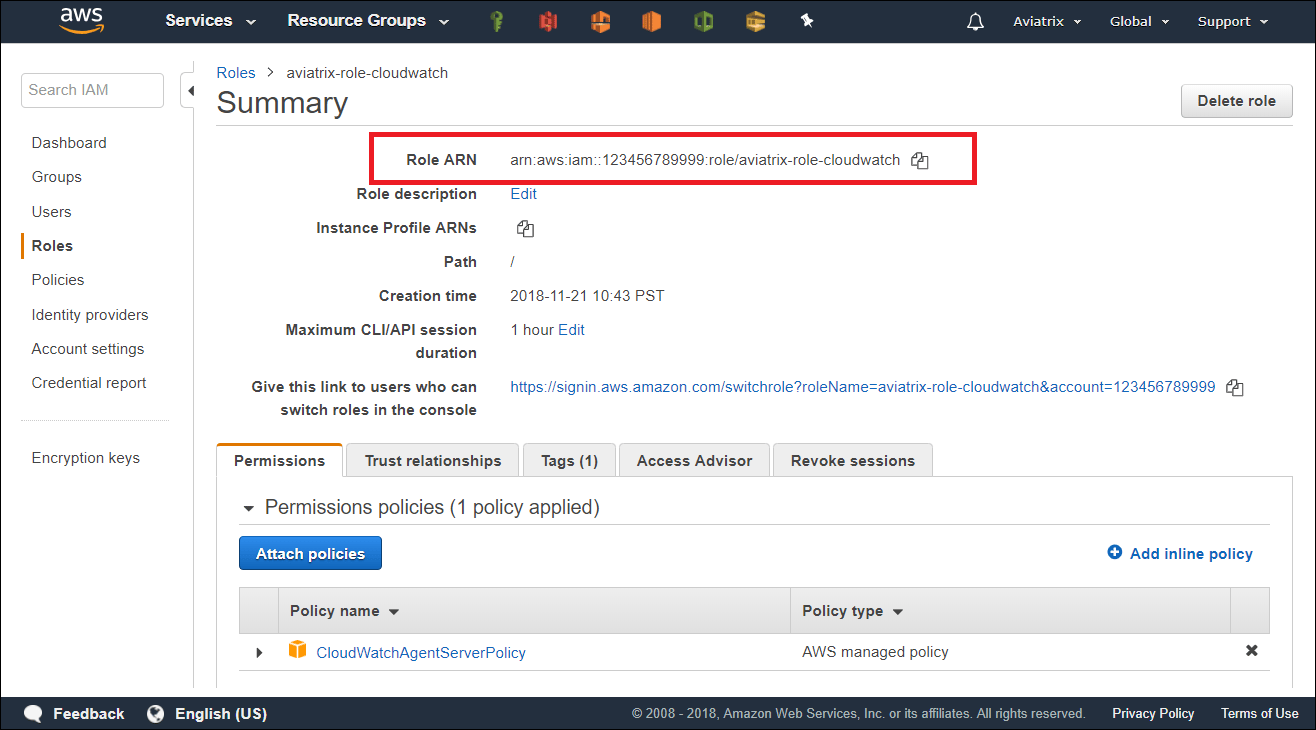
- ARN of IAM role: Specify the ARN of the IAM role in the collector’s AWS account.
- Region: Specify which region you wish to store your logs.
Verifying your AWS CloudWatch integration
In AWS CloudWatch: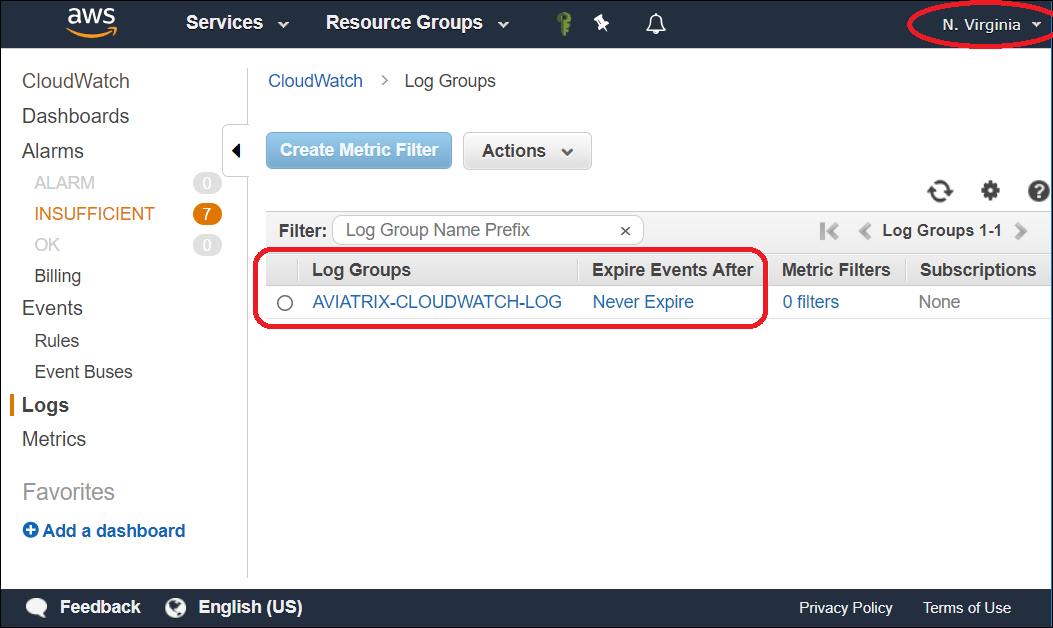
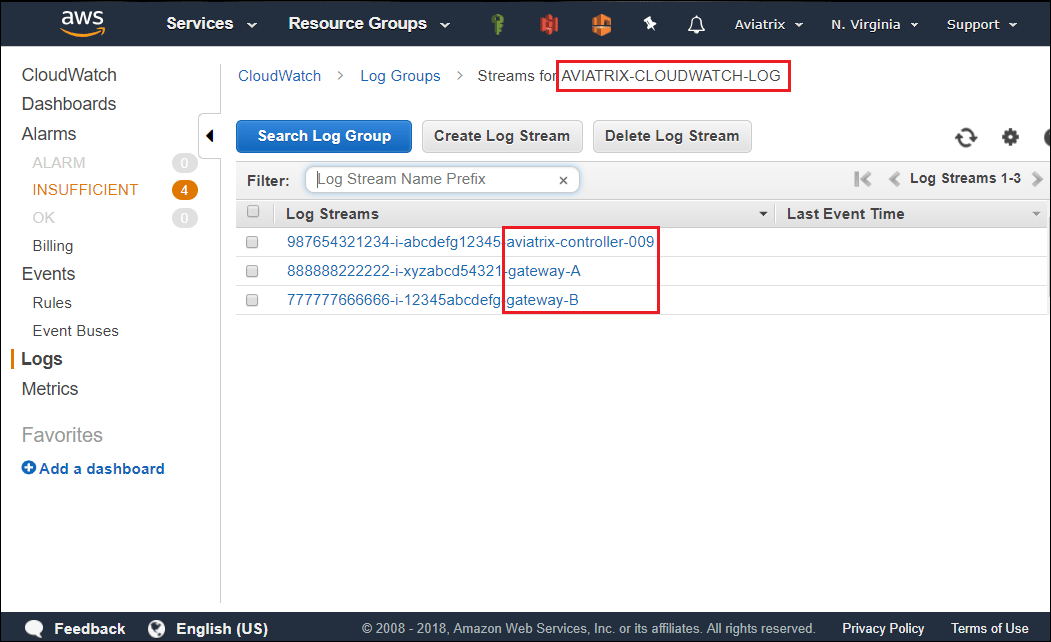
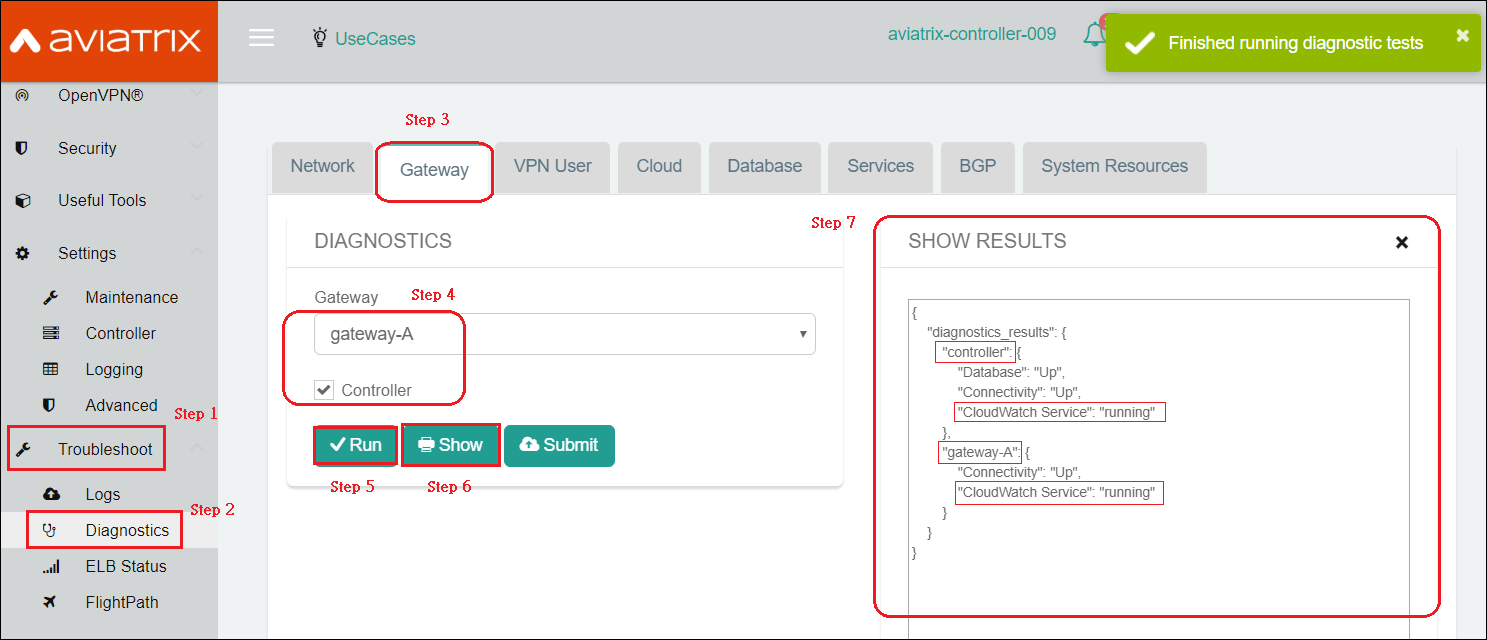
Logs from CloudWatch can be exported to S3 buckets. Please follow
AWS Documentation.