- Monitor a VPC/VNet: VPC/VNet is added to the Monitored-VPCs rule.
- Protect a VPC/VNet: VPC/VNet is added to the Protected-VPCs rule; additional rules are created based on the trusted domains that are selected. These methods create the SmartGroup and the WebGroup at the same time as the DCF rule.
DCF rules are automatically enforced (pushed to Aviatrix gateways) as soon as
they are created and committed, unless they are just being watched.
- In Aviatrix PaaS, navigate to Security > Distributed Cloud Firewall.
-
Click + Rule. The Create Egress Rule dialog displays.
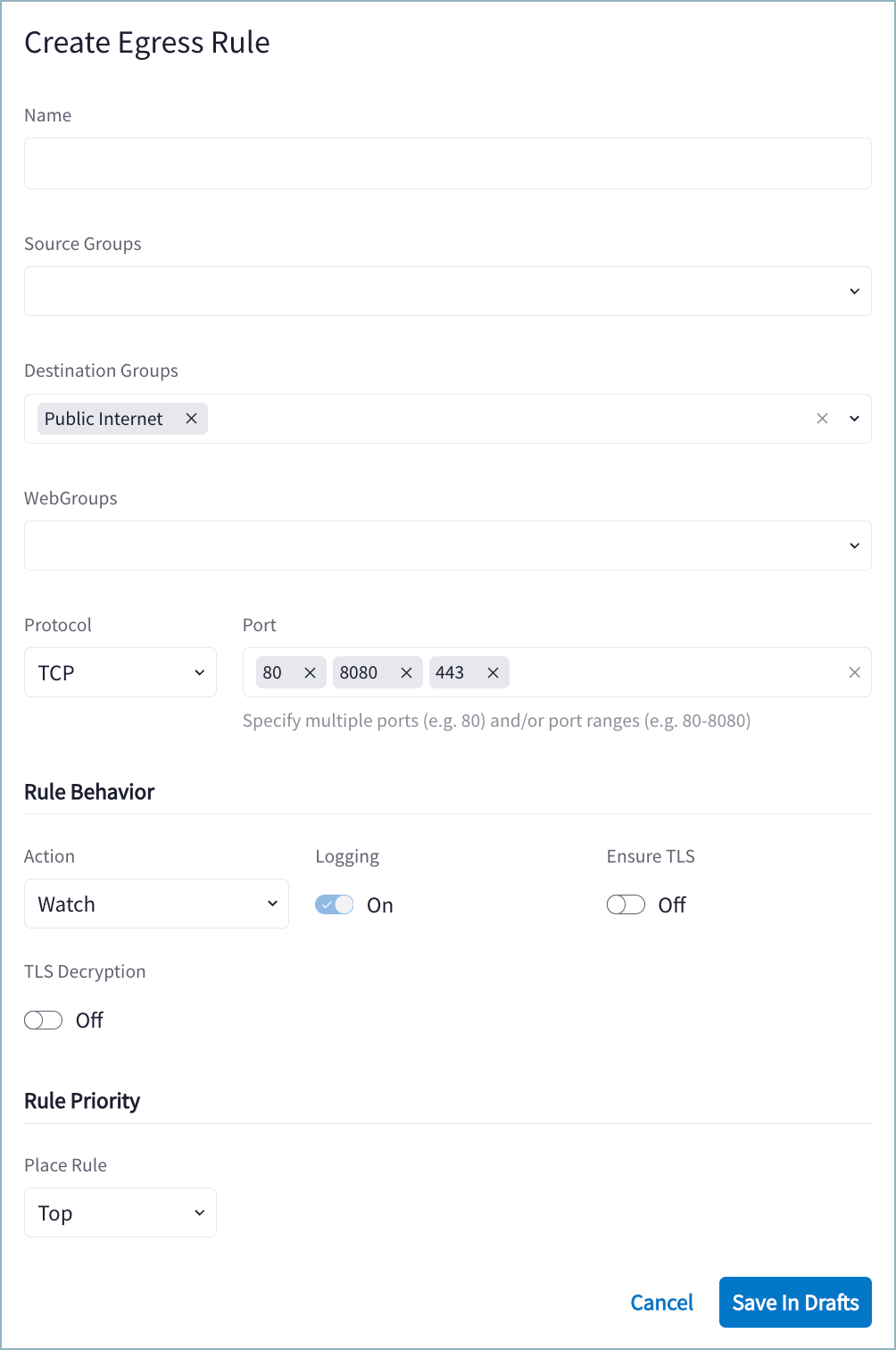
- Use the Distributed Cloud Firewall Field Reference to create your rule.
- Click Save in Drafts.
- Click Commit.
If you want to protect a VPC/VNet in a similar way to how a VPC/VNet is
protected in the Egress workflow, the DCF rule for the VPC/VNet must deny all
traffic from that VPC/VNet (Protocol = Any and no values in the Port field).
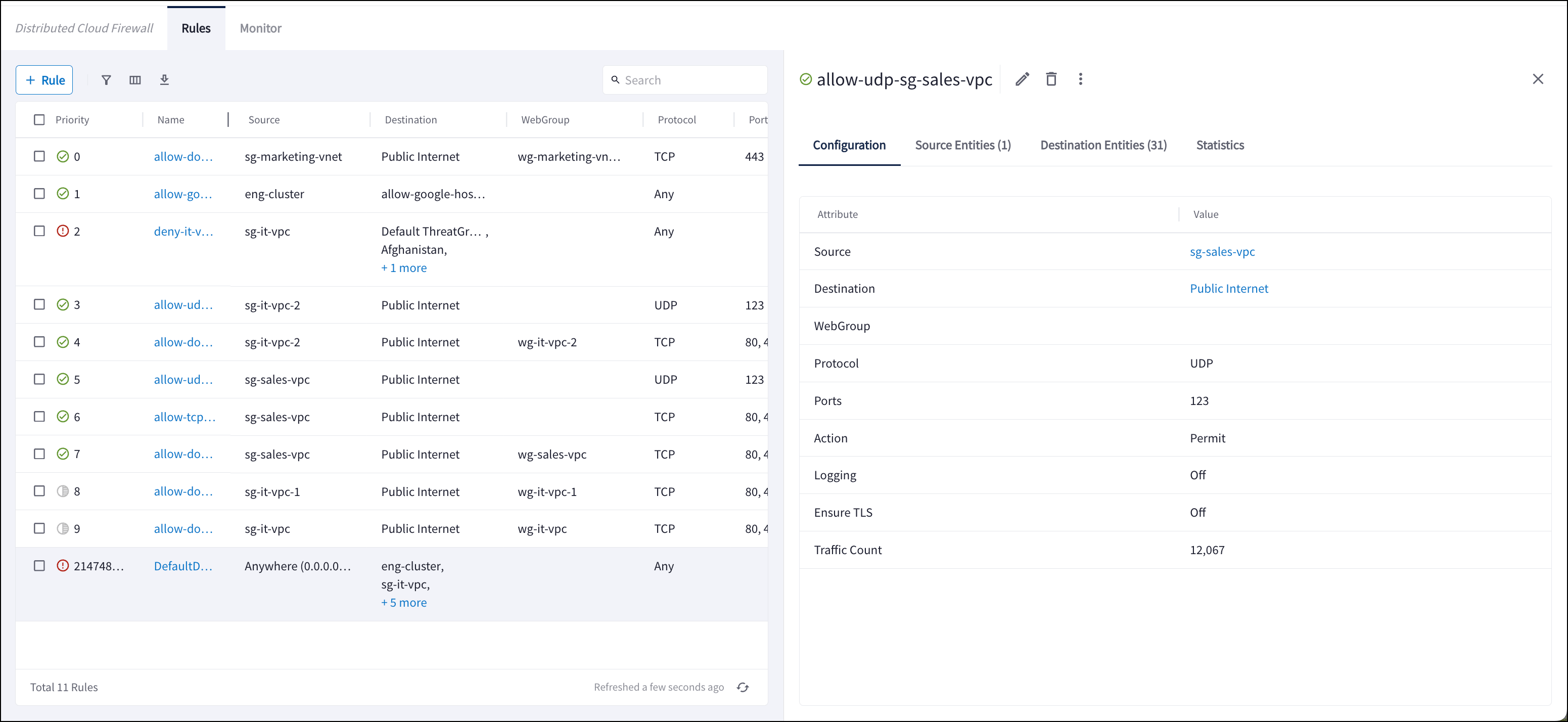
View Distributed Cloud Firewall Rule Details
You can open a previously created rule to view the details related to the execution of that particular rule. You can view:- Source Entities: origin(s) of the traffic for this rule (SmartGroup)
- Destination Entities: where the traffic terminates for this rule (SmartGroup, ExternalGroup, Threat Feed, Country)
- Statistics: traffic statistics from the last hour, day, week, or custom time
period. The resulting graph indicates if the traffic is Observed, Enforced &
Allowed, or Enforced & Denied.