

- Overview
- Network Domains
- Settings
- Logical View
- Physical view
- Regional View
Purpose
The Logical view page shows how network domains are connected or isolated based on configured connection policies, without showing Gateway placement or regional details.Elements

- Multi Cloud Network Domain Connectivity canvas: Visual representation of logical segments and their connections.
- Filter dropdown: Filters the Multi Cloud Network Domain Connectivity canvas by segment and nodes.
Actions
View Logical Segmentation
View Logical Segmentation
To view the logical network domain connectivity:
- Go to Networking > Network Segmentation > Overview.
Select the Logical View tab. - The Logical View page appears with the Multi Cloud Network Domain Connectivity canvas.
- Review how network domains are connected or isolated based on connection policies.
- Optionally, use the Filter dropdown to filter the canvas by segment and nodes.
Parameter Details
| CoPilot Parameter Name | Description |
|---|---|
| Domain Name | Name of the logical network domain. |
| Connected Domains | List of network domains connected to the segment. |
| Isolation Status | Indicates if the segment is isolated or interconnected. |
| Traffic Flow | Visual representation of data flow between segments. |
| Policy Compliance | Indicates if the segment adheres to defined segmentation policies. |
Purpose
The Physical view page shows how network domains and their members are placed and connected through Transit Gateways and Spoke Gateways across the Transit network.Elements

- Multi Cloud Transit Gateway & Spoke Connectivity canvas: Visual representation of physical segments and their connections.
- Filter dropdown: Filters the Multi Cloud Transit Gateway & Spoke Connectivity canvas by Transit Gateways and nodes.
Actions
View Physical Segmentation
View Physical Segmentation
To view the physical network domain connectivity:
- Go to Networking > Network Segmentation > Overview.
Select the Physical view tab. - The Physical view page appears with the Multi Cloud Transit Gateway & Spoke Connectivity canvas.
- Review how network domains and their members are placed and connected through Transit Gateways and Spoke Gateways.
- Optionally, use the Filter dropdown to filter the canvas by Transit Gateways and nodes.
Parameter Details
| CoPilot Parameter Name | Description |
|---|---|
| Transit Gateways | Name of the Transit or Spoke Gateway. |
| Connected Domains | List of network domains connected to the Gateway. |
Purpose
The Regional view page shows where network domain members are deployed across cloud regions to provide geographic visibility of segmentation.Elements

- Multi Cloud Region Segmentation canvas: Visual representation of regions and their domains.
- Filter dropdown: Filters the Multi Cloud Region Segmentation canvas by region and nodes.
Actions
View Regional Segmentation
View Regional Segmentation
To view network domain members by cloud region:
- Go to Networking > Network Segmentation > Overview.
Select the Regional View tab. - The Regional View page appears with the Multi Cloud Region Segmentation canvas.
- Review where network domain members are deployed across cloud regions.
- Optionally, use the Filter dropdown to filter the canvas by region and nodes.
Parameter Details
| CoPilot Parameter Name | Description |
|---|---|
| Gateway Regions | Name of the cloud region. |
| Deployed Domains | List of network domains deployed in the region. |
Purpose
The Network Domains page creates and manages network domains that define routing isolation and controlled connectivity between Spoke Gateways through Transit Gateways.Elements

- + Network Domain button: Starts the workflow to create a new network domain.
- Transit Gateways button: Start the workflow to enable Network Segmentation on Transit Gateways.
- Network Domains table: Displays existing network domains with details such as Domain Name, Associations, and Connected To.
- Edit button: Opens the edit workflow for the selected network domain.
- Delete button: Deletes the selected network domain after confirmation.
Actions
View Network Domains
View Network Domains
To view network domains:
- Go to Networking > Network Segmentation > Network Domains.
- The Network Domains page appears with the table of existing network domains.
- Review Domain Name, Associations, and Connected To for each domain.
Parameter Details
| CoPilot Parameter Name | Description |
|---|---|
| Name (Domain Name) | Name of the network domain. |
| Associations | Spoke/Edge Gateways or TGW Domain associated with the domain. |
| Connected To | Other network domains connected to this domain. |
Create Network Domain
Create Network Domain
To create a network domain:
- Go to Networking > Network Segmentation > Network Domains.
- Click + Network Domain.
- Enter the Name for the network domain.
- Configure Associations (Spoke/Edge Gateways or TGW Domain).
- Optionally, configure Connect to Network Domain to define connectivity to other domains. Connectivity is bidirectional.
- Click Save.
Parameter Details
| CoPilot Parameter Name | Description |
|---|---|
| Name | Name of the network domain. |
| Associations | Spoke/Edge Gateways or TGW Domain to associate with the domain. |
| Connect to Network Domain | Other network domains this domain can connect to. |
Enable Network Segmentation on Transit Gateways
Enable Network Segmentation on Transit Gateways
To enable network segmentation on Transit Gateways:
- Go to Networking > Network Segmentation > Network Domains.
- Click Transit Gateways.
- In the Configure Transit Gateways for Network Segmentation dialog, toggle Network Segmentation on for the desired Transit Gateways.
- Click Save.
Parameter Details
| CoPilot Parameter Name | Description |
|---|---|
| Name | Name of the Transit Gateway. |
| Cloud | Cloud provider hosting the Transit Gateway. |
| Region | Cloud region of the Transit Gateway. |
| IP Address Space | IP address space configured for the Transit Gateway. |
| Network Segmentation | Toggle to enable or disable network segmentation on the Transit Gateway. |
Edit Network Domain
Edit Network Domain
To edit a network domain:
- Go to Networking > Network Segmentation > Network Domains.
- Locate the network domain in the table and click the Edit icon.
- Update Associations and Connect to Network Domain as needed.
- Save your changes.
Parameter Details
| CoPilot Parameter Name | Description |
|---|---|
| Associations | Spoke/Edge Gateways or TGW Domain associated with the domain. |
| Connect to Network Domain | Other network domains this domain can connect to. |
Delete Network Domain
Delete Network Domain
To delete a network domain:
- Go to Networking > Network Segmentation > Network Domains.
- Locate the network domain in the table and click the Delete icon.
- Confirm the deletion.
Purpose
The Settings page manages support for Virtual Routing and Forwarding (VRF) on Aviatrix Transit-to-Transit Peering connections.Elements
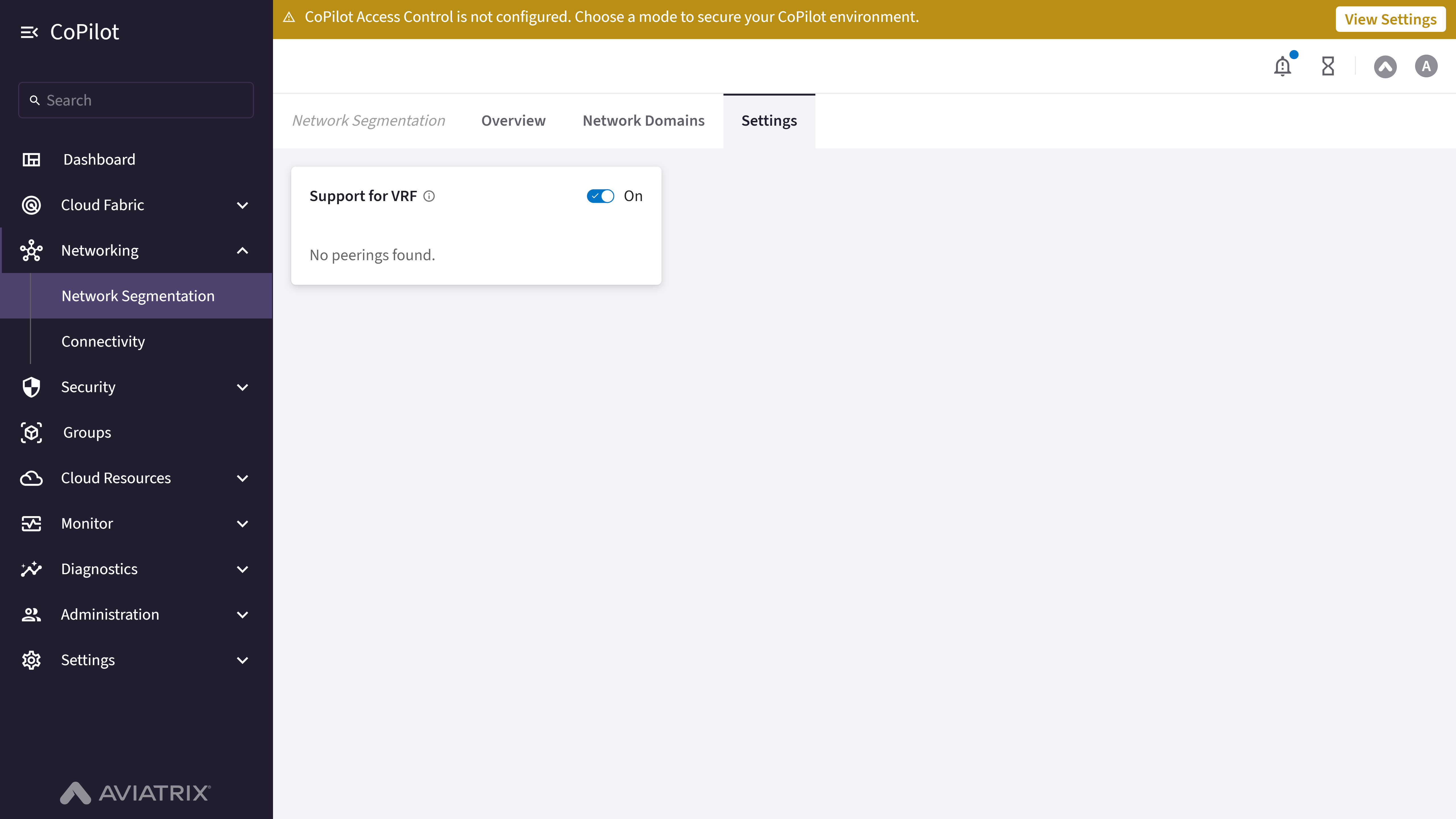
- Support for VRF toggle: Enables or disables VRF support, applicable only for Aviatrix Transit-Transit Peering.
- Transit Peering Up-to-date / Stale counts: When VRF support is On and Transit Peerings exist, shows how many peerings are already using VRF (up-to-date) and how many still need to be rolled out (stale).
- Rollout Changes to Transit Peerings button: Opens a dialog to select which Transit Peerings to enable or disable VRF on.
Actions
Enable or Disable Support for VRF
Enable or Disable Support for VRF
To turn VRF support on or off:
- Go to Networking > Network Segmentation > Settings.
- Turn the Support for VRF toggle On or Off.
- If turning Off, confirm in the Rollout changes to disable Support for VRF? dialog. Disabling causes all Transit Peerings to become stale, and changes roll out immediately.
- If turning On, click Save.
Rollout VRF Support to Transit Peerings
Rollout VRF Support to Transit Peerings
To roll out or remove VRF support on specific Transit Peerings:
- Go to Networking > Network Segmentation > Settings, with Support for VRF turned On.
- Click Rollout Changes to Transit Peerings.
- In the Rollout Support for VRF dialog, select or deselect the peerings to enable or disable VRF on.
- Click Rollout.
Parameter Details
| CoPilot Parameter Name | Description |
|---|---|
| Transit/Edge Spoke Gateway | The Transit or Edge Spoke Gateway on one side of the peering. |
| Peering Type | The type of peering, for example Transit-Transit, Intra-Group, Edge Spoke-Transit, or BGP Spoke-Transit. |
| Transit Gateway Instance | The Transit Gateway instance on the other side of the peering. |