- Launching a Default VPN Gateway
- Launching a GeoVPN Gateway
- UserVPN Gateway Settings
- Editing a VPN Gateway
- Deleting a VPN Gateway
 in the
gateway row and run VPN
Diagnostics or reload the DHCP Configuration.
Reloading the DHCP configuration refreshes the DNS settings on the gateway via
DHCP and updates the VPN configuration. The DNS settings are pushed to the VPN
client when they reconnect.
in the
gateway row and run VPN
Diagnostics or reload the DHCP Configuration.
Reloading the DHCP configuration refreshes the DNS settings on the gateway via
DHCP and updates the VPN configuration. The DNS settings are pushed to the VPN
client when they reconnect.
Default VPN vs. Geo VPN Gateways
When you create a VPN Gateway, you can launch a default VPN Gateway or a Geo VPN gateway. The table below demonstrates the differences between these types of gateways.
Use a default VPN gateway if you:
- Only need to use VPN for a single VPC.
- Have all VPN users located in the same region or country.
- Have peered VPCs that use different VPN gateways, and you want to restrict logins based on geographic location.
Geo VPN does not allow you to control which specific gateway a VPN user is
routed to, though you can restrict resource access using VPN profiles.
- Need to deploy multiply VPN gateways using Azure, GCP, or OCI, and you use gateways that do not need load balancing.
- Want more freedom in editing individual gateways.
- Default VPN gateways are grouped by load balancer, and you can only edit the settings for the entire group.
- Standalone gateways, or gateways that do not use load balancers, can be edited individually.
- Have a large deployment across different regions and need to limit latency.
- Have VPN users in different countries.
- Are deploying VPN gateways in AWS and are using a load balancer.
- Want all your gateways to use the same configuration settings: the same AWS account, region, VPC, and so on. This setup is simpler than having multiple configurations, but it means that you cannot edit gateways individually.
Default VPN vs. Geo VPN Deployment Examples
An example deployment in AWS is shown below. In this configuration, there are two VPN access gateways: one in us-west-2 and another in eu-central-1. Each VPN access gateway is fronted by a load balancer in AWS.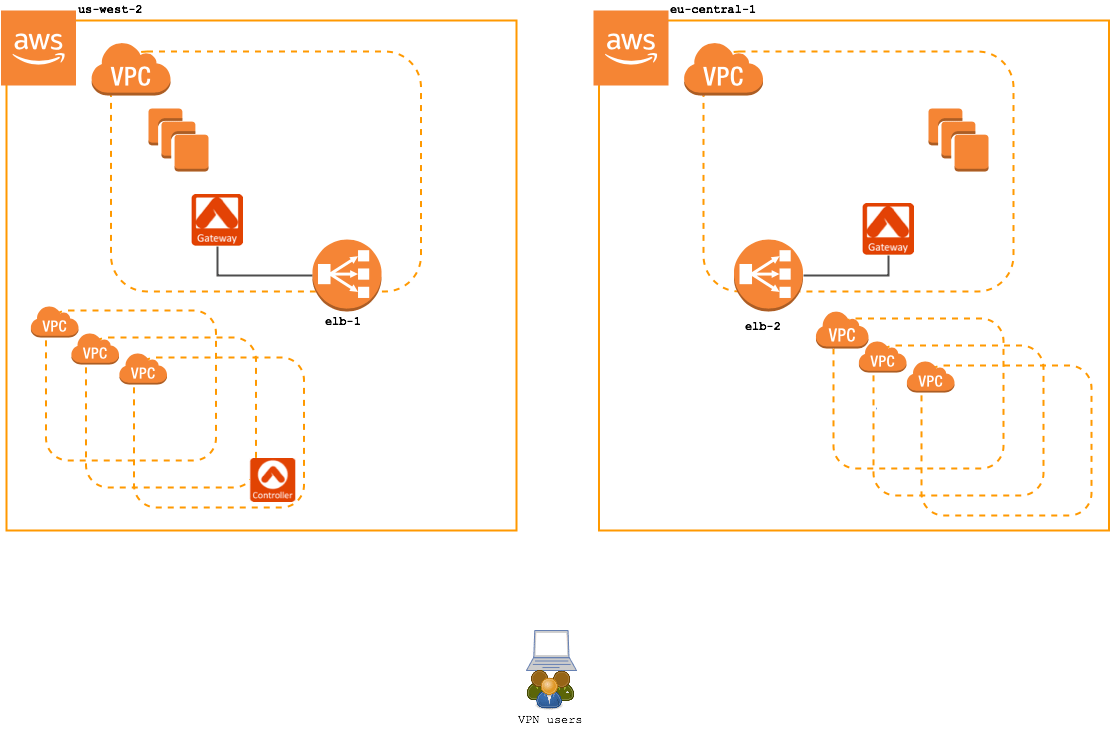
Standard VPN Service (without geolocation feature enabled) Example
Without the Geolocation feature enabled, when a user connects to the VPN service, they will connect to one of the two regions’ VPN gateway. Each gateway is independently administered, meaning users need a separate configuration profile for each region they will access. In this configuration, an EU-based user would be given a configuration profile for the eu-central-1 load balancer. And, a US-based user will be provided with a us-west-2 configuration profile. If either user relocates or travels to the opposite region, they will need a separate configuration profile in that region and they will need to manually switch the active configuration profile.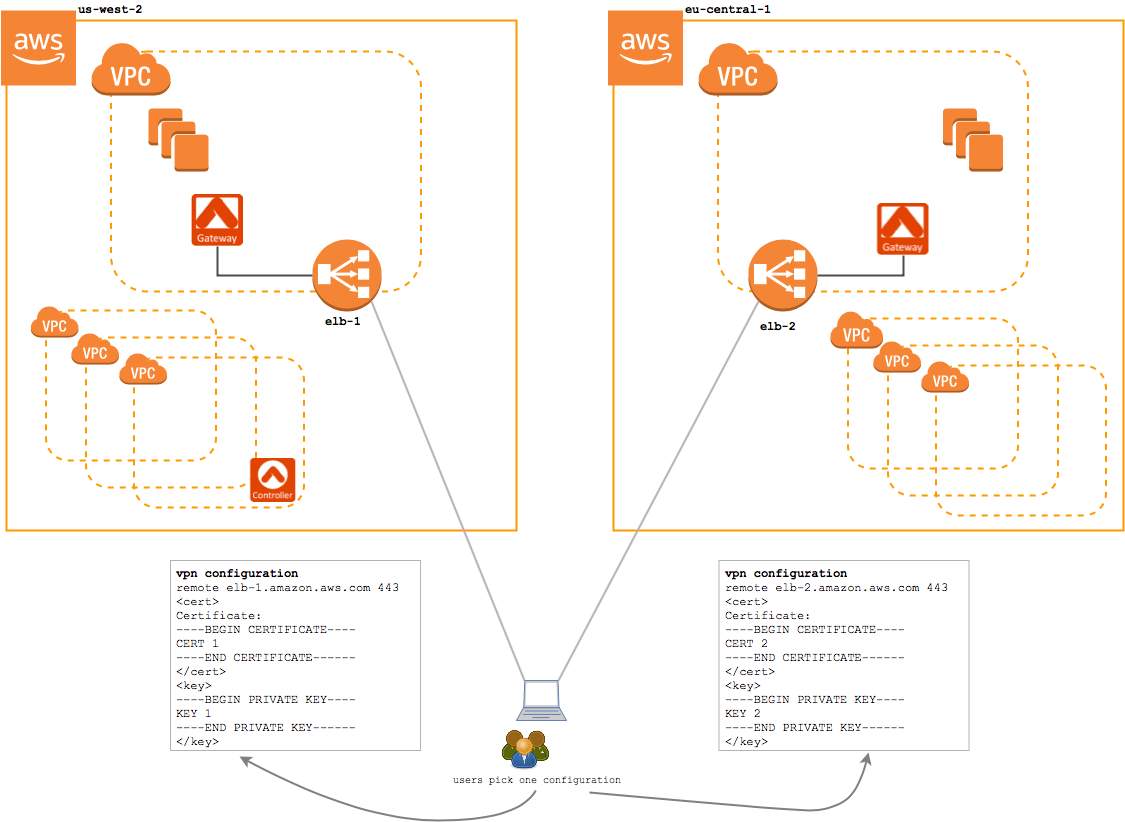
Geo VPN Service Example
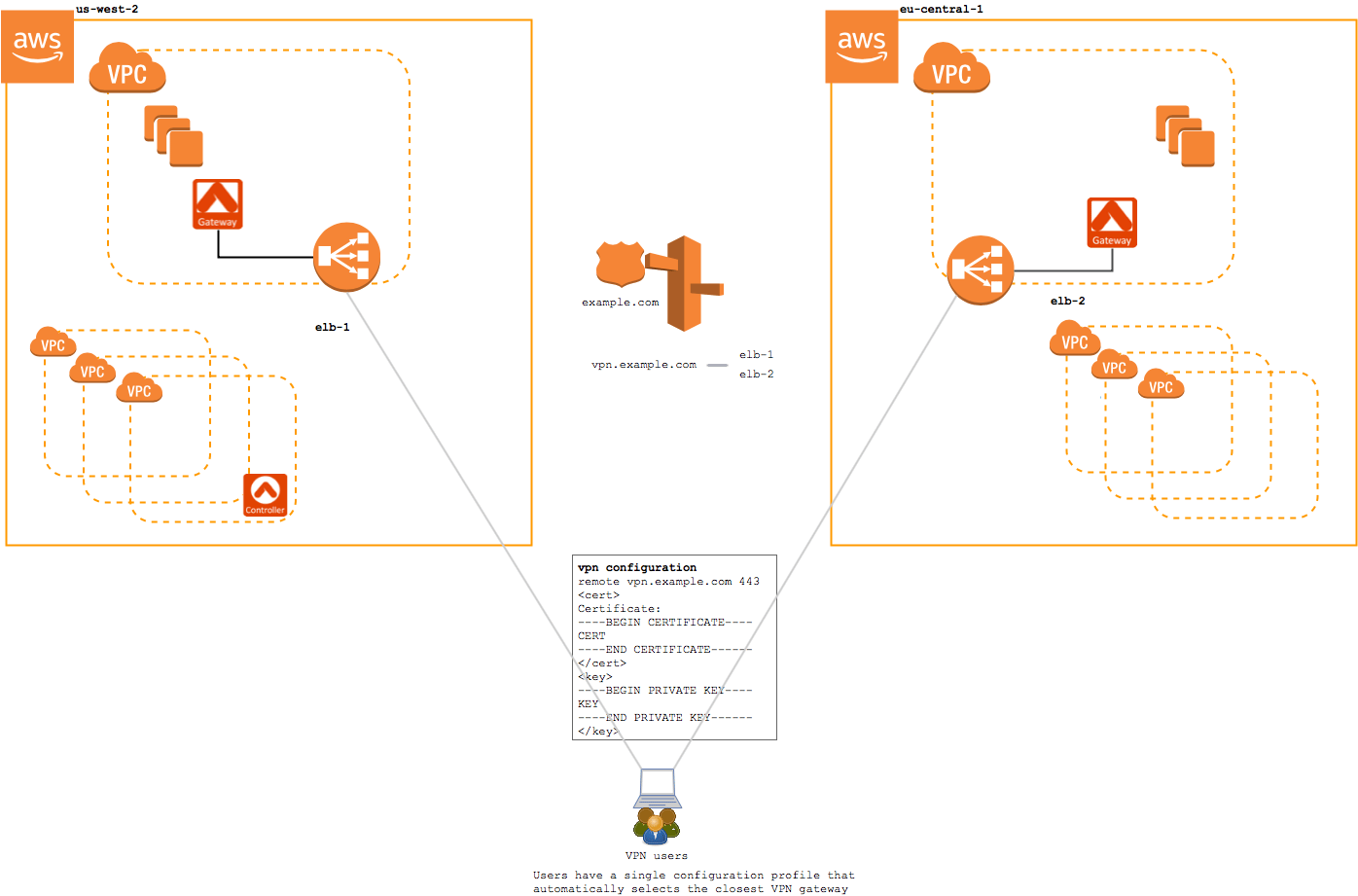
With the Geolocation feature enabled, when a user connects to the VPN service, they are directed to a Route 53 that uses a latency-based routing policy to choose between the available regions. In this configuration, both the EU-based user and the US-based user would be given the same configuration profile. This configuration profile will select the closest region automatically using a latency-based routing policy defined on the DNS record.