

- Go to the Aviatrix Secure NAT Gateway listing on Azure Marketplace and click Get it now.
- Accept the Azure terms of use and privacy policy and click Continue.
-
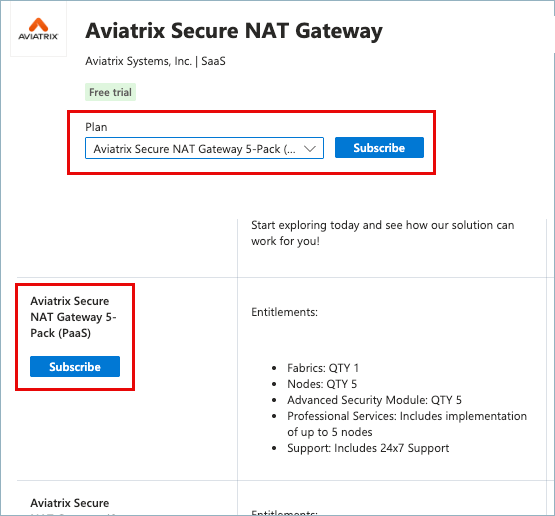
On the Aviatrix Secure NAT Gateway page, review the paid plans, select the
plan suitable to your needs, and click Subscribe. Either select an option
in the Plan field or scroll to the plan in the table and then click
Subscribe.
-
On the Subscribe To Aviatrix Secure NAT Gateway page, do the following:
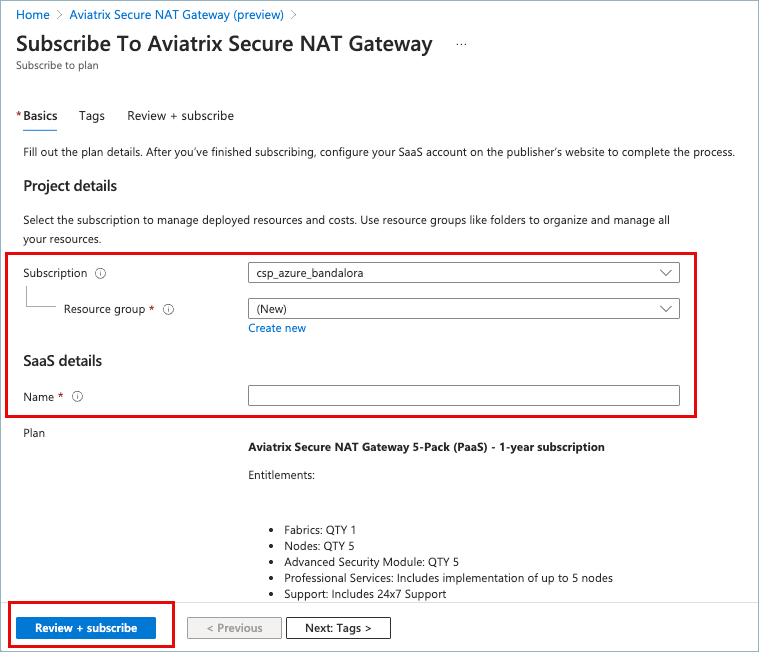
- Under Project details > Resource group, either select an existing resource group or click Create New and enter a name for a new group. Microsoft requires a resource group to contain the resource metadata.
- If you are creating a new group, select a Resource group location.
- Under SaaS details, enter a descriptive Name for the subscription. You can use the name of the existing subscription or assign a new name.
- Click Review + Subscribe.
- On the Review + Subscribe page, verify the information and click Subscribe.
-
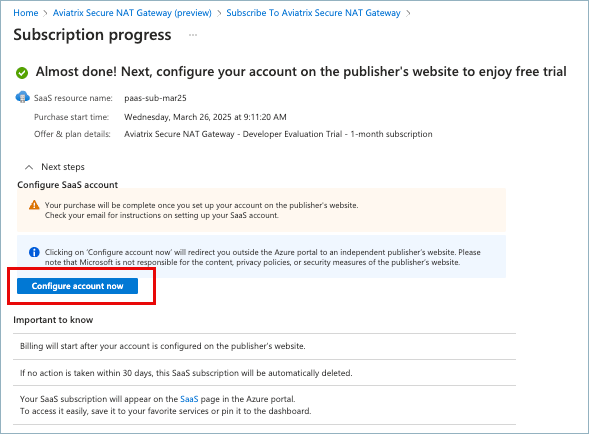
On the Subscription progress page, click Configure account now when the
process completes. Alternatively, you can click the Configure Account button
in the email you receive from Azure Marketplace.
 You are signed in to the Aviatrix Platform console.
Azure Secure NAT Gateway Getting Started
Upgrade a Developer Evaluation Trial to a Paid Plan on Azure
Upgrade an Aviatrix Developer Evaluation Trial to a paid plan
Upgrading an Aviatrix Developer Evaluation Trial plan to a paid plan takes only
a few minutes.
You can upgrade from a Developer Evaluation Trial plan to a paid plan at any
time. A notification banner displays in the platform UI 15 days prior to
expiration of the trial plan.
To upgrade your Developer Evaluation Trial to a paid plan on Azure, do the following:
To upgrade an existing Developer Evaluation Trial to a paid plan, complete the
following steps: