Creating a Transit Gateway Peering Connection
To create Transit Gateway peering, do the following:-
Create the Transit Gateways
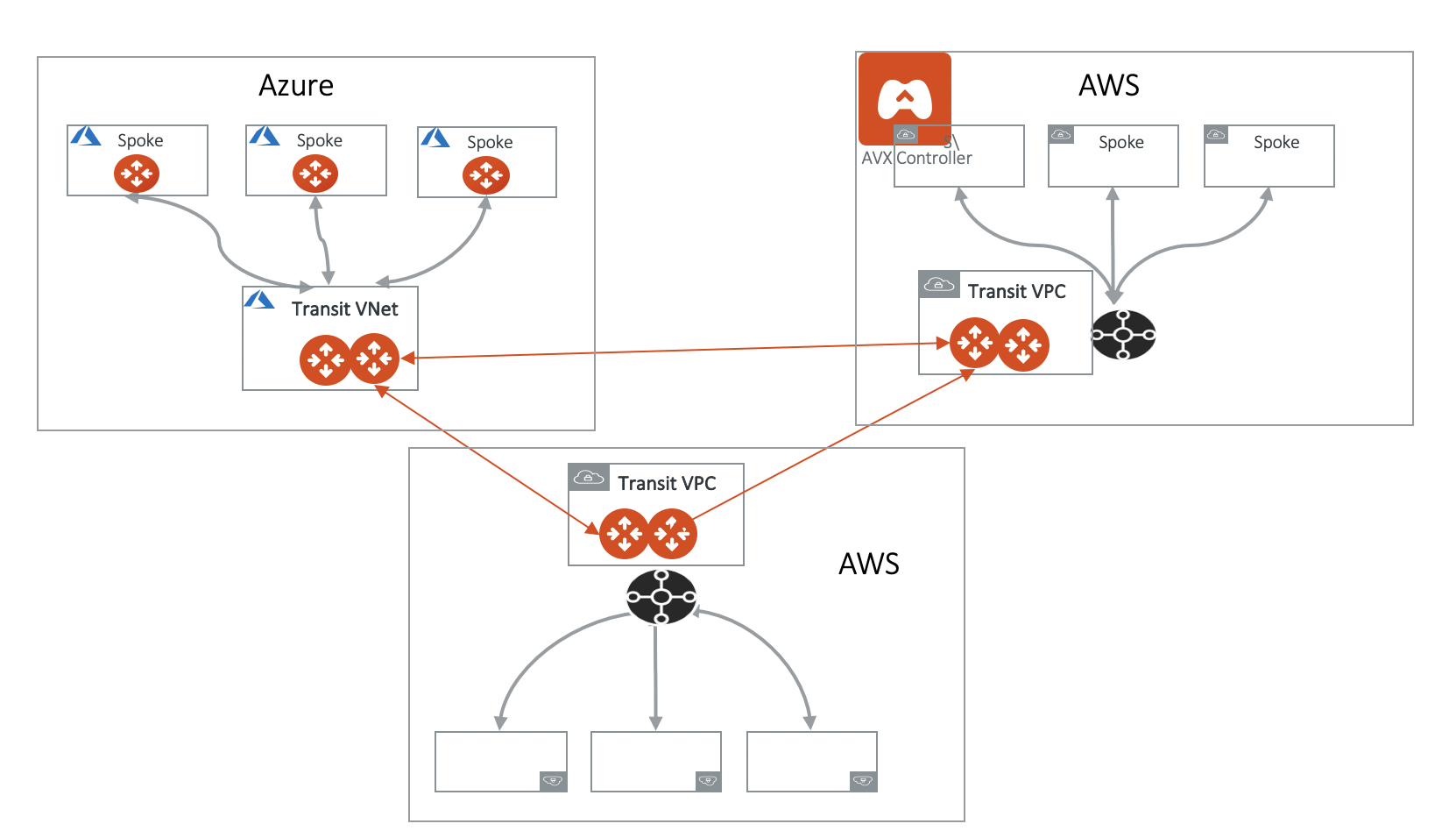
The Transit Gateways can be in a single or multiple clouds and regions.
Aviatrix High Performance Encryption (HPE) mode is supported on Transit Gateway Peering. To enable Transit Gateway Peering HPE, you must create the Transit Gateways with HPE mode enabled.
- Attach the Transit Gateways.
Excluded Network CIDRs
Excluded Network CIDRs enables you to filter CIDRs to exclude from being propagated to the peering Transit Gateway. One use case is when there are conflicting or identical CIDRs on both sides of the Transit Gateways, the peering action will be rejected. Using the filter option prevents the overlapped CIDRs from being propagated to the other Transit Gateway. By default, a Transit Gateway propagates all learned routes from Spoke VPCs and VNets and on-premises. The diagram below illustrates how Excluded Network CIDRs can be used in a two region deployment. In this case, 10.20.0.0/16 appears on both sides as VPC/VNet CIDR. To allow Transit Peering to proceed, configure on both Transit Gateways Excluded Network CIDRs with 10.20.0.0/16.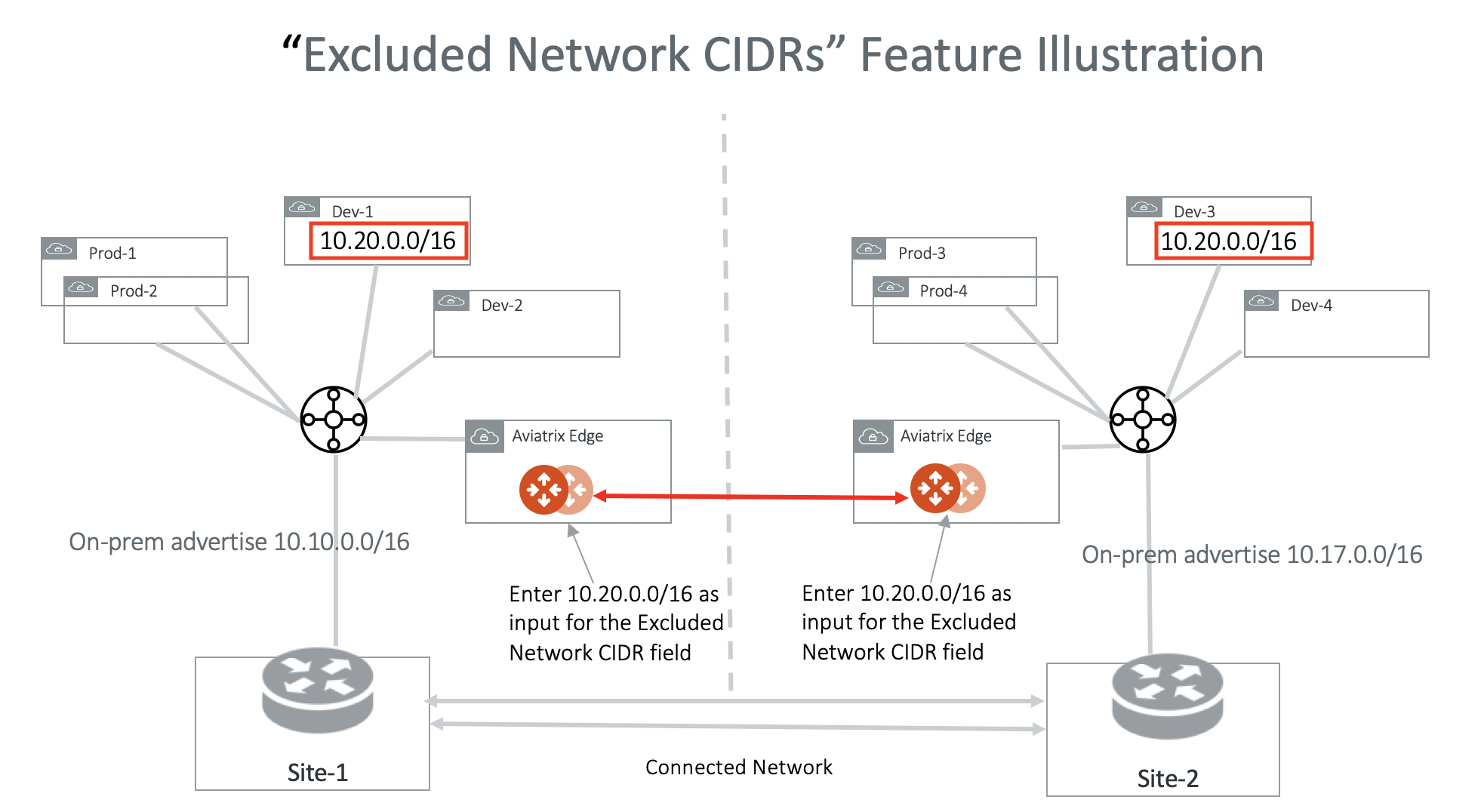
Excluded TGW Connections
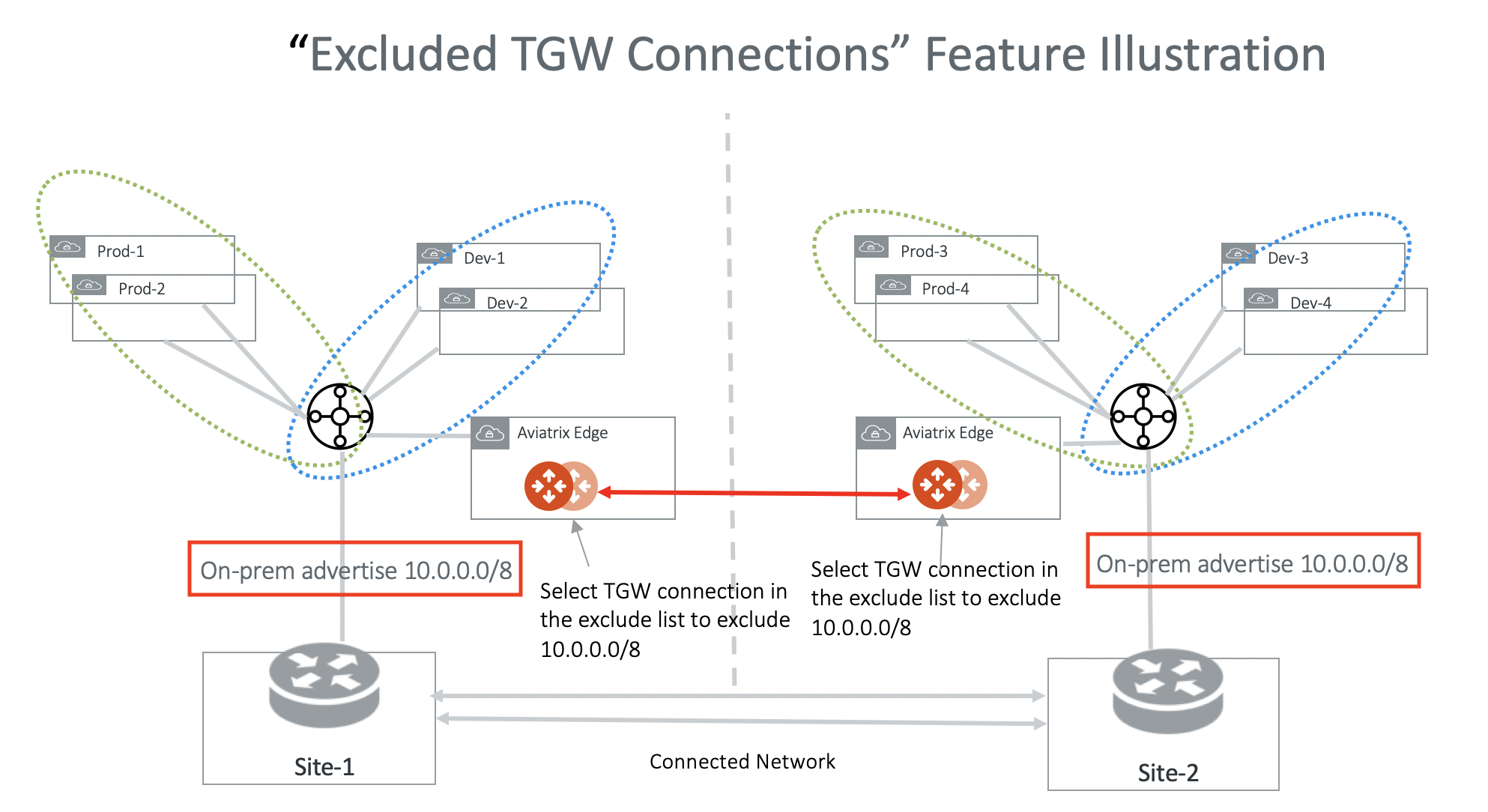
Excluded TGW Connections applies to TGW hybrid connections. This is because AWS TGW does not preserve BGP information in its learned routes. When you use AWS Transit Gateway (TGW) to connect to on-premises via DXGW or VPN, there are situations where on-premises advertise the same network CIDRs to TGW in two different regions. When you connect the two regions by the Aviatrix Transit Gateway peering, overlapping network CIDRs will occur. Excluded TGW Connections enables you to not advertise certain TGW hybrid attachment (DXGW and VPN) to the remote Aviatrix Transit Gateway and therefore the remote TGW. The diagram below illustrates one use case. In the diagram, both on-premises connects to TGW and advertise 10.0.0.0/8. Transit Gateway Peering will fail because of the conflicting routes. To solve the problem, configure on both Transit Gateways to exclude 10.0.0.0/8. With this configuration, Site-1 still accesses Prod-1/Prod-2 and Dev-1/Dev-2 via the local regional TGW and Site-2 accesses Prod-3/Prod-4 and Dev-3/Dev-4 via its local regional TGW.