

Local Internet Breakout capability is supported only on the Aviatrix Edge
Platform.
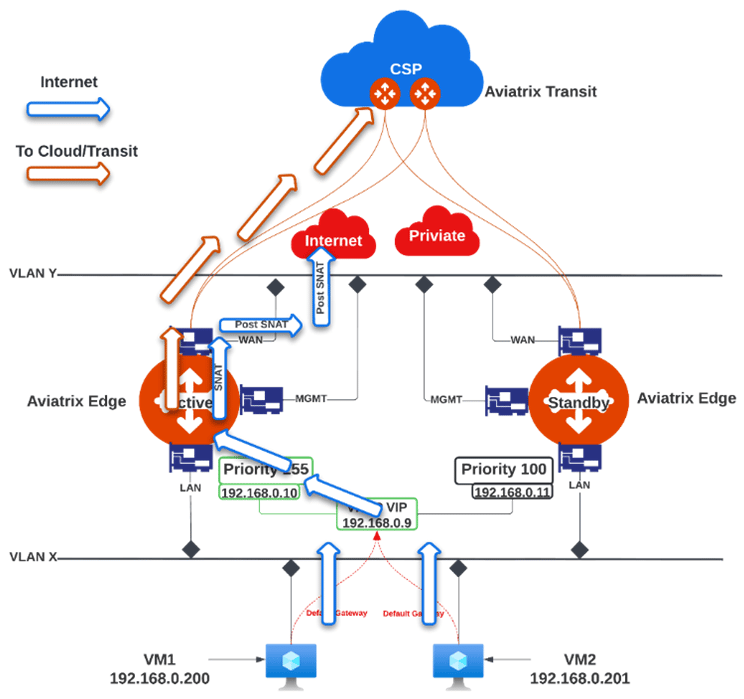
- In Aviatrix CoPilot, go to Cloud Fabric > Hybrid Cloud > Edge Gateways tab.
- Click Spoke Gateways.
- Select the Edge Spoke Gateway for which you want to enable local internet breakout.
- Click the Edge Spoke Gateway’s Settings tab and expand the Network Address Translation (NAT) section.
- Set the Source NAT toggle to On.
- Select Single IP, then click Save.