

- Corrected issues
- Known issues
- Important notices
CoPilot and Controller Interoperability
CoPilot is deployed as an all-in-one virtual appliance and is available on multiple clouds including AWS, Azure, GCP, and OCI Marketplaces. CoPilot works in tandem with Aviatrix Controller. In order to use CoPilot, you must have an operational Aviatrix Controller. CoPilot works with all Controller versions that are not End of Life (EOL). For information about https://support.aviatrix.com/Aviatrix-EOL-Policy[Aviatrix End of Engineering and End of Life (Support) policies] or how to plan and update to the latest software, please contact Aviatrix Support. For information about the availability of Aviatrix features when running different versions of Aviatrix Controller, see Feature Availability.4.31.1 Release Notes
Release Date: 26 March 2026 For information about new and enhanced features, preview features, behavior changes, and deprecations for each CoPilot software release, see What’s New in CoPilotCorrected Issues in 4.31.1
Release Date: 26 March 2026| Issue | Description |
|---|---|
| AVX-74890 | Resolved an issue where a new CoPilot deployment from a controller succeeded but failed to upgrade to the latest version. The upgrade failed because a required service unit file (avx-cam-restore.service) was missing, causing the update process to error out. This issue has been corrected, and new CoPilot deployments now successfully upgrade to the latest version. |
Known Issues in 4.31.1
Release Date: 25 March 2026 There are no known issues in this release.4.31.0 Release Notes
Release Date: 24 March 2026 For information about new and enhanced features, preview features, behavior changes, and deprecations for each CoPilot software release, see What’s New in CoPilotCorrected Issues in 4.31.0
Release Date: 24 March 2026| Issue | Description |
|---|---|
| AVX-59879 | Resolved an issue where Traffic & Latencies data from Edge gateways was not displayed in the CoPilot UI. Although Edge gateways were sending netflow packets and CoPilot was receiving them, the data was not reflected in the UI. The issue has been corrected, and Edge traffic and latency data now displays as expected. |
| AVX-69394 | Resolved an issue where navigating from the Topology page to Spoke or Transit Gateway details incorrectly redirected to the Instances page instead of the Gateway details page. Navigation now correctly opens the Gateway details page for Spoke and Transit gateways. |
| AVX-73740 | Resolved an issue where toggling the Default Route Propagation setting for Edge gateway attachments in Cloud Fabric > Hybrid Cloud > Edge Gateways did not visually update the toggle state in the UI, even though the configuration change was saved successfully. The UI now accurately reflects the current configuration state after toggling. |
Known Issues in 4.31.0
Release Date: 24 March 2026 There are no known issues in this release.4.30.0 Release Notes
Release Date: 04 March 2026 Release Notes Last Updated: 24 March, 2026 For information about new and enhanced features, preview features, behavior changes, and deprecations for each CoPilot software release, see What’s New in CoPilotCorrected Issues in 4.30.0
Release Date: 04 March 2026| Issue | Description |
|---|---|
| AVX-70158 | Resolved an issue where configuring Remote Syslog with TLS certificates failed with the error message source.on is not a function. Certificate handling during form submission has been corrected, allowing Remote Syslog with TLS certificates to be configured successfully. |
| AVX-73236 | Resolved an issue where the Egress Analyze tab did not display data after changes to DCF logging. Due to index handling changes, FQDN log data was not shown in the Analyze view for certain Controller versions. The logic has been updated to correctly use the appropriate index based on Controller version, restoring Egress Analyze data visibility across supported releases. |
Known Issues in 4.30.0
Release Date: 04 March 2026| Issue | Description |
|---|---|
| AVX-73740 | When configuring Edge attachments in Cloud Fabric > Hybrid Cloud > Edge Gateways, toggling the Default Route Propagation setting to be enabled or disabled may not be displayed accurately. The configuration change is saved, but the UI does not reflect it. Impact: The UI may not accurately reflect the current configuration state. Workaround: Refresh the page or reopen the Manage Gateway Attachment page to view the updated state. |
4.29.1 Release Notes
Release Notes Last Updated: 13 February 2026 Release Date: 05 February 2026 For information about new and enhanced features, preview features, behavior changes, and deprecations for each CoPilot software release, see What’s New in CoPilotCorrected Issues in 4.29.1
Release Date: 05 February 2026| Issue | Description |
|---|---|
| AVX-73143 | Resolved an issue where DCF Monitor logs were not displayed after upgrading to CoPilot 4.29.0 due to an Elasticsearch circuit breaker exception caused by sorting on the _id field. The DCF Monitor query logic has been updated to rely only on timestamp-based sorting, preventing excessive memory usage in Elasticsearch and allowing logs to load correctly in large-scale environments. |
Known Issues in 4.29.1
Release Date: 05 February 2026| Issue | Description |
|---|---|
| AVX-72739 | In certain cases, the CoPilot UI may display inconsistent or incomplete results in Monitor > FlowIQ when filters are applied. Users may observe: Aggregate queries stopping early. Inconsistent results when applying one or multiple filters. The “not contains” filter not behaving as expected. Impact: Flow data shown in the UI may appear incomplete. Results may differ when applying different filter combinations. Filtering behavior may not accurately reflect expected traffic patterns. Affected Scenario: CoPilot deployments handling high volumes of flow data. Environments where background transform processing is delayed or resource-constrained. Workaround: Allow additional time (5–10 minutes) for transform processing to complete. Review CoPilot resource utilization. In some cases, increasing CoPilot VM resources may help. Contact Aviatrix Support for further assistance. |
4.29.0 Release Notes
Release Date: 03 February 2026 Release Notes Last Updated: 10 February 2026 For information about new and enhanced features, preview features, behavior changes, and deprecations for each CoPilot software release, see What’s New in CoPilotCorrected Issues in 4.29.0
Release Date: 03 February 2026| Issue | Description |
|---|---|
| AVX-67536 | Resolved an issue in CoPilot where disabling SNAT on a Spoke Gateway returned an API error and the change was not saved. Users can now successfully disable SNAT and save the configuration without encountering an error. |
| AVX-67742 | Resolved an issue in CoPilot where the Data Backup operation failed due to a regex mismatch when validating certain S3 bucket naming formats. The regex validation has been updated to support these bucket name formats, and the Data Backup option is now clickable and functions correctly. |
| AVX-70268 | Resolved an issue where Azure China VPCs were incorrectly displayed as Managed = No in CoPilot even when Aviatrix gateways were deployed in the VPC. CoPilot now correctly reflects the Managed status for Azure China VPCs when gateways are present. |
| AVX-70447 | Resolved an issue in CoPilot where the Reset button did not clear input fields on the Diagnostics > Diagnostic Tools > Gateway Diagnostics pages for Traceroute, Tracepath, and Connectivity. The Reset button now properly clears all input fields, allowing users to enter new values and run diagnostics without errors. |
| AVX-71220 | Resolved an issue in CoPilot where clicking Edit on a Specialty Gateway that was still in the creation process displayed a blank page. CoPilot now blocks edit operations while a gateway is being created and displays a tooltip message indicating that editing is unavailable during gateway creation, preventing user confusion and blank pages. |
| AVX-71960 | Resolved an issue in CoPilot where attachments between Standalone (Specialty) Gateways created through the Manage Gateway Attachment dialog were not displayed after being saved. The UI now correctly displays existing standalone gateway attachments, allowing users to view and manage these peerings as expected. |
Known Issues in 4.29.0
Release Date: 03 February 2026| Issue | Description |
|---|---|
| AVX-72539 | In Aviatrix Controller versions 8.1 and earlier, Kubernetes (K8s) workload metadata may not be collected by CoPilot Observability, resulting in missing Source Workload and Destination Workload information in the Distributed Cloud Firewall (DCF) Monitor UI. Although Kubernetes clusters are successfully onboarded and visible on the Controller, the avx-topo-server does not receive or store K8s resource data. As a result, CoPilot cannot display K8s workload context for security policies or logs. Impact: K8s Source and Destination Workload fields are not shown in the DCF Monitor UI. Reduced visibility into Kubernetes workload-level traffic and policies. Affected Scenario: Aviatrix Controller version 8.1 and earlier. CoPilot Observability deployments using DCF Monitor with Kubernetes clusters onboarded. Workaround: Upgrade Aviatrix Controller to version 8.2 or later, where this issue is resolved. |
| AVX-72618 | In Aviatrix Controller version 8.1 and earlier, some VM assets may not be included in the CoPilot CAI (Cloud Asset Inventory) snapshot even though they are visible in avx-topo-cli. As a result, Distributed Cloud Firewall (DCF) logs are not annotated with VM workload details. This issue occurs due to a timing gap in CAI data reconciliation, where VM data is not available to CoPilot when snapshots are generated. Impact: DCF logs are not annotated with Source and Destination VM workload details. Reduced workload-level visibility for VM-based traffic. Affected Scenario: Aviatrix Controller version 8.1 and earlier. CoPilot Observability deployments using DCF Monitor where VM assets are expected to appear in annotations. Workaround: Upgrade Aviatrix Controller to version 8.2 or later, where this issue is resolved. |
| AVX-73143 | After upgrading to CoPilot 4.29.0, Distributed Cloud Firewall (DCF) Monitor logs may fail to load in environments with large log volumes. In affected cases, the DCF Monitor page may not display logs, and API calls can return an “Internal database error” due to excessive memory usage when processing log queries. Impact: DCF Monitor logs do not appear in the UI. Reduced visibility into DCF traffic and policy events. Affected Scenario: CoPilot version 4.29.0. Environments with high DCF log volume. Resolution: This issue is fixed in CoPilot 4.29.1. |
4.28.1 Release Notes
Release Date: 1 Jan 2026 For information about new and enhanced features, preview features, behavior changes, and deprecations for each CoPilot software release, see What Is New CopilotCorrected Issues in 4.28.1
Release Date: 1 Jan 2026| Issue | Description |
|---|---|
| AVX-72085 | Resolved an issue where some CoPilot instances failed to upgrade to version 4.28.0. The upgrade could fail if a required directory was missing. This issue has been fixed by ensuring the directory is created automatically if missing during the upgrade. |
Known Issues in 4.28.1
Release Date: 1 Jan 2026 None4.28.0 Release Notes
Release Date: 22 December 2025 For information about new and enhanced features, preview features, behavior changes, and deprecations for each CoPilot software release, see What Is New CopilotCorrected Issues in 4.28.0
Release Date: 22 December 2025| Issue | Description |
|---|---|
| AVX-71724 | Resolved an issue in CoPilot where auditing a cloud account from Cloud Resources > Cloud Account could fail and return a 400 error. Auditing now completes successfully for the selected cloud account. |
| AVX-71854 | Resolved an issue where deleting a High Availability (HA) gateway succeeded, but the UI still displayed an error message indicating the gateway group could not be deleted. The deletion workflow now reports the correct status, so users no longer see a false failure message after a successful HA gateway deletion. |
Known Issues in 4.28.0
Release Date: 22 December 2025| Issue | Description |
|---|---|
| AVX-68514 | The Search functionality on the Security > Distributed Cloud Firewall > Monitor page may not work as expected. In some cases, complete search terms may cause matching rows to disappear, while partial search terms may return no results even when matching entries exist. This behavior is inconsistent with search functionality on other pages, such as the Gateways page. Impact: - Search results on the DCF Monitor page may be incomplete or incorrect - Users may be unable to reliably locate specific DCF log entries using search Workaround: - Use the available column filters to narrow down results instead of relying on the global search |
| AVX-71514 | In high-scale environments, Aviatrix CoPilot data ingestion may become degraded due to resource contention when processing large volumes of telemetry data. This issue can occur when CoPilot handles sustained high ingestion rates, such as NetFlow and Distributed Cloud Firewall (DCF) logs, which may lead to memory pressure and ingestion backpressure. As a result, CoPilot performance may slow down and search or analytics functionality may become temporarily unavailable. Impact: - CoPilot performance may become slow or unresponsive - Telemetry ingestion may be delayed or stalled - Search and analytics features may be temporarily unavailable Affected Scenario: - CoPilot deployments handling high telemetry ingestion rates, especially in large-scale environments with many gateways and DCF policies Workaround: - Increase CoPilot instance size to provide additional memory and CPU resources. - Reduce telemetry ingestion rates where possible. - If issues persist, contact Aviatrix Support for assistance. |
4.27.1 Release Notes
Corrected Issues in 4.27.1
Release Date: 25 November 2025| Issue | Description |
|---|---|
| AVX-70799 | Resolved an issue in CoPilot where Gateway Routes were not displayed for HA gateways. This occurred when navigating to Cloud Fabric > Gateways, selecting a gateway type such as Transit Gateways, Spoke Gateways, or Specialty Gateways, then click a gateway name to open the gateway page, and then switch to the Gateway Routes tab. The UI has been updated to correctly retrieve and display route information for HA gateway pairs. |
| AVX-70886 | Resolved an issue in CoPilot where the Total Traffic chart did not reflect the selected time range when a custom period was used. This affected all pages that use the custom Date/Time Range selector, including Gateways, Traffic & Latencies, FlowIQ, and Performance. The date picker now applies custom time ranges correctly across all affected pages. |
Known Issues in 4.27.1
Release Date: 25 November 2025| Issue | Description |
|---|---|
| AVX-73140 | In CoPilot, changing the Azure backup storage account does not update the database backup destination if the container name remains the same. Although the Controller reflects the updated backup configuration, CoPilot continues to use the previous storage account for database backups. Impact: Database backups are not written to the newly configured Azure storage account. Affected Scenario: Azure backup configuration where only the storage account name is changed. Workaround: Change the container name when updating the Azure backup configuration. Reconfigure the backup destination completely. |
4.27.0 Release Notes
Release Date: 13 November 2025 For information about new and enhanced features, preview features, behavior changes, and deprecations for each CoPilot software release, see What’s New in CoPilot.Quick Links
Corrected Issues in 4.27.0
Release Date: 13 November 2025| Issue | Description |
|---|---|
| AVX-65402 | Resolved an issue in CoPilot where disabling the Distributed Cloud Firewall (DCF) displayed the error:Failed to load Distributed Cloud Firewall policies: [AVXERR-DFW-0005] Distributed firewall feature not enabledThe issue was caused by CoPilot continuing to fetch DCF rulesets during the disable process. The fix prevents this API call, eliminating the error when disabling DCF. |
| AVX-69399 | Resolved an issue in CoPilot where the Network Domains view displayed only the main route table, regardless of the selected domain. The API now correctly retrieves and displays routes for the chosen network domain, ensuring accurate visibility across all domains. |
| AVX-69531 | Resolved an issue in CoPilot where subnets were not displayed when creating gateways, preventing users from completing the gateway creation process. The missing API calls have been restored, and the subnet list now appears as expected when selecting a VPC. |
| AVX-69716 | Resolved an issue in CoPilot where the Metric Breakdown tab became unresponsive after clearing a gateway selection from the dropdown menu. The page now updates correctly, allowing users to view metric breakdowns for other gateways without needing to refresh the page. |
| AVX-69981 | Resolved an issue in CoPilot where the Distributed Cloud Firewall > Monitor page displayed incorrect information for L7 logs. Previously, the Log Engine column showed L4 even when the backend correctly identified the logs as L7, and the Source MAC and Destination MAC details were missing. The UI has been updated to correctly display the L7 log type and show MAC address details where applicable. |
| AVX-69989 | Resolved an issue in CoPilot where the Enable Network Segmentation button on the Networking > Network Segmentation > Network Domains > Transit Gateways page did not display the correct status. The button now shows the accurate status when enabling or disabling network segmentation on Transit Gateways. |
| AVX-70102 | Resolved an issue in CoPilot where the page crashed when opening Gateway Details Settings under Cloud Fabric > Gateways during gateway creation. The issue occurred when users opened the Gateway Details Settings page for any gateway type, including Transit, Spoke, or Specialty, while the gateway creation process was still in progress. This was caused by an incorrect operator usage introduced with the Cipher feature update. The logic has been corrected, and the page now loads properly during gateway creation. |
Known Issues in 4.27.0
Release Date: 13 November 2025| Issue | Description |
|---|---|
| AVX-70158 | When configuring Remote Syslog from Settings > Configuration > Logging Services with a TLS certificate, the operation fails and displays the following error message in the logs:TypeError: source.on is not a functionThis issue occurs due to a backend problem in how certificate files are appended during the API request. It affects configurations that use certificate-based Remote Syslog connections and is reproducible in multiple CoPilot versions. Impact: Users are unable to enable or update Remote Syslog configurations with TLS certificates on CoPilot UI. Workaround: Configure Remote Syslog with TLS certificates directly through Controller UI. |
Issue AVX-69636 (UI label clarification for IPv6 Edge deployment) was commented out in the source and is not included here.
4.26.1 Release Notes
Release Date: 13 October 2025 For information about new and enhanced features, preview features, behavior changes, and deprecations for each CoPilot software release, see What Is New CopilotCorrected Issues in 4.26.1
Release Date: 13 October 2025| Issue | Description |
|---|---|
| AVX-69401 | Resolved an issue in CoPilot where an incorrect error message “IPv6 is not supported” was displayed after creating 15 instances on Cloud Fabric > Gateways > Transit Gateways when adding multiple Transit Gateways or when performing edit operations on Transit or FireNet Gateways. The error message no longer appears, and gateway scaling and edit operations now complete successfully as expected. |
| AVX-69597 | Resolved an issue in CoPilot where generating a partial AppIQ FlightPath report under Diagnostics > AppIQ > FlightPath failed with the error message “Failed to fetch Aviatrix Flightpath Data”. This issue was caused by a mismatch between legacy and updated UI components that resulted in data parsing errors during report generation. The FlightPath report now generates successfully and displays complete diagnostic results without errors. |
Known Issues in 4.26.1
Release Date: 13 October 2025 None4.26.0 Release Notes
Release Date: 07 October 2025 For information about new and enhanced features, preview features, behavior changes, and deprecations for each CoPilot software release, see What Is New CopilotCorrected Issues in 4.26.0
Release Date: 07 October 2025| Issue | Description |
|---|---|
| AVX-61835 | Resolved an issue in CoPilot where the Alert Configuration for CoPilot was not visible on the Settings > Resources > System health page, even though it appeared correctly for the Controller. The Default Alert Configuration is now displayed for both the Controller and CoPilot as intended. |
| AVX-67543 | Resolved an issue in CoPilot where the secondary Edit button for WebGroups did not function as expected on the Groups > WebGroups page. The button now correctly opens the edit drawer, allowing users to modify existing WebGroups as intended. |
| AVX-68238 | Resolved an issue in CoPilot where launching a Spoke Gateway on Oracle Cloud Infrastructure (OCI) did not send the availability domain and fault domain parameters to the Controller API. CoPilot now correctly includes these parameters in API calls, ensuring gateways launch in the intended availability and fault domains. |
Known Issues in 4.26.0
Release Date: 07 October 2025| Issue | Description |
|---|---|
| AVX-69474 | In Administration > Upgrade > Upgrade Plan, only the By Upgrade Groups system-defined view is displayed correctly. The other system-defined views, By Gateways and Show Gateways in More Than One Group, do not show the expected grouping or display layout when selected. There is currently no workaround. |
4.25.0 Release Notes
Release Date: 10 September 2025 For information about new and enhanced features, preview features, behavior changes, and deprecations for each CoPilot software release, see What Is New CopilotCorrected Issues in 4.25.0
Release Date: 10 September 2025| Issue | Description |
|---|---|
| AVX-68417 | Resolved an issue in CoPilot where navigating to Cloud Fabric > Gateways > Gateway Routes returned a 500 Internal Server Error. The page now loads correctly and gateway routes are displayed as expected. |
Known Issues in 4.25.0
Release Date: 10 September 2025| Issue | Description |
|---|---|
| AVX-57516 | From Monitor > Notifications > System Messages in the CoPilot UI, Bell Notifications raised in the Controller may appear delayed or display inconsistently. In some cases: - Notifications appear in the Controller but are delayed when shown in CoPilot. - The Show All System Messages page may not display the same messages as those shown in the Bell icon. - Long messages viewed from the Bell icon cannot be fully read. This results in mismatched or incomplete notifications between the Controller and CoPilot. Workaround: * For truncated messages in the Bell popover, click Show More or Show All System Messages to view the message in the full System Messages page. * For delayed or mismatched notifications, there is currently no workaround. |
| AVX-67717 | From Security > Egress > Transit Egress in the CoPilot UI, adding a second Egress Gateway to a TGW-based Firenet does not work as expected. Instead of creating a new Egress Gateway, the UI updates the existing one, preventing multiple gateways from being deployed. In addition, the CoPilot UI does not support configuring multiple Egress Gateways with different instance sizes. All instances created through the CoPilot UI must use the same size. If different sizes are required, use the Controller UI or API. Workaround: Use the Controller UI to deploy multiple Egress Gateways. |
| AVX-68302 | After upgrading CoPilot from version 4.24.1 to 4.25.0, system messages may no longer be displayed in the CoPilot UI. This affects environments where monitoring and troubleshooting rely on viewing system messages. The Controller continues to generate messages, but they do not appear in Monitor > Notifications > System Messages on CoPilot UI after the upgrade. There is currently no workaround. |
4.24.1 Release Notes
Release Date: 18 August 2025 For information about new and enhanced features, preview features, behavior changes, and deprecations for each CoPilot software release, see What Is New CopilotCorrected Issues in 4.24.1
Release Date: 18 August 2025| Issue | Description |
|---|---|
| AVX-67791 | Removed internal API docs generation from installation package. |
Known Issues in 4.24.1
Release Date: 18 August 2025 No known issues have been identified in this release.4.24.0 Release Notes
Release Date: 13 August 2025 For information about new and enhanced features, preview features, behavior changes, and deprecations for each CoPilot software release, see What Is New CopilotCorrected Issues in 4.24.0
Release Date: 13 August 2025| Issue | Description |
|---|---|
| AVX-61750 | Resolved an issue in CoPilot where clicking the help icon in Security > Distributed Cloud Firewall > WebGroups > + WebGroup displayed a “document could not be found” message. The help link now correctly opens the relevant documentation for creating a WebGroup. |
| AVX-64070 | Resolved an issue in CoPilot where the Security > Egress > Egress VPC/VNets page would display a blank name if no VPC name was present. The interface now displays the VPC ID when a name is not available. |
| AVX-64231 | Updated Logstash in CoPilot to address multiple CVEs:CVE-2025-24970, CVE-2024-47554, CVE-2024-30171, CVE-2024-29857, CVE-2024-30172, CVE-2024-34447. |
| AVX-64831 | Resolved an issue in CoPilot where creating a third-party External Connection (BGPoIPSec) could fail with an error about a missing AWS VGW. The UI now correctly isolates configuration contexts, ensuring VGW checks are not performed for third-party connections. |
| AVX-65162 | Resolved an issue in CoPilot where the Manual CIDR Approval button in Networking > Connectivity did not behave consistently with the Controller UI for external connections. The button state and behavior now match the Controller’s functionality. |
| AVX-66119 | Resolved an issue in CoPilot where editing an attached VPC in Networking > Connectivity > AWS TGW for the first time could fail with a JavaScript error:TypeError: Cannot destructure property 'name' of 'Wr[Yr]' as it is undefined.The UI now correctly handles first-time edits without requiring a page refresh. |
Known Issues in 4.24.0
Release Date: 13 August 2025| Issue | Description |
|---|---|
| AVX-66197 | In CoPilot, attempting to change the order of an upgrade group in Administration > Upgrade > Upgrade Groups using the Move option can result in an error. This issue occurs when moving a group to a lower position than its current order (for example, from 6 to 4). When valid values are used, the feature works as expected. There is no workaround at this time. The fix is planned for a future release. |
| AVX-66964 | When Enforcement on Transit Egress is enabled, policies are not applied to Legacy FQDN or Firenet FQDN gateways. This is expected behavior. The flag is enabled, but these gateways do not receive the policy configuration. A bell notification is generated, but it may not appear in the CoPilot UI. A future update will add a UI warning showing which gateways are excluded. |
| AVX-67531 | In CoPilot, GCP VPC data may not display in the Cloud Resources > Cloud Assets> VPC/VNets & Subnets table. The rows for GCP VPCs appear blank due to incorrect data filtering in the CoPilot API. There is no workaround at this time. The fix is planned for a future release. |
| AVX-67599 | In CoPilot, selecting the By Sites view in Cloud Fabric > Hybrid Cloud > Edge Gateways may result in an error and fail to load. There is no workaround at this time. The fix is planned for a future release. |
| AVX-67716 | When adding a second Egress Gateway to a TGW-based Firenet from Security > Egress > Transit Egress > Enable Egress on Transit in the CoPilot UI, the operation triggers an incorrect API call and attempts to create a Firenet Gateway instead of adding the Egress Gateway. Workaround: Use the Controller UI to add the second Egress Gateway. |
| AVX-67717 | Unable to create multiple Egress Gateways in a Firenet Gateway from Security > Egress > Transit Egress > Enable Egress on Transit in the CoPilot UI. When attempting to add a second Egress Gateway, CoPilot updates the existing instance instead of creating a new one. Instance size selection for each Egress Gateway is also not supported. Workaround: Use the Controller UI to create multiple Egress Gateways. |
4.23.0 Release Notes
Release Date: 24 July 2025 For information about new and enhanced features, preview features, behavior changes, and deprecations for each CoPilot software release, see What Is New CopilotCorrected Issues in 4.23.0
Release Date: 24 July 2025| Issue | Description |
|---|---|
| AVX-63753 | Resolved an issue in CoPilot where incorrect fields were displayed when configuring Static Routing with ActiveMesh in Connectivity > External Connections. Previously, the BGP Configuration section was incorrectly shown while the required Authentication section was missing, preventing users from completing the configuration. The form now correctly hides BGP settings and displays the necessary Authentication fields for Static Route connections using ActiveMesh. |
| AVX-64817 | Resolved an issue in CoPilot where creating an Edge Transit Gateway with multiple WAN interfaces could fail validation even when all required fields were provided. Users encountered errors such as “Interface Primary CIDR is a required field” and “Default Gateway IP is a required field”, preventing them from proceeding. The UI now correctly validates all interface rows, allowing successful creation of Edge Transit Gateways with multiple WAN interfaces. |
| AVX-64952 | Resolved an issue where incorrect options were displayed for Google Cloud Platform (GCP) when using Enable Egress on Transit from Security > Egress > Transit Egress to deploy an Egress FQDN Gateway. The interface now correctly shows only valid and supported options for GCP deployments. |
| AVX-64970 | Resolved an issue in CoPilot where no error message was shown in the Alert Configuration tab if a required Condition field was left blank. Previously, clicking Save without selecting a condition did not display a validation error, allowing users to proceed with incomplete configurations. The UI now correctly validates the Condition field and displays an appropriate error message when it is left blank, ensuring required fields are properly completed before saving. |
| AVX-65143 | Resolved an issue in CoPilot where BGP Neighbor information was displayed twice on the Details page for connections with multiple BGP neighbors. The UI now correctly displays unique details for each BGP neighbor under the same connection. |
| AVX-65291 | Resolved an issue in CoPilot where the External Connections section on the Dashboard displayed both connection names and individual tunnels. The CoPilot Dashboard now displays only connection names. |
| AVX-66359 | Resolved an issue in CoPilot where users could not create a GCP Specialty Gateway from the UI. From Cloud Fabric > Gateways > Specialty Gateways, when clicking + Gateway, filling in the information, and then clicking Save, the required request was not generated, preventing the gateway from being created. The form now correctly handles GCP-specific validation and allows successful creation of Specialty Gateways in GCP. |
Known Issues in 4.23.0
Release Date: 24 July 2025| Issue | Description |
|---|---|
| AVX-61750 | In Groups > ExternalGroups > Create ExternalGroup, clicking the Help icon displays Document could not be found in the right pane instead of the expected inline help content. This occurs because the associated documentation IDs are not being correctly loaded in the CoPilot UI. To access guidance for creating ExternalGroups in the meantime, refer to the https://docs.aviatrix.com[Aviatrix documentation] portal. |
| AVX-63827 | In the CoPilot UI, when creating an external connection from Networking > Connectivity > External Connections (S2C), clicking + External Connection, and selecting BGP over GRE as the type, the ActiveMesh option is forced to ON even though ActiveMesh is not supported for GRE connections. To work around this limitation, use Terraform to configure BGPoGRE connections with ActiveMesh disabled. |
| AVX-64207 | In Security > Egress > Egress VPC/VNets, the Deploy Gateway button for Azure VNets does not function as expected. Clicking the button does not open the deployment modal, preventing users from launching gateways directly from this view. To deploy gateways for Azure VNets, navigate to Cloud Fabric > Gateways > Spoke Gateways and create the gateway from there instead. |
| AVX-64831 | In CoPilot UI, from Networking > Connectivity > External Connections (S2C), clicking + External Connection, and selecting type BGPoIPSec for a generic third-party device, the configuration page may incorrectly error out citing that the selected VPC does not have any AWS VGW attached. This happens because CoPilot incorrectly caches VGW validation from other configuration pages, even though VGW attachment is not required for third-party BGPoIPSec connections. To work around this issue, close CoPilot UI entirely and reopen it to clear cached configuration state before creating the External Connection. |
| AVX-65405 | In Security > Egress > VPC/VNet, removing Local Egress from a VPC does not update its status from UNPROTECTED back to No Egress as expected. After deploying a gateway and enabling Local Egress, the status correctly changes from No Egress to UNPROTECTED. However, when Local Egress is removed, the status does not revert, causing the UI to display outdated protection status. There is currently no automatic fix. If you need to verify the egress status after removing Local Egress, review the gateway configuration directly. |
| AVX-65796 | On the Cloud Fabric > Gateways > Gateway Management page in the CoPilot UI, when performing a software upgrade on a gateway, the page may appear blank and no logs are shown during the process. Workaround: Wait for the upgrade to complete to see the logs. |
| AVX-66119 | After clicking a Transit Gateway name from Networking > Connectivity > AWS TGW in the CoPilot UI and navigating to the Attachments tab to edit an attached VPC, the first edit attempt may fail with a JavaScript error: TypeError: Cannot destructure property 'name'.... The change does not apply.To work around this issue, refresh the page. The edit works as expected after the refresh. |
4.22.0 Release Notes
Release Date: 23 June 2025 For information about new and enhanced features, preview features, behavior changes, and deprecations for each CoPilot software release, see What Is New CopilotCorrected Issues in 4.22.0
Release Date: 23 June 2025| Issue | Description |
|---|---|
| AVX-59528 | Resolved an issue that occurred while creating a transit gateway. With transit egress capability and gateway load balancer ON, after the creation of the gateway, the gateway load balancer was still in the OFF state. |
| AVX-61802 | Resolved an issue where editing a VPN gateway did not work. When deleting a VPN gateway instance using the Edit icon on Cloud Fabric > UserVPN > VPN Gateways > Instance, the Save button did not proceed with the operation. |
| AVX-65259 | Resolved an issue where an external connection could not be created using Static Routing over IPsec with either Mapped or Unmapped options. |
| AVX-63020 | Resolved an issue that caused the table on the External Connections page to display incorrect Status values for tunnels. |
| AVX-65197 | Resolved an issue where a specialty gateway could not be created for GCP in CoPilot 4.21.0. |
Known Issues in 4.22.0
Release Date: 23 June 2025| Issue | Description |
|---|---|
| AVX-64070 | From Security > Egress > VPC/VNet the Name column may appear blank for Egress VPCs or VNets that do not have an assigned name in AWS (such as default VPCs). In these cases, the VPC/VNet ID should be displayed instead. However, currently it is not shown. To ensure that default VPCs appear with proper names in the Security > Egress > Egress VPC/VNets tab, log into your AWS Console and assign names to them manually. This prevents the display of “No Name” after deploying a Spoke gateway in a default VPC as part of the egress protection workflow. |
| AVX-64777 | Alerts configured for tunnels might incorrectly report existing matches as new or recovered. |
| AVX-64817 | When creating an edge transit gateway, the errors “Interface Primary CIDR is a required field” and “Default Gateway IP is a required field” are displayed, even though the required WAN interfaces and default gateway values are provided. To work around this issue, modify the input value again, which eliminates the validation error and allows for creation to proceed. |
4.21.0 Release Notes
Release Date: 27 May 2025 For information about new and enhanced features, preview features, behavior changes, and deprecations for each CoPilot software release, see What Is New CopilotCorrected Issues in 4.21.0
Release Date: 27 May 2025| Issue | Description |
|---|---|
| AVX-54201 | Fixed an issue where the Administration > Reports > Inventory Report in CoPilot did not display the Max Performance metric value and failed to apply selected filters correctly when generating the report. |
| AVX-62780 | Fixed a UI display issue where clicking the number of rules for Distributed Cloud Firewall from the Diagnostics > AppIQ page failed to redirect to the Security > Distributed Cloud Firewall > Policy page and triggered an error instead of displaying the rules. |
| AVX-62882 | Fixed an issue where Cloud Fabric > Gateways > Gateway Management showed an incorrect target image version for gateways deployed in the 7.2.x release. Even when the gateway was already running the latest image, CoPilot incorrectly indicated that an upgrade to the latest image was available. |
| AVX-63466 | Fixed an issue where viewing the Gateway under Cloud Fabric > Hybrid Cloud > Edge Gateways in CoPilot caused an Unable to retrieve data error message to appear. |
| AVX-63750 | Fixed an issue where the Route DB tab, accessed after clicking a gateway under Cloud Fabric > Gateways > Transit Gateways, displayed “No Routes found” even when route data was available. |
Known Issues in 4.21.0
Release Date: 27 May 2025| Issue | Description |
|---|---|
| AVX-64070 | From Security > Egress, the VPC/VNet column may appear blank for Egress VPCs or VNets that do not have an assigned name in AWS (such as default VPCs). In these cases, the VPC/VNet ID should be displayed instead. However, currently it is not shown. |
4.20.0 Release Notes
Release Date: 1 May 2025 For information about new and enhanced features, preview features, behavior changes, and deprecations for each CoPilot software release, see What Is New CopilotCorrected Issues in 4.20.0
Release Date: 1 May 2025| Issue | Description |
|---|---|
| AVX-62771 | Fixed an issue where creating a webhook from Monitor > Notifications > Recipients > Webhook > + Webhook resulted in a 500 Internal Server Error during the webhook recipient setup. |
| AVX-62872 | Fixed an issue that caused the Interface Labels field to lose focus when creating a Spoke Gateway from Cloud Fabric > Hybrid Cloud > Edge Gateways > Spoke Gateways > + Spoke Gateway. |
| AVX-63020 | Fixed an issue where incorrect tunnel statuses for External Connections were displayed on the Networking > Connectivity > External Connections (S2C) page. |
| AVX-63513 | Fixed an issue where an empty Alerts page under Notifications > Alerts was displayed after completing a CoPilot migration because data files failed to restore correctly from the backup data. |
Known Issues in 4.20.0
Release Date: 1 May 2025| Issue | Description |
|---|---|
| AVX-63713 | When restarting Controller services from either Diagnostics > Controller Diagnostics > Services (select a service and click Restart Service) or Settings > Resources > System Health > Services > View All Services (select a service and click the Restart icon), an error toast is incorrectly displayed even though the service restarts successfully. The toast message can be safely ignored. |
4.19.0 Release Notes
Release Date: 01 April 2025 For information about new and enhanced features, preview features, behavior changes, and deprecations for each CoPilot software release, see What Is New CopilotCorrected Issues in 4.19.0
Release Date: 01 April 2025 NoneKnown Issues in 4.19.0
Release Date: 01 April 20254.18.1 Release Notes
Release Date: 11 March 2025 For information about new and enhanced features, preview features, behavior changes, and deprecations for each CoPilot software release, see What Is New CopilotCorrected Issues in 4.18.1
Release Date: 11 March 2025| Issue | Description |
|---|---|
| AVX-62304 | Fixed an issue in which a new CoPilot deployment would not upgrade to the latest version. |
| AVX-62342 | Fixed an issue that caused the Networking > Connectivity > External Connections (S2C) page to crash. |
4.18.0 Release Notes
Release Date: 07 March 2025 For information about new and enhanced features, preview features, behavior changes, and deprecations for each CoPilot software release, see What Is New CopilotCorrected Issues in 4.18.0
Release Date: 07 March 2025| Issue | Description |
|---|---|
| AVX-55904 | Fixed an issue that occurred in FlowIQ when the number of filters exceeded the width of the screen, not allowing for the content to be viewed. |
Known Issues in 4.18.0
Release Date: 07 March 2025| Issue | Description |
|---|---|
| AVX-61959 | During Controller migration, if the UI is reloaded, the Time Remaining value will not reflect the correct value. |
4.17.0 Release Notes
Release Date: 12 February 2025 For information about new and enhanced features, preview features, behavior changes, and deprecations for each CoPilot software release, see What Is New CopilotCorrected Issues in 4.17.0
Release Date: 12 February 2025| Issue | Description |
|---|---|
| AVX-49769 | Fixed a Distributed Cloud Firewall (DCF) configuration issue. When using Terraform to configure DCF, the configuration succeeded but the CoPilot UI still indicated that DCF was not enabled. |
| AVX-58725 | Corrected a search filter issue on Distributed Cloud Firewall (DCF). DCF Monitor page now has a slight delay before performing search, to allow for a better search experience. |
| AVX-59795 | The metrics API timestamps have been modified to now reflect the last refresh of a changed value, rather than the last time a value changed. |
Known Issues in 4.17.0
Release Date: 12 February 2025| Issue | Description |
|---|---|
| AVX-61423 | On Security > Distributed Cloud Firewall > Rules details page, Source Entities and Destination Entities may not show appropriate information. |
4.16.1 Release Notes
Release Date: 02 January 2025 For information about new and enhanced features, preview features, behavior changes, and deprecations for each CoPilot software release, see What Is New Copilot.Corrected Issues in 4.16.1
Release Date: 02 January 2025| Issue | Description |
|---|---|
| AVX-57635 | Corrected an issue when editing Edge gateways that caused them to map an incorrect interface name for Discovery. |
4.16.0 Release Notes
Release Date: 19 December 2024Corrected Issues in 4.16.0
Release Date: 19 December 2024| Issue | Description |
|---|---|
| AVX-52817 | Alerting is now allowed on Conntrack Allowance Available and Conntrack Usage Rate. |
| AVX-56979 | Updated scaling in charts so small values are easier to see. |
4.15.1 Release Notes
Release Date: 20 November 2024Corrected Issues in 4.15.1
Release Date: 20 November 2024| Issue | Description |
|---|---|
| AVX-58775 | Fixed an issue where CoPilot running on Appliance v2 could fail to collect NetFlow data and other streamed data, including controller audit logs, firewall logs, and gateway tunnel status. |
4.15.0 Release Notes
Release Date: 14 November 2024Corrected Issues in 4.15.0
Release Date: 14 November 2024| Issue | Description |
|---|---|
| AVX-54912 | Corrected an issue on Groups > SmartGroups. The option to view a SmartGroup in Topology is now working correctly. Click the vertical ellipses (Actions menu) for any SmartGroup and select View in Topology. This action opens Topology > Overview with the map filtered to the selected SmartGroup. |
| AVX-55345 | The terminology “Peer to Transit Gateway” has been changed to “Attach To Transit Gateway”. |
| AVX-55528 | Fixed an issue that had caused details to not properly display on Cloud Fabric > Hybrid Cloud > Devices. |
| AVX-55631 | On Diagnostics > Cloud Routes, clicking Search in Topology did not display the Topology page correctly if certain filters were set. Topology now displays correctly when accessed from Cloud Routes. |
| AVX-56846 | Improved the logic description labels for Distributed Cloud Firewall (DCF) SmartGroups. |
| AVX-57303 | Corrected an issue that resulted in an inaccurate number of Transit and Spoke Gateways displaying on some CoPilot pages. |
| AVX-57359 | Fixed an issue where resizing a cloud service provider transit gateway caused CoPilot to lose information about Edge as Transit (EaT) peerings with the CSP gateway. |
| AVX-57571 | Corrected an issue that caused the UserVPN Diagnostics Session History to return an empty page. |
| AVX-58069 | Corrected an issue where deleting an Edge Gateway resulted in an error. |
4.14.1 Release Notes
Release Date: 15 October 2024Corrected Issues in 4.14.1
Release Date: 15 October 2024| Issue | Description |
|---|---|
| AVX-57825 | Resolves an issue where Edge Gateways deployed using CoPilot v4.14.0 could see degraded performance. Edge Gateways deployed with 4.14.0 should be recreated. See Aviatrix Gateways Overview for information about creating Edge Gateways. |
4.14.0 Release Notes
Release Date: 08 October 2024Corrected Issues in 4.14.0
Release Date: 08 October 2024| Issue | Description |
|---|---|
| AVX-56508 | Fixed an issue where the CoPilot gateway packet capture might parse the output incorrectly and show incomplete or inaccurate information. |
Known Issues in 4.14.0
Release Date: 08 October 2024| Issue | Description |
|---|---|
| AVX-55004 | The CoPilot UI does not properly create a high availability (HA) instance for a public subnet filtering (PSF) gateway. To create a PSF-HA specialty gateway, use the Controller UI and go to SECURITY > Public Subnet. |
| AVX-56178 | On Topology > Replay, clicking the Audit button takes you to a blank page. To access the Audit feature, go to Administration > Audit. |
| AVX-56928 | On Security > Distributed Cloud Firewall > Settings, the Enforcement on PSF Gateways and Enforcement on External Connections cards might show incorrect status the first time you open CoPilot. |
4.13.0 Release Notes
Release Date: 04 September 2024Corrected Issues in 4.13.0
Release Date: 04 September 2024| Issue | Description |
|---|---|
| AVX-54065 | Corrected an issue on Cloud Fabric > Gateways that resulted in the UI not displaying the Manage Gateway Attachments option after the first attachment was created. |
| AVX-55064 | Resolved an issue on Cloud Resources > Cloud Account that prevented connection to Azure China accounts. |
| AVX-55251 | Resolved an issue in Administration > Reports that led to FlightCheck Reports displaying misleading values for transit traffic metrics. |
| AVX-55253 | Corrected an issue on Diagnostics > Cloud Routes that caused the UI to show an inaccurate count of tunnels. Now, if tunnel data is not available, Tunnel Status and Tunnel Count will be blank. |
| AVX-55447 | Corrected an issue in Cloud Fabric > Gateways > Spoke Gateways that prevented tooltips from displaying gateway names. Now, if a name is too long to fully display, a tooltip displays the full name. |
| AVX-56213 | Resolved an issue where the appliance version in CoPilot incorrectly showed as 3.0.1, when it should have been 3.1.0 or 3.2.0. The correct appliance version now displays for all CoPilot instances. |
4.12.0 Release Notes
Release Date: 08 August 2024Corrected Issues in 4.12.0
Release Date: 08 August 2024| Issue | Description |
|---|---|
| AVX-53189 | Corrected an issue on Monitor > Notifications > Alerts that caused XLSX format file downloads to fail. |
| AVX-53622 | Corrected a problem with the ordering of upgrade groups on Administration > Upgrade > Upgrade Plan. |
| AVX-53629 | An issue was corrected in which CoPilot showed a timeout error even though firewall deployment was successful. |
| AVX-54088 | Resolved an issue where CoPilot crashed when the Edge site name was the same as the CSP region name. |
| AVX-54113 | The filter on Security > Distributed Cloud Firewall > Monitor displayed the rule IDs instead of rule names. |
| AVX-54401 | Resolved filtering issues on Security > Distributed Cloud Firewall > Monitor. |
| AVX-54508 | When connecting a public cloud to an External Device with the Static Route-Based (Mapped) option selected, transit gateways would incorrectly display in the Local Gateway dropdown. Transit gateways are now removed from the dropdown since Static Route-Based (Mapped) is not supported with transit gateways. |
Known Issues in 4.12.0
Release Date: 08 August 2024| Issue | Description |
|---|---|
| AVX-49652 | For Edge Gateways that are deployed on the Equinix platform, if a local BGP ASN is not set before underlay BGP is enabled in the CoPilot UI: Edit Edge Gateway dialog box, BGP will not be enabled on the gateway and the underlay BGP connection will not be established. As a workaround, before you enable underlay BGP, you must first set the Edge Gateway’s BGP ASN in the gateway’s Settings tab. Go to Cloud Fabric > Edge > Gateways tab and select the gateway. In the gateway’s Settings tab, expand the Border Gateway Protocol (BGP) section and set the Local AS Number. After the Local AS Number is set, underlay BGP can be enabled on the gateway. |
4.11.1 Release Notes
Release Date: 17 July 2024Corrected Issues in 4.11.1
Release Date: 17 July 2024| Issue | Description |
|---|---|
| AVX-54076 | In Topology, resolved an issue where Transit and Spoke VPCs were missing annotations. |
| AVX-54077 | In Topology, resolved an issue where certain Virtual Private Clouds (VPCs) were missing the resource tab in the detail panel. |
| AVX-54698 | Improved performance when opening Manage Gateway Attachment dialog for Edge Gateway. |
| AVX-54723 | Addressed security issue CVE-2024-6387, known as “RegreSSHion”. |
| AVX-54775 | Resolved an issue where FlightCheck would report incorrect Transit Gateway traffic totals. |
4.11.0 Release Notes
Release Date: 27 June 2024Known Issues in 4.11.0
Release Date: 27 June 2024| Issue | Description |
|---|---|
| AVX-53629 | During firewall deployment, a timeout issue might cause the task message to falsely indicate a failure, although deployment is successful. This error message can be safely ignored. To confirm the status of the firewall, go to Security > FireNet > Firewall. |
| AVX-54074 | Unmanaged VPCs created using the Copilot UI are not displaying on Cloud Fabric > Topology. |
| AVX-54370 | Users are unable to configure the Remote Syslog profile from Settings > Logging Services > Remote Syslog. |
| AVX-54401, AVX-54402, AVX-54113 | In the Security > Distributed Cloud Firewall > Monitor table, filtering does not work correctly for several columns. * SmartGroup System Resource: Anywhere(0.0.0.0/0) and Public Internet are not available as input for filtering by SmartGroup. * Filtering by L4 or L7 using “is not” is not working. * The Rule filter is showing the rule ID instead of the name for Distributed Cloud Firewall rules. |
4.10.1 Release Notes
Release Date: 12 June 2024Corrected Issues in 4.10.1
| Issue | Description |
|---|---|
| AVX-53863 | Users with RBAC profiles with write permissions but not read_only, were considered to be read-only users in CoPilot. Create/read/update/delete (CRUD) action buttons were not shown in the UI. With the current fix, the behavior is as follows: * No permission group assigned to user = read-only user (no CRUD actions visible on CoPilot) * Only read_only group assigned to user = read-only user (no CRUD actions visible on CoPilot) * Only all_write group assigned to user = CRUD actions available on CoPilot * Any permission group assigned to user along with read_only = CRUD actions visible on CoPilot, but CRUD execution prevented by Controller. Example: If a user is assigned all_write_accounts and read_only, the user in CoPilot can view all CRUD actions. But when the user tries to perform a CRUD action, such as creating a gateway, the action fails with insufficient permissions. |
4.10.0 Release Notes
Release Date: 31 May 2024Corrected Issues in 4.10.0
| Issue | Description |
|---|---|
| AVX-53452 | In CostIQ, the Cost Centers and Shared Services tabs do not display the buttons to add entries. This occurs when the tables are empty and do not contain rows. |
Important Upgrade Notice
Aviatrix Gateways running an image version of 7.1.3958 and above will report Network Interface and Connection Status statistics on the new (renamed) interface names. As a result, the following will occur in CoPilot:- On Monitor > Performance, Monitor > FlowIQ, and Diagnostics > Cloud Routes: These pages will report using the new interface names.
- On Monitor > Notifications: Existing Alerts configured on any of the renamed Network Interface and Connection Status interfaces will not work.
The existing alerts whose interface names have been changed will be resolved. As a result, you will receive some emails about alerts being resolved.
Mapping of Renamed Interfaces
| CSP | Old Gateway Interface Name | New Gateway Interface Name |
|---|---|---|
| AWS | eth1 | eth-tgw0 |
| AWS | eth2 | eth-fn0 |
| AWS | eth3 | eth-fn1 |
| AWS | eth4 … eth{x} | eth-bgplan0 … eth-bgplan{y) |
| AWS | eth1 … eth{x} | eth-bgplan0 … eth-bgplan{y} |
| Azure | eth1 | eth-fn0 |
| Azure | eth2 | eth-vng0 |
| Azure | eth1 … eth{x} (no FireNet) eth3 … eth{x+2} (FireNet) | eth-bgplan0 … eth-bgplan{y} |
| Azure | eth1 … eth{x} | eth-bgplan0 … eth-bgplan{y} |
| GCP | eth1 | eth-fn0 |
| GCP | eth1 … eth{x} (no FireNet) eth3 … eth{x+2} (FireNet) | eth-bgplan0 … eth-bgplan{y} |
| OCI | eth1 | eth-fn0 |
| OCI | eth2 | eth-fn1 |
4.9.2 Release Notes
Release Date: 22 May 2024Corrected Issues in 4.9.2
| Issue | Description |
|---|---|
| AVX-53481 | In some circumstances, CoPilot might not receive NetFlow data, resulting in information not being available in FlowIQ. |
4.9.1 Release Notes
Release Date: 7 May 2024Corrected Issues in 4.9.1
| Issue | Description |
|---|---|
| AVX-52644 | Aviatrix Billing is not available if Aviatrix Platform was purchased through a reseller. Contact your reseller for billing information. |
| AVX-53073 | Table filtering did not work on table columns that contained certain data types, such as dates and status. |
4.9.0 Release Notes
Release Date: 30 Apr 2024Corrected Issues in 4.9.0
| Issue | Description |
|---|---|
| AVX-52420 | After detaching a user, another user could not be attached to a gateway with Elastic Load Balancer enabled. |
4.8.1 Release Notes
Release Date: 16 Apr 2024Corrected Issues in 4.8.1
| Issue | Description |
|---|---|
| AVX-48830 | In some environments, historical data was not being deleted to make room for new flow and performance results. |
| AVX-52469 | Performance statistics for Edge devices were not being properly collected. |
| AVX-52496 | On the Diagnostics > Cloud Routes > BGP Info tab, learned advertised routes were missing from the list of connections. |
| AVX- 52559 | On the Cloud Fabric > Gateways > Transit Gateways > Approvals tab, you could not add approved CIDRs because the UI loaded the wrong page. The correct dialog now displays, so you can add Pre-Approved CIDRs. |
4.8.0 Release Notes
Release Date: 08 Apr 2024Corrected Issues in 4.8.0
| Issue | Description |
|---|---|
| AVX-38559 | On Diagnostics > Cloud Routes > BGP Info, the Connection Name for the Advertised CIDR was incorrectly listing “All Connections.” It now lists only the selected CIDRs. |
| AVX-51138 | On Networking > Connectivity > AWS TGW > Attachments > VPC, after attaching a VPC, the Attach VPC button would be grayed out, not allowing for additional VPC attachments. |
| AVX-51422 | The topology map incorrectly displayed resources as Specialty Gateway VPC/VNets rather than Unmanaged VPC/VNets. |
| AVX-51632 | Single IP HA is not allowed for Site2Cloud workflows for spoke and transit. Attempting this configuration now results in an error message. |
4.7.1 Release Notes
Release Date: 18 Mar 2024Corrected Issues in 4.7.1
| Issue | Description |
|---|---|
| AVX-51799 | Alert emails were not being sent from CoPilot since the last release. Alert emails now work as intended. |
Known Issues in 4.7.1
| Issue | Description |
|---|---|
| AVX-43180 | If your Controller is using an outdated image, a software upgrade may fail. If your Controller software upgrade fails, please contact the Aviatrix Support team (https://support.aviatrix.com) for assistance. |
| AVX-44197 | The charts showing system and network telemetry statistics for Edge devices in the CoPilot > Cloud Fabric > Edge > Devices page may show inconsistent data. |
4.7.0 Release Notes
Release Date: 11 Mar 2024Corrected Issues in 4.7.0
| Issue | Description |
|---|---|
| AVX-40092 | When uploading a custom SSL certificate to CoPilot, a manual restart of the VM or web service was required to load the new SSL certificate. Now, following the successful installation of a certificate and key, CoPilot performs an automatic reload on the web server and the browser page refreshes, so a manual restart is no longer needed. |
| AVX-45459 | When editing a Site2Cloud (S2C) connection, Remote Gateway Identifier fields should show the current configuration. |
| AVX-48296 | The Copilot default WebGroup, “Any-Web” could incorrectly read as ”*.*” and throw an error when used in policies with newer Controllers. To resolve this issue, edit the contents of the “Any-Web” web group to ”*” instead. After CoPilot release 4.5.0, the “Any-Web” web group is editable. As of the 4.7.0 release, the default WebGroup is named All-Web. |
| AVX-49979 | When using Topology Builder to deploy a spoke gateway, an error displays after clicking Deploy, even though the gateway deploy succeeds. Topology Builder then becomes unusable. |
| AVX-50452 | Webhooks referencing a sub-attribute of the variable {{metricInfo.matchingHostsWithMetrics}} would not populate the correct value. |
| AVX-50503 | If the FireNet Transit Gateway has more than one spoke gateway attached, and some of them have Subnet Groups, the CoPilot UI will not be able to show the list of groups in the Azure Spoke Subnet Groups dialog. |
| AVX-50638 | Enabling or disabling FireNet egress failed with the error, “Number of max connections cannot be a negative number or zero.” |
| AVX-51072 | In Cloud Fabric > Topology, CoPilot incorrectly assigned managed GCP & Azure VPC nodes to Topology VPC nodes, causing duplication of the nodes in the Topology map. |
Known Issues in 4.7.0
| Issue | Description |
|---|---|
| AVX-43180 | If your Controller is using an outdated image, a software upgrade may fail. If your Controller software upgrade fails, please contact the Aviatrix Support team for assistance. |
| AVX-44197 | The charts showing system and network telemetry statistics for edge devices in the CoPilot > Cloud Fabric > Edge > Devices page may show inconsistent data. |
4.6.0 Release Notes
Release Date: 26 Jan 2024Corrected Issues in 4.6.0
| Issue | Description |
|---|---|
| AVX-48012 | In Create Rule, ICMP with WebGroups is an incompatible selection. To reflect this, ICMP is now disabled in the Protocol Dropdown if WebGroups is selected. |
| AVX-49229 | In Notifications > Alerts, entities table did not display properly on the timeline. |
| AVX-50077 | The downloaded CSV file from the CoPilot Audit page contains"[object Object]"invalid value. On the Administration > Audit tab, the downloaded CSV file did not correctly populate the “Key-Values” column. |
Known Issues in 4.6.0
| Issue | Description |
|---|---|
| AVX-43180 | If your Controller is using an outdated image, a software upgrade may fail. If your Controller software upgrade fails, please contact the Aviatrix Support team for assistance. |
| AVX-44197 | The charts showing system and network telemetry statistics for edge devices in the CoPilot > Cloud Fabric > Edge > Devices page may show inconsistent data. |
4.5.0 Release Notes
Release Date: 22 Dec 2023Corrected Issues in 4.5.0
| Issue | Description |
|---|---|
| AVX-49282 | The Distributed Cloud Firewalling table did not display the correct source and destination SmartGroups. |
Known Issues in 4.5.0
| Issue | Description |
|---|---|
| AVX-43180 | If your Controller is using an outdated image, a software upgrade may fail. If your Controller software upgrade fails, please contact the Aviatrix Support team for assistance. |
| AVX-44200 | The charts showing system and network telemetry statistics for Edge devices in the CoPilot > Cloud Fabric > Edge > Devices page may show inconsistent data. |
| AVX-46824 | The CoPilot > Dashboard > Connection Health card will sometimes show incorrect status for external connections (Site2Cloud connections). If this is encountered, please use the following CoPilot pages to check the status of your external connections: * CoPilot > Diagnostics > Cloud Routes > External Connections * CoPilot > Networking > Connectivity > External Connections (S2C) |
| AVX-49376 | (Azure) The CoPilot Backup/Restore feature is only supported for Controller software version 7.0.1307 or above. |
4.4.4 Release Notes
Release Date: 15 Dec 2023Corrected Issues in 4.4.4
| Issue | Description |
|---|---|
| AVX-49282 | The Distributed Cloud Firewalling table did not display the correct source and destination SmartGroups. |
4.4.3 Release Notes
Release Date: 8 Dec 2023Important Notices in 4.4.3
The Aviatrix Documentation website was reorganized to improve navigation. Note that some links have changed. Consider updating any documentation links you have bookmarked.Corrected Issues in 4.4.3
| Issue | Description |
|---|---|
| AVX-48245 | CoPilot failed to delete VPN gateways correctly. |
Known Issues in 4.4.3
| Issue | Description |
|---|---|
| AVX-44197 | Charts showing telemetry statistics for edge devices |
| The charts showing system and network telemetry statistics for edge devices in the CoPilot > Cloud Fabric > Edge > Devices page may show inconsistent data. |
4.4.2 Release Notes
Release Date: 5 Dec 2023Important Notices in 4.4.2
The Aviatrix Documentation website was reorganized to improve navigation. Note that some links have changed. Consider updating any documentation links you have bookmarked.Corrected Issues in 4.4.2
| Issue | Description |
|---|---|
| AVX-48881 | Spoke Gateways with Egress FQDN enabled are not displayed in the Spoke Gateway tab. |
| AVX-48995 | The CostIQ Trend chart in CoPilot displayed as empty even when there was cost data available. |
Known Issues in 4.4.2
| Issue | Description |
|---|---|
| AVX-44197 Charts showing telemetry statistics for edge devices | The charts showing system and network telemetry statistics for edge devices in the CoPilot > Cloud Fabric > Edge > Devices page may show inconsistent data. |
4.4.1 Release Notes
Release Date: 29 Nov 2023Issues Corrected in 4.4.1
| Issue | Description |
|---|---|
| AVX-48849 | The CoPilot AppIQ report could not be generated without an error: “e.palette.copilot is undefined.” |
| AVX-48865 | A DFW (Distributed Cloud Firewall) table could show an incorrect or missing destination SmartGroup. |
Known Issues in 4.4.1
| Issue | Description |
|---|---|
| AVX-44197 Charts showing telemetry statistics for edge devices | The charts showing system and network telemetry statistics for edge devices in the CoPilot > Cloud Fabric > Edge > Devices page may show inconsistent data. |
4.4.0 Release Notes
Release Date:Corrected Issues in 4.4.0
| Issue | Description |
|---|---|
| AVX-46775 | The Inventory Report page had a filtering error that caused data to display incorrectly. |
| AVX-46824 | Incorrect Status for External Connections Shown on Dashboard The CoPilot > Dashboard > Connection Health card would sometimes show incorrect status for external connections (Site2Cloud connections). If this was encountered, you could use the following CoPilot pages to check the status of your external connections: CoPilot > Diagnostics > Cloud Routes > External Connections CoPilot > Networking > Connectivity > External Connections (S2C) |
| AVX-47887 | Diagnostic Tools via Topology Page not Working When performing diagnostic functions, such as packet capture, on a gateway via the CoPilot > Cloud Fabric > Topology map, the diagnostic tool would sometimes show no data. If this was encountered, you could use the following CoPilot page to perform diagnostic functions on a gateway: CoPilot > Diagnostics > Diagnostics Tools > Gateway Diagnostics > select the gateway instance |
Known Issues in 4.4.0
| Issue | Description |
|---|---|
| AVX-44197 | Charts showing telemetry statistics for edge devices |
| The charts showing system and network telemetry statistics for edge devices in the CoPilot > Cloud Fabric > Edge > Devices page may show inconsistent data. |
4.3.1 Release Notes
Release Date: 31 Oct 2023Important Notice when Upgrading to CoPilot 4.0.0 or later
Upgrade Impact for FlowIQ Behavior While your CoPilot instance is upgrading to software version 4.0.0 or later (from a pre-4.0.0 software version), historical flow data records will be aggregated in order to implement FlowIQ performance improvements. Please read this important notice about how your environment will be impacted during the aggregation process.Editing UserVPN Profiles in CoPilot 4.2.0 or later
Please see the release note regarding editing UserVPN profiles in CoPilot 4.2.0 or later.Corrected Issues in 4.3.1
| Issue | Description |
|---|---|
| AVX-46824 Incorrect Status for External Connections Shown on Dashboard | The CoPilot > Dashboard > Connection Health card will sometimes show incorrect status for external connections (Site2Cloud connections). If this is encountered, please use the following CoPilot pages to check the status of your external connections: CoPilot > Diagnostics > Cloud Routes > External Connections CoPilot > Networking > Connectivity > External Connections (S2C) |
Known Issues in 4.3.1
| Issue | Description |
|---|---|
| AVX-47887 Diagnostic Tools via Topology Page not Working | When performing diagnostic functions, such as packet capture, on a gateway via the CoPilot > Cloud Fabric > Topology map, the diagnostic tool will sometimes show no data. If this is encountered, please use the following CoPilot page to perform diagnostic functions on a gateway: CoPilot > Diagnostics > Diagnostics Tools > Gateway Diagnostics > select the gateway instance |
| RateLimitExceeded error in UI or Terraform | The error RequestLimitExceeded is shown in UI/Terraform. This generally means the Controller received more requests from the client than it can process. As a workaround, try upgrading the VM of the Controller to a larger size. |
| AVX-44197 Charts showing telemetry statistics for edge devices | The charts showing system and network telemetry statistics for edge devices in the CoPilot > Cloud Fabric > Edge > Devices page may show inconsistent data. |
4.3.0 Release Notes
Release Date: 24 Oct 2023Important Notice when Upgrading to CoPilot 4.0.0 or later
Upgrade Impact for FlowIQ Behavior While your CoPilot instance is upgrading to software version 4.0.0 or later (from a pre-4.0.0 software version), historical flow data records will be aggregated in order to implement FlowIQ performance improvements. Please read this important notice about how your environment will be impacted during the aggregation process.Editing UserVPN Profiles in CoPilot 4.2.0 or later
Please see the release note regarding editing UserVPN profiles in CoPilot 4.2.0 or later.Corrected Issues in 4.3.0
| Issue | Description |
|---|---|
| AVX-46113 | When deploying a high-availability/secondary Edge Gateway, the Controller security group was not being updated with the Edge management egress CIDR. |
Known Issues in 4.3.0
| Issue | Description |
|---|---|
| AVX-47887 Diagnostic Tools via Topology Page not Working | When performing diagnostic functions, such as packet capture, on a gateway via the CoPilot > Cloud Fabric > Topology map, the diagnostic tool will sometimes show no data. If this is encountered, please use the following CoPilot page to perform diagnostic functions on a gateway: CoPilot > Diagnostics > Diagnostics Tools > Gateway Diagnostics > select the gateway instance |
| AVX-46824 Incorrect Status for External Connections Shown on Dashboard | The CoPilot > Dashboard > Connection Health card will sometimes show incorrect status for external connections (Site2Cloud connections). If this is encountered, please use the following CoPilot pages to check the status of your external connections: CoPilot > Diagnostics > Cloud Routes > External Connections CoPilot > Networking > Connectivity > External Connections (S2C) |
| RateLimitExceeded error in UI or Terraform | The error RequestLimitExceeded is shown in UI/Terraform. This generally means the Controller received more requests from the client than it can process. As a workaround, try upgrading the VM of the Controller to a larger size. |
| AVX-44197 Charts showing telemetry statistics for edge devices | The charts showing system and network telemetry statistics for edge devices in the CoPilot > Cloud Fabric > Edge > Devices page may show inconsistent data. |
4.2.0 Release Notes
Release Date: 22 Sep 2023Important Notice when Upgrading to CoPilot 4.0.0 or later
Upgrade Impact for FlowIQ Behavior While your CoPilot instance is upgrading to software version 4.0.0 or later (from a pre-4.0.0 software version), historical flow data records will be aggregated in order to implement FlowIQ performance improvements. Please read this important notice about how your environment will be impacted during the aggregation process.Editing UserVPN Profiles in CoPilot 4.2.0 or later
Please see the release note regarding editing UserVPN profiles in CoPilot 4.2.0 or later.Corrected Issues in 4.2.0
| Issue | Description |
|---|---|
| AVX-44713 Packet capture not showing results if tunnel interface is selected | The Packet Capture diagnostic tool in CoPilot did not show packets when a tunnel interface was selected and the duration was 10 seconds. |
Known Issues in 4.2.0
| Issue | Description |
|---|---|
| Higher CPU usage observed in System Health page | You may notice a higher CPU usage in the CPU Used chart of the CoPilot > Settings > Resources > System Health page. This is expected due to a change in calculating used CPU and idle CPU. |
| RateLimitExceeded error in UI or Terraform | The error RequestLimitExceeded is shown in UI/Terraform. This generally means the Controller received more requests from the client than it can process. As a workaround, try upgrading the VM of the Controller to a larger size. |
| AVX-44197 Charts showing telemetry statistics for edge devices | The charts showing system and network telemetry statistics for edge devices in the CoPilot > Cloud Fabric > Edge > Devices page may show inconsistent data. |
4.1.1 Release Notes
Release Date: 28 Aug 2023Important Notice when Upgrading to CoPilot 4.0.0 or later
Upgrade Impact for FlowIQ Behavior While your CoPilot instance is upgrading to software version 4.0.0 or later (from a pre-4.0.0 software version), historical flow data records will be aggregated in order to implement FlowIQ performance improvements. Please read this important notice about how your environment will be impacted during the aggregation process.Issues Corrected in 4.1.1
| Issue | Description |
|---|---|
| AVX-44222 | The CoPilot > Cloud Resources > Cloud Assets > VPC/VNets & Subnets page was not showing data and displayed the error “Something went wrong.” |
Known Issues in 4.1.1
| Issue | Description |
|---|---|
| AVX-44713 Packet capture not showing results if tunnel interface is selected | The Packet Capture diagnostic tool in CoPilot does not show packets when a tunnel interface is selected and the duration is 10 seconds. |
| RateLimitExceeded error in UI or Terraform | The error RequestLimitExceeded is shown in UI/Terraform. This generally means the Controller received more requests from the client than it can process. As a workaround, try upgrading the VM of the Controller to a larger size. |
| AVX-44197 Charts showing telemetry statistics for edge devices | The charts showing system and network telemetry statistics for edge devices in the CoPilot > Cloud Fabric > Edge > Devices page may show inconsistent data. |
4.1.0 Release Notes
Release Date: 24 Aug 2023Important Notice when Upgrading to CoPilot 4.0.0 or later
Upgrade Impact for FlowIQ Behavior While your CoPilot instance is upgrading to software version 4.0.0 or later (from a pre-4.0.0 software version), historical flow data records will be aggregated in order to implement FlowIQ performance improvements. Please read this important notice about how your environment will be impacted during the aggregation process.Corrected Issues in 4.1.0
| Issue | Description |
|---|---|
| Single sign-on (SSO) stops working for logging directly into CoPilot | If users could previously log into CoPilot via SAML and then can no longer do so, this may be related to a known issue. As a workaround, users can log into Controller via SAML and then launch CoPilot from the Controller UI by clicking the Apps icon and selecting ‘CoPilot’. |
Known Issues in 4.1.0
| Issue | Description |
|---|---|
| AVX-44713 Packet capture not showing results if tunnel interface is selected | The Packet Capture diagnostic tool in CoPilot does not show packets when a tunnel interface is selected and the duration is 10 seconds. |
| RateLimitExceeded error in UI or Terraform | The error RequestLimitExceeded is shown in UI/Terraform. This generally means the Controller received more requests from the client than it can process. As a workaround, try upgrading the VM of the Controller to a larger size. |
| AVX-44197 Charts showing telemetry statistics for edge devices | The charts showing system and network telemetry statistics for edge devices in the CoPilot > Cloud Fabric > Edge > Devices page may show inconsistent data. |
4.0.3 Release Notes
Release Date: 22 Aug 2023Important Notice when Upgrading to CoPilot 4.0.0 or Later
Upgrade Impact for FlowIQ Behavior While your CoPilot instance is upgrading to software version 4.0.0 or later (from a pre-4.0.0 software version), historical flow data records will be aggregated in order to implement FlowIQ performance improvements. Please read this important notice about how your environment will be impacted during the aggregation process.Issues Corrected in 4.0.3
| Issue | Description |
|---|---|
| AVX-44223 | Some FlowIQ charts showed no data. |
Known Issues in 4.0.3
| Issue | Description |
|---|---|
| AVX-44713 Packet capture not showing results if tunnel interface is selected | The Packet Capture diagnostic tool in CoPilot does not show packets when a tunnel interface is selected and the duration is 10 seconds. |
| RateLimitExceeded error in UI or Terraform | The error RequestLimitExceeded is shown in UI/Terraform. This generally means the Controller received more requests from the client than it can process. As a workaround, try upgrading the VM of the Controller to a larger size. |
| AVX-44197 Charts showing telemetry statistics for edge devices | The charts showing system and network telemetry statistics for edge devices in the CoPilot > Cloud Fabric > Edge > Devices page may show inconsistent data. |
| Aviatrix OpenVPN® feature configuration | The configuration of Aviatrix OpenVPN features cannot be done via the CoPilot user interface at this time. |
4.0.2 Release Notes
Release Date: 08 Aug 2023Important Notice when Upgrading to CoPilot 4.0.0
Upgrade Impact for FlowIQ Behavior While your CoPilot instance is upgrading to software version 4.0.0 or later (from a pre-4.0.0 software version), historical flow data records will be aggregated in order to implement FlowIQ performance improvements. Please read this important notice about how your environment will be impacted during the aggregation process.Issues Corrected in 4.0.2
| Issue | Description |
|---|---|
| AVX-44796 | When trying to create a FireNet transit in Azure and GCP, the gateways were created but the FireNet function failed. |
| AVX-44365 | CoPilot UI was flickering when detecting certain license types. |
| AVX-44223 | Some FlowIQ charts showed no data. |
| AVX-44186 | On the CoPilot > FlowIQ > Network > Trends page, the Source IP and Destination IP charts were displaying data incorrectly on the horizontal axis. |
Known Issues in 4.0.2
| Issue | Description |
|---|---|
| AVX-44713 Packet capture not showing results if tunnel interface is selected | The Packet Capture diagnostic tool in CoPilot does not show packets when a tunnel interface is selected and the duration is 10 seconds. |
| RateLimitExceeded error in UI or Terraform | The error RequestLimitExceeded is shown in UI/Terraform. This generally means the Controller received more requests from the client than it can process. As a workaround, try upgrading the VM of the Controller to a larger size. |
| AVX-44197 Charts showing telemetry statistics for edge devices | The charts showing system and network telemetry statistics for edge devices in the CoPilot > Cloud Fabric > Edge > Devices page may show inconsistent data. |
| Aviatrix OpenVPN® feature configuration | The configuration of Aviatrix OpenVPN features cannot be done via the CoPilot user interface at this time. |
4.0.1 Release Notes
Release Date: 24 July 2023Issue Corrected in 4.0.1
| Issue | Description |
|---|---|
| Some blank FlowIQ charts | Some customers were seeing some blank FlowIQ charts in the 4.0.0 release. |
Important Notice when Upgrading to CoPilot 4.0.0
Upgrade Impact for FlowIQ Behavior While your CoPilot instance is upgrading to software version 4.0.0 or later (from a pre-4.0.0 software version), historical flow data records will be aggregated in order to implement FlowIQ performance improvements. Please read this important notice about how your environment will be impacted during the aggregation process.Known Issues in 4.0.1
| Issue | Description |
|---|---|
| AVX-44713 Packet capture not showing results if tunnel interface is selected | The Packet Capture diagnostic tool in CoPilot does not show packets when a tunnel interface is selected and the duration is 10 seconds. |
| RateLimitExceeded error in UI or Terraform | The error RequestLimitExceeded is shown in UI/Terraform. This generally means the Controller received more requests from the client than it can process. As a workaround, try upgrading the VM of the Controller to a larger size. |
| AVX-44197 Charts showing telemetry statistics for edge devices | The charts showing system and network telemetry statistics for edge devices in the CoPilot > Cloud Fabric > Edge > Devices page may show inconsistent data. |
4.0.0 Release Notes
Release Date: 21 July 2023 For new features introduced in CoPilot 4.0.0, see What Is New CopilotImportant Notice in CoPilot Release 4.0.0
Upgrade Impact for FlowIQ Behavior While your CoPilot instance is upgrading to software version 4.0.0, historical flow data records will be aggregated in order to implement FlowIQ performance improvements. The aggregation process takes 1-48 hours depending on the size of your environment. For very large environments, the process could take up to 7 days. During this time, you can expect the following to occur:- The FlowIQ charts may show some data inconsistencies.
- The CPU utilization of your CoPilot virtual machine will increase.
- When querying a flow in the FlowIQ Overview, Trends, or Geo page, the page will load faster than before the upgrade.
- The Flow IQ Overview, Trends, and Geo pages can show only the most recent 120 days of data. You can still view historical flow data earlier than the last 120 days by using the Flows and Records tabs.
Issues Corrected in 4.0.0
| Issue | Description |
|---|---|
| Issue after upgrading Controller and switching licenses | After you upgraded Controller and switched licenses, you had to refresh the license information in CoPilot > Settings > Licensing by clicking the refresh icon of the CoPilot application (not the browser refresh button). |
Known Issues in 4.0.0
| Issue | Description |
|---|---|
| RateLimitExceeded error in UI or Terraform | The error RequestLimitExceeded is shown in UI/Terraform. This generally means the Controller received more requests from the client than it can process. As a workaround, try upgrading the VM of the Controller to a larger size. |
| Charts showing telemetry statistics for edge devices | The charts showing system and network telemetry statistics for edge devices in the CoPilot > Cloud Fabric > Edge > Devices page may show inconsistent data. |
3.14.0 Release Notes
Release Date: 28 June 2023 For new features introduced in CoPilot 3.14.0, see What Is New CopilotIssues Corrected in 3.14.0
| Issue | Description |
|---|---|
| AVX-42120 | Alerts with multiple email recipients were not sent. |
| Incorrect title and unit for FlightPath graph | An issue with graphs in the Flightpath report has been corrected. |
Known Issues in 3.14.0
| Issue | Description |
|---|---|
| Issue after upgrading Controller and switching licenses | After you upgrade Controller and switch licenses, you must refresh the license information in CoPilot > Settings > Licensing by clicking the refresh icon of the CoPilot application (not the browser refresh button). |
| RateLimitExceeded error in UI or Terraform | The error RequestLimitExceeded is shown in UI/Terraform. This generally means the Controller received more requests from the client than it can process. As a workaround, try upgrading the VM of the Controller to a larger size. |
3.13.0 Release Notes
Release Date: 14 June 2023 For new features introduced in CoPilot 3.13.0, see What Is New CopilotKnown Issues in 3.13.0
| Issue | Description |
|---|---|
| Unable to migrate to new CoPilot image | Migrating from one CoPilot image to another CoPilot image using backup and restore is not available at this time. |
| Issue after upgrading Controller and switching licenses | After you upgrade Controller and switch licenses, you must refresh the license information in CoPilot > Settings > Licensing by clicking the refresh icon of the CoPilot application (not the browser refresh button). |
| RateLimitExceeded error in UI or Terraform | The error RequestLimitExceeded is shown in UI/Terraform. This generally means the Controller received more requests from the client than it can process. As a workaround, try upgrading the VM of the Controller to a larger size. |
3.12.0 Release Notes
Release Date: 31 May 2023 For new features introduced in CoPilot 3.12.0, see What Is New CopilotKnown Issues in 3.12.0
| Issue | Description |
|---|---|
| Issue after upgrading Controller and switching licenses | After you upgrade Controller and switch licenses, you may need to do the following: 1. Refresh the license information in CoPilot > Settings > Licensing by clicking the refresh icon of the CoPilot application (not the browser refresh button). 2. Log out and log in to CoPilot. |
| RateLimitExceeded error in UI or Terraform | The error RequestLimitExceeded is shown in UI/Terraform. This generally means the Controller received more requests from the client than it can process. As a workaround, try upgrading the VM of the Controller to a larger size. |
Removed Legacy Traffic & Latencies View
The following view in Traffic & Latencies is removed and superseded by the New Latency Monitor Experience page which offers equal and improved functionality:- Monitor > Traffic & Latencies > Latency Monitor with Classic Experience enabled
Removed Legacy FlowIQ View
The following view in FlowIQ is removed and superseded by the New FlowIQ Experience landing page which offers equal and improved functionality:- Monitor > FlowIQ with Classic Experience enabled
3.11.0 Release Notes
Release Date: 22 May 2023 For new features introduced in CoPilot 3.11.0, see What Is New CopilotIssues Corrected in 3.11.0
| Issue | Description |
|---|---|
| AVX-40131 | Anomaly detail graphs were incorrectly shown as being empty. |
| AVX-39841 | When the CSP Resource Polling feature was disabled, an error notification appeared in unrelated features like Topology. |
Known Issues in 3.11.0
| Issue | Description |
|---|---|
| AVX-41384 | SKU features cannot be enabled in CoPilot via CoPilot > Settings > Licensing > Add-on New Features. This problem may occur if the CoPilot’s associated Controller was deployed using a flex license (Aviatrix Secure Networking Platform 2208 Universal License). If you experience this issue, in Controller > License, click on the Show (eye) icon in the customer ID text box, and then click SAVE. In CoPilot, retry the SKU feature enablement. |
| RateLimitExceeded error in UI or Terraform | The error RequestLimitExceeded is shown in UI/Terraform. This generally means the Controller received more requests from the client than it can process. As a workaround, try upgrading the VM of the Controller to a larger size. |
3.10.1 Release Notes
Release Date: 12 May 2023Issues Corrected in 3.10.1
| Issue | Description |
|---|---|
| Billing Data Incorrect | When using the CoPilot > Billing & Cost page to analyze costs of Aviatrix resources, incorrect data was shown in some cases. |
Known Issues in 3.10.1
| Issue | Description |
|---|---|
| RateLimitExceeded error in UI or Terraform | The error RequestLimitExceeded is shown in UI/Terraform. This generally means the Controller received more requests from CoPilot than it can process. As a workaround, try upgrading the VM of the Controller to a larger size. |
3.10.0 Release Notes
Release Date: 11 May 2023 For new features introduced in CoPilot 3.10.0, see What Is New CopilotIssues Corrected in 3.10.0
| Issue | Description |
|---|---|
| Egress Gateways were not showing in Egress > Monitor tab > VPC/VNet list | When using the CoPilot > Security > Egress > Monitor tab to filter VPC/VNets, Egress Gateways (Specialty Gateway with Egress function) were not included in the search results. Egress Gateways (Specialty gateways) are now included in the results for search in the Monitor tab. If you have Egress Gateways (Specialty gateways), they are included in the results of the Overview tab (but not Monitor tab). |
Known Issues in 3.10.0
| Issue | Description |
|---|---|
| RateLimitExceeded error in UI or Terraform | The error RequestLimitExceeded is shown in UI/Terraform. This generally means the Controller received more requests from CoPilot than it can process. As a workaround, try upgrading the VM of the Controller to a larger size. |
3.9.2 Release Notes
Release Date: 28 April 2023Issues Corrected in 3.9.2
| Issue | Description |
|---|---|
| AVX-40341 | Attempts to upload a CA certificate would fail in CoPilot > Settings > Configuration > Certificate Management. |
Known Issues in 3.9.2
| Issue | Description |
|---|---|
| RateLimitExceeded error in UI or Terraform | The error RequestLimitExceeded is shown in UI/Terraform. This generally means the Controller received more requests from CoPilot than it can process. As a workaround, try upgrading the VM of the Controller to a larger size. |
| Egress Gateways not showing in Egress > Monitor tab > VPC/VNet list | When using the CoPilot > Security > Egress > Monitor tab to filter VPC/VNets, Egress Gateways (Specialty Gateway with Egress function) are not included in the search results. If you have Egress Gateways (Specialty gateways), they are included in the results of the Overview tab (but not Monitor tab). |
3.9.1 Release Notes
Release Date: 27 April 2023Issues Corrected in 3.9.1
| Issue | Description |
|---|---|
| AVX-40271 | In a new deployment of CoPilot, some services were not starting. |
| AVX-40264 | The CoPilot > Security > ThreatIQ > Configuration page was not showing data and displayed the error “Something went wrong. Please contact support.” |
| AVX-40170 | In some cases CoPilot was prompting for a customer ID when it was unnecessary. |
| AVX-40166 | In a new deployment of CoPilot, the default global health alerts (Global Control Plane Health and Global Network Health) were not created. |
Known Issues in 3.9.1
| Issue | Description |
|---|---|
| RateLimitExceeded error in UI or Terraform | The error RequestLimitExceeded is shown in UI/Terraform. This generally means the Controller received more requests from CoPilot than it can process. As a workaround, try upgrading the VM of the Controller to a larger size. |
| Cannot upload CA certificate | Attempts to upload a CA certificate will fail in CoPilot > Settings > Configuration > Certificate Management. |
3.9.0 Release Notes
Release Date: 25 April 2023 For new features introduced in CoPilot 3.9.0, see What Is New CopilotImportant Notices for Release 3.9.0
Deprecation of memory_free System Metric
The system metric Memory Free (memory_free) used in CoPilot for configuring alerts had been using a definition that was inconsistent with the operating system (OS) definition; its definition is consistent with the metric Memory Available (memory_available). As a result, alerts that were previously configured using the Memory Free (memory_free) metric are migrated to use memory available thresholds and their alert configurations will now show the condition memory_available. In addition, all CoPilot lists from which metrics are selected will no longer show the Memory Free (memory_free) metric as an option. Charts such as those in CoPilot > Monitor > Performance page and CoPilot > Monitor > Notifications > Alert Configurations page will no longer show the memory_free metric.UTC Timezone Required when Upgrading to Controller 7.0.1726
Starting with Aviatrix Controller software version 7.0.1726, the syslog format of log files exported by Aviatrix gateways no longer includes timezone information. As a result, when upgrading to Controller 7.0.1726 or later, you must set the timezone to “UTC” on your Controller. CoPilot software versions 3.9 and later require the timezone to be set to “UTC so that timestamp information can be interpreted correctly. To set the timezone to “UTC”:- In Controller, open the Settings > Controller > Time > Change Timezone dialog.
- Select UTC from the list.
- Click OK.
- The ability to set custom timezones is deprecated and will eventually be removed from the Controller when the Controller supports only UTC as the timezone for backend logs.
- The CoPilot audit logs (shown in CoPilot > Administration > Audit) always assume a UTC timezone regardless of the custom timezone that may be set.
Issues Corrected in 3.9.0
| Issue | Description |
|---|---|
| AVX-39763 | CoPilot triggered false Gateway Status alerts when a gateway(s) was launched if an alert configuration based on gateway status existed. |
| AVX-36371 | After upgrading Controller to some Controller versions where a correction of the memory_free metric definition had been made, CoPilot triggered false Memory Free alerts. |
Known Issues in 3.9.0
| Issue | Description |
|---|---|
| RateLimitExceeded error in UI or Terraform | The error RequestLimitExceeded is shown in UI/Terraform. This generally means the Controller received more requests from CoPilot than it can process. As a workaround, try upgrading the VM of the Controller to a larger size. |
| Cannot upload CA certificate | Attempts to upload a CA certificate will fail in CoPilot > Settings > Configuration > Certificate Management. |
3.8.0 Release Notes
Release Date: 05 April 2023 (05 Apr 2023) For new features introduced in CoPilot 3.8.0, see What Is New CopilotIssues Corrected in 3.8.0
| Issue | Description |
|---|---|
| AVX-37816 | The error code is not included in the error message displayed on the CoPilot login page. |
Known Issues in 3.8.0
| Issue | Description |
|---|---|
| RateLimitExceeded error in UI or Terraform | The error RequestLimitExceeded is shown in UI/Terraform. This generally means the Controller received more requests from CoPilot than it can process. As a workaround, try upgrading the VM of the Controller to a larger size. |
3.7.4 Release Notes
Release Date: 31 March 2023Issues Corrected in 3.7.4
| Issue | Description |
|---|---|
| AVX-38581 | When configuring memory or disk-related alerts via CoPilot > Monitor > Notifications > Alerts page, it is possible that the alerts may not be triggered correctly. |
| AVX-38618 | The CoPilot > Monitor > Performance page shows a ” No gateways found” error. |
| AVX-38619 | The CoPilot > Monitor > Notifications > Alerts Configuration page shows an “Internal database error”. |
Known Issues in 3.7.4
| Issue | Description |
|---|---|
| RateLimitExceeded error in UI or Terraform | The error RequestLimitExceeded is shown in UI/Terraform. This generally means the Controller received more requests from CoPilot than it can process. As a workaround, try upgrading the VM of the Controller to a larger size. |
3.7.3 Release Notes
Release Date: 27 March 2023Issues Corrected in 3.7.3
| Issue | Description |
|---|---|
| AVX-37956 | The CoPilot > Security > Egress > Monitor page only allows the selection of the actively enabled VPC for egress monitoring. |
| AVX-38361 | The CoPilot > Monitor > Performance page cannot list the gateway interfaces and shows errors. |
| AVX-38126 | The CoPilot > Monitor > Traffic & Latencies > Latencies page shows an “Internal database error”. |
| Egress page | The monitoring aspects of the egress page in CoPilot > Security > Egress that had become unavailable in 3.7.1 is restored. The page works as before but you must now specify the VPC you want to view egress results for as a first step. |
Known Issues in 3.7.3
| Issue | Description |
|---|---|
| RateLimitExceeded error in UI or Terraform | The error RequestLimitExceeded is shown in UI/Terraform. This generally means the Controller received more requests from CoPilot than it can process. As a workaround, try upgrading the VM of the Controller to a larger size. |
3.7.2 Release Notes
Release Date: 24 March 2023Issues Corrected in 3.7.2
| Issue | Description |
|---|---|
| AVX-38109 | Cannot log into CoPilot if using Controller version 6.9 or earlier. |
| AVX-38018 | The CoPilot > Settings > Task page freezes after closing the details pane for a task. |
| AVX-37920 | The CoPilot > Billing & Cost > CostIQ > Shared Services page shows an error in the details pane. |
Known Issues in 3.7.2
| Issue | Description |
|---|---|
| Known Issue | After an upgrade to CoPilot 3.7.1 or later, the ability to view live logs for Egress traffic, and to display and download these logs, is removed. This known issue was caused by a redesign of the Security > Egress page. The redesign currently requires that Egress traffic rules be configured in CoPilot. The monitoring aspects of the Egress page currently do not work for egress-traffic rules that were originally created in the Aviatrix Controller. You can now configure Egress rules in CoPilot or in Controller, not both. If you want to use Egress in CoPilot and you already have Egress set up in the Controller, you must remove FQDN tags from the latter. Please contact your Aviatrix representative for more information. |
3.7.1 Release Notes
Release Date: 19 March 2023 For new features introduced in CoPilot 3.7.1, see What Is New CopilotIssues Corrected in 3.7.1
| Issue | Description |
|---|---|
| AVX-36906 | When ThreatIQ blocking was enabled, a large number of firewall rules instantiated on a gateway could cause the gateway to go down. CoPilot now considers the number of firewall rules supported per gateway when ThreatIQ threats are detected. If the supported number is exceeded or about to be exceeded, CoPilot will show an alert on the CoPilot > Security > ThreatIQ overview and configuration pages. When the supported number is exceeded, CoPilot will not block new threat IPs on the gateway. Threats from existing IPs programmed on the gateway will continue to be blocked. |
| AVX-36975 | Using the search or live function in the CoPilot > Security > Egress Control page resulted in an error message. |
Known Issues in 3.7.1
| Issue | Description |
|---|---|
| Known Issue | After an upgrade to CoPilot 3.7.1, the ability to view live logs for Egress traffic, and to display and download these logs, is removed. This known issue was caused by a redesign of the Security > Egress page. The redesign currently requires that Egress traffic rules be configured in CoPilot. The monitoring aspects of the Egress page currently do not work for egress-traffic rules that were originally created in the Aviatrix Controller. You can now configure Egress rules in CoPilot or in Controller, not both. If you want to use Egress in CoPilot and you already have Egress set up in the Controller, you must remove FQDN tags from the latter. Please contact your Aviatrix representative for more information. |
3.6.1 Release Notes
Release Date: 27 Feb 2023Issues Corrected in 3.6.1
| Issue | Description |
|---|---|
| AVX-32666 | Disabling ThreatIQ blocking does not complete. |
| AVX-36013 | The ability to change the frequency of a task in CoPilot > Settings > Task was not working as expected. |
| AVX-36571 | The Latency Monitor page in CoPilot > Monitor > Traffic & Latencies was taking a long time to open. |
| AVX-36599 | The Traffic page in CoPilot > Monitor > Traffic & Latencies was showing duplicate regions. |
| AVX-36622 | The VPC/VNet Routes page in CoPilot > Troubleshoot > Cloud Routes was not showing routes information. |
3.6.0 Release Notes
Release Date: 22 Feb 2023 For new features introduced in CoPilot 3.6.0, see What Is New CopilotIssues Corrected in 3.6.0
| Issue | Description |
|---|---|
| AVX-34093, AVX-30550 | The ability to switch from CoPilot to Controller UI from the CoPilot home page was not working. |
| AVX-33983, AVX-30771 | The CoPilot UI was not showing the tracelog file name for an Edge CSP gateway after uploading it to S3. |
| AVX-33600 | The Cloud Routes page (CoPilot > Troubleshoot > Cloud Routes > Gateway Route) was not showing expected routes information. |
3.5.8 Release Notes
Release Date: 15 Feb 2023Issues Corrected in 3.5.8
| Issue | Description |
|---|---|
| AVX-34370 | The dashboard was showing an inaccurate number of instances in large environments. |
3.5.7 Release Notes
Release Date: 07 Feb 2023 (07 Feb 2023)Issues Corrected in 3.5.7
| Issue | Description |
|---|---|
| AVX-35529 | Gateway routes data collection was failing in large environments. |
3.5.6 Release Notes
Release Date: 02 Feb 2023Issues Corrected in 3.5.6
| Issue | Description |
|---|---|
| AVX-35445 | Latency data collection was failing in large environments. |
3.5.5 Release Notes
Release Date: 01 Feb 2023 (01 Feb 2023)Issues Corrected in 3.5.5
| Issue | Description |
|---|---|
| AVX-35137 | When some nodes plotted on the Topology map were clicked on or expanded, the map would fail with the error Cannot read properties of null (reading ‘getLayer’). |
| AVX-35354 | In Cloud Routes > Gateway Routes, a gateway route was sometimes shown as down when its status was unknown. If a gateway status is unknown, CoPilot now shows ’-’ in the status column. |
3.5.4 Release Notes
Release Date: 26 Jan 2023Issues Corrected in 3.5.4
| Issue | Description |
|---|---|
| Bug fix | A fix is delivered for a disk full issue that was causing a file to be corrupted. If you cannot log in to your CoPilot and you see a “Malformed JSON” error, please contact Aviatrix Support. Do not attempt to reboot the CoPilot instance. |
| AVX-34935 | When trying to create an Edge Gateway, CoPilot would throw the error “flows[version] is not a function”. |
3.5.3 Release Notes
Release date: 23 Jan 2023 Bug fix — This release includes a fix required for infrastructure support. Please note it is recommended to allow updates to your CoPilot image for receiving the latest software versions.3.5.2 Release Notes
Release Date: 19 Jan 2023 (Note: The following releases were built for internal use only: 3.5.0, 3.5.1 For new features introduced in CoPilot 3.5.2, see What Is New CopilotIssues Corrected in 3.5.2
| Issue | Description |
|---|---|
| AVX-33983, AVX-30771 | CoPilot was not showing the name of the Tracelog file when uploading tracelog for diagnostics. |
| AVX-33204, AVX-33027 | After restoring Controller after a backup and restore, a login to CoPilot would fail with the error “Authentication Failed: Converting circular structure to JSON”. |
| AVX-30379 | After a Controller HA backup, a login to CoPilot would fail due to CoPilot pointing to an old Controller IP. |
3.4.4 Release Notes
Release Date: 16 Dec 2022Issues Corrected in 3.4.4
| Issue | Description |
|---|---|
| AVX-33592 | Gateways page was not displaying as expected. |
| AVX-33594 | A simple deployment of CoPilot when launched from the Controller would not function. |
3.4.3 Release Notes
Release Date: 15 Dec 2022 (Note: The following release was built for internal use only: 3.4.2)Issues Corrected in 3.4.3
| Issue | Description |
|---|---|
| AVX-33314 | Terraform scripts created from the Topology Builder were not generated as expected. |
| AVX-33434 | Site-to-cloud (S2C) latency was not appearing in the Intelligent Cloud Analytics dashboard. |
3.4.1 Release Notes
Release Date: 12 Dec 2022 For new features introduced in each CoPilot software release, see What Is New Copilot3.3.2 Release Notes
Release Date: 22 Nov 2022 See the following sections for information about issues corrected, known issues, and other release notes. For new features introduced in each CoPilot software release, see What Is New CopilotIssues Corrected in 3.3.2
| Issue | Description |
|---|---|
| AVX-32646 | CoPilot alert configurations that used the CPU Idle system metric were not being triggered correctly and not resolving as expected. |
3.3.1 Release Notes
Release Date: 21 Nov 2022 See the following sections for information about issues corrected, known issues, and other release notes. For new features introduced in each CoPilot software release, see What Is New CopilotIssues Corrected in 3.3.1
| Issue | Description |
|---|---|
| AVX-28051 | App domains (for micro-segmentation) that included an IP address could not be created (saved). |
| n/a | The Aviatrix Billing page showed the error message Unable to retrieve YTD costs or Unable to retrieve billing plan. |
| n/a | The logical view of the network segmentation chart showed broken lines. |
3.1.3 Release Notes
Release Date: 21 Oct 2022 See the following sections for information about issues corrected, known issues, and other release notes. For new features introduced in each CoPilot software release, see What Is New CopilotIssues Corrected in 3.1.3
| Issue | Description |
|---|---|
| Bug fix | Minor bug fix for micro-segmentation. |
Known Issues in 3.1.3
| Issue | Description |
|---|---|
| Known issue | Known Issue for Aviatrix Billing You cannot retrieve cost data on the Aviatrix Billing page and get the error message Unable to retrieve YTD costs or Unable to retrieve billing plan. Workaround: Change your CoPilot service account to be your default admin account (username “admin” is expected). |
| Known Issue | Known Issue for Logical View Chart The logical view of the network segmentation chart shows broken lines. |
| AVX-28051 | Known Issue for App Domains (Micro-Segmentation) You cannot create a micro-segmentation application domain with IP addresses. If a CIDR is included in the App Domain, it cannot be saved. |
Archived CoPilot Release Notes (3.0.4 and earlier)
Below are release notes for CoPilot software release versions 3.0.4 and earlier. CoPilot Release 3.0.4 (10/11/2022)- Bug Fix.
- Bug fix — This release includes a fix to prevent long load times of the FlowIQ overview page. The default timeframe for showing the overview of traffic was changed from Last 7 Days to Last 60 Minutes.
- Bug Fix.
- Bug fix — This release includes a fix to correct a bug causing reloads of the dashboard page.
- Improved UI Experience with updated color scheme and layout for a streamlined, simplified, and consistent design. Consistent formats for tables and search/filter controls across user interface. Improved dark mode.
- New navigation menu and menu search offers improved organization of functional areas. Search on menu names or key words related to pages and views you want to access.
- UI Walkthrough upon initial login provides tips for what’s new.
- CostIQ Shared Services offers visibility into shared services used by cost centers for billback purposes. Shows which teams are creating the most traffic to your shared services. CostIQ is available as a public preview feature in CoPilot Release 3.0.0. See Public Preview Features. CostIQ requires Controller release 6.7 or later. For information about enabling and using the CostIQ feature, Working with CostIQ. CoPilot Home > Billing & Cost > CostIQ.
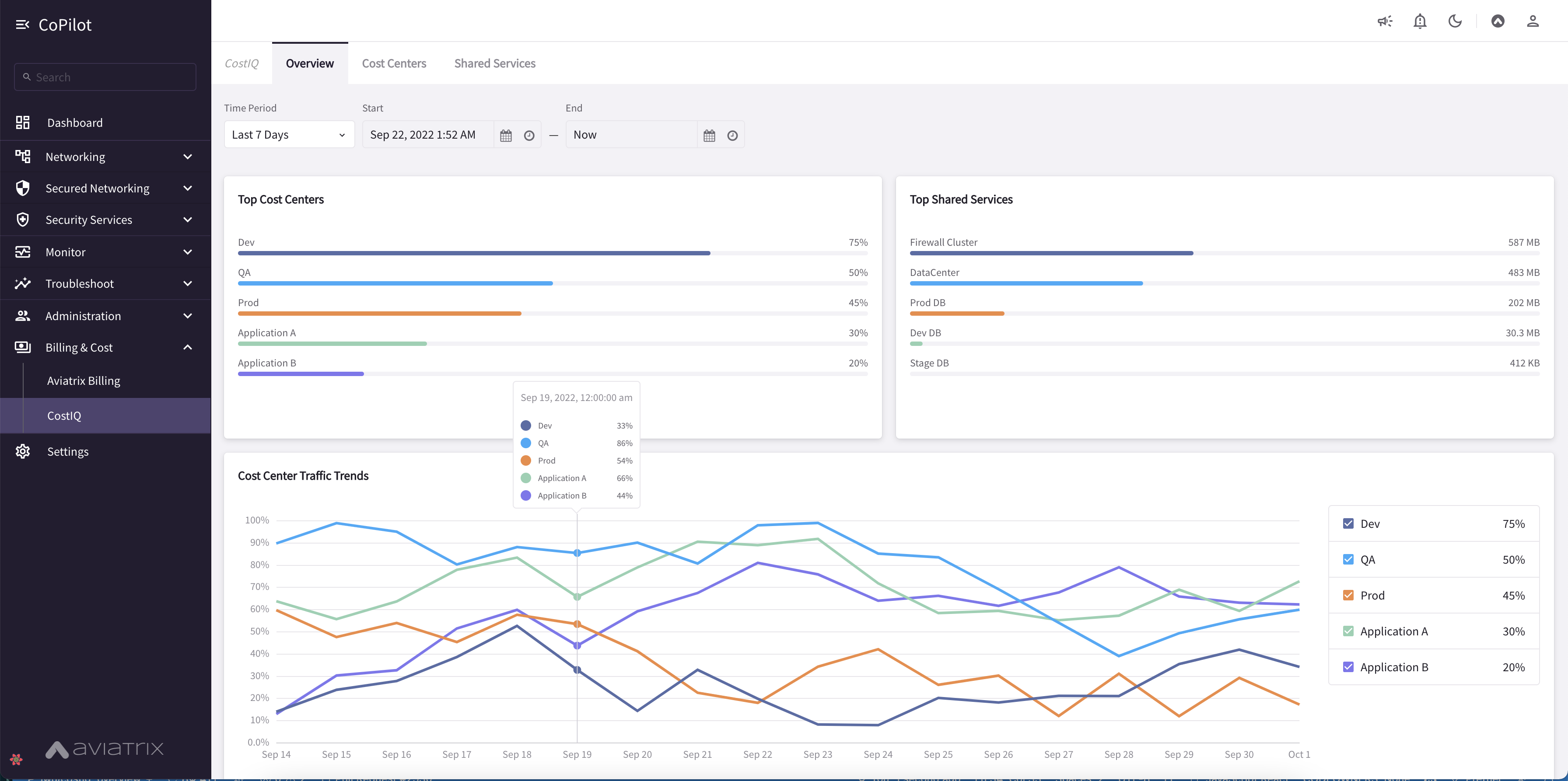
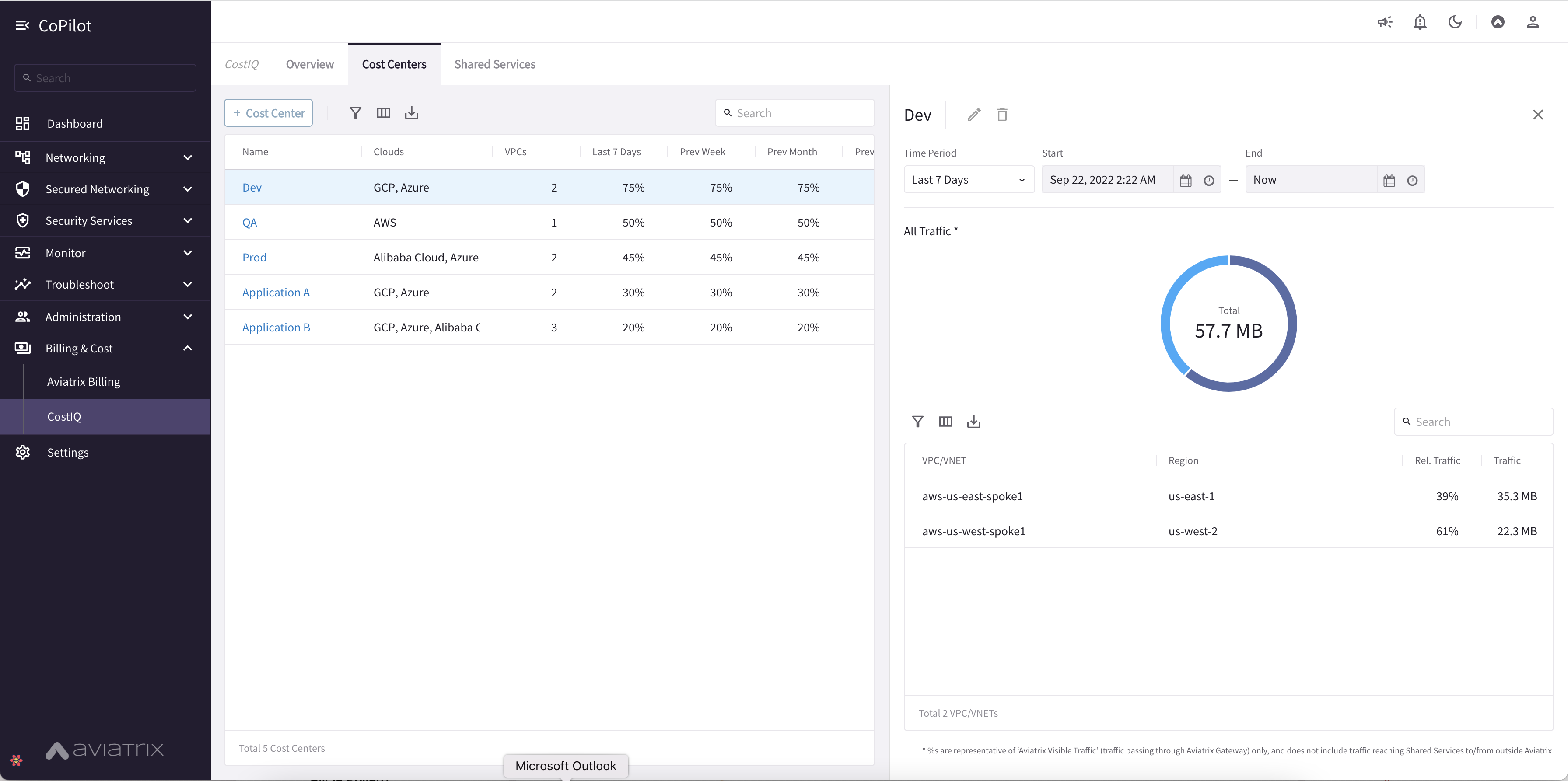
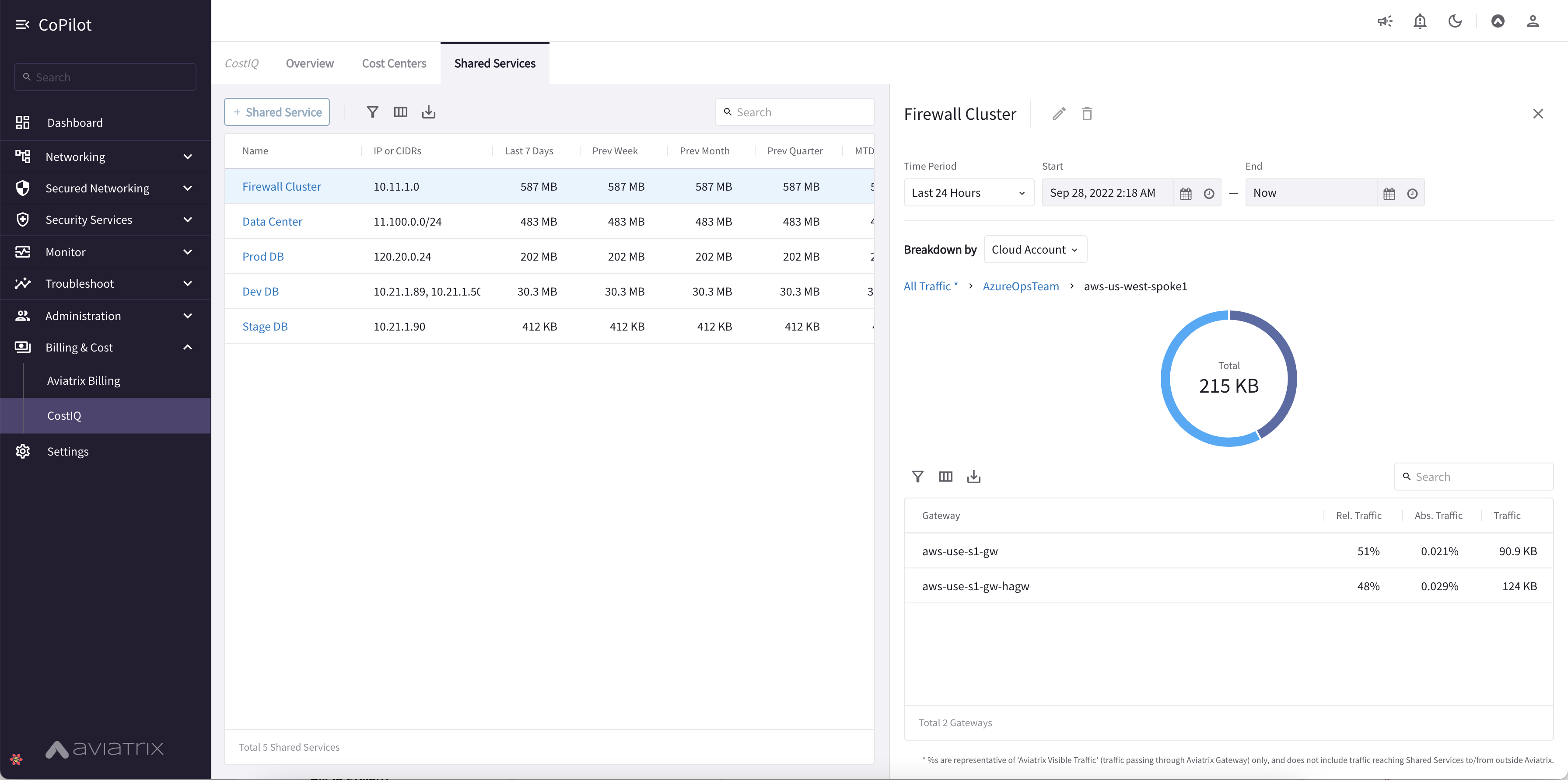
- Aviatrix Billing Page offers visibility into costs of your Aviatrix Controller and gateways. You can review your account’s Total Cost and review costs by CSP (Cloud Service Provider), region, group of Cloud Accounts, and individual Cloud Account. For information about the Aviatrix Billing page, see Working with Aviatrix Billing. CoPilot Home > Billing & Cost > Aviatrix Billing.
- New Topology Experience with improved topology map that displays large network topologies. Streamlined and simplified map design. Use the toggle switch to switch to Topology Experience V1. Some functions have not migrated to V2 such as gateway diagnostics (note you can run gateway diagnostics from the Cloud Routes page also). CoPilot Home > Networking > Topology.
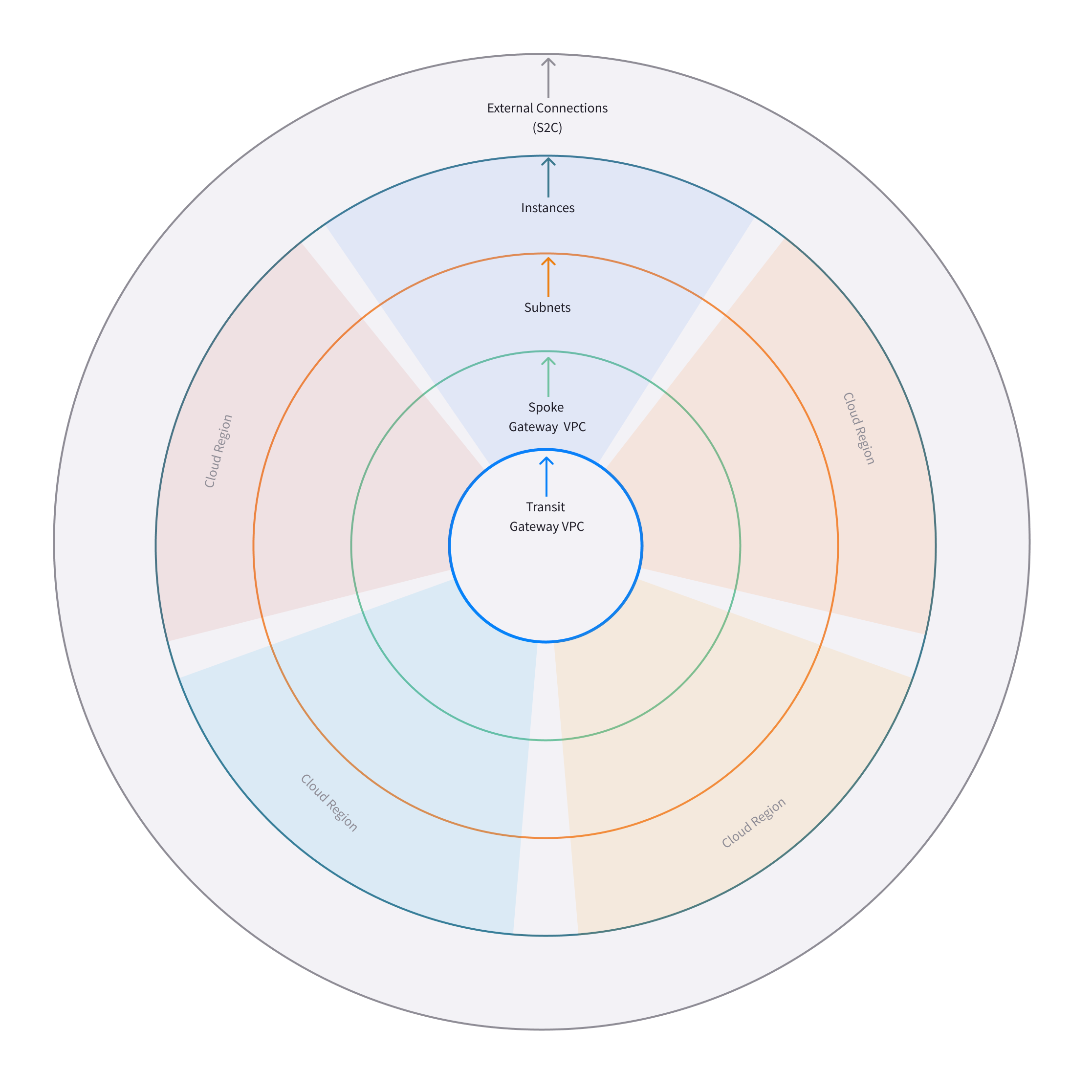
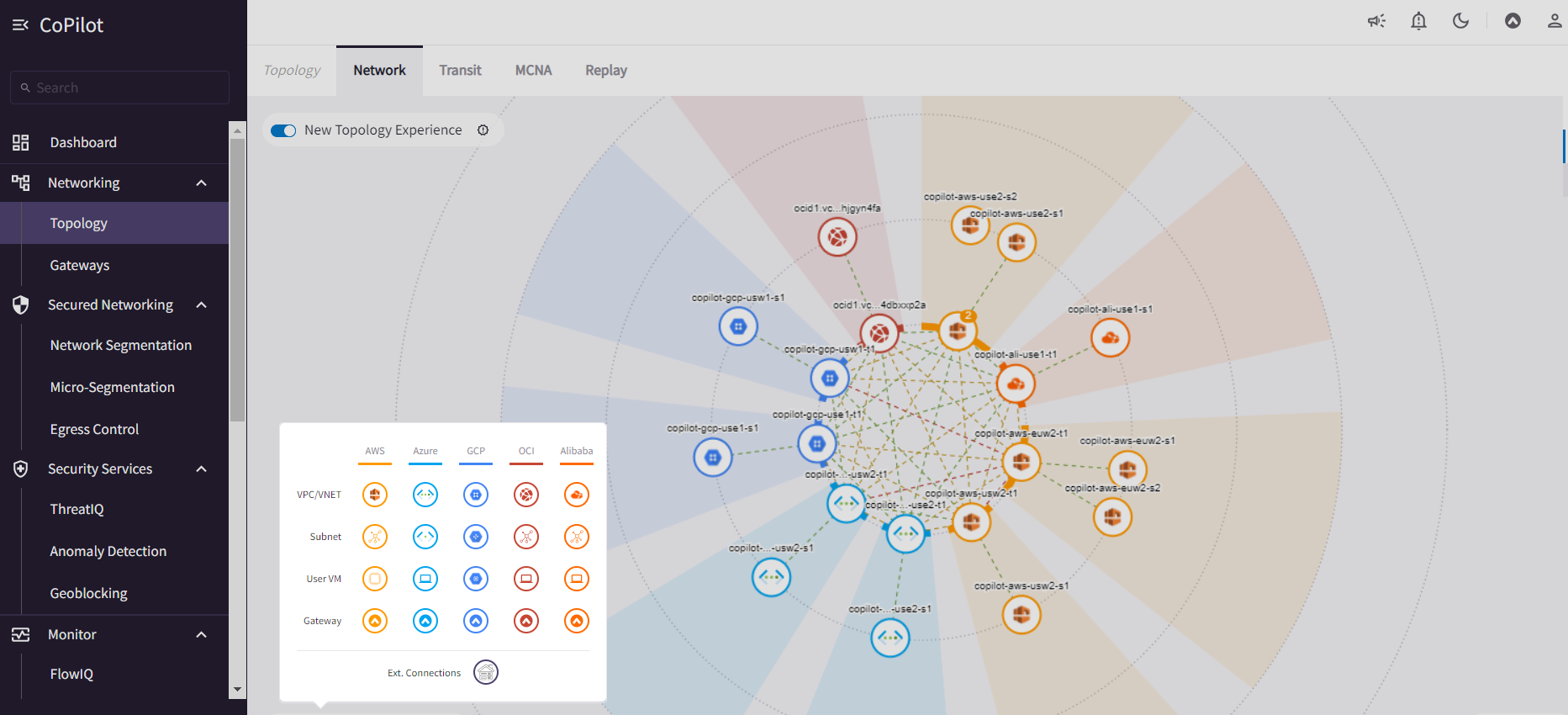
- New FlowIQ Experience with updated UI design for Geolocation page, visualization of source and destination flows (Sankey chart), and other views. Updated FlowIQ overview page with more capabilities for viewing flow details. CoPilot Home > Monitor > FlowIQ.
- Disk Utilization UI in Settings shows the number of days/weeks before the current data disk usage is expected to reach the free space threshold. Provides recommendations for what disk size would meet data retention needs based on existing disk usage. Set data retention policies for CoPilot data. CoPilot Home > Settings > Disk Utilization.
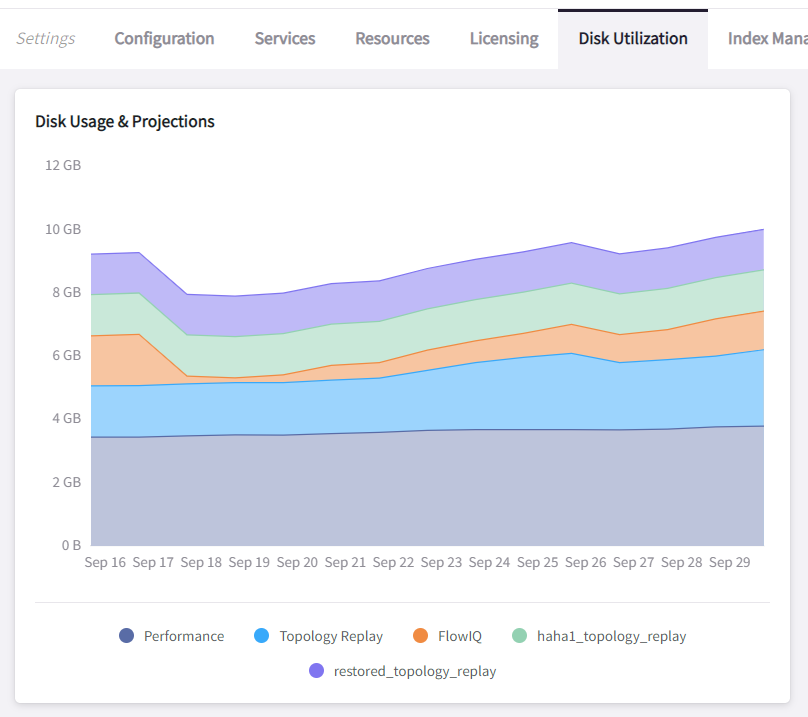
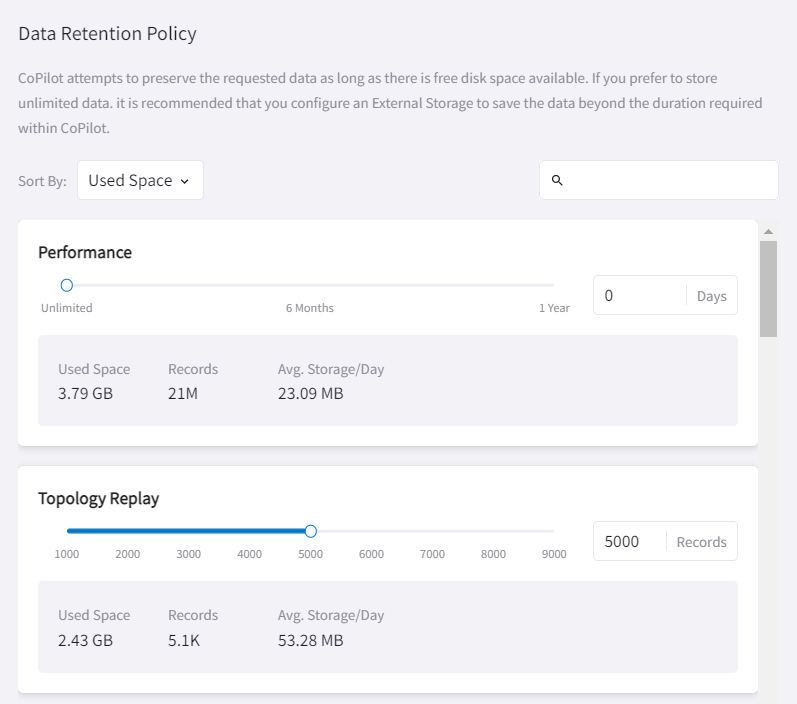
- CoPilot licensing unified with Controller — A separate license for CoPilot is no longer required. The Aviatrix Controller license covers the use of CoPilot. The CoPilot licensing page now displays the Aviatrix Controller license details. CoPilot Home > Settings > Licensing.
- Performance Improvements for Alerts (Notifications) and database lookup tasks that run behind the scenes.
- CoPilot Feature Enablement SKU workflows for application administrators to enable and disable CoPilot features. CoPilot Home > Settings > Licensing.
- Security updates
- Performance improvements
- Performance improvements to AppIQ and Dashboard.
- FlightCheck SAP Destination Report – If your enterprise runs SAP, you can quickly identify SAP known ports to see the resources in your network communicating with SAP services. When you generate a Flight Check Report, the report results now include a Potential SAP Services section that shows where SAP may be running in the environment. For more information about Reports, see Working with Reports.
- Bug Fix.
- Bug fix — This release includes a fix required for infrastructure support. Please note it is recommended to allow updates to your CoPilot image for receiving the latest software versions.
- Bug Fix.
- AVX-27965 — Removed the Cluster tab from Settings so it is not visible for single CoPilot deployments.
- Remote Support Function – You can now allow an Aviatrix Support member to SSH into your CoPilot instance without having to open a security group. The SSH tunnel is enabled and disabled by you, so you have full control over the instance. To enable the SSH tunnel, go to Settings > Services > Remote Support and set the option to Enabled. Provide the port number shown to your Suppport representative. After the Support issue is resolved and access to your instance is no longer needed, set the option to Disabled.
- Run Gateway Diagnostics from Cloud Routes – A gateway diagnostics button is now available on the Cloud Routes page, enabling you to perform diagnostic tasks for your Aviatrix gateways directly from that page. Performing diagnostics from Cloud Routes can dramatically reduce the time spent troubleshooting issues. To run diagnostics for a gateway, go to Cloud Routes > Gateway Routes. In the gateways list table, locate the Gateway Diagnostics button grouped with the Search in Topology and Filter in FlowIQ buttons. Click the button to open the gateway diagnostics dialog. Running diagnostics from a gateway is also still available from the Topology page by clicking on any gateway in the topology map and then clicking DIAG in the node properties pane.
- Export Reports to TSV – Starting with CoPilot release 2.4.2, you can download Inventory and FlightCheck reports as TSV (Tab Separated Value). For more information about Reports, see Working with Reports in Aviatrix CoPilot User Reference Guide.
- Alerts UI – The display has been changed to a data grid which enables you to search, filter, and export alert instances. The alert detail panel is also changed to use the new design system which improves user interaction and clarity.
- Bug Fix.
- AVX-26866 — A fix to a bug causing upgrades to fail from Release 2.2.2 on Appliance Version 1 CoPilot instance.
-
(Notifications) Set alerts based on:
- The percentage of disk free — Percent Disk Free condition
- The percentage of memory free — Percent Memory Free condition
- The status (potential outage detection) of the underlay connection — Underlay Connection Status condition
- (System messages) Notification for gateway tunnel limit — CoPilot sends a notification if the limit for allowed number of gateway tunnels is reached.
-
(Private Preview Features in Release 2.3.0) The following private preview feature is available in this
release:
- CostIQ – CostIQ offers visibility into costs of resources across all clouds in your multicloud network that are managed by Aviatrix Controller. Costs are currently reported as percentages of total traffic generated by end instances in spoke gateways. For more information about CostIQ, see Working with CostIQ.
- Bug Fix.
- AVX-26326 — A fix is delivered for a bug that was causing new deployments on OCI/GCP/Azure to fail for release 2.2.1.
- Improved license handling.
- AVX-25226 — In CoPilot Cloud Routes, the Cloud column was incorrectly displaying a cloud type of “AWS China” or “ARM China” for some managed resources.
- AVX-25009 — When a CoPilot license expired, you were locked out even though other licenses were associated with your CoPilot Customer ID. CoPilot now uses all available licenses and does not require that you reset your CoPilot Customer ID to use them.
- Bug fixes.
- AVX-25643 — CoPilot was logging users out after every page reload.
- AVX-24413 — ThreatGuard: When notifications were enabled for ThreatGuard, the Block Threats slider was automatically switching back to Enabled.
- (Anomalies) New Anomaly Charts — For a given anomaly, you can now view a 24-hour chart showing the time of day each metric within the anomaly deviated from its fingerprinted behavior. The chart also shows the severity of the full anomaly at the time the metric deviated. You can mark the full anomaly as not an anomaly from inside the chart dialog. If marked as not an anomaly, CoPilot will learn the new data point for all the deviated metrics in addition to the existing fingerprinted baseline and update all charts in the anomalies dashboard to reflect the learning.
- (Reports) New FlightCheck Report — Create a report showing the results of validation checks run on your Aviatrix platform. The report will show you if: 1) your CSP account status is not intact (the IAM policy deviates from the Aviatrix default policy), 2) backups are not configured, 3) gateways are down, 4) syslog is not configured, 5) SAML login is not enabled, and 6) connections are down. The report also shows your current controller version, the latest controller version, the controller Apache version, and the CoPilot version.
- (Syslog config) TCP Support for syslog — TCP is now supported for enabling syslog for CoPilot egress FQDN & audit data (TCP port 5000 (default)).
- UI enhancements
- Bug fix that resolves available disk space issues for customers who were previously impacted by issue AVX-24966.
- Minor bug fixes.
- AVX-24966 — After the release of CoPilot 2.0.4, some disk cleanup
policies were not enforced. This issue has been fixed. If you observed
that available disk space was lower than the
Free disk thresholdset in Settings > Advanced Settings and you cannot start CoPilot, please contact Aviatrix Support for assistance.
- (Application Administration) Data Migration — Starting with CoPilot release 2.0.4, you can now migrate data from one (source) CoPilot instance to another (destination) CoPilot instance. Migration of CoPilot data is not supported across clouds. Data migration is supported across regions, availability zones, and VPCs/VNets within the same cloud. For instructions on migrating CoPilot data from one CoPilot instance to another, see About Migrating CoPilot Data in Aviatrix CoPilot Deployment Guide.
- (Permissions) Improved read-only access views — CoPilot now hides/disables some actions in the UI for users logging in with a read-only account. Controller user accounts that belong to a group that have read_only permissions will no longer be able to perform certain actions: Saving and deleting filter groups (FlowIQ), saving and deleting topology layouts (Topology), deleting change-set data (Topology Replay), creating and deleting scaling policies (Performance), resolving and deleting alerts (Notifications), creating and deleting network domains (Security), and many more actions that are reserved for groups with all_write and all_security_write permissions.
- (Login Page) New login page — The CoPilot login page now has a new look and feel and includes options for remembering your login credentials and resetting your password.
-
(Public Preview Features in Release 2.0.4) The following public preview feature is available in this
release:
- Micro-segmentation – Micro-segmentation provides granular network security policy enforcement for distributed applications in the cloud. It enables a unified network access policy model for your applications with distributed points of policy enforcement throughout your network. The micro-segmentation public preview feature is available starting from Controller release 6.7.1319. For information about micro-segmentation, see Secure Networking with Micro-Segmentation in the Aviatrix product documentation.
-
(Security - Public Preview Features)
The Micro-segmentation public preview feature has the following
enhancements (starting from Controller release 6.7.1319):
- Micro-segmentation logging – For the micro-segmentation rules with logging enabled, a policy monitor is now introduced that shows which rules were hit by network traffic. The policy monitor displays logs that meet the criteria configured in your rules. You can filter the information by timestamp, related rule, and more criteria. You can also configure a retention period for how long to store the logs.
- Micro-segmentation rule priority – You can now specify a priority number to the micro-segmentation rules you create. The priority number determines the order in which your rules are applied. A lower priority number indicates higher precedence, with the highest priority being 0.
- Micro-segmentation system messages – You can now view a list of system messages about your micro-segmentation configurations by clicking the bell icon in the CoPilot action bar.
- For information about micro-segmentation, see Secure Networking with Micro-Segmentation in the Aviatrix product documentation.
- (Security) Geoblocking — You can now select a country to block IP
traffic coming into and coming from the country. When Geoblocking is
enabled for a country, a tag-based security policy is implemented on
each gateway to deny traffic for IP addresses associated with the
country. All gateways in your VPC/VNets will block. When you unblock a
country, the tag is removed from all gateways and the stateful firewall
rules instantiated on them for that country are removed. For more
information about Geoblocking and how to enable it, see Enable
Geoblocking in Aviatrix CoPilot User Reference Guide.
- Attention: A CSP-region IP may be blocked if that region is in the blocked country. For example, if the public IP for your service is registered in a specific country by the CSP and you block that country.
- Performance improvements.
- Minor bug fixes.
- (Performance) Create Policies for Scaling Managed Resources — As in prior releases, CoPilot monitors the resource utilization (telemetry) data for all managed resources — gateways and controller — across your Aviatrix transit network (multicloud and single cloud). You can now create policies based on the telemetry data that guide you on when to replace or scale the managed resources up or down. When gateway virtual machines/instances exceed your policy thresholds, CoPilot generates a resource-scale alert. From the alerts page, you can scale up or down directly from CoPilot. When choosing the instance size, CoPilot displays the supported instance sizes for Aviatrix gateways in their respective cloud service provider. Policies are set on a per VPC/VNet basis. All gateways within the given VPC/VNet are monitored. You create the policies in CoPilot under Performance > Scaling > Policies. For information about creating resource-scale policies, see Resizing managed resources (gateways) based on policies in Aviatrix CoPilot User Reference Guide.
- (Private Preview Features in Release 1.10.0) The following private preview feature is available in this
release:
- Micro-segmentation – Micro-segmentation provides granular network security policy enforcement for distributed applications in the cloud. It enables a unified network access policy model for your applications with distributed points of policy enforcement throughout your network. The micro-segmentation private preview feature is available starting from Controller release 6.7.1185. For information about micro-segmentation, see the Aviatrix product documentation.
- Performance improvements.
- Minor bug fixes.
- (Topology) Limit Topology Render — The Limit Topology Render configuration option is added to Settings > Advanced Settings > Topology Environment Settings. Enable this option if your network infrastructure is large and the full visible topology cannot be rendered in the topology map. In this case, you can still use the topology map feature by using filters to load scaled down portions of your topology. When this option is disabled (default), CoPilot will automatically attempt to load the full topology of your infrastructure in the map when the Topology page is opened. To enable the option, go to Settings > Advanced Settings > Topology Environment Settings, set the option to Enabled, and click Save.
- (Security) Network Segmentation for inter-VPC/VNet connectivity
(reachability) — You can now enable network segmentation in your
Aviatrix Transit Network via the CoPilot user interface. Note the
following points:
- You can still enable network segmentation for inter-VPC/VNet connectivity using Aviatrix Controller (as in prior releases).
- The term network domain used in CoPilot is synonymous with security domain used in Controller (the term security domain will eventually be deprecated).
- The network segmentation configurations you set in Aviatrix Controller can be accessed and modified in Aviatrix CoPilot and vice versa.
- When enabling network segmentation via CoPilot, you navigate to Security > Network Segmentation > Network Domain and click Transit Gateways to specify the Aviatrix transit gateways you want enabled for network segmentation. In the same view, you click + Network Domain to create your network domains and specify how the resources you associate with them are allowed to communicate with each other. For detailed instructions, see the discussion about enabling network segmentation using CoPilot in the CoPilot documentation.
- (Performance) Improvements to chart displays.
- Performance improvements.
- Minor bug fixes.
- (Anomalies - New!) Network Behavior Analytics — You can now select any VPC/VNet(s) in your clouds to have CoPilot learn their behaviors based on a group of metrics and alert you when it detects anomalous behavior in them. When configured for network behavior analytics, CoPilot performs continuous network behavior analysis of the VPC/VNet workloads during a configurable learning period. The learned behavior or fingerprint is a behavioral baseline against which CoPilot can detect abnormal network operating patterns or anomalies. Anomalies could represent threats on your network, systems being down, high traffic for a planned launch, or some other abnormal behavior. For information about enabling network behavior analytics, see Working with Anomalies.
- (FlowIQ) FlowIQ Filter by CSP Tags — You can now search for traffic
using your cloud-native instance tags and VPC tags. Use the tags in
FlowIQ filters that take an address field like Source Address or
Destination Address. For example, to see traffic flows between business
units, this filter group with the AND operand will show traffic flows
between accounting and engineering resources where the CSP tag
associated with each resource is Name =
departmentand Value =accountingorengineeringrespectively :
Source Address is equal to department accounting Destination Address is equal to department engineering
- (ThreatIQ with ThreatGuard) Prepend/Append ThreatGuard Rules — By default, ThreatGuard firewall rules append instantiated rules — Aviatrix Controller adds the ThreatGuard rule to the end of the rules list at the time the threat triggered the rule. You can now choose to have ThreatGuard firewall rules prepend instantiated rules where Aviatrix Controller adds the ThreatGuard rule to the beginning of the rules list at the time the threat triggered the rule. The prepend feature is available starting from Controller release 6.6.5544. From the ThreatIQ > ThreatGuard page, select the prepend option when configuring ThreatGuard blocking. For more information, see About ThreatIQ Firewall Rules.
- (Notifications) Edit Alerts — You can now edit alert configurations. From the Notifications > Configure > Configured Alerts list, locate the alert and click on the blue pen icon. Make any changes needed to the name, condition, email recipient, or webhook payload and then click Update. For more information, see Edit Notifications.
- Performance Improvements.
- Bug fixes.
- (Reports) — You can create a report that summarizes the resource utilization (telemetry) data for Aviatrix gateways in a single cloud or across all clouds in your multicloud network. Of the approximately 80 performance metrics that CoPilot exposes (system and network metrics), you can select from any or all of them to report on for the time period you specify. Per gateway, when reporting on network metrics, CoPilot aggregates the metrics across all interfaces (default), or if specified, reports the metrics for each interface. The data in the report can be organized by gateway or by metric. The report can be exported in PDF. For information about creating a resource utilization report, see Create a Resource Utilization Report.
- (Topology) — Search and filter for cloud native VPC/VNET/VCN tags — You can search and filter for VPC/VNET/VCN tags that you set in the native cloud service provider console. This feature is available starting from Controller release 6.6. To filter for VPC/VNET/VCN tags, from Topology, click the Toggle Filter slider to enable it. In the key list, under the CSP Tags category, select the VPC/VNET/VCN tag to filter for.
- (Topology) — You can create and save topology filters. From the main topology page, click the Toggle Filter slider to access the filter editor page. See Create and Save Topology filters.
- (Topology) When doing packet capture on a gateway from topology, you can now filter by virtual interfaces.
- (FlowIQ) — The FlowIQ Records page format is improved.
- (Performance) — In performance charts, CoPilot now shows the minimum and maximum values for metrics so you can see the absolute valleys and peaks for the metric within the selected timeframe.
- SAML users on Aviatrix Controller with admin permissions also have admin access in CoPilot.
- (UI Improvement) — The auto-refresh component for setting the refresh interval in the Performance, Topology, and Settings > Resources pages is replaced by a button that takes up less space in the UI. Click on the button to set the refresh interval or disable auto-refresh for that page.
- Performance improvements.
- Minor bug fixes.
- Security fix: This patch mitigates a vulnerability that would allow an attacker to escalate user permissions.
- Security fix: This patch mitigates a vulnerability that would allow an attacker to escalate user permissions.
- Search and filter for instance tags — You can now search and filter for instance tags in Topology (feature available starting from Controller release 6.6). To filter for instance tags, from Topology, click the Filter slider to enable it. In the key list, under the CSP Tags category, select the instance tag to filter for.
- Added auto refresh to the Resources page (Settings).
- Performance improvements.
- Minor bug fixes.
- (Topology) Packet capture from Topology — You can now capture packets on any gateway. In a topology map, click on any gateway where you wish to do packet capture, click DIAG in the node properties pane, and then click the PACKET CAPTURE tab. In the Packet Capture page, you can further filter on host and port number and specify the capture time. You can also search and filter by time, source address, destination address, source port, destination port, protocol, flags, length, and info. Click Start to start the capture, click Stop to stop the capture, then click Download to download the pcap file. The pcap file can be viewed by Wireshark.
- (FlowIQ) You can now filter for information by gateway name using the new FlowIQ fields: src_gateway_name (Source Gateway), dest_gateway_name (Destination Gateway), and gw_gateway (Gateway Name).
- (ThreatIQ) Custom ThreatIQ IP List — Network administrators can now maintain a list of IP addresses they consider to be threat IPs. For each IP address in the custom threat IP list, you can specify a custom severity, classification, color (for display in lists), and informational note. When a custom threat-IP list is added, and those threat IPs are detected, the threats are shown in the ThreatIQ map on the Dashboard. The custom threat IPs are handled by Aviatrix Controller in the same manner as the threat IPs identified through ThreatIQ with ThreatGuard (detection, blocking, and unblocking functionality is the same). In the current release, custom ThreatIQ IP lists must be created in CoPilot under ThreatIQ > Custom Threat List.
- Support for expanding existing physical volumes — For data disks you already allocated to your CoPilot deployment, you can increase their size. After increasing their size via the CSP, log into CoPilot and go to Settings > Resources. In the Resources page, locate the physical volume in the Disk Usage table associated with the resized data disk and click its corresponding RESIZE button. CoPilot resizes the physical volume to match the size of your expanded disk. TIP: In the Disk Usage table, click the detail control ( ˅ ) to the left of the Filesystem column for each physical volume until you locate the enabled RESIZE button.
- (Usability) Latency Charts now have cross hairs that are synced across all visible charts for easy correlation between metrics.
- Performance improvements.
- Minor bug fixes.
- (Performance) Performance Charts now have cross hairs that are synced across all visible charts for easy correlation between metrics.
- (Topology) Run VPC/VNET/VCN diagnostics and submit them to Aviatrix Support from Topology. From Topology, click on any VPC/VNET/VCN in a topology map, and then click DIAG in the node properties pane.
- (Notifications>Configure) Use new input box to type in a value (instead of using the slider) for configuring notification thresholds.
- Performance improvements.
- New disk (volume) support — You can now allocate data disks (volumes) to your Aviatrix CoPilot deployment to be used for expandable storage. During instance creation in the marketplace, you can attach a data disk (data volume) to be used for CoPilot storage. When you deploy the instance, the initial setup process will automatically detect the disk/volume you attached during instance creation and format and attach your disks (a logical disk/volume is created from all physical disks). As your storage needs increase later (after deploying), you can also add more disks (volumes) as needed. See CoPilot Disk (Volume) Management for more information.
- Auto-scaling memory support — CoPilot now supports automatic memory sizing for the ETL and datastore based on the physical memory of the instance at boot. New base images will default to these automatic settings, but existing deployments will keep their current configuration unless updated. Memory settings are still located under Settings > Configuration > Options.
- ThreatIQ map in dashboard — The CoPilot Dashboard now includes the ThreatIQ map showing any threats over the last 24 hours.
- New gateway diagnostic features
- Performance improvements and bug fixes.
- UI improvements. ** You can now open Aviatrix Controller from CoPilot. From the CoPilot dashboard, click the Apps icon in the action bar, and then select Controller. The controller opens in a new browser tab. ** Improvements were made to the ThreatIQ dashboard.
- Performance improvements.
- Minor bug fixes.
- Bug fix Minor bug fixes.
- New: Inventory Reports You can now create customized, detailed reports for all or specific inventory (resources managed by Aviatrix Controller) running across your multicloud network. To create a custom report, you answer questions that guide you to include only the information you want in the report. Each time you specify your criteria, the PDF report view updates in real time in an adjacent pane. You first specify the cloud provider(s) to include information about a single cloud or multiple clouds. You then specify the regions you have resources in that you want to include. You can further specify the VPCs/VNETs/VCNs in the region(s) and drill down further to specify the resource types (for example, gateways and instances). You can save and download the report. Currently, you cannot save a report filter.
- Enhancement (ThreatGuard) Now only users logged in to CoPilot who have Admin/Firewall Admin permissions can enable/disable ThreatGuard blocking.
- Enhancement (ThreatGuard) Selective Threat Blocking. You can now be selective about which VPCs/VNets/VCNs block threat IPs when ThreatGuard blocking is enabled. By default, all VPCs/VNets/VCNs block when ThreatGuard blocking is enabled. You can then use the Allow/Deny List to specify which ones will not block.
- Enhancement (Topology) Support for filtering on your own tags you created in the CSP (supported for tags added to gateways only at this time, not instances).
- Enhancement (Egress) For Egress, CoPilot now shows Rule and Action when a request hits a rule.
- Enhancement Performance improvements.
- Bug fix Minor bug fixes.
- New: ThreatGuard You can now block and get alerted on the threats detected in your network. A dashboard to configure and view ThreatGuard in action.
- Enhancement Improved alerts.
- Enhancement More metrics. All of Performance V2 metrics are now supported for receiving alerts.
- Enhancement Ability to pick and choose one/more/all hosts and one/more/all of interfaces to receive telemetry and node status alerts.
- Enhancement Support for filtering domains and hosts in Network Segmentation graphs.
- Enhancement Faster Cloud Routes pages and faster Notifications page.
- Enhancement Performance improvements.
- Bug fix Minor bug fixes.
- Bug fix Fixes to latencies in Topology.
- Enhancement Improvements to GW, Tunnel, S2C alerts.
- Enhancement Performance improvements in backend tasks.
- Enhancement Configurable settings for Network Segmentation charts.
- Bug fix Fix in V2 Telemetry alerts.
- Bug fix Fixes to Legend in Network Segmentation Page.
- Revert ETL migration for Customers with older than 6.4 Controllers
- Bug fix Minor improvements to Performance V2 Charts.
- Bug fix Minor bug fixes in Performance Monitor V2.
- New: ThreatIQ Real time identification of threats in ThreatIQ.
- Enhancement Performance V2. Many more metrics to monitor performance of hosts, interfaces and tunnels. In the Performance Page, click on Switch to V2.
- Enhancement Latencies for Site2Cloud links.
- Enhancement You can now filter topology data by node type.
- Enhancement Improved Cloud Routes Search and show only the routes with longest prefix.
- Enhancement Upgraded AppIQ with V2 performance metrics.
- Enhancement Performance improvements.
- Bug fix Minor bug fixes.
- Bug fix Fixes to SSO login.
- Enhancement Improvements to individual alerts per host.
- Enhancement In Dashboard, added a chart for instances per region.
- Bug fix Fixes to topology replay.
- Bug fix Fixes to topology saved layouts.
- Enhancement Improvements to individual alerts per host.
- Enhancement In Dashboard, added a chart for instances per region.
- Bug fix Fixes to topology replay.
- Bug fix Fixes to topology saved layouts.
- Bug fix Fix to the offline upgrade process.
- Bug fix Fix in Webhooks test button.
- Enhancement You can now receive individual alert notifications for each host.
- Enhancement AppIQ now works across all clouds.
- Enhancement In Topology, you can show and hide latencies.
- Bug fix Fixes for Dashboard Charts.
- Bug fix Fixes for Security Charts.
- Enhancement In Dashboard, new chart for Instances Per Cloud.
- Bug fix Fixes for Gateways Active Sessions and Interfaces.
- Bug fix Fixes for Security Charts.
- Enhancement Security updates.
- Bug fix Webhook templates bug fix.
- Bug fixes Minor bug fixes in Dashboard pie charts and VPC Routes.
- Enhancement Support for offline upgrade and offline installation of CoPilot.
- Enhancement Support for templates in Webhooks.
- Enhancement Support for Alibaba Cloud.
- Settings -> Index Management Support for searching and filtering indices.
- Bug fixes Minor bug fixes.
- Bug fix Performance Fixes for Dashboard - Overview and Traffic Pages load faster.
- Bug fix Security fixes
- Improvement Topology loads better
- Enhancement Latencies can now be refreshed at user specified intervals
- Enhancement Topology Replay - loads much faster for bigger changes
- Bug fix Security fixes
- Dashboard -> Traffic page Detailed metrics on data sent and received in the last hour and day for instances, regions, GWs and VPCs/VNETs/VCNs. Also shows the trend and detailed traffic chart for each cloud construct. Ties into FlowIQ for deeper visibility.
- Security -> Audit End to end audit on every API call (with response status, user who made the call, arguments for the call), aggregated hourly, daily, monthly and fully searchable, filterable and sortable.
- Search for titles/notes in the topology replay timeline across timestamps Replay now ties into Audit so that you know who made the infrastructure change(s) and when it was (they were) made.
- SSO Configure CoPilot in the Controller UI and login into CoPilot from the Controller directly without having to enter the credentials.
- Cloud Routes and BGP section now scale to work with Controller 6.4 API changes, backward compatible with pre-6.4 APIs.
- Cloud Routes Search Search, filter and highlight across routes/GWs for anything you see on the page (name, routes, cloud provider, status, tunnels). Search for IP in Subnet also highlights which CIDR the IP is part of.
- Look and feel improvements for Settings Pages and Notifications page.
- Bug fix Good number of UX enhancements and bug fixes.
- A patch update to the release 1.4.2
- Improvement in scalability and security. Support 100k+ changes in topology diff and more than 250k tunnels in the cloud routes section (which is about 40MB of tunnels data rendered in less than 5 secs). We also made improvements to our middleware to secure CoPilot. We now logout the user immediately from accessing copilot data, if the user gets deleted from the Controller.
- Scale Scaled the cloud routes section to handle any number of routes, so for GWs with 10ks of routes is blazing fast. The Latency charts are scaled too to handle 1000s of charts each for one topology edge.
- Search You can even search and highlight across 1000s of routes across GWs.
- Bug fix We fixed our disk cleanup logic that periodically frees up space in the copilot instance for a user specified threshold percentage of free disk.
- Bug fix We fixed some bugs in topology replay, talking of which, you can now hide/show highlited nodes to clear the clutter while viewing changed nodes.
- Enhancement When you receive a ‘closed’ alert (email or webhook) it also contains what hosts were previously affected, so customers can use third party tools (like OpsGenie) to parse for fields of their interest.
- Improvement Minor UX improvements
- Bug Fixes
- Scale Large environment support in Latency Monitor and in Replay.
- Topology Replay Ability to now add notes and a tag to a change in replay.
- Enhancement Enhanced Topology Replay to add zoom and move to preview timeline
- Enhancement Throttle Latency Calls to reduce Controller cpu usage (for large scale env), removed duplicate latency calls for edges
- Bug fix Topology Transit View - Single node clusters for VPC, Fix for Spokes with Peering Connections, Connect S2C to regions
- Bug fix Dashboard not showing OCI in Geo Map
- Bug fix Segments not showing up randomly on Domain Segmentation. Truncate long labels and add tooltip
- CoPilot Theme New Dark Mode The moon icon in the CoPilot header can be toggled to switch between light mode and dark mode.
- Topology Replay Full view of what’s changed in your infrastructure. Instantly see any change (for ex: GWs go up/down, tunnels flap, peerings added) to your topology at any timestamp and manage your changesets.
- Multi Cloud Network Segmentation Now in Security tab, Logical view -> you can visualize which spoke (or Site2Cloud instance) can reach which other spokes based on the network domains they are part of. In the physical view -> you can visualize the spokes (or S2C instances) grouped by the transit gateways and their reachability based on the network domains they are attached to.
- Transit View for Topology Topology Revamped. Clear the clutter and visualize multicloud topology with just the Aviatrix transits connected to regions. Double click to open/close VPC/VNET clusters.
- Improved FlowIQ Filters Use “not equal to” in a filter rule to specify negation. Group filter rules using “NOT” to specify negation of all the filter rules together.
- Interface Stats Use the Diag button in topology to view interface statistics for a gateway
- Bug fix Fixes to saved filter groups in FlowIQ
- Bug fix Fixes to pie charts in FlowIQ Trends
- Bug fix Fixes to top navigation header to always show it
- Enhancement Better error checking for dashboard APIs
- Enhancement Changes to slider step while defining alerts for Rx, Tx and RxTx metrics
- Enhanced FlowIQ Filters Now filter FlowIQ results by performing complex queries by doing logical ANDs and ORs between different filters. Filter groups can now be searched and selected in FlowIQ
- Alerts Now get alerted when a Site2Cloud tunnel or BGP connection status changes
- Enhanced Diagnosis in Topology Test connectivity from a selected gateway to a host IP
- Session Visibility Active Sessions for a selected Gateway
- Enhanced Index Management and Data Retention policies Now you can better control how long you want to retain data for each of FlowIQ, Performance, FlowIQ, latencies.
- Multicloud AppIQ Support AppIQ supports all clouds (FlightPath may not work across all clouds)
- Performance Monitoring A much cleaner legend for performance monitoring charts
- Topology Enhancement New Truncate/expand labels in topology
- Bug fix to flight path in AppIQ report
- Enhancement Change Cluster Labels in Topology to VPC Labels
- Enhancement Gov Cloud icons show up in Topology
Release 1.3.1
- Bug fix Fixes to latency tracker
- Enhancement Receive email and webhook alerts when a Gateway or Tunnel is down
- Latencies View historical latencies and perform search to filter latencies of interest
- Enhancement Cleaner topology with truncated labels and latency numbers align along edges
- Enhancement Cleaner topology in AppIQ
- Enhancement Filter table columns in GW Routes and VPC Routes
- Security Egress FQDN Dashboard, search and live monitoring
- Alerts Webhooks integration for alerts - Use Webhooks to alert on telemetry data
- Bug fix A fix to AppIQ inconsistency in topology instances
- Enhancements Compressed the AppIQ report file size for easier download
- Bug fix in BGP routes and AppIQ charts
- AppIQ generates a comprehensive report of control plane connectivity between any two cloud endpoints connected with Aviatrix Transit Network which includes link status, latency, bandwidth, traffic, and performance monitoring data.
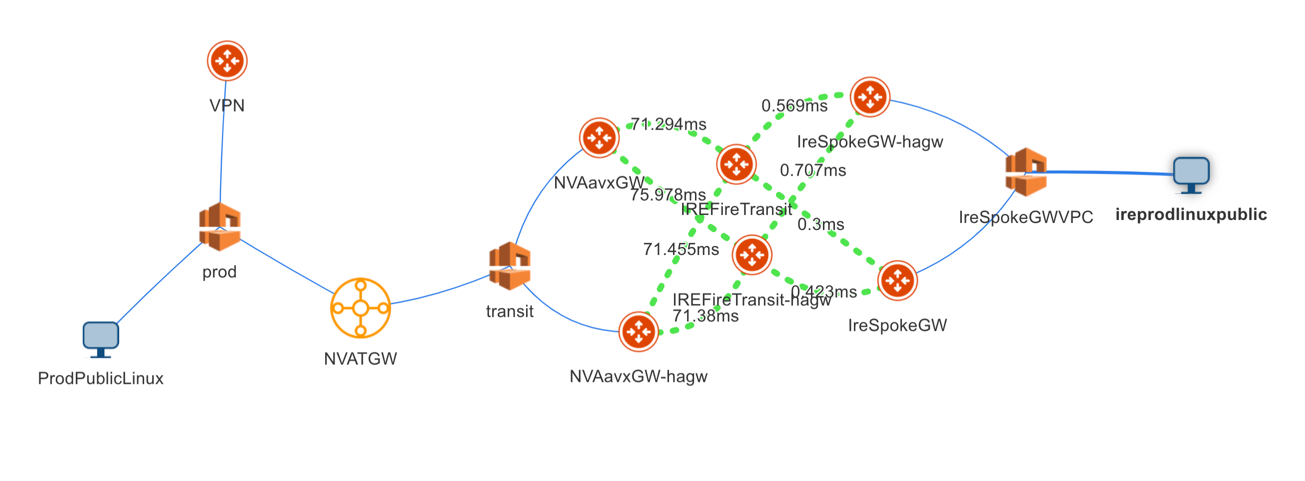
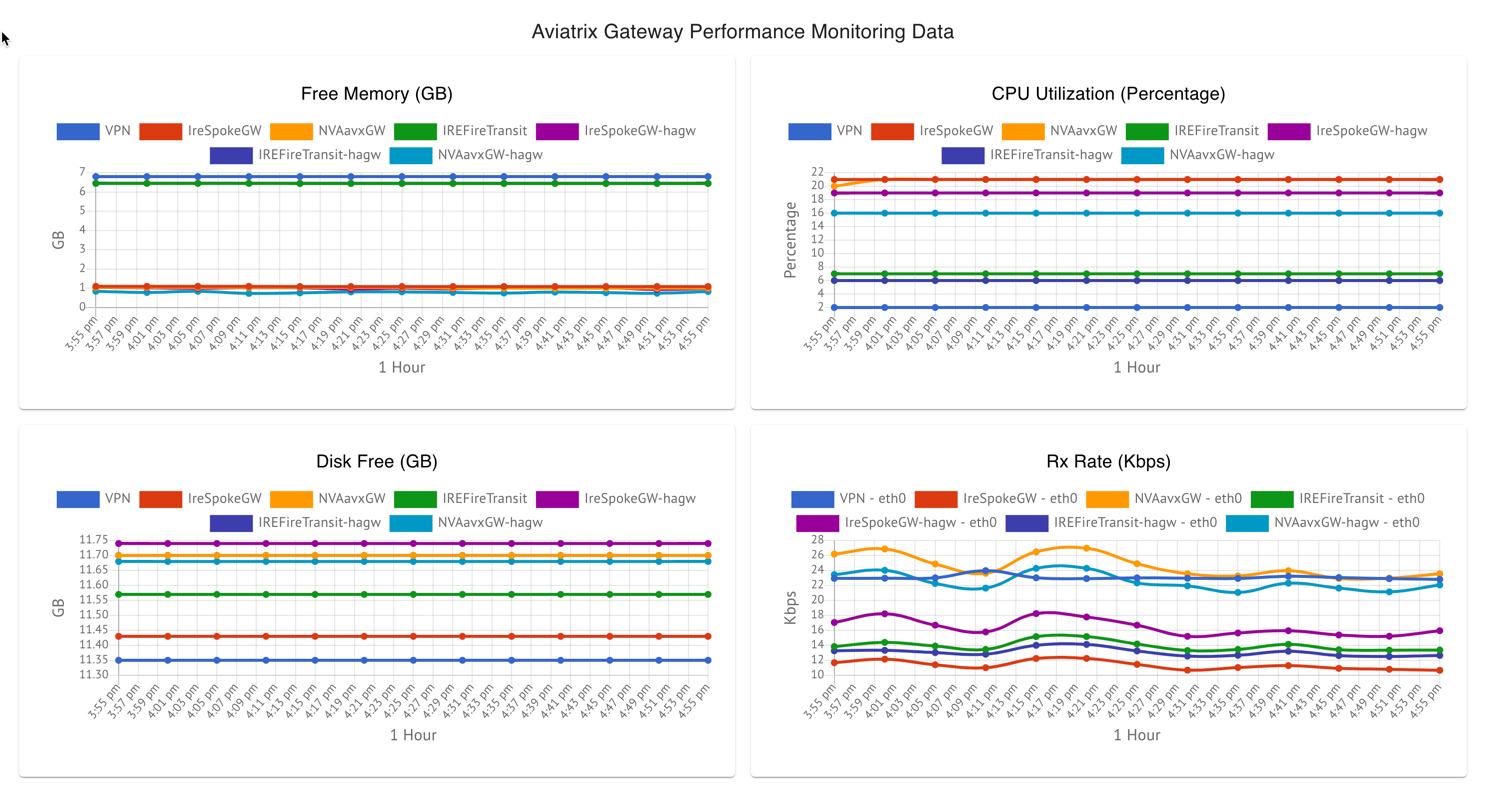
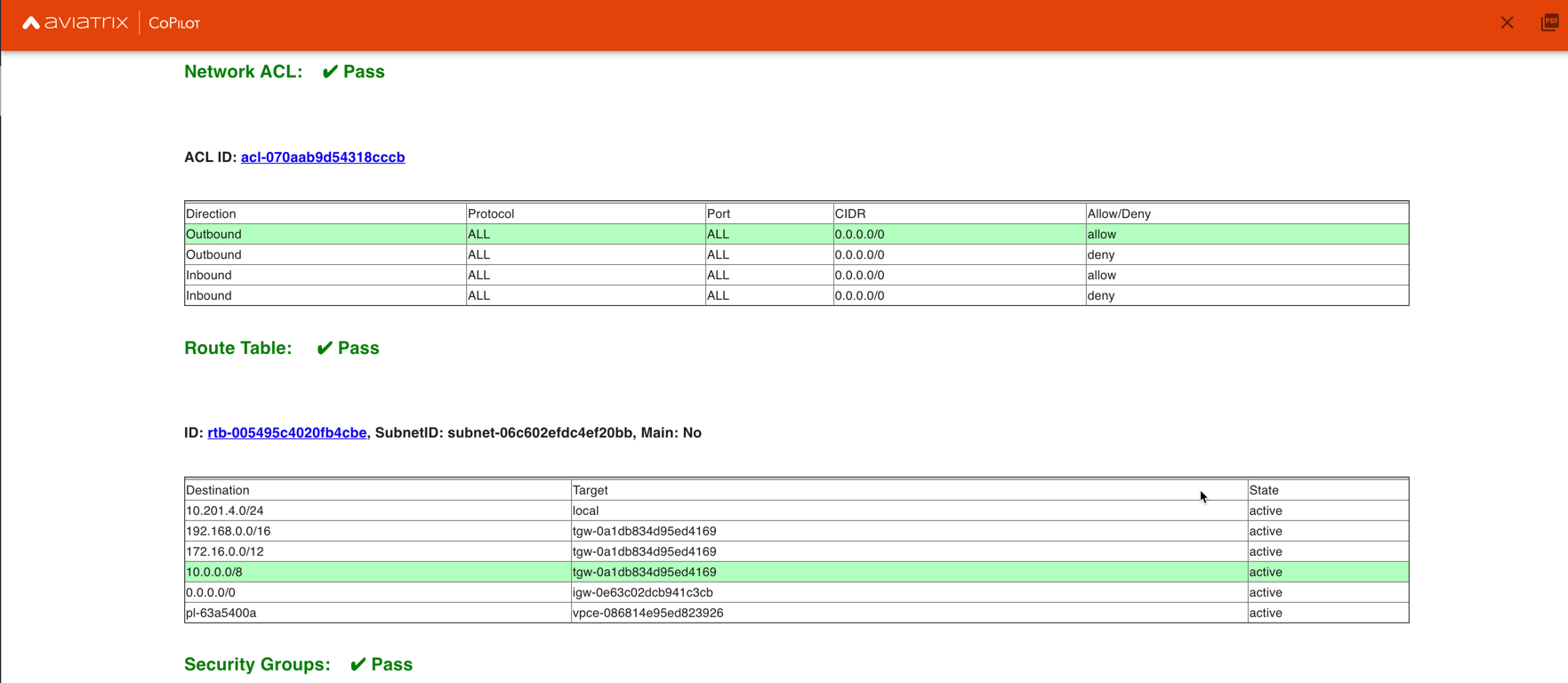
- BGP Info shows detailed BGP connections information with routes, map and status inside Cloud Routes
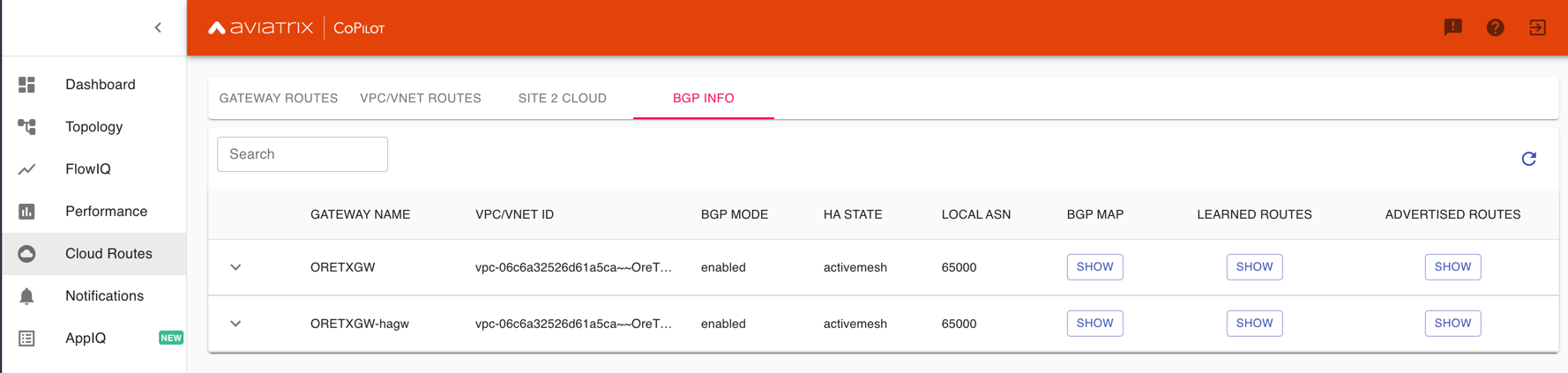
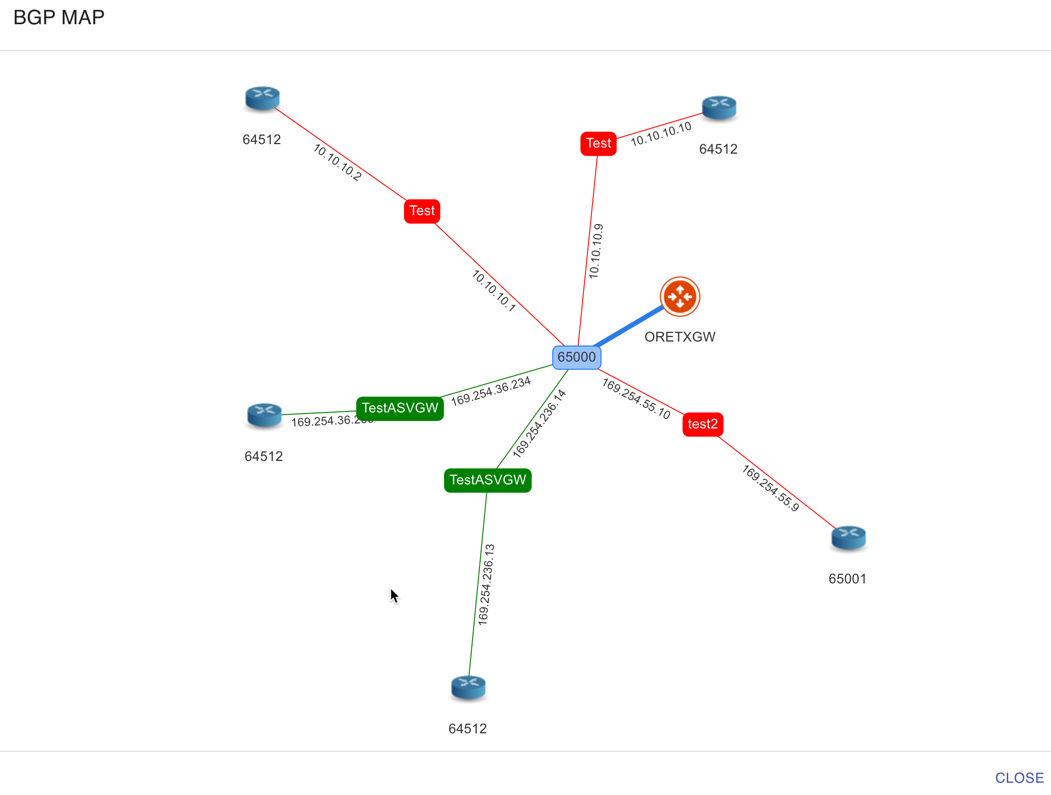
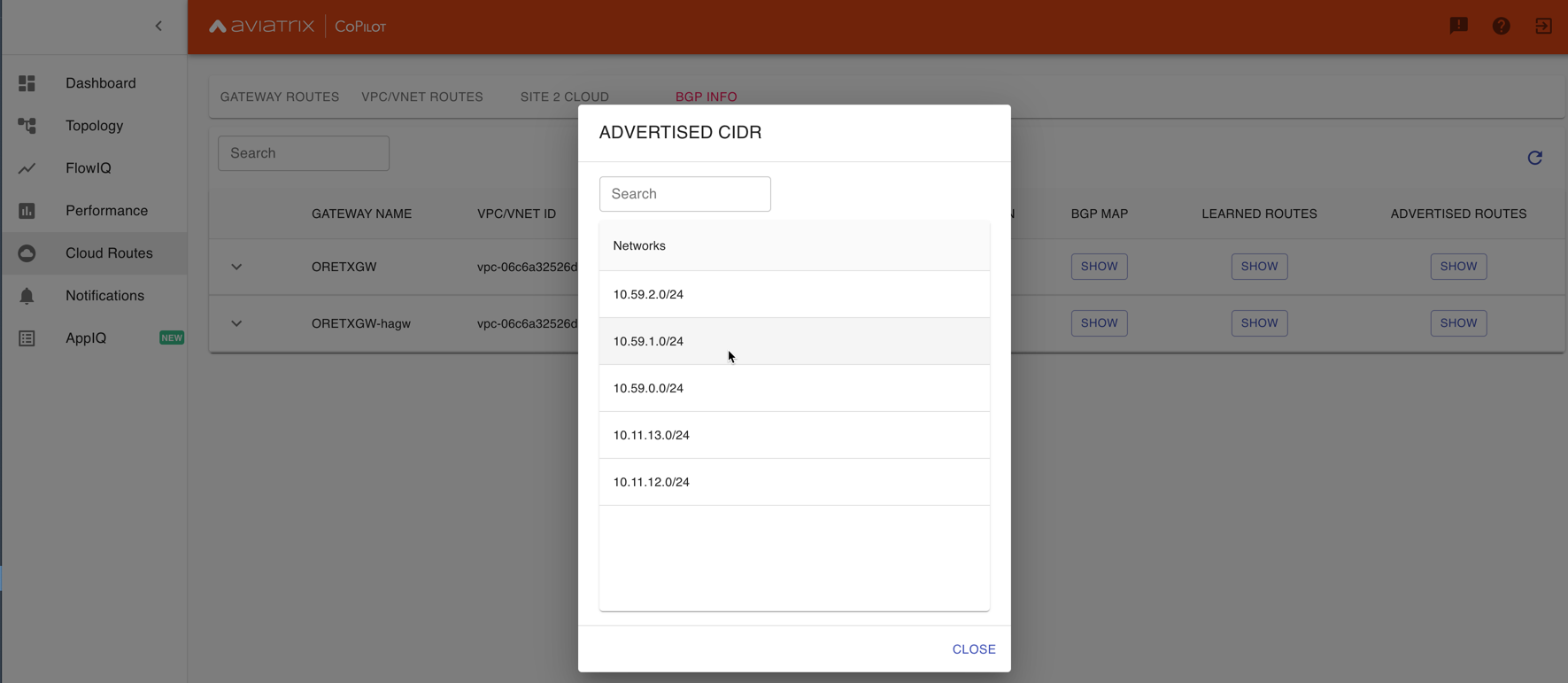
- Continuous Latency Monitoring allows to see the continuous historical latencies data on Topology in Multicloud environment between Transit and Spoke.
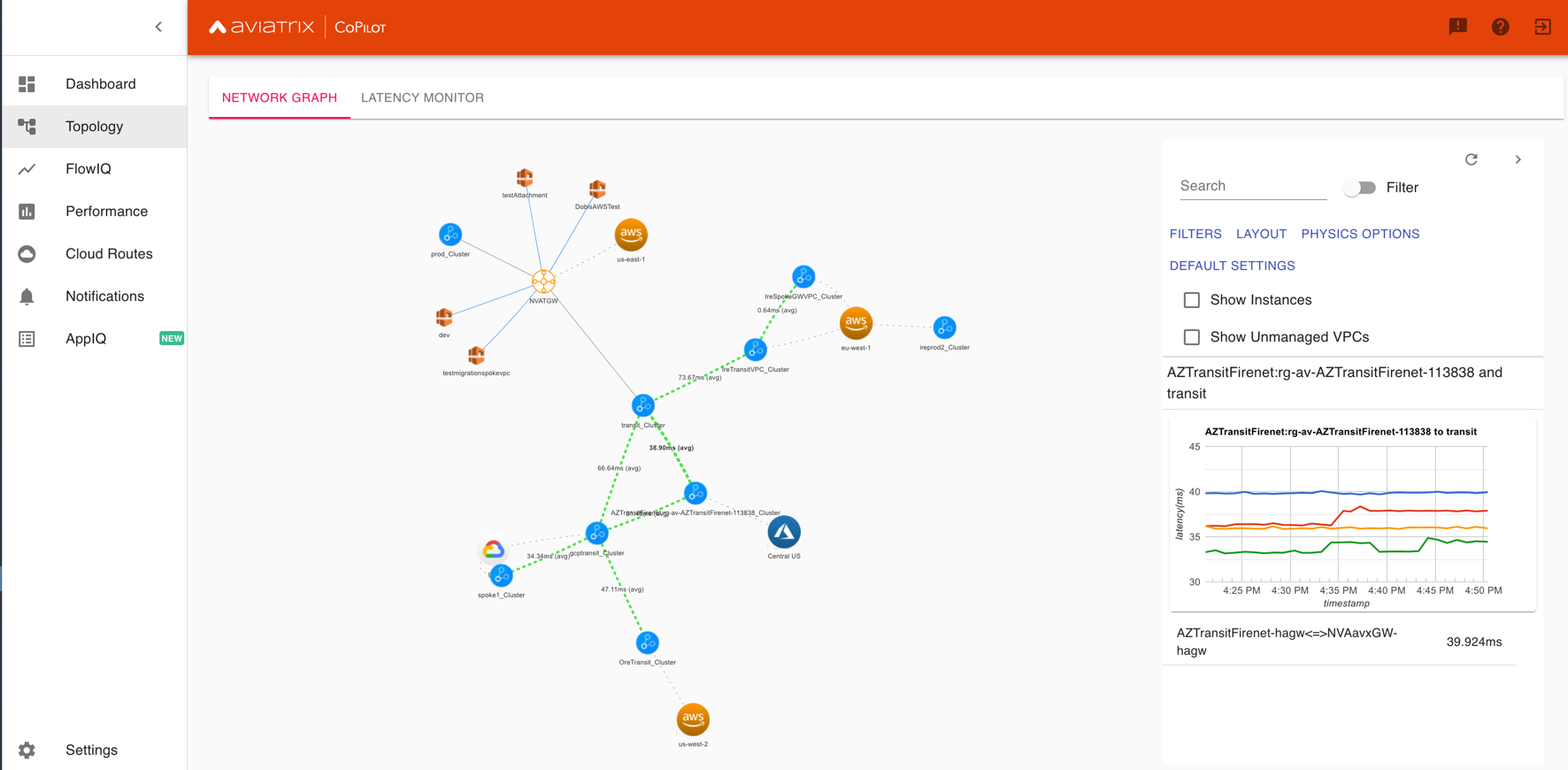
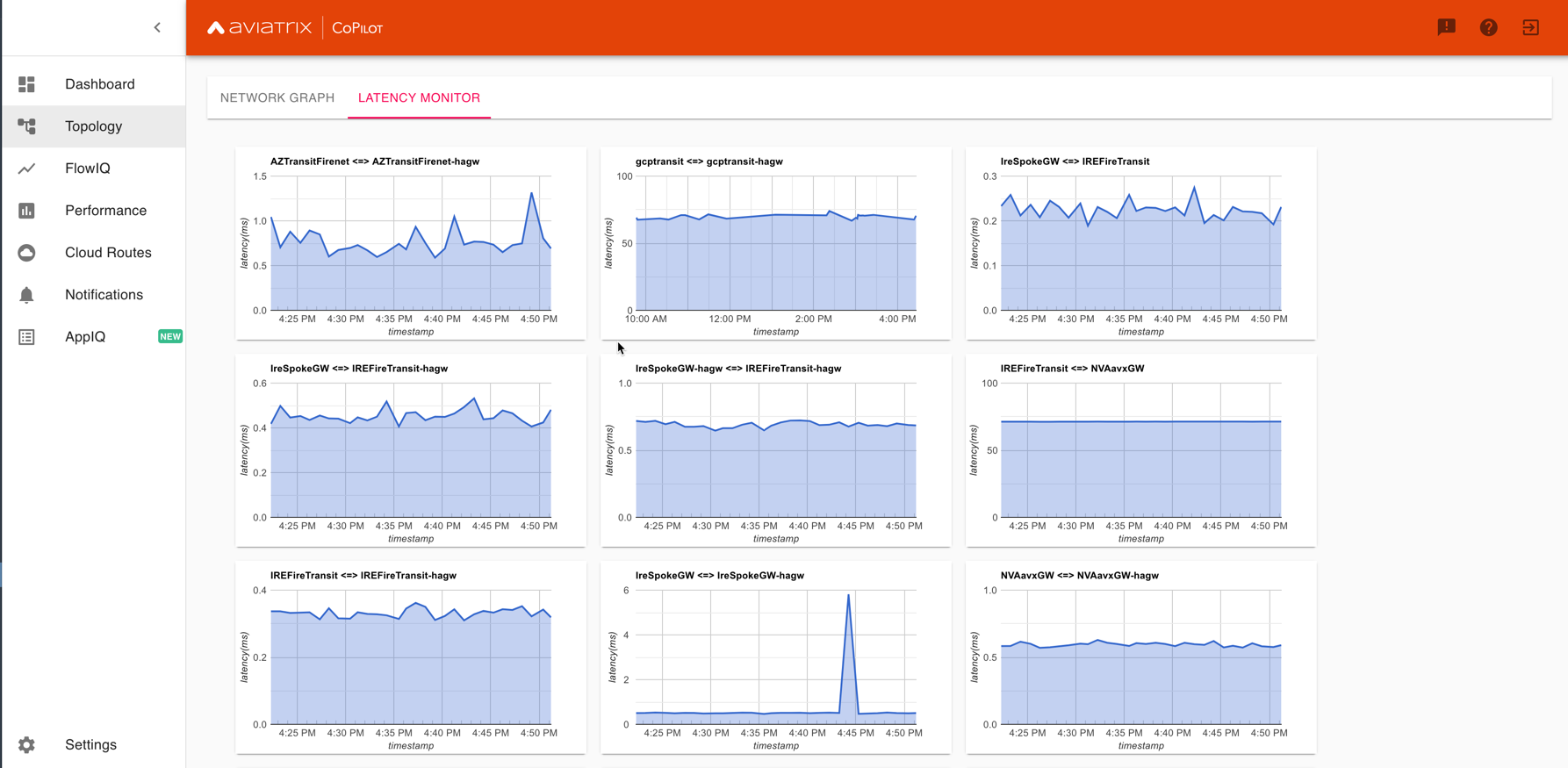
- Performance Improvements for Cloud Routes and Scheduled Tasks that run behind the scenes.
- Topology Enhancement Search and Filter capability and Customize Topology Layout options
- Site2Cloud shows detailed S2C connections information with routes and status inside Cloud Routes
- Notification allows to pause alerts and delete old alert notifications
- Operational Enhancements auto delete flowIQ and Perfmon indexes to save disk space
- Notifications Ability to configure and receive alerts when CPU Utilization, Free Disk, Free Memory, Rx, Tx, Rx Tx of any host exceeds a user specified threshold Add email addresses of recipients in settings -> notifications to receive alerts Monitor and manage the lifecycle of alerts from the time they first triggered to the time they are resolved in the notifications page
- CloudRoutes Multi cloud GW Routes and VPC/VNET Routes with search functionality
- Topology Cluster Latency Click on connections between 2 clusters and start latency monitor for all connections between clusters
- FlowIQ Support for CSV export in records page Added support for filtering of instances using tags Now showing Flow Throughput and Flow Duration data in the records page
- Bug Fixes Few Bug fixes and performance improvements to load topology and instances faster
- Security Updates
- Topology Clustering
- Enhancements to Perf Mon charts with time period support
- Saving of Filter Groups in Flow IQ
- Topology Highlight
- Performance Monitoring Charts with multiple hosts
- && and || support for FlowIQ Filters
- Tagging functionality extended, Tag Manager in Settings Pages, Latency Charts, Filtering in Flow IQ improved
- Added support for tagging in Topology
- Added support for custom SSL certificate import
- Addressed the issue with license key validation
- Enabled license management
- Added support for multi-select
- Added ability to delete indexes
- Added storage auto-delete threshold configuration
- Added diagnostics (ping/traceroute) to topology
Deprecated Features in CoPilot
This section lists deprecated features in CoPilot.Deprecated Topology Views
The following views in Topology are deprecated and are superseded by the New Topology Experience landing page which offers equal and improved functionality. It is recommended to use the Topology Overview with New Topology Experience enabled and discontinue using the following views because they will eventually be removed:- Airspace > Topology > Overview View with Classic Experience enabled
- Airspace > Topology > Transit View
- Airspace > Topology > MCNA View
- Go to the CoPilot > Settings > Configuration page, enable the Old Topology Experiences option, and click Save.
- In the Copilot > Cloud Fabric > Topology page, click on the New Topology Experience toggle. This disables the New Experience in the Overview tab and shows the Classic Experience and the Transit and MCNA tabs of the Topology page are also shown.
Removed Features from CoPilot
This section lists features, pages, or views that were removed from CoPilot.Removed Legacy Traffic & Latencies View
The following view in Traffic & Latencies was removed in CoPilot 3.12.0:- Monitor > Traffic & Latencies > Latency Monitor with Classic Experience enabled
Removed Legacy FlowIQ View
The following view in FlowIQ was removed in CoPilot 3.12.0: :- Monitor > FlowIQ with Classic Experience enabled