

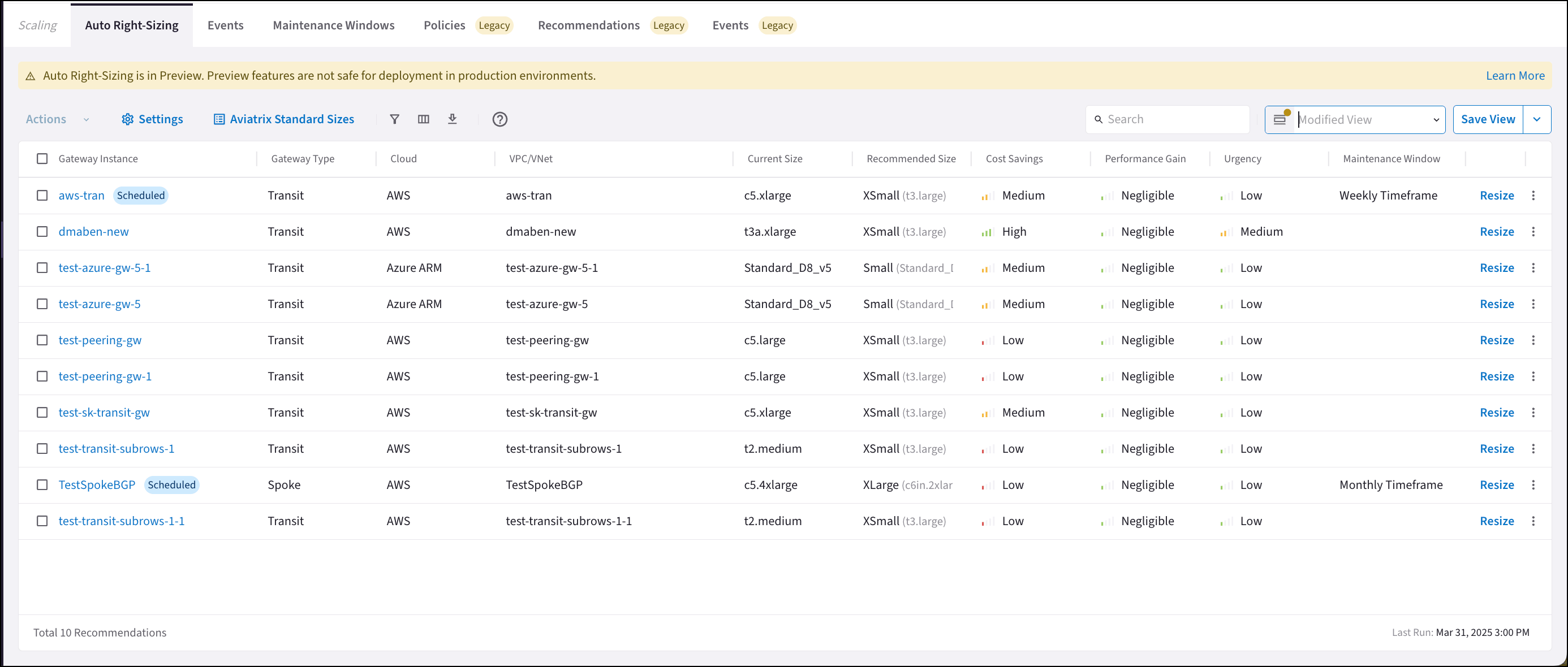
Auto Right-Sizing is only supported for AWS and Azure.The Auto Right-Sizing feature is disabled by default. See
Auto Right Sizing Enable
for instructions on enabling the feature.
- Gateway instances for which auto right-sizing is recommended. This list is replaced every monitoring period.
- The urgency of each recommendation.
- The potential performance gain of the gateway instance once the recommendation is implemented.
- The potential cost savings once the recommendation is implemented. For more information, see Auto Right-Sizing Optimization.
The Current Size column may display gateway instance sizes that do not map to
Aviatrix standard sizes
. In that case, a related Aviatrix standard size is not displayed in brackets.
Auto Right-Sizing suggests modifying existing gateway sizes. It does not add
or remove gateway instances.
See
Gateway Performance and Sizing
for information to assist you with pre-deployment planning of your gateway
sizing.
Considerations Before Implementing Auto Right-Sizing Recommendations
- Configure the monitoring frequency in Auto Right-Sizing Settings .
- Select VPC/VNets to exclude from monitoring in Auto Right-Sizing Settings before performing resize actions.
- At any time, you can manually resize your gateways from Cloud Fabric > Gateways.
- Do not resize gateways in the same VPC/VNet to be different sizes; periodically check if recommendations for HA gateway instances suggest vastly different sizes. If that occurs, you should check the health of your gateway and if routing is working correctly.
- Do not downsize any HPE gateway instances to Small.
- Do not downsize any Distributed Cloud Firewall gateway instances to unsupported sizes.
- Do not resize if your CSP is out of resources in the suggested region.
Implementing Recommendations
Remember that not all gateways need resizing; you can ignore or dismiss any auto right-sizing recommendations. The network will reach ‘steady state’ over time, as you implement the provided recommendations. Recommendations that have been implemented are removed from the Auto Right-Sizing tab during this update, and moved to the Cloud Fabric > Scaling > Events tab. Recommendations to preserve the current gateway instance size are not included. Each gateway instance is limited to one recommendation per monitoring period. If there are no active recommendations, a message to this effect is displayed on the Auto Right-Sizing tab, along with when the next monitoring period scan will begin.Viewing Auto Right-Sizing Recommendation Details
Clicking a gateway instance on the Auto Right-Sizing tab shows its details.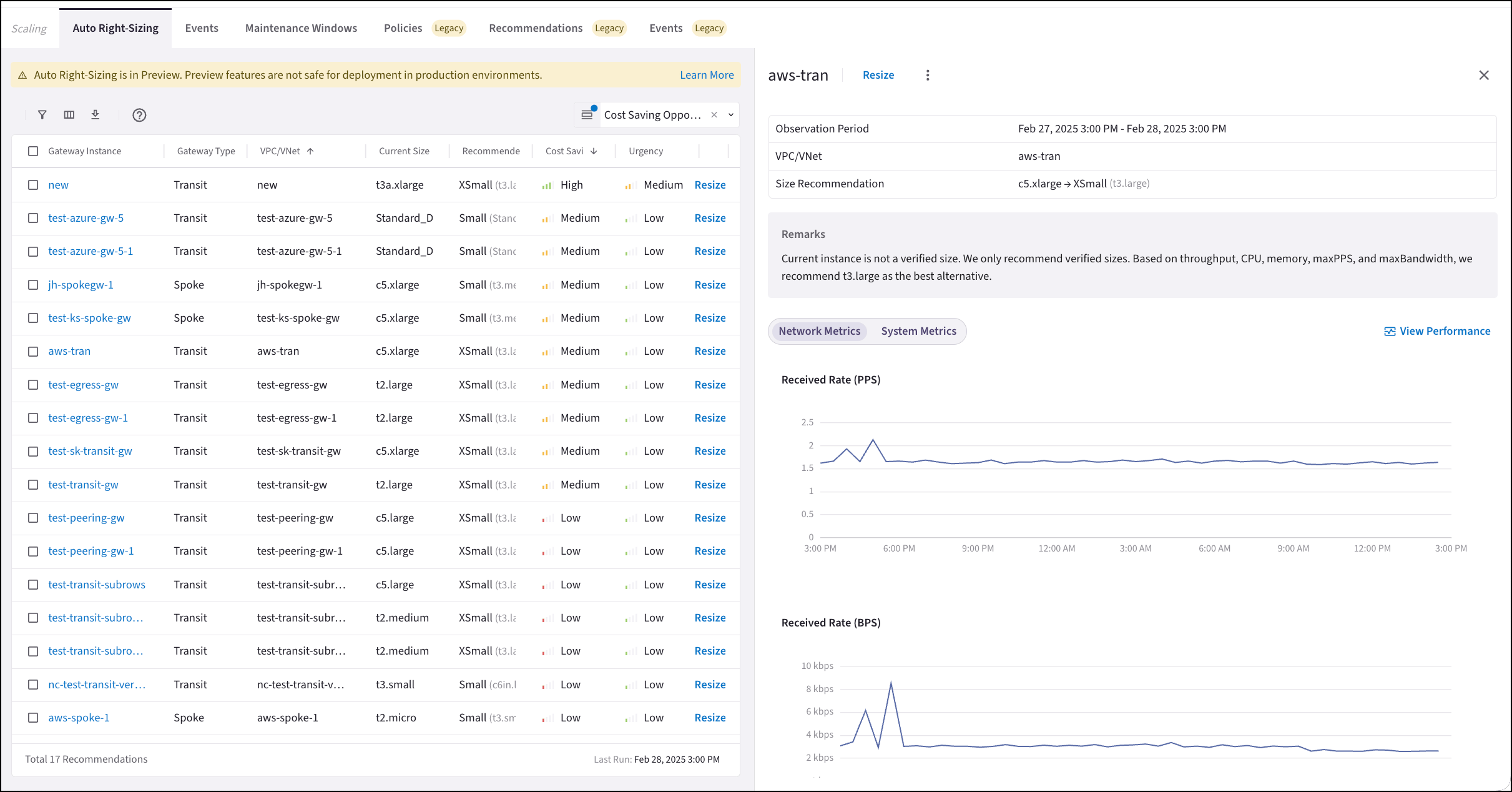
- Resize the gateway instance (immediately, or schedule during a maintenance window).
- View the remarks about the current gateway instance. These remarks provide an explanation of why resizing is recommended.
- View the network and system metrics for the gateway instance.
- View gateway instance performance. Click View Performance to go to the Monitor > Performance tab.
- Dismiss the recommendation.
- Ignore recommendations from the selected VPC/VNet.
Next Steps
- Configure the monitoring period and what VPC/VNets to exclude from monitoring
- Resize gateway instances based on provided recommendations
- View the events generated by resizing actions