Audit Report
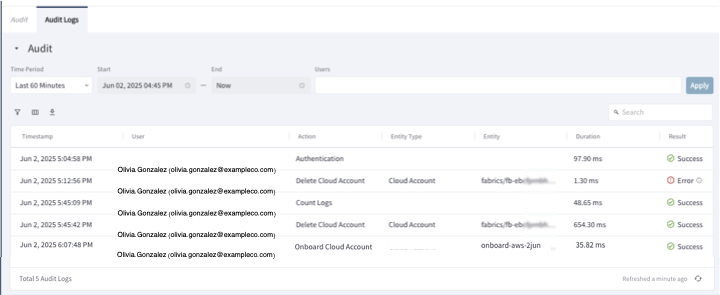
The audit log captures and stores essential information about actions performed in Aviatrix PaaS. Audit log data is displayed as a report on Administration > Audit and includes the following information. Duplicate entries are identified and removed from the log for efficiency.
On the Audit page, you can filter the audit data that the Aviatrix PaaS console
provides, so you can display a subset of the data. Select a time period and set
the conditions filter to view more focused results on the Audit page.
Above the audit table are three icons. One icon allows you to filter the table
by using conditions. Another icon opens a list to show and hide columns in the
table. The third icon allows you to download the audit report in CSV or XLSX
format.