

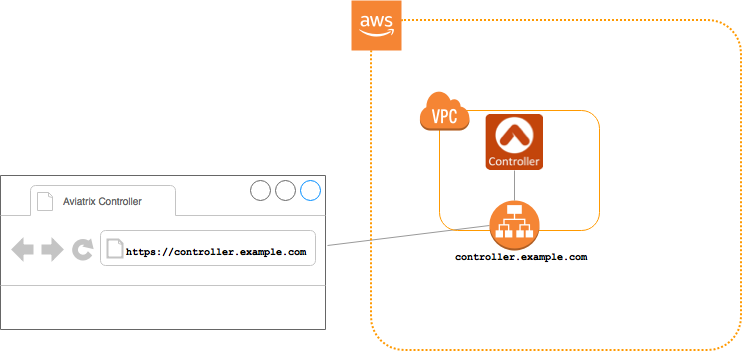
- Log into your AWS console.
- Go to EC2 > Load Balancers in the region where your Aviatrix Controller is running.
- Click Create load balancer.
-
Click Create under Application Load Balancer.
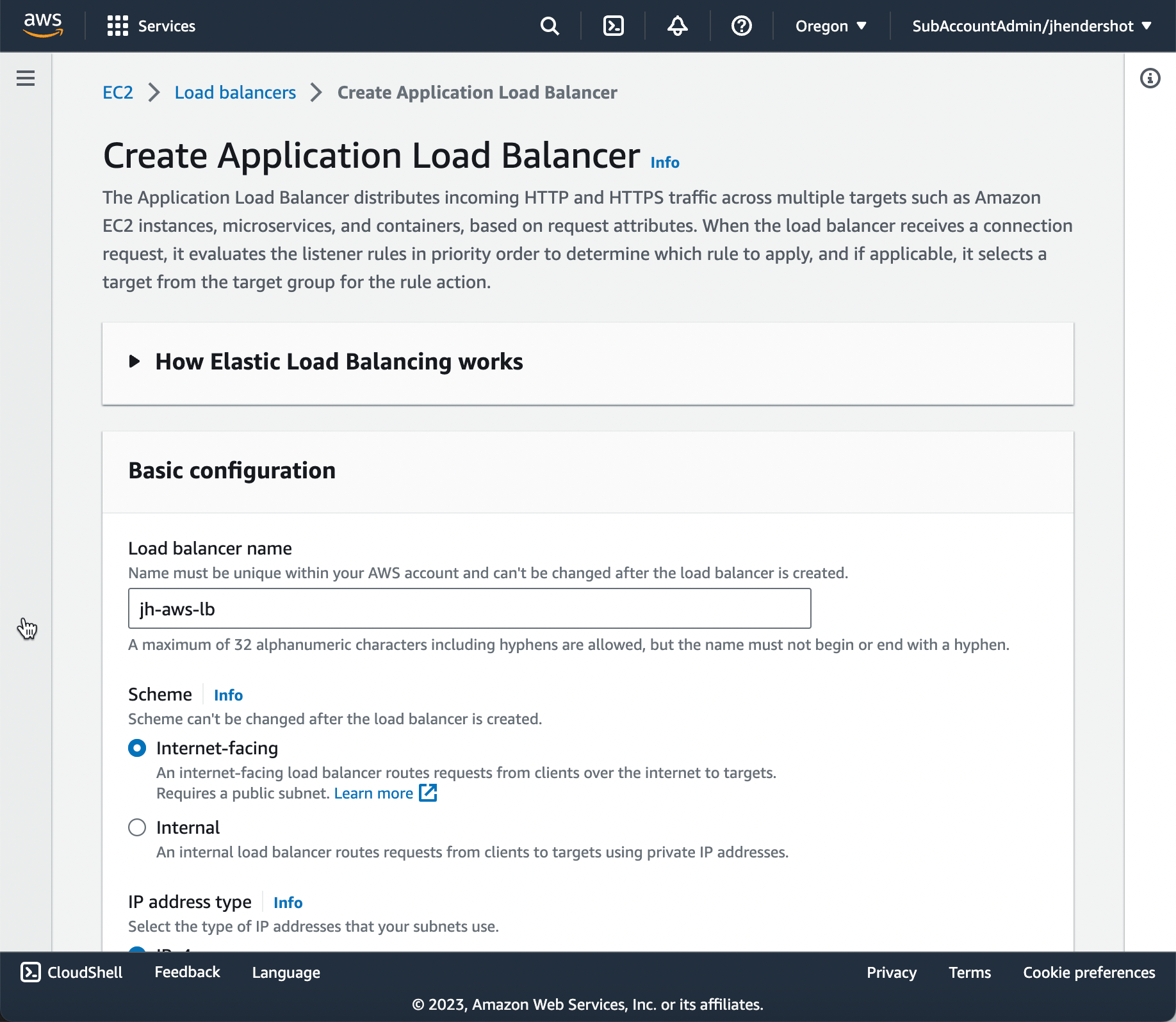
- On the Create Application Load Balancer page, under Basic configuration, enter a name for the load balancer.
-
Also under Basic Configuration, select Internet-Facing for the Scheme.
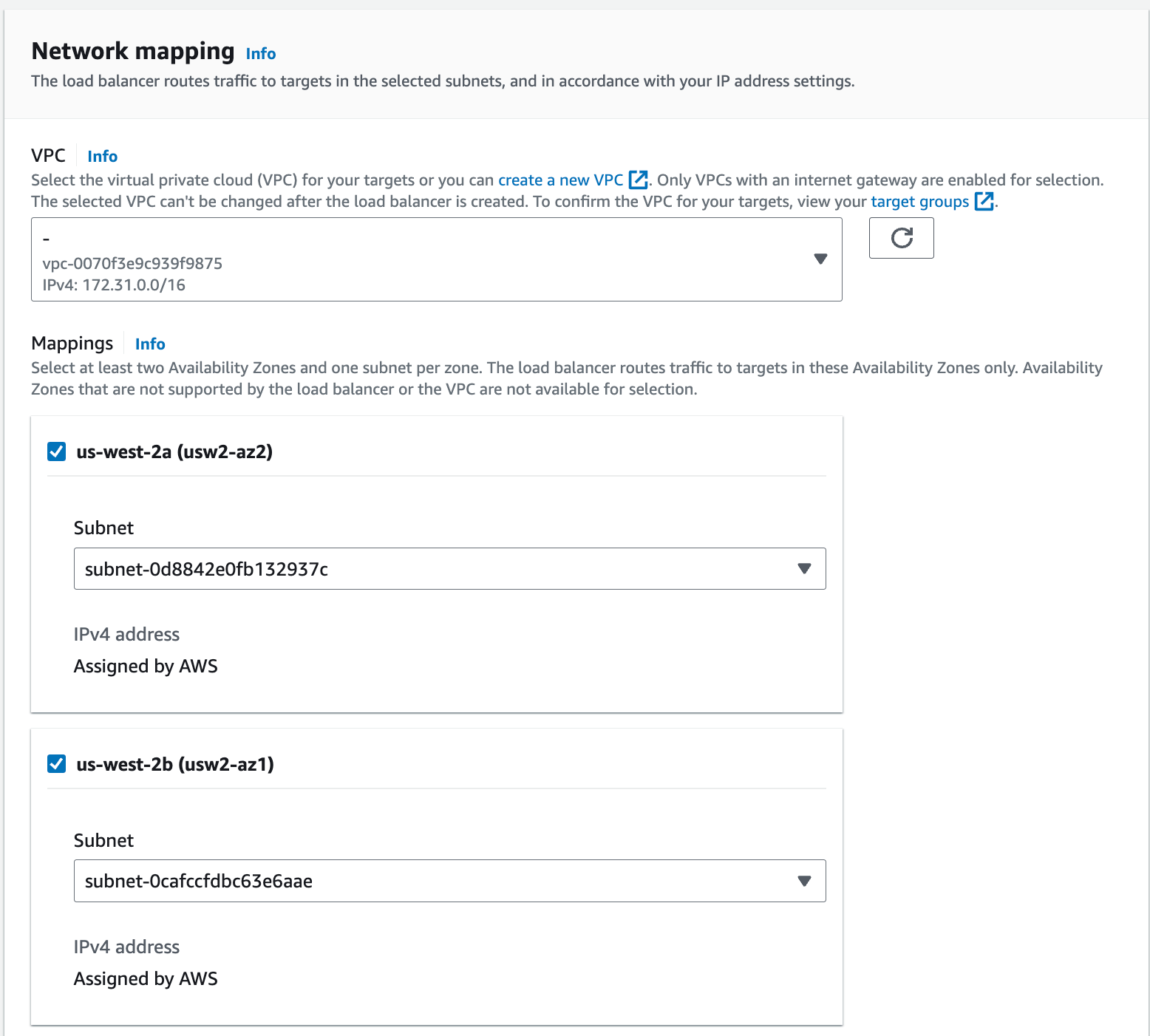
- Under Network mapping, select at least two Availability Zones and one subnet per zone.
-
Under Security groups, select the appropriate security group from the
Security groups drop-down. This security group should allow traffic on port
443 from your desired source network(s). A default security group may already
be selected.
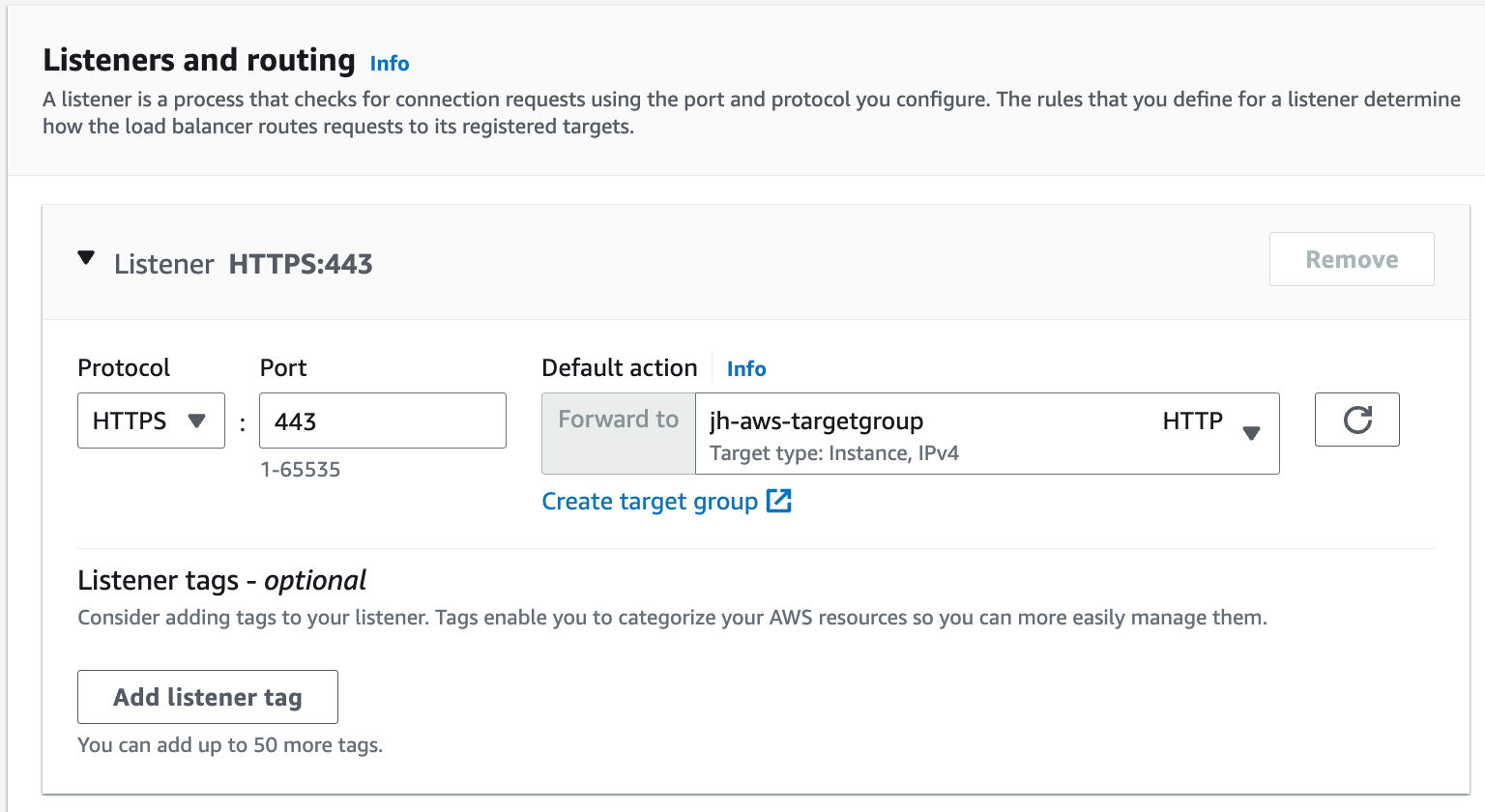
- Under Listeners and routing, select HTTPS from the Protocol list.
- Select a target group from the Default action field.
-
(optional) If needed, click Create target group under the Default
action field. This opens the EC2 > Target groups > Create target group
Console page in a new web browser tab.
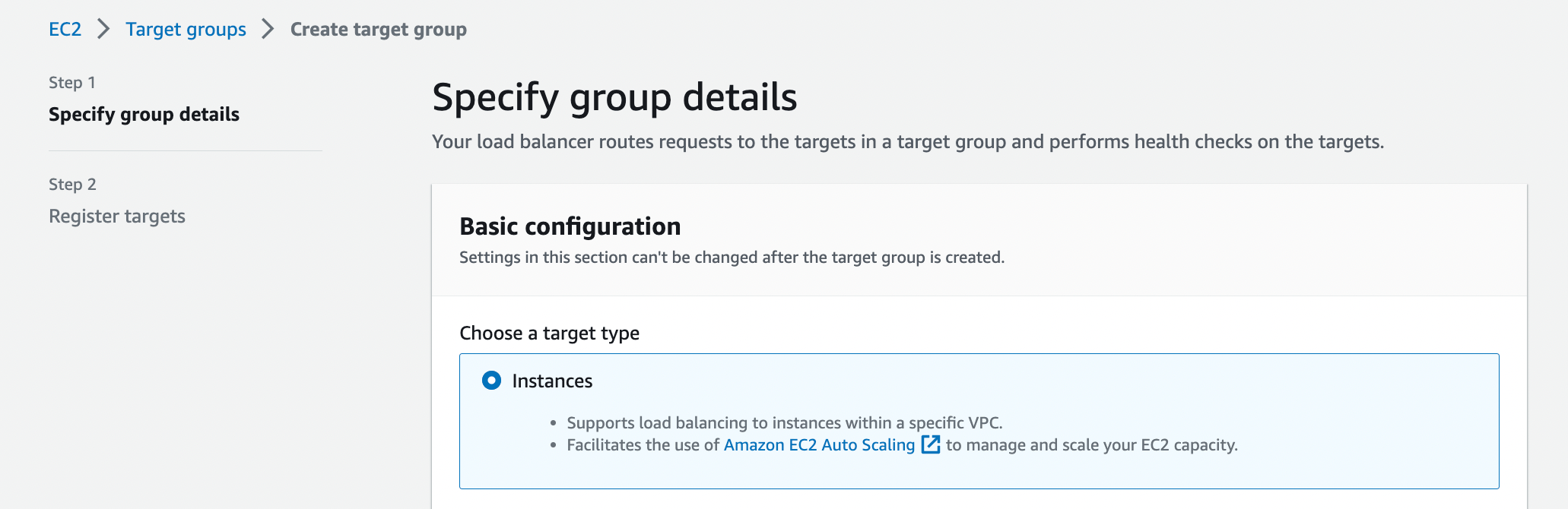
- Select the Instances target type.
- Enter a target group name.
- Select the HTTPS Protocol and port 443.
- Select the VPC where the Controller resides (normally named aviatrix-mgt-vpc).
- Under Health checks, select the HTTPS Protocol and the default Path of ’/’.
- Click Next to register the target group.
-
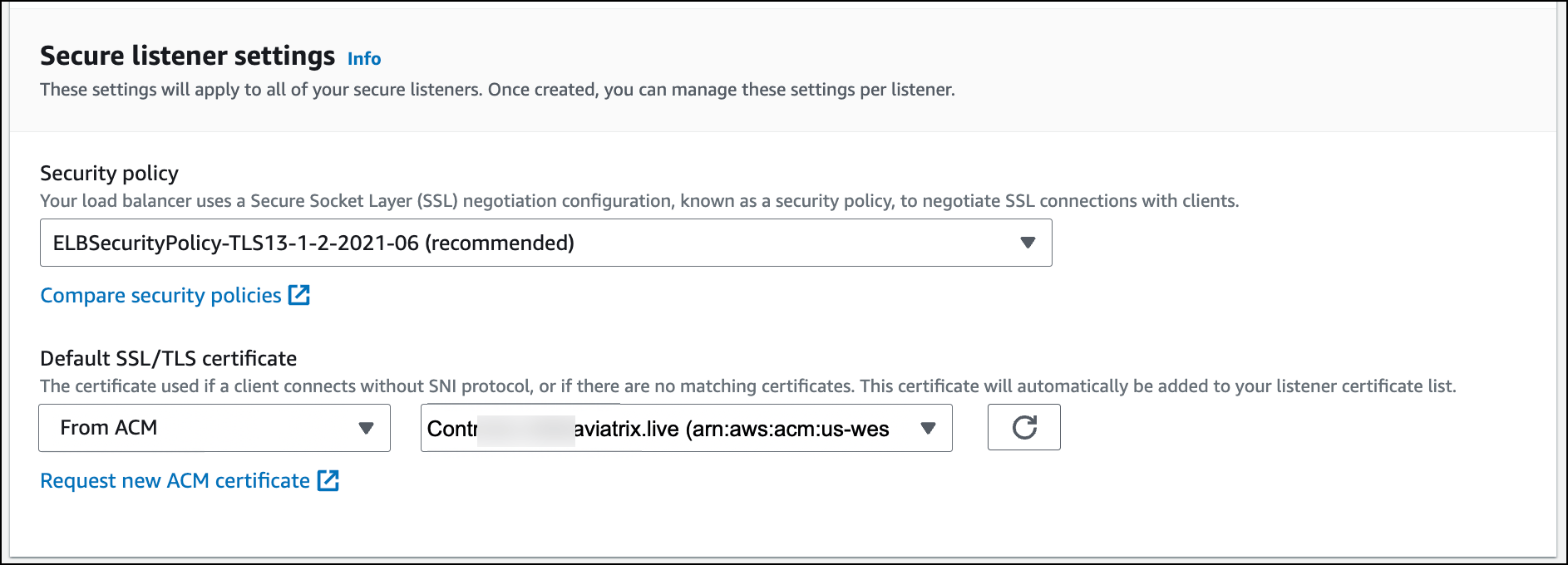
On the Create Application Load Balancer page, under Secure listener
settings, select From ACM from the Default SSL/TLS Certificate drop-down
and select your certificate. If necessary you can
request a new certificate.
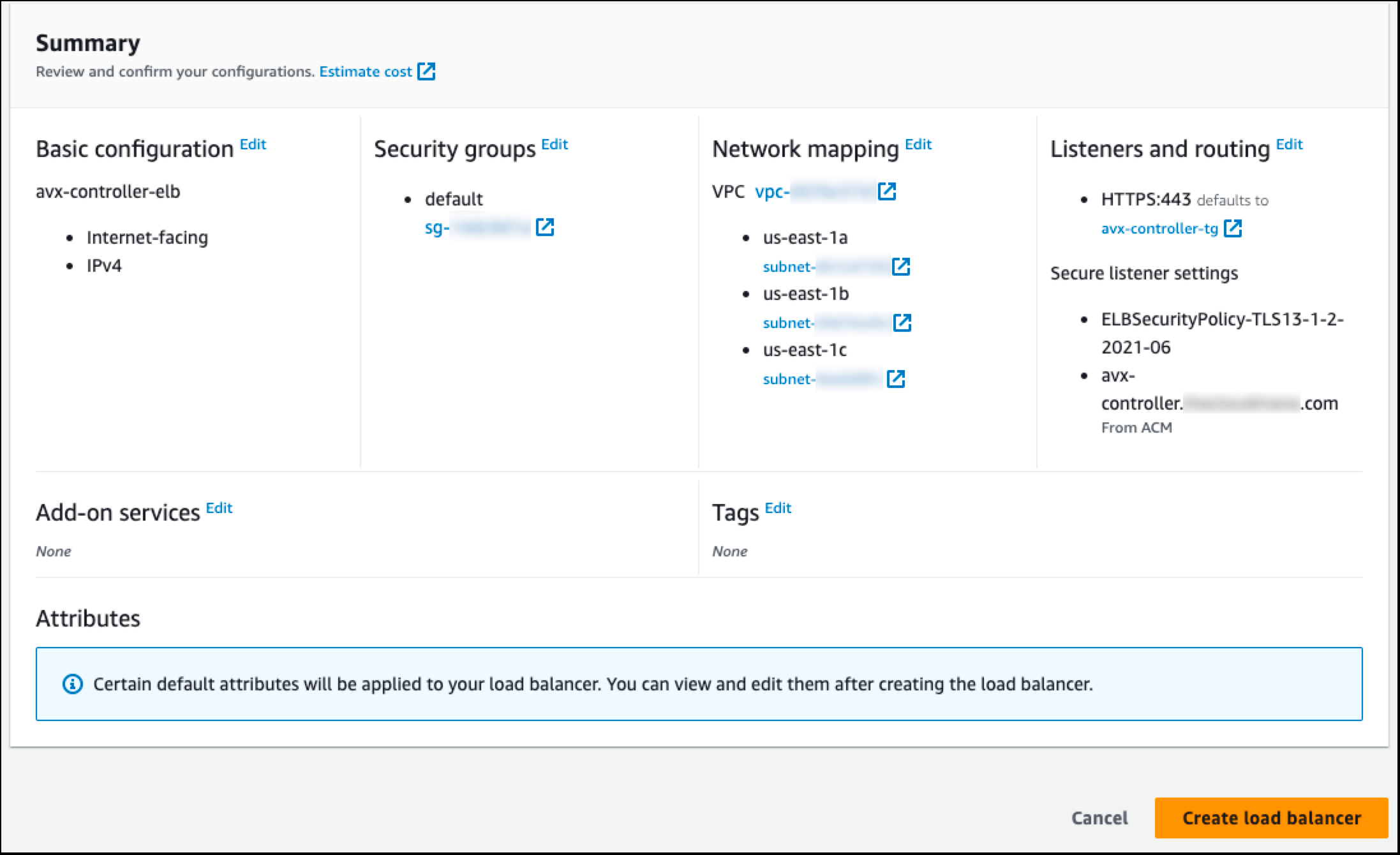
- Review and create the load balancer.
-
Collect the DNS name from the load balancer.
-
Create a DNS CNAME record that points your desired name to the load
balancer’s DNS name.
The DNS CNAME record must match the name used in the SSL certificate or you will receive a warning.
- Ensure that your Controller security groups have an inbound allow policy for port 443 for the VPC CIDR, so that the load balancer can talk to the Controller.
If you have enabled HA for your Aviatrix Controller, you can point your auto
scaling group to the target group of your load balancer in the event of a
failover. The Max value should always be 1. Having more than one active
Controller for any given set of services is not supported if deployed behind a
load balancer.
Restricting Access to Only the SAML Endpoint
If you place this ALB in front of the Controller specifically to expose the SAML authentication endpoint for SSO login, you can use a path-based listener rule to forward only SAML traffic to the Controller and send everything else to a dummy target group. This keeps the Controller’s administrative interface closed to the internet while still letting users reach the SAML login flow through the ALB.- In EC2 > Target Groups, create a second target group that does not point to a valid Controller listener (for example, assign it an unused port). Do not register the Controller instance with this target group; it exists only to absorb traffic you want to block.
-
On the ALB’s HTTPS listener, add a new rule above the default action:
- For IF, select Path and enter
/flask/*. - For THEN, select Forward to and select the target group that points to the Controller.
- For IF, select Path and enter
- Set the listener’s default rule (no matching conditions) to forward to the dummy target group you created in step 1.
/flask/saml/sso/[SP Name]) reach the Controller through the ALB. Requests to
any other path are sent to the dummy target group and dropped.
If you already configured SAML before placing the Controller behind this ALB,
log into the Controller through the ALB’s certificate domain name after
completing this configuration. This regenerates the SAML-related URLs (IdP
URLs and VPN user certificates) against the new domain name. Update the
Assertion Consumer Service URL at your IdP to match the ALB’s domain name, and
download the VPN user certificate again. Confirm that the domain name under
the AviatrixController section is correct, and update it if it is not.