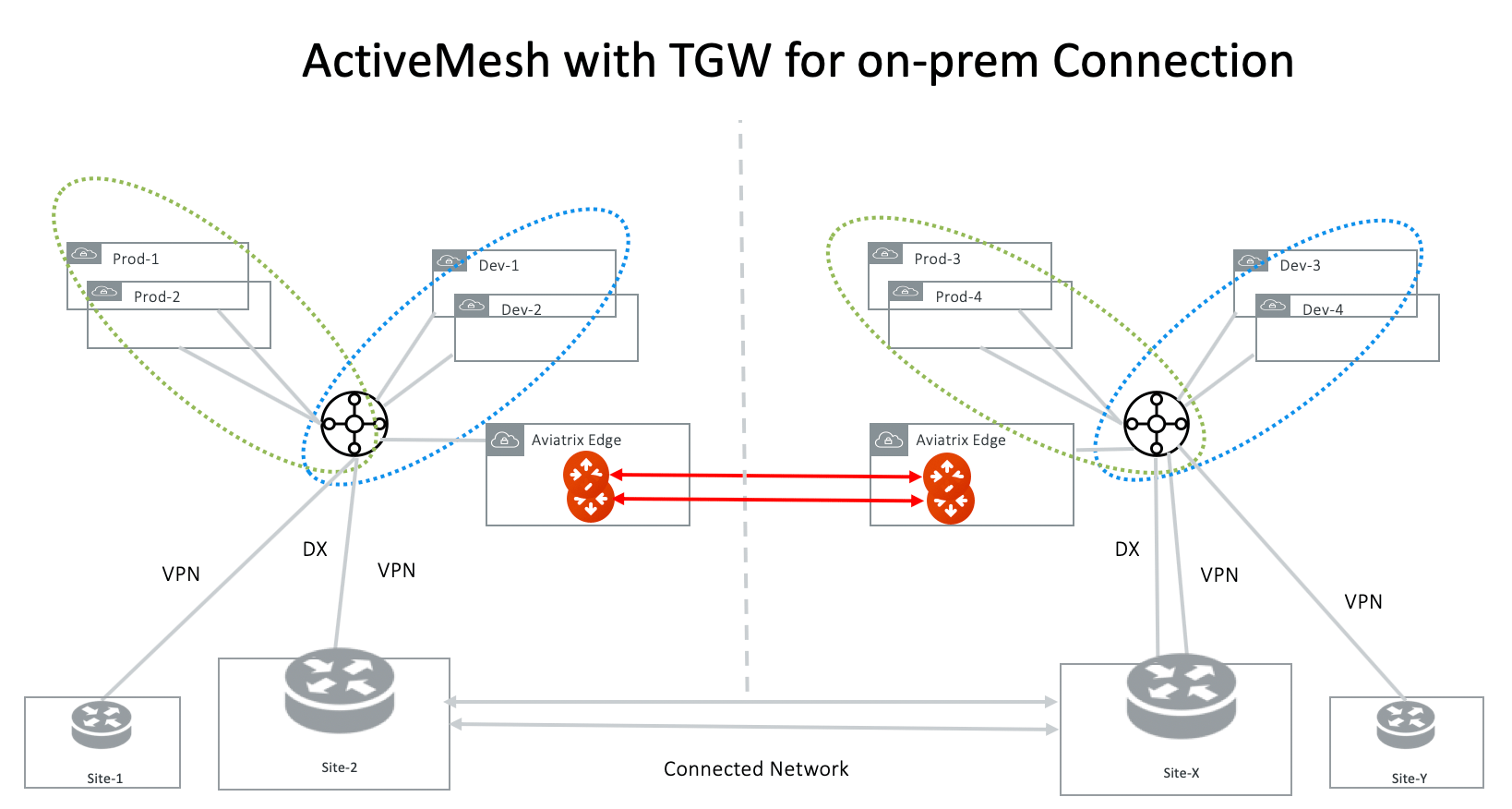
ActiveMesh with Aviatrix Transit GW for On-premises Connection
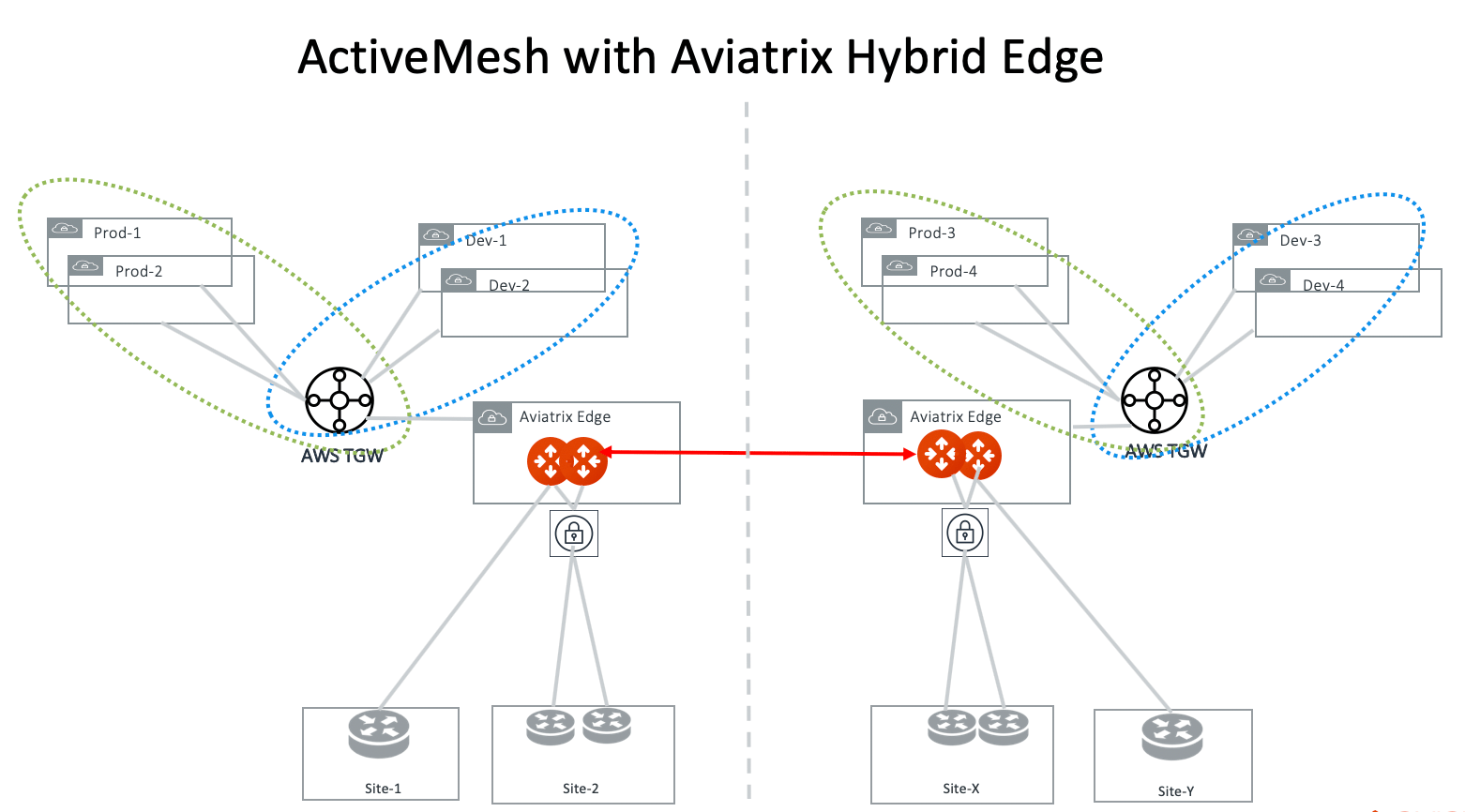
Redundant Routers On-premises
If there are two on-premises routers advertising the same network CIDR and connect to Aviatrix Transit Gateway directly, Aviatrix Transit Gateway automatically enables ECMP for traffic from cloud to on-premises. If this is not desired outcome, connect on-premises to the Aviatrix Transit Gateway through a VGW or VPN Gateway.Multi-Sites
If Aviatrix Transit Gateways connects to multi sites on-premises directly via BGP, these sites should advertise non overlapping CIDRs to the Aviatrix Transit Gateway.Route Propagation
The local Aviatrix Transit Gateway learned routes via BGP are propagated to the peered Aviatrix Transit Gateway. The propagated information includes network CIDRS, AS_PATH and metrics. If the local Aviatrix Transit Gateway learned duplicate network CIDRs (there are multiple paths to reach the same network CIDRs) via BGP, it uses the following rules to decide which route is propagated to the remote Aviatrix Transit Gateway.- The route with the shortest AS_PATH length wins.
- If there are identical AS_PATH lengths, the lowest metric route wins.
- If the metrics are all the same, the smallest next hop IP address wins.
Overlapping Spoke VPC/VNet CIDRs
If there are overlapping Spoke VPCs CIDRs attached to the TGWs in two regions and you wish to connect them via Aviatrix Transit Gateway Peering, use Exclude Network CIDRs on both Aviatrix Transit Gateways to exclude these overlapping Spoke VPC/VNet CIDRs.NAT Functions
SNAT function is supported on the individual connection between the Aviatrix Transit Gateway and the remote sites. Starting in Release 5.4, SNAT and DNAT functions are supported on the Spoke Gateway tunnel interface to the Aviatrix Transit Gateway.Egress Routes Propagation Behavior
If firewalls are deployed for Internet-bound egress traffic in either FireNet or Transit FireNet deployment, the default routes are propagated to the remote peer by Transit Gateway peering. This allows firewalls to be shared across regions. If you have regional firewalls for egress traffic, make sure you apply filter to filter out the default routes.Configuration Notes
One On-premises Device
In this scenario, the on-premises site has one device as the diagram below.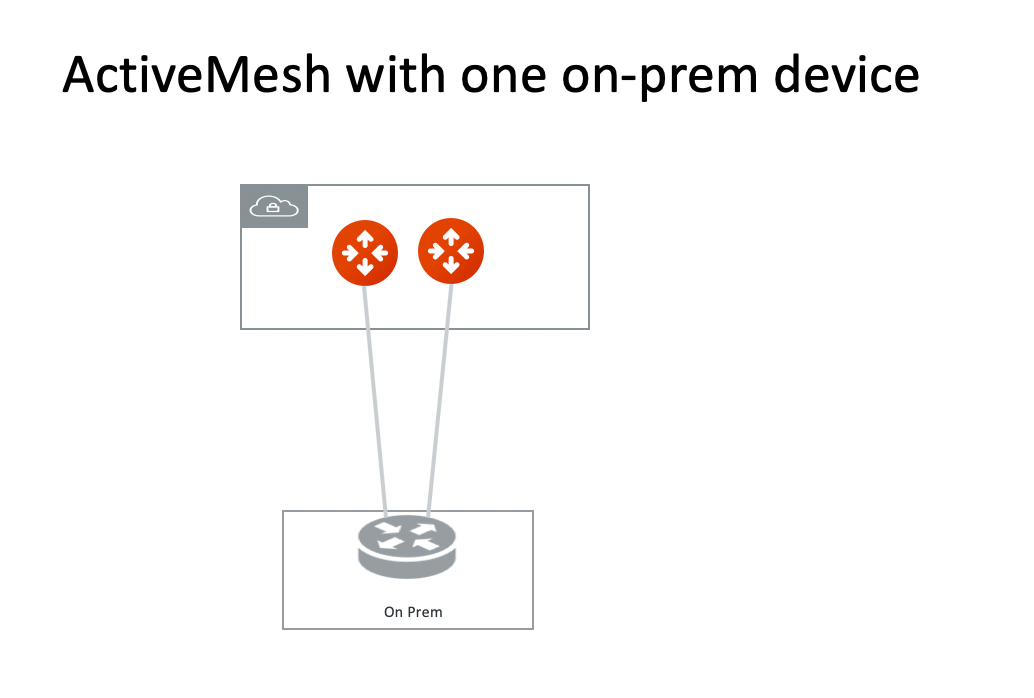
- Enable HA - Mark the checkbox to enable HA if the remote site has two external IP addresses.
- Local Tunnel IP - Include two IP addresses in this field: the first one for the primary Aviatrix Transit Gateway, and the second for the backup Aviatrix Transit Gateway (only if it is launched).
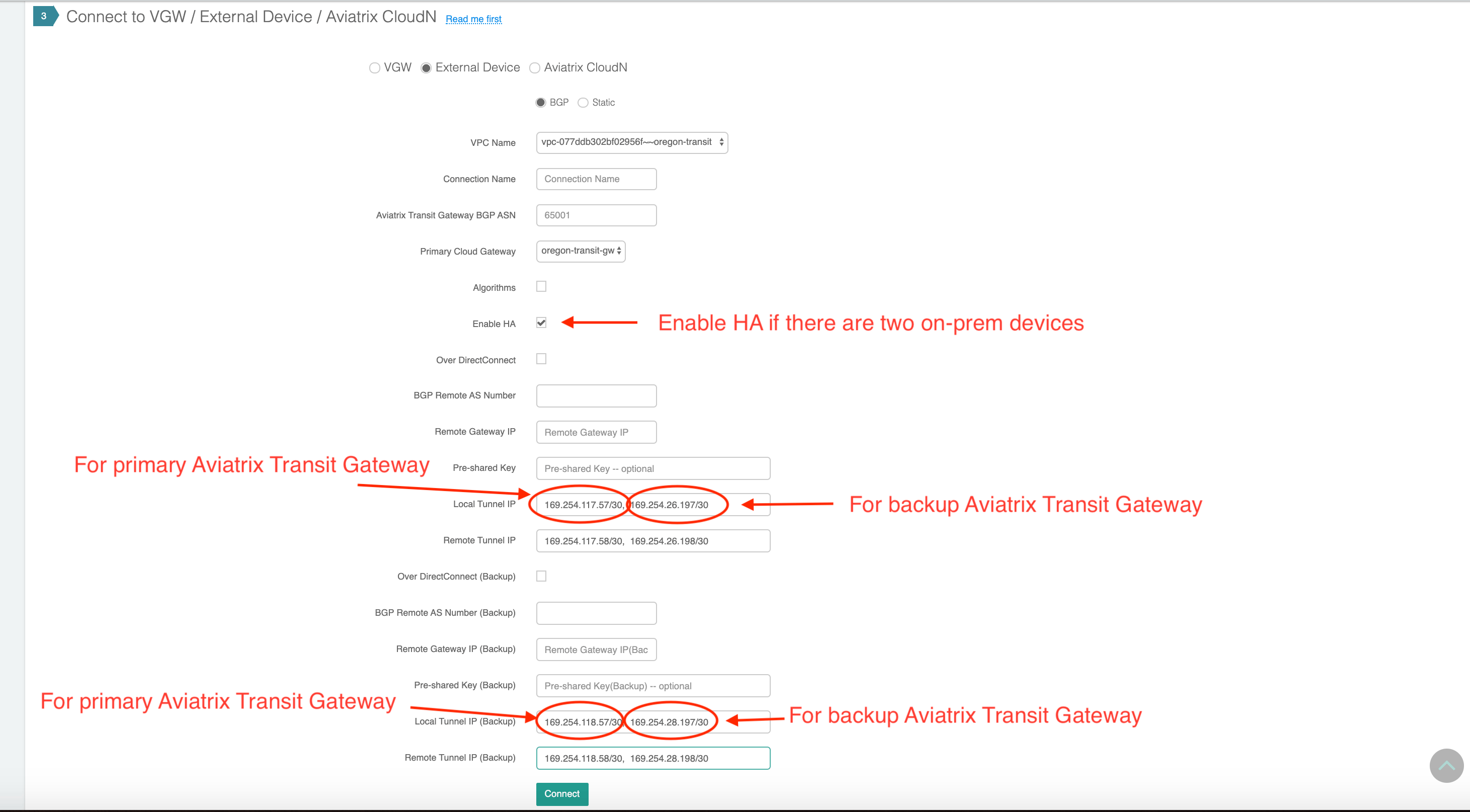
Two On-premises Devices
In this scenario, the on-premises site has two devices as the diagram below.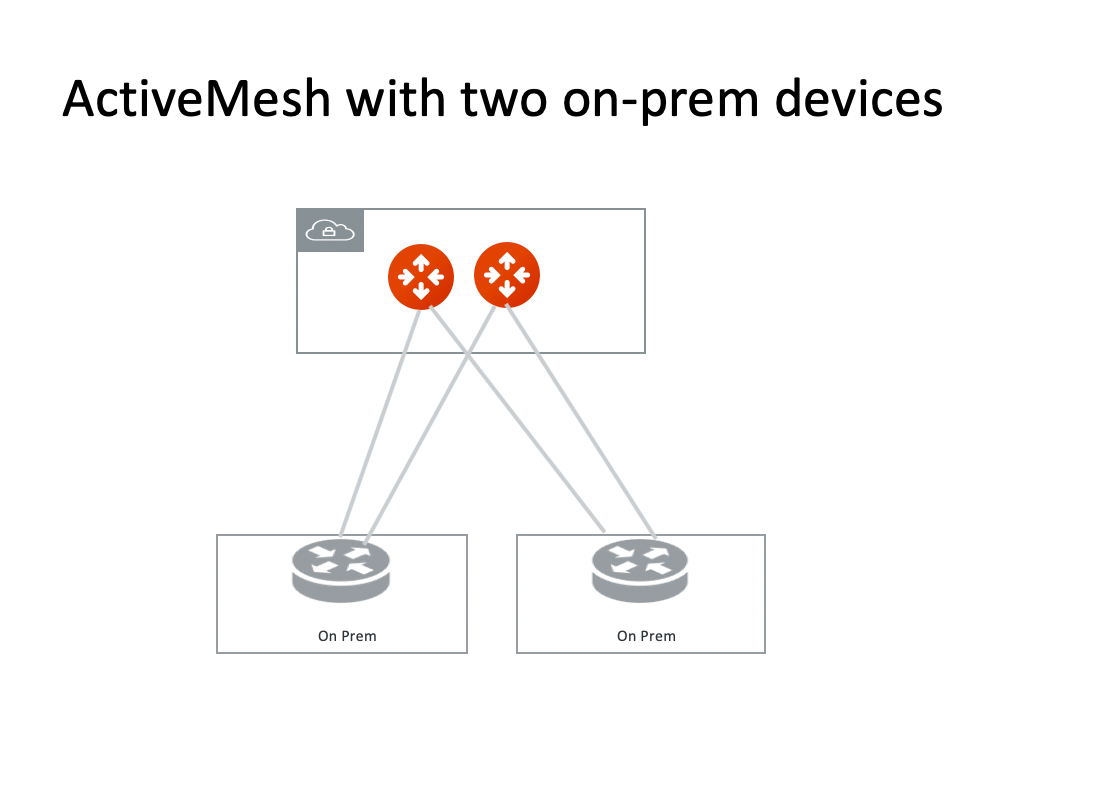
ActiveMesh with AWS TGW for On-premises Connections
While AWS Transit Gateway (TGW) does not propagate routes to Spoke VPCs, TGW Direct Connect via DXGW and TGW VPN have full functions of failover, multi-path and ECMP in supporting connection to on-premises sites. This includes:- TGW prefers DXGW to TGW VPN when both advertising the same network. When DXGW goes down, one of the VPN routes take over.
- When there are multiple VPN routes, TGW routing policy selects the shortest AS_PATH length.
- When there are multiple VPN routes with identical AS_PATH length, TGW VPN distributes traffic with ECMP when it is enabled.
Implementing TGW with VPN backup design could lead to
asymmetric routing, that is, with traffic from AWS to on-premises
traversing the DX as intended while traffic from on-premises to AWS
traversing the IPsec VPN tunnel instead.Traffic from AWS to on-premises prefers the AWS DXGW over the VPN connection
because the TGW effectively sets a higher “local preference” (LOCAL_PREF) on the
DXGW BGP sessions (refer to Route Evaluation Order as outlined in the AWS
Transit Gateway documentation).For traffic from on-premises to AWS, the DX path should be preferred because AWS
sets a Multi Exit Discriminator (MED) value of 100 on BGP sessions over VPN
links as compared to the default value of 0 over the DX path. This works well in
the case where DX and VPN are used with a Virtual Private Gateway (VGW) as the
same AS is announced over both connections but in case of the TGW, the DX path
uses a different ASN compared to the VPN path.The advertised ASN over VPN is the TGW AS while the ASN over DX is the ASN of
the DXGW. Note that in case of TGW, the AS path over the DXGW path only consists
of the DXGW AS instead of AS path length of two with TGW AS + DXGW AS. This is
the result of manually setting the CIDRs to be announced by the AWS DXGW towards
on-premises which effectively causes DXGW to originate the routes resulting in a
reduced path length of one over DX which is the same AS path length as over the
VPN link but different AS path.To ensure that the on-premises routers always consider the MED value, set the
“bgp always-compare-med” knob. This forces the router to compare the MED if
multiple routes to a destination have the same local preference and AS path
length.