

ActiveMesh is enabled by default, and cannot be disabled.
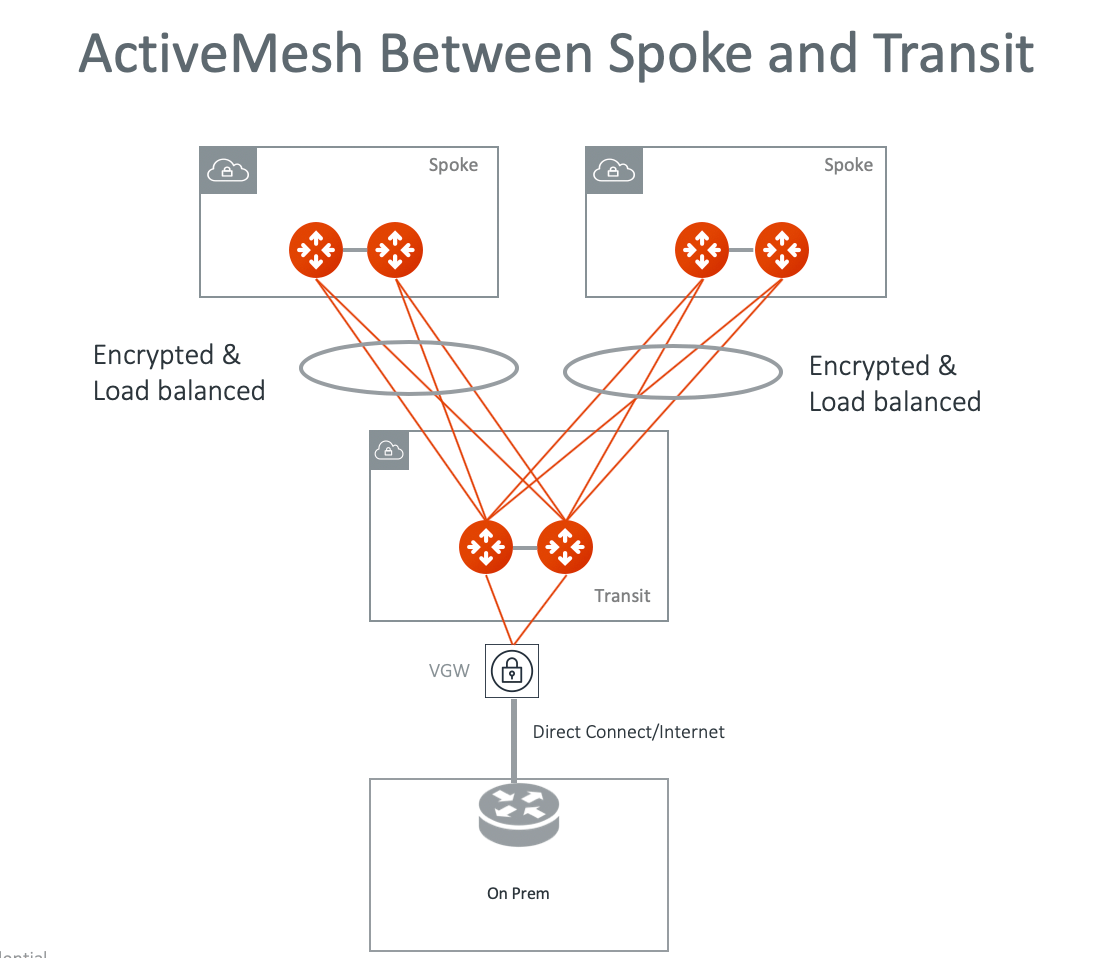
Key advantages of ActiveMesh
The key benefits of ActiveMesh are improved network resiliency, failover convergence time and performance.ActiveMesh for Transit Gateway Peering
ActiveMesh can be applied to connect two Transit GWs. There are 4 tunnels established between the Transit GWs, as shown in the diagram below.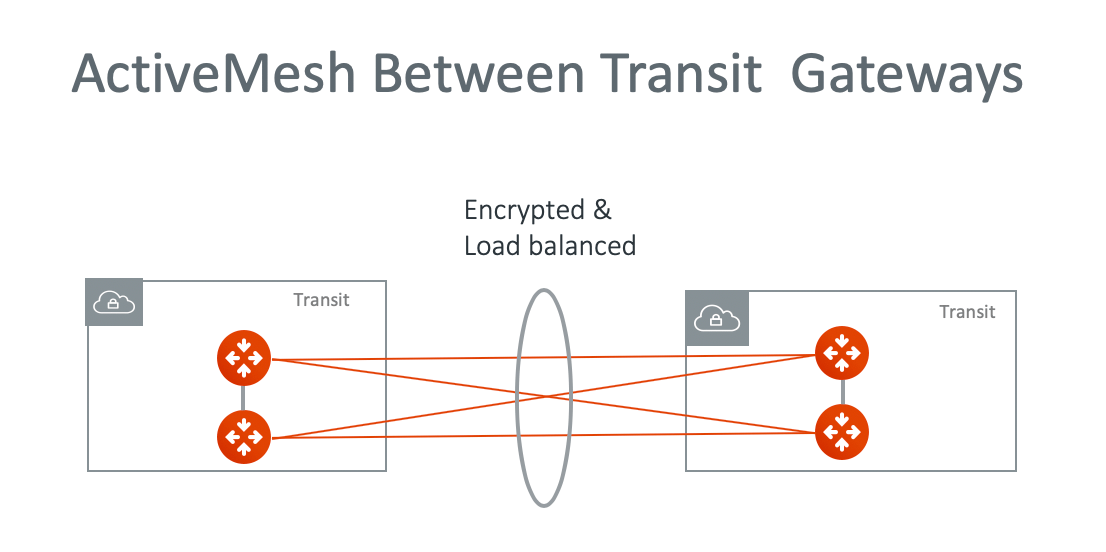
ActiveMesh Connection to VGW
Each Transit GW connecting to the VGW in ActiveMesh mode has two VPN tunnels to the VGW.Link Between two ActiveMesh Gateways
The link between two ActiveMesh gateways is used to forward packets when both tunnels are down for one of the ActiveMesh gateway. For example, in a spoke VPC/VNet, virtual machine (EC2/GCE) traffic is forwarded to the ActiveMesh primary gateway which then forwards traffic to the AVX Transit GW. If both tunnels between the ActiveMesh spoke gateway and the Transit GW are down, the packet is forwarded by the ActiveMesh primary gateway to the backup ActiveMesh gateway.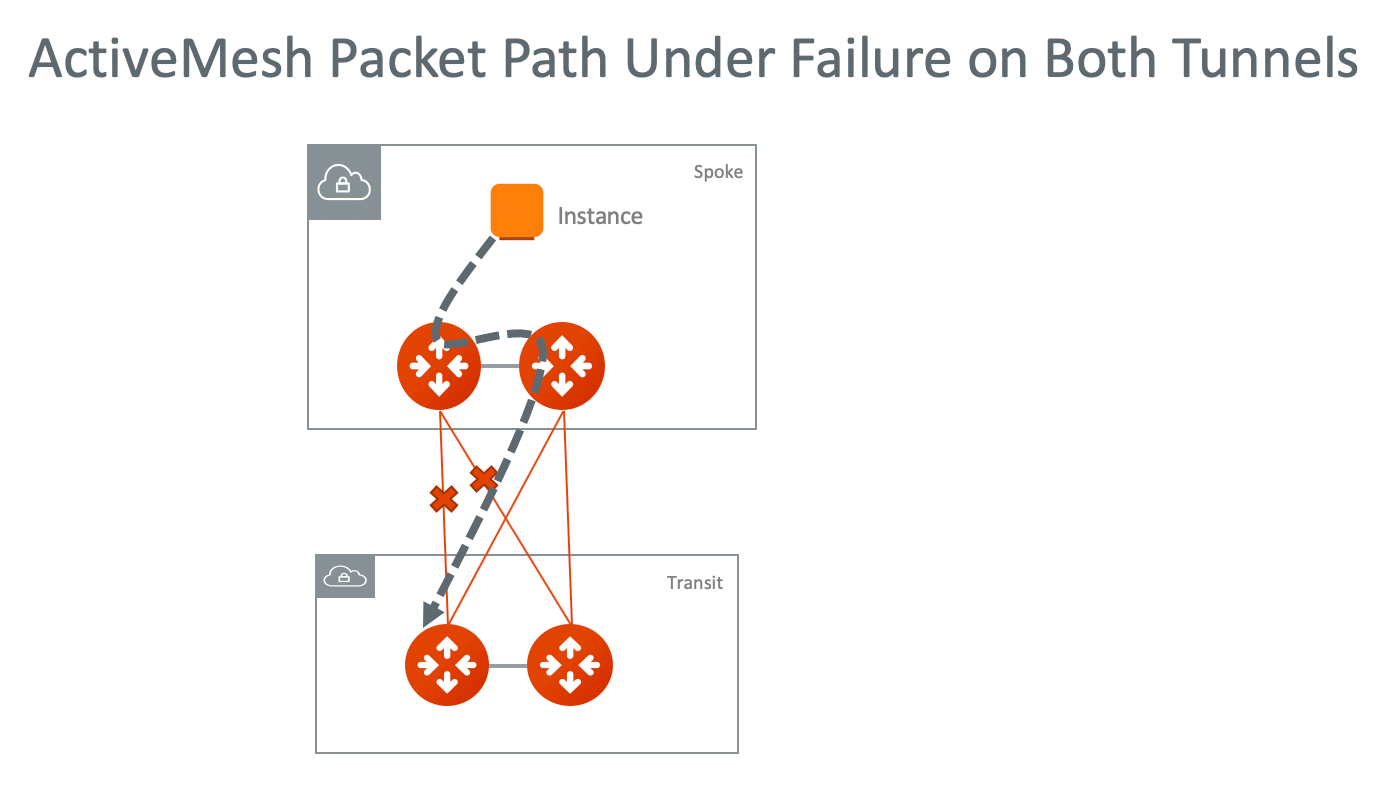
ActiveMesh 4.0
ActiveMesh 4.0 is an iteration of ActiveMesh. The features of ActiveMesh 4.0 are as follows:- Primary Gateway Lifecycle Control: Provides a delete option for the primary gateway instance.
- Dynamic HPE Toggle: Provides an HPE toggle option for a deployed gateway group to enable or disable HPE on the fly.
Both Primary Gateway Lifecycle Control and Dynamic HPE Toggle can be used only
when no S2C connections, FireNet, or AWS TGW attachments are configured on the
primary gateway.
Primary Gateway Lifecycle Control
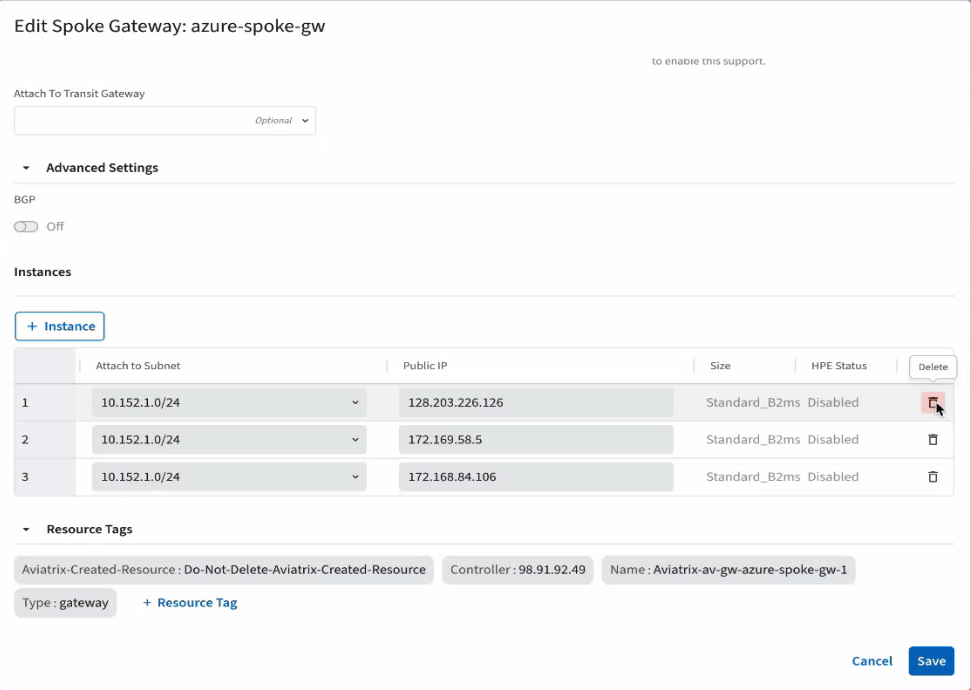
ActiveMesh 4.0 supports deletion of the primary gateway instance. After the primary gateway instance is deleted, the next gateway instance in the sequence automatically becomes the new primary gateway. To delete the primary gateway instance:- From the CoPilot GUI, navigate to Cloud Fabric > Gateways > Transit Gateways or Spoke Gateways. A table of deployed gateway groups appears.
- Click the Edit icon in the row of a gateway group.
-
Click the Delete icon in the row of the primary gateway instance.
Ensure that S2C connections, FireNet, or AWS TGW are not configured on the primary gateway instance before deleting it.
- Click Save. A success message appears to confirm the deletion of the primary gateway instance. The next gateway instance in the sequence automatically becomes the new primary gateway.
Dynamic HPE Toggle
ActiveMesh 4.0 supports enabling or disabling HPE on a deployed gateway group dynamically. If a gateway group contains instances with the HPE enabled and HPE disabled, the High Performance Encryption status of the group appears as Multiple Values in the CoPilot GUI.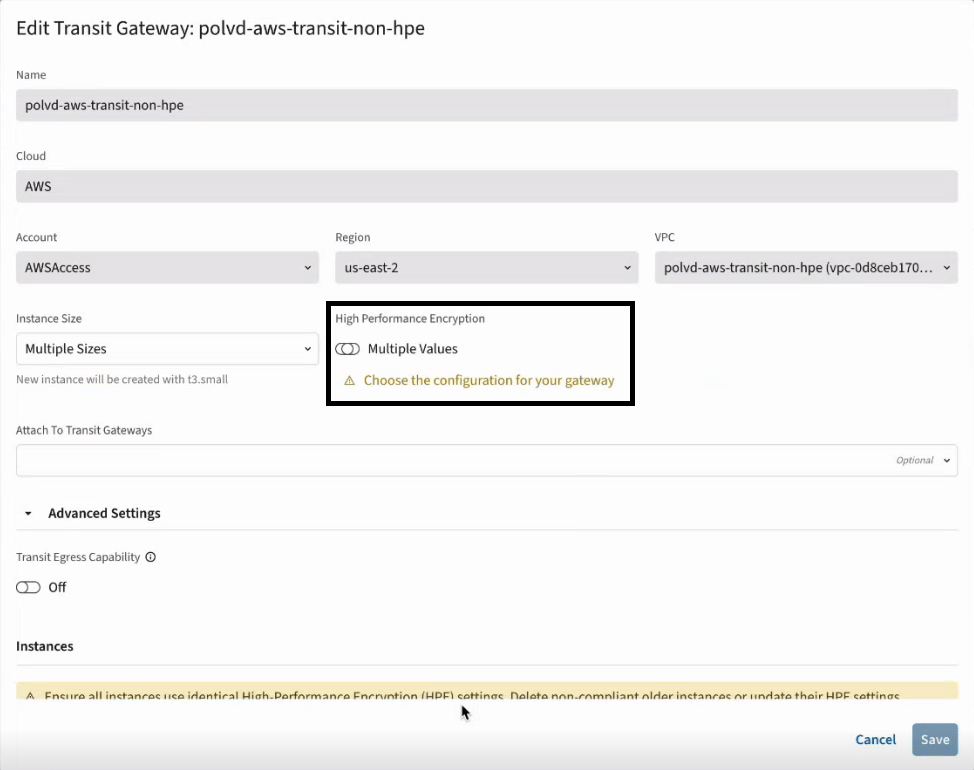
ActiveMesh 2.0
ActiveMesh 2.0 is a new iteration of ActiveMesh. The main advancement of ActiveMesh 2.0 is its deterministic nature of Next Hop selection. Here is how Aviatrix Transit Gateway routing engine treats the following types of routes.
With this approach, there is more visibility on learned routes regarding what
paths the routes are learned from.
The next hop best path selection follows the priorities listed below.
- Local
- Shortest number of ASN list
- For two identical length ASN routes, selects the next hop with the lowest Metric Value.
- For two identical ASN length and Metric Value routes, if ECMP is disabled (this is the default configuration), selects the current best route. If there is no current best route, the next hop IP addresses are compared, the lower integer IP address is selected.
- For two identical ASN length and Metric Value routes, if ECMP is enabled, traffic is distributed to both routes using ECMP.