> ## Documentation Index
> Fetch the complete documentation index at: https://docs.aviatrix.com/llms.txt
> Use this file to discover all available pages before exploring further.
# Aviatrix CoPilot Release Notes
> This section describes release notes for Aviatrix CoPilot software releases.
export const copilot_0 = undefined
export const releasedate_0 = undefined
This section describes release notes for Aviatrix CoPilot software releases.
For each CoPilot release, the release notes include information about:
* Corrected issues
* Known issues
* Important notices
If you are looking for information about CoPilot *image* release notes, new
features, frequently asked questions, or deprecated features, see:
* CoPilot Image Release Notes
* What's New in CoPilot
* CoPilot FAQs
* [Deprecated Features in CoPilot](#deprecated-features-in-copilot)
## CoPilot and Controller Interoperability
CoPilot is deployed as an all-in-one virtual appliance and is available on
multiple clouds including AWS, Azure, GCP, and OCI Marketplaces. CoPilot works
in tandem with Aviatrix Controller. In order to use CoPilot, you must have an
operational Aviatrix Controller. CoPilot works with all Controller versions that
are not End of Life (EOL).
For information about
[Aviatrix End of Engineering and End of Life (Support) policies](https://support.aviatrix.com/Aviatrix-EOL-Policy)
or how to plan and update to the latest software, please contact Aviatrix
Support.
For information about the availability of Aviatrix features when running
different versions of Aviatrix Controller, see Feature
Availability.
## 4.37.0 Release Notes
Release Date: 10 September 2026
For information about new and enhanced features, preview features, behavior
changes, and deprecations for each CoPilot software release, see
What's New in CoPilot
.
### Corrected Issues in 4.37.0
Release Date: 10 September 2026
| Issue | Description |
| --------- | ------------------------------------------------------------------------------------------------------------------------------------------------------------------------------------------------------------------------------------------------------------------------------------------------------------------------------------------------------------------------------------------------------------------------------------------------------------------------------------------------------------------------------------------------------------------------------------------------------------------------------------------------------------------------------ |
| AVX-79304 | Resolved several security vulnerabilities in third-party dependencies used by CoPilot. |
| AVX-80627 | Resolved an issue where **Manage Gateway Attachments** displayed undefined spoke gateway names. |
| AVX-80666 | Resolved an issue where **Manage Gateway Attachments** displayed a spoke gateway's own instance as its transit gateway. |
| AVX-80576 | Resolved an issue where **Manage Gateway Attachments** threw a JavaScript error for IPv6 GCP spoke-to-transit attachments. |
| AVX-80460 | Resolved an issue where **Manage Gateway Attachments** could fail for certain attachment configurations. |
| AVX-80898 | Resolved an issue where editing a spoke-to-transit peering timed out while counting tunnels. |
| AVX-80863 | Resolved an issue where deleting an Edge spoke-to-transit attachment failed with a **Could Not Find** error. |
| AVX-78564 | Resolved an issue where **Edit Transit Gateway** displayed a spurious **Workflow must contain at least one task** error. |
| AVX-80962 | Resolved an issue where an Edge-as-Spoke gateway group could not be deleted from CoPilot. |
| AVX-77848 | Improved the load performance of the IPS Rule Feed list page. |
| AVX-80330 | Resolved an issue where Network Domain route filtering did not apply to Edge gateways. |
| AVX-79821 | Resolved an issue where the IP address space was missing from the Network Domain detail view. |
| AVX-79975 | Resolved an issue where changing the SNAT configuration for a GCP Global VPC did not display a warning. |
| AVX-74942 | Resolved an issue where CoPilot FlightPath did not work on egress NAT gateways. |
| AVX-74474 | Resolved an issue where the FlowIQ **Last 60 Minutes** time period did not work. |
| AVX-80850 | Fixed multiple diagnostics and display issues, including incorrect gateway display and missing Availability Zone columns in AZ affinity and symmetric routing audits, added intra-cluster Kubernetes orchestration support for Controller 10.0.1, added a check for the Scopes API on the Controller, fixed inconsistent Azure VNet ID naming in SmartGroup, an inconsistent search bar, inconsistent China cloud region labeling, a routing table display inconsistency for VRF between CoPilot and the Controller, spurious edge-device statistics errors, truncated long system messages, delete-gateway icon visibility, and a missing Scopes API guard on the Controller. |
| AVX-81349 | Resolved an issue where the gateway upgrade dialog recommended **Software Upgrade** even when **Image Upgrade** was required, causing the upgrade to fail. The misleading recommendation is no longer shown. |
### Known Issues in 4.37.0
Release Date: 10 September 2026
| Issue | Description |
| --------- | ------------------------------------------------------------------------------------------------------------------------------------------------------------------------------------------------------------------------------------------------------------------------------------------------------------------------------------------------------------------------------------------------------------------ |
| AVX-81379 | On the new Distributed Cloud Firewall Value Dashboard, the Security Controls card can take approximately 20 to 30 seconds to load in environments with a large amount of traffic data.
**Impact:**
The dashboard remains usable, but the Security Controls card is slow to display in large environments.
**Workaround:**
None. A fix is planned for a future release. |
## 4.36.0 Release Notes
Release Date: 13 August 2026
Release Notes Last Updated: 14 August 2026
For information about new and enhanced features, preview features, behavior
changes, and deprecations for each CoPilot software release, see
What's New in CoPilot
.
### Corrected Issues in 4.36.0
Release Date: 13 August 2026
| Issue | Description |
| --------- | -------------------------------------------------------------------------------------------------------------------------------------------------------------------------------------------------------------------------------------------------- |
| AVX-44772 | Resolved an issue where S2C connections could not be selected when creating a network domain. S2C connections can now be selected as expected. |
| AVX-67496 | Resolved an issue where the egress page displayed a **Protected VPC/VNets** error. The page now loads without the error. |
| AVX-70269 | Resolved an issue where the route table attached to VPC/VNet 1 was detached when the **Select Route Table** toggle was enabled on VPC/VNet 2 during Native Peering. Route table attachments are now preserved during Native Peering configuration. |
| AVX-70811 | Resolved an issue where **ActiveMesh** appeared greyed out when creating an S2C BGPoLAN connection from edge HA gateways to a LAN router. The option is now available as expected. |
| AVX-70845 | Resolved an issue where device selection behavior was inconsistent when the instance count remained unchanged. Device selection now behaves consistently. |
| AVX-71621 | Resolved an issue where backup peering interface details were incorrect when editing an edge gateway. The backup peering interface details are now displayed correctly. |
| AVX-71697 | Resolved an issue where the VRRP IP was not shown correctly when editing an edge gateway. The VRRP IP now displays and can be edited as expected. |
| AVX-71797 | Resolved an issue where previously attached gateways were not displayed when reopening **Manage Gateway Attachments** for standalone specialty gateways. Existing attachments are now shown. |
| AVX-72359 | Resolved an issue where **System Health** incorrectly showed a service as down for the Controller when the underlying issue was with CoPilot. The service status is now attributed to the correct component. |
| AVX-74662 | Resolved an issue where the **+ Maintenance window** button was not visible when no maintenance window existed. The button now appears so you can create the first maintenance window. |
| AVX-74886 | Resolved an issue where edge gateway public IP discovery on interfaces did not work as expected. Public IP discovery now returns the correct interface IPs. |
| AVX-74968 | Resolved an issue where the **+ Auto Cycle** option was missing from the **Auto Cycle** dropdown when resizing a gateway. The option is now available in the dropdown. |
| AVX-75864 | Resolved an issue where the DCF Monitor **Saved View** dropdown reset on first selection and required a double-click to apply. The dropdown now applies the selected view on the first click. |
| AVX-76200 | Resolved an issue where CoPilot intrusion logs did not work with rsyslog over TLS. Intrusion logs are now delivered correctly over rsyslog with TLS. |
| AVX-76872 | Added **Session Count** and **Logging** columns to the security rules tab for gateways to improve visibility. |
| AVX-77369 | Removed a redundant Kubernetes feature flag between **Groups** and **DCF Settings** to prevent conflicting configurations. |
| AVX-77619 | Resolved an issue where CoPilot local metrics failed to parse an internal metrics data field. Local metrics are now parsed and displayed correctly. |
| AVX-77994 | Resolved an issue where an edge HA gateway creation task succeeded even though the gateway was not actually deployed. The task now reports failure when the gateway is not deployed. |
| AVX-78195 | Resolved an issue where the edge gateway interface IP was not displayed correctly. The interface IP now displays as expected. |
| AVX-78562 | Resolved an issue where Self-Managed edge gateway creation failed with a 500 error due to a missing internal identifier. Self-Managed edge gateway creation now completes successfully. |
| AVX-78677 | Resolved an issue where the **Gateway by Conditions** scope sent an empty gateway list to the API, causing profile creation to fail. Profile creation now completes successfully. |
| AVX-78680 | Resolved an issue where `c5n.xlarge` and larger instance sizes were not available for transit FireNet gateways on Controller 10.0.1 and later. These sizes are now available for transit FireNet gateways on supported Controllers. |
| AVX-78723 | Resolved an issue where the **Size** and **HPE Status** columns were missing from the **Instances** table on Controllers older than 9.0. The columns now display correctly. |
| AVX-78735 | Resolved an issue where the **MGMT** tab in **Interface Configuration** crashed with a null read error for HA instances 2 and 3. The tab now loads successfully for all HA instances. |
| AVX-78752 | Resolved an issue where CoPilot did not display an error message when enabling SNAT failed for spoke gateways. An error message is now shown when SNAT enablement fails. |
| AVX-78807 | Resolved an issue where the default trust bundle could not be downloaded from the UI. You can now download the default trust bundle successfully. |
| AVX-78846 | Resolved an issue where the **Edit Transit Gateway** dialog failed with an internal validation error. The dialog now opens and saves as expected. |
| AVX-78934 | Resolved an issue where gateway upgrade logs displayed timestamps as `24:xx:xx` instead of `00:xx:xx`. Timestamps now display correctly. |
| AVX-78996 | Resolved an issue where a SID exception could not be added through Intrusion logs. You can now add SID exceptions from Intrusion logs. |
| AVX-79074 | Resolved an issue where the **Attach Over** default was inconsistent between spokes attached to the same transit. The default is now consistent across attached spokes. |
| AVX-79131 | Resolved an issue where the **Routing Table** view did not filter routes per VRF or segment. The view now filters routes by the selected VRF or segment. |
| AVX-79134 | Resolved an issue where the **GW Instance Public IP** field displayed a private IP address instead of **None** for private-only transit gateways. The field now correctly shows **None**. |
| AVX-79136 | Resolved an issue where an extra task was created during a successful HA gateway edit. Only a single task is now created per HA gateway edit. |
| AVX-79159 | Resolved an issue where the **Action** column was blank in **FQDN Monitor (Legacy)** for DCF-enabled egress. The column now displays the correct action. |
| AVX-79191 | Resolved an issue where Edge-as-Transit gateway deployment could fail with an error. Edge-as-Transit deployments now complete successfully. |
| AVX-79196 | Resolved an issue where **Packet Capture** on legacy Controllers displayed a prolonged fetching state after the capture duration ended. The state now updates promptly after the capture completes. |
| AVX-79200 | Resolved an issue where the DCF policy **HitCount** did not increase as traffic matched the policy. The HitCount now updates as expected. |
| AVX-79342 | Resolved an issue where the **T-Shirt Default** tag was not displayed for GCP sizes in the **Instance Size** dropdown. The tag now appears for GCP defaults. |
| AVX-79426 | Resolved an issue where the **Next** button was incorrectly disabled when configuring an Edge-as-Transit deployment with 3 gateways. The button now enables as expected. |
| AVX-79496 | Resolved an issue where editing an Edge-as-Transit gateway failed with a missing mandatory interface fields error even when the interface fields were populated. Edits now save successfully. |
| AVX-79501 | Resolved an issue where the K8s intra-cluster orchestration view blinked on refresh. The view now refreshes smoothly. |
| AVX-79552 | Resolved an issue where GCP instance sizes were not grouped correctly in the **Instance Size** dropdown. GCP sizes are now grouped as expected. |
| AVX-79570 | Resolved an issue where the **Instance Size** dropdown included a spurious **Multiple Sizes** entry. The dropdown now shows only valid instance sizes. |
| AVX-79586 | Resolved an issue where **AZ Affinity** appeared as unavailable on the spoke gateway attachment page. The setting is now correctly available. |
| AVX-79608 | Resolved an issue where the tooltip for the **Symmetric Routing** toggle was incorrect. The tooltip now accurately describes the setting. |
| AVX-79618 | Resolved an issue where the **All Transit peering up to date** status did not update correctly. The status now reflects the current peering state. |
| AVX-79627 | Resolved an issue where the UI re-downloaded the cloud-init file after editing an edge gateway. The cloud-init file is no longer re-downloaded on edit. |
| AVX-79737 | Resolved an issue where the symmetric routing audit API was called without the required account, cloud type, and region parameters. The required parameters are now included in the API call. |
| AVX-79788 | Resolved an issue where the owner gateway name was not displayed for subnets. The owner gateway name now appears as expected. |
| AVX-79799 | Resolved an issue where no CSP-specific next-hop tooltip was shown when creating an HPE gateway. A CSP-specific tooltip is now displayed. |
| AVX-79922 | Resolved an issue where an Intra-K8s cluster features dependency error incorrectly required Kubernetes enforcement to be enabled. The dependency error no longer appears when enforcement is not required. |
| AVX-79963 | Resolved an issue where GCP global VPC egress configuration was removed when a customized SNAT configuration failed to apply. The egress configuration is now preserved when SNAT configuration fails. |
| AVX-79974 | Resolved an issue where multi-size gateways were resized to the same size without a warning prompt. A confirmation prompt now appears before applying a resize that changes multiple gateways to the same size. |
| AVX-79990 | Resolved an issue where the **Symmetric Routing** toggle did not correctly apply the configuration selected in the UI. The toggle now applies the intended configuration. |
### Known Issues in 4.36.0
Release Date: 13 August 2026
| Issue | Description |
| --------- | ------------------------------------------------------------------------------------------------------------------------------------------------------------------------------------------------------------------------------------------------------------------------------------------------------------------------------------------------------------------------------------------------------------------------------------------------------------------------------------------------------------------------------------------------------------------------------------------------------------------------------------------------------------------------- |
| AVX-80226 | The **Intrusion Logs** page in **Monitor > Distributed Cloud Firewall > Intrusion Logs** may display no entries even when the gateway is actively detecting intrusion alerts. This occurs when the underlying search data store rejects the Intrusion Logs query due to a default configuration setting.
**Impact:**
Detected intrusion alerts are not visible in CoPilot **Intrusion Logs**. Alert detection on the gateway is not affected.
**Workaround:**
Contact [Aviatrix Support](https://support.aviatrix.com/) for assistance to apply a temporary configuration change that restores **Intrusion Logs** visibility. |
## 4.35.0 Release Notes
Release Date: 14 July 2026
For information about new and enhanced features, preview features, behavior
changes, and deprecations for each CoPilot software release, see
What's New in CoPilot
.
### Corrected Issues in 4.35.0
Release Date: 14 July 2026
| Issue | Description |
| --------- | ------------------------------------------------------------------------------------------------------------------------------------------------------------------------------------------------------------------------------------- |
| AVX-76842 | Resolved an issue where the remote device IP filter on the **Connectivity** page did not correctly filter connections. The filter now returns the expected results. |
| AVX-72880 | Resolved an issue where filter and search operations on the DCF Monitor Logs page did not work, preventing you from locating specific log entries. Filter and search now work as expected. |
| AVX-71982 | Resolved an issue where a failed subtask during AEP Edge gateway creation displayed a JavaScript TypeError in the **Tasks** page tooltip, hiding the underlying error message. The tooltip now shows the actual error text. |
| AVX-78605 | Resolved an issue where valid gRPC endpoints in `host:port` format were rejected with the error "OTLP Destination URL is not a valid URL". Valid gRPC endpoints are now accepted. |
| AVX-78596 | Resolved an issue where the Telemetry Gateway autocomplete field displayed the gateway name instead of the VPC name in its helper text. The helper text now correctly displays the VPC name. |
| AVX-78475 | Resolved an issue where the Telemetry UI **Authentication Method** field did not offer a **None** option, which prevented you from creating a Telemetry profile without authentication headers. The **None** option is now available. |
| AVX-78330 | Resolved an issue where DCF rules could not be saved in CoPilot 4.35. You can now save DCF rules as expected. |
| AVX-77926 | Resolved an issue where the gateway toggle remained disabled after selecting **Show All** on the DCF Policies page. The toggle now becomes active as expected. |
| AVX-72563 | Resolved an issue where External Groups were missing IP addresses for Denmark regions. External Groups now include the expected Denmark IP ranges. |
| AVX-55052 | Resolved an issue where Local Egress could be incorrectly removed from a Spoke gateway that was referenced in a DCF rule with a WebGroup. Local Egress is now preserved on referenced Spoke gateways. |
| AVX-76901 | Resolved an issue where all gateway group checkboxes were disabled during a gateway upgrade instead of only the checkbox for the selected group. Only the selected group is now disabled during the upgrade. |
| AVX-75769 | Resolved an issue where an incorrect error message was shown when onboarding a Kubernetes cluster using a kubeconfig file. The error message now accurately describes the problem. |
| AVX-77114 | Resolved an issue where CoPilot allowed a Kubernetes cluster to be offboarded while a SmartGroup that referenced the cluster was still configured. CoPilot now blocks offboarding until the referencing SmartGroup is removed. |
| AVX-75322 | Resolved an issue where the **Actions** button was missing from Gateway detail pages. The **Actions** button now displays as expected. |
| AVX-75154 | Resolved an issue where the expand button was non-functional on VPC/VNet rows when the **Virtual Machines** column filter was active. The expand button now works correctly with active column filters. |
| AVX-68302 | Resolved an issue where system messages were not displayed after upgrade. System messages now display as expected. |
| AVX-42434 | Resolved an issue where DCF deployment problems reported through Bell Notifications were easy to overlook. DCF deployment notifications are now surfaced more prominently. |
| AVX-77762 | Resolved an issue where an IPS Profile could not add a SID when the ET rule feed was unavailable. You can now add a SID even when the ET rule feed is not accessible. |
| AVX-77533 | Resolved an issue where deleting a tag on a VPN gateway failed with the error "Workflow must contain at least one task". You can now delete VPN gateway tags as expected. |
| AVX-78047 | Resolved an issue where the **SNI Verification** field used **Yes/No** labels instead of the correct **None/Enforced** labels. The field now uses **None/Enforced** as intended. |
| AVX-77942 | Updated the info text for the **SNI Verification** and **Origin Cert Validation** fields in TLS Profiles for clarity. |
| AVX-69388 | Resolved an issue where the Maintenance Window Status report did not show data in the **Status** column under **Cloud Fabric > Scaling**. The **Status** column now populates as expected. |
### Known Issues in 4.35.0
Release Date: 14 July 2026
| Issue | Description |
| --------- | ------------------------------------------------------------------------------------------------------------------------------------------------------------------------------------------------------------------------------------------------------------------------------------------------------------------------------------------------ |
| AVX-76251 | If using Controller 9.0, the **Rule** column in the DCF Monitor log displays `UNKNOWN` for matched traffic instead of the name or ID of the rule that matched.
**Impact:**
You cannot identify which DCF rule was matched for a given log entry directly from the Monitor log.
**Workaround:**
None. |
## 4.34.0 Release Notes
Release Date: 25 June 2026
For information about new and enhanced features, preview features, behavior
changes, and deprecations for each CoPilot software release, see
What's New in CoPilot
.
### Corrected Issues in 4.34.0
Release Date: 25 June 2026
| Issue | Description |
| --------- | ----------------------------------------------------------------------------------------------------------------------------------------------------------------------------------------- |
| AVX-64777 | Resolved an issue where more specific alerts were silently ignored when a broader global alert was already active. Specific alerts now take precedence over global alerts as expected. |
| AVX-76235 | Resolved an issue where missing input validation for Egress CIDR caused Edge deployment failures. Egress CIDR is now validated before deployment. |
| AVX-76999 | Resolved an issue where the Session Start and Timestamp columns in downloaded Monitor Logs could display as `###` when opened in Microsoft Excel. Timestamp values now display correctly. |
### Known Issues in 4.34.0
Release Date: 25 June 2026
| Issue | Description |
| --------- | -------------------------------------------------------------------------------------------------------------------------------------------------------------------------------------------------------------------------------------------------------------------------------------------------------------------------------------------------------------------------------------------------------------------------------------------------------- |
| AVX-77046 | If using Controller 9.0, resetting the hit count for a DCF rule on the **Security > Distributed Cloud Firewall > Policy** page does not take effect. The reset API request times out and the hit count does not return to zero.
**Impact:**
You cannot clear the hit count for a DCF rule from the UI, making it harder to track traffic against the rule from a known starting point.
**Workaround:**
None. |
## 4.33.2 Release Notes
Release Date: 22 June 2026
For information about new and enhanced features, preview features, behavior
changes, and deprecations for each CoPilot software release, see
What's New in CoPilot
.
### Corrected Issues in 4.33.2
Release Date: 22 June 2026
| Issue | Description |
| --------- | --------------------------------------------------------------------------------------------------------------------------------------------------------------------- |
| AVX-78143 | Resolved an issue where Controller versions 8.0.70, 8.1.40, 8.2.20, and 9.0.10 were not selectable on the upgrade UI. These versions are now available for selection. |
### Known Issues in 4.33.2
Release Date: 22 June 2026
There are no known issues in this release.
## 4.33.1 Release Notes
Release Date: 2 June 2026
For information about new and enhanced features, preview features, behavior
changes, and deprecations for each CoPilot software release, see
What's New in CoPilot
.
### Corrected Issues in 4.33.1
Release Date: 2 June 2026
| Issue | Description |
| --------- | --------------------------------------------------------------------------------------------------------------------------------------------------------------------------------------------------------------------------------------- |
| AVX-74224 | Resolved an issue introduced in 4.33 where a default deny rule in IPTables blocked ICMP requests to CoPilot, breaking external monitoring tools that relied on ICMP for basic network connectivity checks. ICMP is now open by default. |
| AVX-77472 | Resolved an issue where UI access to CoPilot was blocked because of a missing configuration that prevented HTTPS (port 443) access. The configuration has been added to restore UI access. |
### Known Issues in 4.33.1
Release Date: 2 June 2026
There are no known issues in this release.
## 4.33.0 Release Notes
Release Date: 1 June 2026
For information about new and enhanced features, preview features, behavior
changes, and deprecations for each CoPilot software release, see
What's New in CoPilot
.
### Corrected Issues in 4.33.0
Release Date: 1 June 2026
| Issue | Description |
| --------- | ------------------------------------------------------------------------------------------------------------------------------------------------------------------------------------------------------------------------------------------- |
| AVX-61965 | Resolved an issue where bell notifications for DCF events displayed erratically. DCF notifications now appear consistently. |
| AVX-64777 | Resolved an issue where more specific alert configurations were ignored when a global alert was also present. Specific alerts now take precedence over global alerts as expected. |
| AVX-71551 | Resolved an issue where the "is empty" filter in **Cloud Workloads > Virtual Machines** did not return results. The filter now functions correctly. |
| AVX-73140 | Resolved an issue where the CoPilot backup configuration did not update when changing the storage container in Azure. Backup configuration changes now take effect immediately. |
| AVX-73329 | Resolved an issue where the TLS Profile screen displayed two TrustBundle upload controls instead of one. The TLS Profile page now shows a single upload control. |
| AVX-73999 | Resolved an issue where WebGroups configured in DCF could intermittently disappear from the UI. WebGroups now persist and display reliably. |
| AVX-74663 | Resolved an issue where selecting a Saved View in **Netflow** did not trigger an API call, preventing the saved view from loading. Saved Views now load correctly when selected. |
| AVX-74833 | Resolved an issue where the VPC CIDR was not displayed correctly on the **Gateway Group Details** page. VPC CIDR information now renders accurately. |
| AVX-74973 | Resolved an issue where webhook alerts failed with a CA error when using a self-signed certificate. Webhook notifications with self-signed certificates now function correctly. |
| AVX-75262 | Resolved an issue where the details link for Azure virtual machines in **Cloud Workloads > Virtual Machines** did not load. Azure VM details links now navigate correctly. |
| AVX-75492 | Resolved an issue where DCF TLS displayed a duplicate default-trustbundle entry. The TLS configuration now shows a single trustbundle entry. |
| AVX-75610 | Resolved an issue where an unsupported "Specialty Gateway" type was displayed in **ARS Aviatrix Standard Sizes**. Only supported gateway types are now shown. |
| AVX-75676 | Resolved an issue where a gateway referenced in an alert was not reflected on the **View More** page. Alert details now correctly display the associated gateway information. |
| AVX-75719 | Resolved an issue where editing an existing Site2Cloud connection failed because name validation incorrectly rejected underscores in existing connection names. Connections with underscores in their names can now be edited successfully. |
| AVX-75825 | Resolved an issue where deleting a primary Edge gateway failed with the error `Cannot delete instances when Active Mesh feature is locked`. Edge primary gateways can now be deleted as expected. |
| AVX-76292 | Resolved a security vulnerability in the Handlebars library by upgrading to version 4.7.9 or later to address CVE-2026-33937. |
| AVX-76294 | Resolved security vulnerabilities in the tar-fs library by upgrading to version 1.16.6 or later. |
| AVX-76488 | Resolved an issue where the Webhook CA Certificate (PEM) field in DCF stripped newlines on save, causing TLS verification failures. The certificate field now preserves formatting correctly. |
| AVX-76526 | Resolved an issue where the gateway name displayed as "undefined" in the **Shut Down** dialog and toast notification. The correct gateway name now appears in all confirmation dialogs and notifications. |
| AVX-76695 | Resolved an issue where custom Phase 1 and Phase 2 algorithms were not persisted for Site2Cloud connections using Static Routing over IPsec or Active Mesh. Custom algorithm selections are now saved correctly. |
| AVX-76773 | Resolved an issue where the **VPC/VNet Routes** page crashed with the error `Cannot read properties of undefined (reading 'toLowerCase')`. The page now loads successfully. |
| AVX-76777 | Resolved an issue where HA Spoke and Transit Gateway tasks displayed the error `response.split is not a function`. Gateway task status now displays correctly. |
| AVX-76855 | Resolved an issue where DCF rules pushed to a transit gateway did not match the expected configuration. Rule enforcement on transit gateways now functions as expected. |
### Known Issues in 4.33.0
Release Date: 1 June 2026
| Issue | Description |
| --------- | -------------------------------------------------------------------------------------------------------------------------------------------------------------------------------------------------------------------------------------------------------------------------------------------------------------------------------------------------------------------------------------------------------------------------------------------------------------------------------------------------------------------------------------------------------------------------------------------------------------------------------------------------------------------------------------------------------------------------------------------------------------------------------------------------- |
| AVX-60174 | FlowIQ Geolocation displays incorrect city breakdowns by country. The country-level data is accurate, but the per-city distribution within each country may be inaccurate.
**Impact:**
City-level geolocation data in FlowIQ may not accurately reflect the actual geographic distribution of traffic.
**Workaround:**
Use country-level geolocation data for geographic analysis. City-level breakdowns should not be relied upon for precise location identification. |
| AVX-76251 | If using Controller 9.0, the **Rule** column in the DCF Monitor log displays `UNKNOWN` for matched traffic instead of the name or ID of the rule that matched.
**Impact:**
You cannot identify which DCF rule was matched for a given log entry directly from the Monitor log.
**Workaround:**
None. |
| AVX-76999 | When you download Monitor Logs from CoPilot and open the exported CSV in Microsoft Excel, the **Session Start** and **Timestamp** columns may display as `###` instead of the actual timestamp values. Excel auto-converts timestamp text in the CSV to date serial numbers when the file opens; if the column is too narrow to render the formatted value, Excel displays `###` instead.
**Impact:**
You may be unable to read session timestamps in downloaded **Monitor Logs** opened in Excel without manually resizing the affected columns.
**Workaround:**
Widen the **Session Start** or **Timestamp** column in Excel to view the timestamp values. The data is present in the exported file and becomes readable once the column is widened. |
| AVX-77046 | If using Controller 9.0, resetting the hit count for a DCF rule on the **Security > Distributed Cloud Firewall > Policy** page does not take effect. The reset API request times out and the hit count does not return to zero.
**Impact:**
You cannot clear the hit count for a DCF rule from the UI, making it harder to track traffic against the rule from a known starting point.
**Workaround:**
None. |
## 4.32.0 Release Notes
Release Date: 29 April 2026
Release Notes Last Updated: 12 June, 2026
For information about new and enhanced features, preview features, behavior
changes, and deprecations for each CoPilot software release, see
What's New in CoPilot
### Corrected Issues in 4.32.0
Release Date: 29 April 2026
| Issue | Description |
| --------- | ------------------------------------------------------------------------------------------------------------------------------------------------------------------------------------------------------------------------------------------------------------------------------------------------------------------------------------------------------------ |
| AVX-73362 | Resolved an issue where switching the Remote Syslog protocol from UDP to TCP did not update the CoPilot security group when CoPilot Security Group Management was enabled, causing syslog traffic over the new TCP port to be blocked. The security group is now updated correctly when the protocol is changed, restoring log forwarding over TCP. |
| AVX-75080 | Resolved an issue where accessing **Cloud Resources > Cloud Networks** caused the CoPilot UI to crash with the error `Error: MUI: The path returned by getTreeDataPath should be unique.` The issue was triggered by duplicate entries in the cloud network tree data. The issue has been corrected, and the **Cloud Networks** page now loads successfully. |
### Known Issues in 4.32.0
Release Date: 29 April 2026
There are no known issues in this release.
## 4.31.1 Release Notes
Release Date: 26 March 2026
For information about new and enhanced features, preview features, behavior
changes, and deprecations for each CoPilot software release, see What's New in
CoPilot
### Corrected Issues in 4.31.1
Release Date: 26 March 2026
| Issue | Description |
| --------- | ------------------------------------------------------------------------------------------------------------------------------------------------------------------------------------------------------------------------------------------------------------------------------------------------------------------------------------------------------------------------------ |
| AVX-74890 | Resolved an issue where a new CoPilot deployment from a controller succeeded but failed to upgrade to the latest version. The upgrade failed because a required service unit file (`avx-cam-restore.service`) was missing, causing the update process to error out. This issue has been corrected, and new CoPilot deployments now successfully upgrade to the latest version. |
### Known Issues in 4.31.1
Release Date: 25 March 2026
There are no known issues in this release.
## 4.31.0 Release Notes
Release Date: 24 March 2026
Release Notes Last Updated: 10 May, 2026
For information about new and enhanced features, preview features, behavior
changes, and deprecations for each CoPilot software release, see
What's New in CoPilot
### Corrected Issues in 4.31.0
Release Date: 24 March 2026
| Issue | Description |
| --------- | ---------------------------------------------------------------------------------------------------------------------------------------------------------------------------------------------------------------------------------------------------------------------------------------------------------------------------------------------------------- |
| AVX-59879 | Resolved an issue where Traffic & Latencies data from Edge gateways was not displayed in the CoPilot UI. Although Edge gateways were sending netflow packets and CoPilot was receiving them, the data was not reflected in the UI. The issue has been corrected, and Edge traffic and latency data now displays as expected. |
| AVX-69394 | Resolved an issue where navigating from the Topology page to Spoke or Transit Gateway details incorrectly redirected to the Instances page instead of the Gateway details page. Navigation now correctly opens the Gateway details page for Spoke and Transit gateways. |
| AVX-73740 | Resolved an issue where toggling the **Default Route Propagation** setting for Edge gateway attachments in **Cloud Fabric > Hybrid Cloud > Edge Gateways** did not visually update the toggle state in the UI, even though the configuration change was saved successfully. The UI now accurately reflects the current configuration state after toggling. |
| AVX-74224 | Resolved an issue where ICMP traffic targeting the CoPilot instance was dropped after upgrading to CoPilot 4.30.0 due to regenerated iptables rules that did not include an allow rule for ICMP traffic. ICMP-based health checks now function correctly after the upgrade. |
### Known Issues in 4.31.0
Release Date: 24 March 2026
There are no known issues in this release.
## 4.30.0 Release Notes
Release Date: 04 March 2026
Release Notes Last Updated: 12 June, 2026
For information about new and enhanced features, preview features, behavior
changes, and deprecations for each CoPilot software release, see
What's New in CoPilot
### Corrected Issues in 4.30.0
Release Date: 04 March 2026
| Issue | Description |
| --------- | ------------------------------------------------------------------------------------------------------------------------------------------------------------------------------------------------------------------------------------------------------------------------------------------------------------------------------------------------------------------------------------ |
| AVX-70158 | Resolved an issue where configuring Remote Syslog with TLS certificates failed with the error message `source.on is not a function`. Certificate handling during form submission has been corrected, allowing Remote Syslog with TLS certificates to be configured successfully. |
| AVX-73236 | Resolved an issue where the Egress Analyze tab did not display data after changes to DCF logging. Due to index handling changes, FQDN log data was not shown in the Analyze view for certain Controller versions. The logic has been updated to correctly use the appropriate index based on Controller version, restoring Egress Analyze data visibility across supported releases. |
### Known Issues in 4.30.0
Release Date: 04 March 2026
| Issue | Description |
| --------- | ---------------------------------------------------------------------------------------------------------------------------------------------------------------------------------------------------------------------------------------------------------------------------------------------------------------------------------------------------------------------------------------------------------------------------------------------------------------------------------------------------------------------------------------------------------------------------------------------------------------------------------------------------------------------------------------------------------------------------------------------------------------- |
| AVX-73740 | When configuring Edge attachments in **Cloud Fabric > Hybrid Cloud > Edge Gateways**, toggling the **Default Route Propagation** setting to be enabled or disabled may not be displayed accurately. The configuration change is saved, but the UI does not reflect it.
**Impact:**
The UI may not accurately reflect the current configuration state.
**Workaround:**
Refresh the page or reopen the Manage Gateway Attachment page to view the updated state. |
| AVX-74224 | After upgrading CoPilot to version 4.30.0, ICMP traffic targeting the CoPilot instance may be dropped. Monitoring systems or health checks sending ICMP echo requests to CoPilot may observe that the requests reach the instance, but no ICMP echo replies are generated. The issue is caused by regenerated iptables rules that did not include an allow rule for ICMP traffic.
**Impact:**
ICMP-based health checks targeting the CoPilot instance may fail after the upgrade. CoPilot functionality and services are not impacted.
**Workaround:**
Contact [Aviatrix Support](https://support.aviatrix.com/) for assistance to add an iptables rule that explicitly allows ICMP traffic to the CoPilot instance. |
| AVX-73362 | When the Remote Syslog protocol is changed from UDP to TCP, the CoPilot security group is not updated to allow the new TCP port, even when CoPilot Security Group Management is enabled. As a result, inbound syslog traffic over TCP is blocked and remote log forwarding fails.
**Impact:**
Remote Syslog log forwarding over TCP does not function after switching from UDP. CoPilot deployments that rely on CoPilot Security Group Management are affected.
**Workaround:**
Manually add an inbound rule to the CoPilot security group to allow the configured TCP syslog port, or contact [Aviatrix Support](https://support.aviatrix.com/) for assistance. The issue is corrected in CoPilot 4.32.0. |
## 4.29.1 Release Notes
Release Notes Last Updated: 13 February 2026
Release Date: 05 February 2026
For information about new and enhanced features, preview features, behavior
changes, and deprecations for each CoPilot software release, see
What's New in CoPilot
### Corrected Issues in 4.29.1
Release Date: 05 February 2026
| Issue | Description |
| --------- | ---------------------------------------------------------------------------------------------------------------------------------------------------------------------------------------------------------------------------------------------------------------------------------------------------------------------------------------------------------------------------------------------- |
| AVX-73143 | Resolved an issue where DCF Monitor logs were not displayed after upgrading to CoPilot 4.29.0 due to an Elasticsearch circuit breaker exception caused by sorting on the \_id field. The DCF Monitor query logic has been updated to rely only on timestamp-based sorting, preventing excessive memory usage in Elasticsearch and allowing logs to load correctly in large-scale environments. |
### Known Issues in 4.29.1
Release Date: 05 February 2026
| Issue | Description |
| --------- | -------------------------------------------------------------------------------------------------------------------------------------------------------------------------------------------------------------------------------------------------------------------------------------------------------------------------------------------------------------------------------------------------------------------------------------------------------------------------------------------------------------------------------------------------------------------------------------------------------------------------------------------------------------------------------------------------------------------------------------------------------------------------------------------------------------------------------------------------------------------------------------------------------------------------------------------------------------------------------------------------------------------------------------------- |
| AVX-72739 | In certain cases, the CoPilot UI may display inconsistent or incomplete results in **Monitor > FlowIQ** when filters are applied. Users may observe: Aggregate queries stopping early. Inconsistent results when applying one or multiple filters. The **"not contains"** filter not behaving as expected.
**Impact:**- Flow data shown in the UI may appear incomplete.
- Results may differ when applying different filter combinations.
- Filtering behavior may not accurately reflect expected traffic patterns.
**Affected Scenario:**
CoPilot deployments handling high volumes of flow data. Environments where background transform processing is delayed or resource-constrained.
**Workaround:**
Allow additional time (5–10 minutes) for transform processing to complete. Review CoPilot resource utilization. In some cases, increasing CoPilot VM resources may help. Contact [Aviatrix Support](https://support.aviatrix.com) for further assistance. |
## 4.29.0 Release Notes
Release Date: 03 February 2026
Release Notes Last Updated: 10 February 2026
For information about new and enhanced features, preview features, behavior
changes, and deprecations for each CoPilot software release, see
What's New in CoPilot
### Corrected Issues in 4.29.0
Release Date: 03 February 2026
| Issue | Description |
| --------- | -------------------------------------------------------------------------------------------------------------------------------------------------------------------------------------------------------------------------------------------------------------------------------------------------------------------------------------------------------- |
| AVX-67536 | Resolved an issue in CoPilot where disabling SNAT on a Spoke Gateway returned an API error and the change was not saved. Users can now successfully disable SNAT and save the configuration without encountering an error. |
| AVX-67742 | Resolved an issue in CoPilot where the **Data Backup** operation failed due to a regex mismatch when validating certain S3 bucket naming formats. The regex validation has been updated to support these bucket name formats, and the **Data Backup** option is now clickable and functions correctly. |
| AVX-70268 | Resolved an issue where Azure China VPCs were incorrectly displayed as Managed = No in CoPilot even when Aviatrix gateways were deployed in the VPC. CoPilot now correctly reflects the Managed status for Azure China VPCs when gateways are present. |
| AVX-70447 | Resolved an issue in CoPilot where the **Reset** button did not clear input fields on the **Diagnostics > Diagnostic Tools > Gateway Diagnostics** pages for **Traceroute**, **Tracepath**, and **Connectivity**. The **Reset** button now properly clears all input fields, allowing users to enter new values and run diagnostics without errors. |
| AVX-71220 | Resolved an issue in CoPilot where clicking **Edit** on a Specialty Gateway that was still in the creation process displayed a blank page. CoPilot now blocks edit operations while a gateway is being created and displays a tooltip message indicating that editing is unavailable during gateway creation, preventing user confusion and blank pages. |
| AVX-71960 | Resolved an issue in CoPilot where attachments between Standalone (Specialty) Gateways created through the **Manage Gateway Attachment** dialog were not displayed after being saved. The UI now correctly displays existing standalone gateway attachments, allowing users to view and manage these peerings as expected. |
### Known Issues in 4.29.0
Release Date: 03 February 2026
| Issue | Description |
| --------- | ----------------------------------------------------------------------------------------------------------------------------------------------------------------------------------------------------------------------------------------------------------------------------------------------------------------------------------------------------------------------------------------------------------------------------------------------------------------------------------------------------------------------------------------------------------------------------------------------------------------------------------------------------------------------------------------------------------------------------------------------------------------------------------------------------------------------------------------------------------------------------------------------------------------------------------------------------------------------------------------------------------------------- |
| AVX-72539 | In Aviatrix Controller versions 8.1 and earlier, Kubernetes (K8s) workload metadata may not be collected by CoPilot Observability, resulting in missing Source Workload and Destination Workload information in the Distributed Cloud Firewall (DCF) Monitor UI. Although Kubernetes clusters are successfully onboarded and visible on the Controller, the avx-topo-server does not receive or store K8s resource data. As a result, CoPilot cannot display K8s workload context for security policies or logs.
**Impact:**- K8s Source and Destination Workload fields are not shown in the DCF Monitor UI.
- Reduced visibility into Kubernetes workload-level traffic and policies.
**Affected Scenario:**
Aviatrix Controller version 8.1 and earlier. CoPilot Observability deployments using DCF Monitor with Kubernetes clusters onboarded.
**Workaround:**
Upgrade Aviatrix Controller to version 8.2 or later, where this issue is resolved. |
| AVX-72618 | In Aviatrix Controller version 8.1 and earlier, some VM assets may not be included in the CoPilot CAI (Cloud Asset Inventory) snapshot even though they are visible in *avx-topo-cli*. As a result, Distributed Cloud Firewall (DCF) logs are not annotated with VM workload details. This issue occurs due to a timing gap in CAI data reconciliation, where VM data is not available to CoPilot when snapshots are generated.
**Impact:**- DCF logs are not annotated with Source and Destination VM workload details.
- Reduced workload-level visibility for VM-based traffic.
**Affected Scenario:**
Aviatrix Controller version 8.1 and earlier. CoPilot Observability deployments using DCF Monitor where VM assets are expected to appear in annotations.
**Workaround:**
Upgrade Aviatrix Controller to version 8.2 or later, where this issue is resolved. |
| AVX-73143 | After upgrading to CoPilot 4.29.0, Distributed Cloud Firewall (DCF) Monitor logs may fail to load in environments with large log volumes. In affected cases, the DCF Monitor page may not display logs, and API calls can return an "Internal database error" due to excessive memory usage when processing log queries.
**Impact:**- DCF Monitor logs do not appear in the UI.
- Reduced visibility into DCF traffic and policy events.
**Affected Scenario:**
CoPilot version 4.29.0. Environments with high DCF log volume.
**Resolution:**
This issue is fixed in CoPilot 4.29.1. |
## 4.28.1 Release Notes
Release Date: 1 Jan 2026
For information about new and enhanced features, preview features, behavior
changes, and deprecations for each CoPilot software release, see
What Is New Copilot
### Corrected Issues in 4.28.1
Release Date: 1 Jan 2026
| Issue | Description |
| --------- | ---------------------------------------------------------------------------------------------------------------------------------------------------------------------------------------------------------------------------------------------------------------------- |
| AVX-72085 | Resolved an issue where some CoPilot instances failed to upgrade to version 4.28.0.
The upgrade could fail if a required directory was missing. This issue has been fixed by ensuring the directory is created automatically if missing during the upgrade. |
### Known Issues in 4.28.1
Release Date: 1 Jan 2026
None
## 4.28.0 Release Notes
Release Date: 22 December 2025
For information about new and enhanced features, preview features, behavior
changes, and deprecations for each CoPilot software release, see
What Is New Copilot
### Corrected Issues in 4.28.0
Release Date: 22 December 2025
| Issue | Description |
| --------- | ----------------------------------------------------------------------------------------------------------------------------------------------------------------------------------------------------------------------------------------------------------------------------------------------------------------------------------- |
| AVX-71724 | Resolved an issue in CoPilot where auditing a cloud account from *Cloud Resources > Cloud Account* could fail and return a 400 error.
Auditing now completes successfully for the selected cloud account. |
| AVX-71854 | Resolved an issue where deleting a High Availability (HA) gateway succeeded, but the UI still displayed an error message indicating the gateway group could not be deleted.
The deletion workflow now reports the correct status, so users no longer see a false failure message after a successful HA gateway deletion. |
### Known Issues in 4.28.0
Release Date: 22 December 2025
| Issue | Description |
| --------- | ------------------------------------------------------------------------------------------------------------------------------------------------------------------------------------------------------------------------------------------------------------------------------------------------------------------------------------------------------------------------------------------------------------------------------------------------------------------------------------------------------------------------------------------------------------------------------------------------------------------------------------------------------------------------------------------------------------------------------------------------------------------------------------------------------------------------------------------------------------------------------------------------------------------------------------------------------------------------------------------------------------------------------------------------------------------------------------------------------------------------------------------------------------------------------ |
| AVX-68514 | The *Search* functionality on the *Security > Distributed Cloud Firewall > Monitor* page may not work as expected.
In some cases, complete search terms may cause matching rows to disappear, while partial search terms may return no results even when matching entries exist. This behavior is inconsistent with search functionality on other pages, such as the *Gateways* page.
*Impact:*- Search results on the DCF Monitor page may be incomplete or incorrect
- Users may be unable to reliably locate specific DCF log entries using search
*Workaround:*- Use the available column filters to narrow down results instead of relying on the global search
|
| AVX-71514 | In high-scale environments, Aviatrix CoPilot data ingestion may become degraded due to resource contention when processing large volumes of telemetry data.
This issue can occur when CoPilot handles sustained high ingestion rates, such as NetFlow and Distributed Cloud Firewall (DCF) logs, which may lead to memory pressure and ingestion backpressure. As a result, CoPilot performance may slow down and search or analytics functionality may become temporarily unavailable.
*Impact:*- CoPilot performance may become slow or unresponsive
- Telemetry ingestion may be delayed or stalled
- Search and analytics features may be temporarily unavailable
*Affected Scenario:*- CoPilot deployments handling high telemetry ingestion rates, especially in large-scale environments with many gateways and DCF policies
*Workaround:*- Increase CoPilot instance size to provide additional memory and CPU resources.
- Reduce telemetry ingestion rates where possible.
- If issues persist, contact [Aviatrix Support](https://support.aviatrix.com) for assistance.
|
## 4.27.1 Release Notes
### Corrected Issues in 4.27.1
Release Date: 25 November 2025
| Issue | Description |
| --------- | ------------------------------------------------------------------------------------------------------------------------------------------------------------------------------------------------------------------------------------------------------------------------------------------------------------------------------------------------------------------------------------------------------------------------------------------------------ |
| AVX-70799 | Resolved an issue in CoPilot where **Gateway Routes** were not displayed for HA gateways. This occurred when navigating to **Cloud Fabric > Gateways**, selecting a gateway type such as Transit Gateways, Spoke Gateways, or Specialty Gateways, then click a gateway name to open the gateway page, and then switch to the **Gateway Routes** tab. The UI has been updated to correctly retrieve and display route information for HA gateway pairs. |
| AVX-70886 | Resolved an issue in CoPilot where the **Total Traffic** chart did not reflect the selected time range when a custom period was used. This affected all pages that use the custom Date/Time Range selector, including **Gateways**, **Traffic & Latencies**, **FlowIQ**, and **Performance**. The date picker now applies custom time ranges correctly across all affected pages. |
### Known Issues in 4.27.1
Release Date: 25 November 2025
| Issue | Description |
| --------- | --------------------------------------------------------------------------------------------------------------------------------------------------------------------------------------------------------------------------------------------------------------------------------------------------------------------------------------------------------------------------------------------------------------------------------------------------------------------------------------------------------------------------------------------------------------------------------------------------------------------------------------------------------------------------------------------------- |
| AVX-73140 | In CoPilot, changing the Azure backup storage account does not update the database backup destination if the container name remains the same. Although the Controller reflects the updated backup configuration, CoPilot continues to use the previous storage account for database backups.
**Impact:**
Database backups are not written to the newly configured Azure storage account.
**Affected Scenario:**
Azure backup configuration where only the storage account name is changed.
**Workaround:**
Change the container name when updating the Azure backup configuration. Reconfigure the backup destination completely. |
## 4.27.0 Release Notes
Release Date: **13 November 2025**
For information about new and enhanced features, preview features, behavior
changes, and deprecations for each CoPilot software release, see What's New in
CoPilot.
### Quick Links
* [Corrected Issues](#corrected-issues)
* [Known Issues](#known-issues)
### Corrected Issues in 4.27.0
Release Date: **13 November 2025**
| Issue | Description |
| --------- | ------------------------------------------------------------------------------------------------------------------------------------------------------------------------------------------------------------------------------------------------------------------------------------------------------------------------------------------------------------------------------------------------------------------------------------------------------------------------------------------------------------------------------------------------------------------------------ |
| AVX-65402 | Resolved an issue in CoPilot where disabling the **Distributed Cloud Firewall (DCF)** displayed the error:
`Failed to load Distributed Cloud Firewall policies: [AVXERR-DFW-0005] Distributed firewall feature not enabled`
The issue was caused by CoPilot continuing to fetch DCF rulesets during the disable process. The fix prevents this API call, eliminating the error when disabling DCF. |
| AVX-69399 | Resolved an issue in CoPilot where the **Network Domains** view displayed only the main route table, regardless of the selected domain.
The API now correctly retrieves and displays routes for the chosen network domain, ensuring accurate visibility across all domains. |
| AVX-69531 | Resolved an issue in CoPilot where subnets were not displayed when creating gateways, preventing users from completing the gateway creation process.
The missing API calls have been restored, and the subnet list now appears as expected when selecting a VPC. |
| AVX-69716 | Resolved an issue in CoPilot where the **Metric Breakdown** tab became unresponsive after clearing a gateway selection from the dropdown menu.
The page now updates correctly, allowing users to view metric breakdowns for other gateways without needing to refresh the page. |
| AVX-69981 | Resolved an issue in CoPilot where the **Distributed Cloud Firewall > Monitor** page displayed incorrect information for L7 logs.
Previously, the **Log Engine** column showed **L4** even when the backend correctly identified the logs as **L7**, and the **Source MAC** and **Destination MAC** details were missing.
The UI has been updated to correctly display the **L7** log type and show MAC address details where applicable. |
| AVX-69989 | Resolved an issue in CoPilot where the **Enable Network Segmentation** button on the **Networking > Network Segmentation > Network Domains > Transit Gateways** page did not display the correct status.
The button now shows the accurate status when enabling or disabling network segmentation on Transit Gateways. |
| AVX-70102 | Resolved an issue in CoPilot where the page crashed when opening **Gateway Details Settings** under **Cloud Fabric > Gateways** during gateway creation.
The issue occurred when users opened the **Gateway Details Settings** page for any gateway type, including **Transit**, **Spoke**, or **Specialty**, while the gateway creation process was still in progress.
This was caused by an incorrect operator usage introduced with the Cipher feature update. The logic has been corrected, and the page now loads properly during gateway creation. |
### Known Issues in 4.27.0
Release Date: **13 November 2025**
| Issue | Description |
| --------- | ------------------------------------------------------------------------------------------------------------------------------------------------------------------------------------------------------------------------------------------------------------------------------------------------------------------------------------------------------------------------------------------------------------------------------------------------------------------------------------------------------------------------------------------------------------------------------------------------------------------------------------------------------------------------------------------------------------------------------------------------------------------- |
| AVX-70158 | When configuring **Remote Syslog** from **Settings > Configuration > Logging Services** with a **TLS certificate**, the operation fails and displays the following error message in the logs:
`TypeError: source.on is not a function`
This issue occurs due to a backend problem in how certificate files are appended during the API request. It affects configurations that use certificate-based Remote Syslog connections and is reproducible in multiple CoPilot versions.
**Impact:**
Users are unable to enable or update Remote Syslog configurations with TLS certificates on CoPilot UI.
**Workaround:**
Configure Remote Syslog with TLS certificates directly through Controller UI. |
Issue AVX-69636 (UI label clarification for IPv6 Edge deployment) was
commented out in the source and is not included here.
## 4.26.1 Release Notes
Release Date: 13 October 2025
For information about new and enhanced features, preview features, behavior
changes, and deprecations for each CoPilot software release, see
What Is New Copilot
### Corrected Issues in 4.26.1
Release Date: 13 October 2025
| Issue | Description |
| --------- | ---------------------------------------------------------------------------------------------------------------------------------------------------------------------------------------------------------------------------------------------------------------------------------------------------------------------------------------------------------------------------------------------------------------------------------------------------------------------------------------- |
| AVX-69401 | Resolved an issue in CoPilot where an incorrect error message **"IPv6 is not supported"** was displayed after creating 15 instances on **Cloud Fabric > Gateways > Transit Gateways** when adding multiple Transit Gateways or when performing edit operations on Transit or FireNet Gateways.
The error message no longer appears, and gateway scaling and edit operations now complete successfully as expected. |
| AVX-69597 | Resolved an issue in CoPilot where generating a partial **AppIQ FlightPath** report under **Diagnostics > AppIQ > FlightPath** failed with the error message "Failed to fetch Aviatrix Flightpath Data".
This issue was caused by a mismatch between legacy and updated UI components that resulted in data parsing errors during report generation.
The **FlightPath** report now generates successfully and displays complete diagnostic results without errors. |
### Known Issues in 4.26.1
Release Date: 13 October 2025
None
## 4.26.0 Release Notes
Release Date: 07 October 2025
For information about new and enhanced features, preview features, behavior
changes, and deprecations for each CoPilot software release, see What Is New
Copilot
### Corrected Issues in 4.26.0
Release Date: 07 October 2025
| Issue | Description |
| --------- | --------------------------------------------------------------------------------------------------------------------------------------------------------------------------------------------------------------------------------------------------------------------------------------------------------------------------------------------------- |
| AVX-61835 | Resolved an issue in CoPilot where the **Alert Configuration** for CoPilot was not visible on the **Settings > Resources > System health** page, even though it appeared correctly for the Controller.
The Default Alert Configuration is now displayed for both the Controller and CoPilot as intended. |
| AVX-67543 | Resolved an issue in CoPilot where the secondary **Edit** button for WebGroups did not function as expected on the **Groups > WebGroups** page.
The button now correctly opens the edit drawer, allowing users to modify existing WebGroups as intended. |
| AVX-68238 | Resolved an issue in CoPilot where launching a Spoke Gateway on Oracle Cloud Infrastructure (OCI) did not send the **availability domain** and **fault domain** parameters to the Controller API.
CoPilot now correctly includes these parameters in API calls, ensuring gateways launch in the intended availability and fault domains. |
### Known Issues in 4.26.0
Release Date: 07 October 2025
| Issue | Description |
| --------- | --------------------------------------------------------------------------------------------------------------------------------------------------------------------------------------------------------------------------------------------------------------------------------------------------------------------------------------------------- |
| AVX-69474 | In **Administration > Upgrade > Upgrade Plan**, only the **By Upgrade Groups** system-defined view is displayed correctly.
The other system-defined views, **By Gateways** and **Show Gateways in More Than One Group**, do not show the expected grouping or display layout when selected.
There is currently no workaround. |
## 4.25.0 Release Notes
Release Date: 10 September 2025
For information about new and enhanced features, preview features, behavior
changes, and deprecations for each CoPilot software release, see What Is New
Copilot
### Corrected Issues in 4.25.0
Release Date: 10 September 2025
| Issue | Description |
| --------- | ------------------------------------------------------------------------------------------------------------------------------------------------------------------------------------------------------------------- |
| AVX-68417 | Resolved an issue in CoPilot where navigating to **Cloud Fabric > Gateways > Gateway Routes** returned a 500 Internal Server Error.
The page now loads correctly and gateway routes are displayed as expected. |
### Known Issues in 4.25.0
Release Date: 10 September 2025
| Issue | Description |
| --------- | -------------------------------------------------------------------------------------------------------------------------------------------------------------------------------------------------------------------------------------------------------------------------------------------------------------------------------------------------------------------------------------------------------------------------------------------------------------------------------------------------------------------------------------------------------------------------------------------------------------------------------------------------------------------------------------------------------------------------------------------------------------------------------------------------------------------------------------------------------------- |
| AVX-57516 | From **Monitor > Notifications > System Messages** in the CoPilot UI, Bell Notifications raised in the Controller may appear delayed or display inconsistently.
In some cases:- Notifications appear in the Controller but are delayed when shown in CoPilot.
- The **Show All System Messages** page may not display the same messages as those shown in the Bell icon.
- Long messages viewed from the Bell icon cannot be fully read.
This results in mismatched or incomplete notifications between the Controller and CoPilot.
**Workaround:**- For truncated messages in the Bell popover, click **Show More** or **Show All System Messages** to view the message in the full System Messages page.
- For delayed or mismatched notifications, there is currently no workaround.
|
| AVX-67717 | From **Security > Egress > Transit Egress** in the CoPilot UI, adding a second Egress Gateway to a TGW-based Firenet does not work as expected.
Instead of creating a new Egress Gateway, the UI updates the existing one, preventing multiple gateways from being deployed.
In addition, the CoPilot UI does not support configuring multiple Egress Gateways with different instance sizes. All instances created through the CoPilot UI must use the same size. If different sizes are required, use the Controller UI or API.
**Workaround:**
Use the Controller UI to deploy multiple Egress Gateways. |
| AVX-68302 | After upgrading CoPilot from version 4.24.1 to 4.25.0, system messages may no longer be displayed in the CoPilot UI.
This affects environments where monitoring and troubleshooting rely on viewing system messages. The Controller continues to generate messages, but they do not appear in **Monitor > Notifications > System Messages** on CoPilot UI after the upgrade.
There is currently no workaround. |
## 4.24.1 Release Notes
Release Date: 18 August 2025
For information about new and enhanced features, preview features, behavior
changes, and deprecations for each CoPilot software release, see What Is New
Copilot
### Corrected Issues in 4.24.1
Release Date: 18 August 2025
| Issue | Description |
| --------- | --------------------------------------------------------------- |
| AVX-67791 | Removed internal API docs generation from installation package. |
### Known Issues in 4.24.1
Release Date: 18 August 2025
No known issues have been identified in this release.
## 4.24.0 Release Notes
Release Date: 13 August 2025
For information about new and enhanced features, preview features, behavior
changes, and deprecations for each CoPilot software release, see What Is New
Copilot
### Corrected Issues in 4.24.0
Release Date: 13 August 2025
| Issue | Description |
| --------- | -------------------------------------------------------------------------------------------------------------------------------------------------------------------------------------------------------------------------------------------------------------------------------------------------------------------------------------------------- |
| AVX-61750 | Resolved an issue in CoPilot where clicking the help icon in **Security > Distributed Cloud Firewall > WebGroups > + WebGroup** displayed a **"document could not be found"** message.
The help link now correctly opens the relevant documentation for creating a WebGroup. |
| AVX-64070 | Resolved an issue in CoPilot where the **Security > Egress > Egress VPC/VNets** page would display a blank name if no VPC name was present.
The interface now displays the VPC ID when a name is not available. |
| AVX-64231 | Updated Logstash in CoPilot to address multiple CVEs:
`CVE-2025-24970, CVE-2024-47554, CVE-2024-30171, CVE-2024-29857, CVE-2024-30172, CVE-2024-34447`. |
| AVX-64831 | Resolved an issue in CoPilot where creating a third-party External Connection (**BGPoIPSec**) could fail with an error about a missing AWS VGW.
The UI now correctly isolates configuration contexts, ensuring VGW checks are not performed for third-party connections. |
| AVX-65162 | Resolved an issue in CoPilot where the **Manual CIDR Approval** button in **Networking > Connectivity** did not behave consistently with the Controller UI for external connections.
The button state and behavior now match the Controller's functionality. |
| AVX-66119 | Resolved an issue in CoPilot where editing an attached VPC in **Networking > Connectivity > AWS TGW** for the first time could fail with a JavaScript error:
`TypeError: Cannot destructure property 'name' of 'Wr[Yr]' as it is undefined.`
The UI now correctly handles first-time edits without requiring a page refresh. |
### Known Issues in 4.24.0
Release Date: 13 August 2025
| Issue | Description |
| --------- | ---------------------------------------------------------------------------------------------------------------------------------------------------------------------------------------------------------------------------------------------------------------------------------------------------------------------------------------------------------------------------------------------------------------------------------------------------- |
| AVX-66197 | In CoPilot, attempting to change the order of an upgrade group in **Administration > Upgrade > Upgrade Groups** using the **Move** option can result in an error.
This issue occurs when moving a group to a lower position than its current order (for example, from 6 to 4). When valid values are used, the feature works as expected.
There is no workaround at this time. The fix is planned for a future release. |
| AVX-66964 | When Enforcement on Transit Egress is enabled, policies are not applied to Legacy FQDN or Firenet FQDN gateways. This is expected behavior.
The flag is enabled, but these gateways do not receive the policy configuration. A bell notification is generated, but it may not appear in the CoPilot UI.
A future update will add a UI warning showing which gateways are excluded. |
| AVX-67531 | In CoPilot, GCP VPC data may not display in the **Cloud Resources > Cloud Assets> VPC/VNets & Subnets** table.
The rows for GCP VPCs appear blank due to incorrect data filtering in the CoPilot API.
There is no workaround at this time. The fix is planned for a future release. |
| AVX-67599 | In CoPilot, selecting the **By Sites** view in **Cloud Fabric > Hybrid Cloud > Edge Gateways** may result in an error and fail to load.
There is no workaround at this time. The fix is planned for a future release. |
| AVX-67716 | When adding a second Egress Gateway to a TGW-based Firenet from **Security > Egress > Transit Egress > Enable Egress on Transit** in the CoPilot UI, the operation triggers an incorrect API call and attempts to create a Firenet Gateway instead of adding the Egress Gateway.
**Workaround:**
Use the Controller UI to add the second Egress Gateway. |
| AVX-67717 | Unable to create multiple Egress Gateways in a Firenet Gateway from **Security > Egress > Transit Egress > Enable Egress on Transit** in the CoPilot UI. When attempting to add a second Egress Gateway, CoPilot updates the existing instance instead of creating a new one. Instance size selection for each Egress Gateway is also not supported.
**Workaround:**
Use the Controller UI to create multiple Egress Gateways. |
## 4.23.0 Release Notes
Release Date: 24 July 2025
For information about new and enhanced features, preview features, behavior
changes, and deprecations for each CoPilot software release, see
What Is New Copilot
### Corrected Issues in 4.23.0
Release Date: 24 July 2025
| Issue | Description |
| --------- | ------------------------------------------------------------------------------------------------------------------------------------------------------------------------------------------------------------------------------------------------------------------------------------------------------------------------------------------------------------------------------------------------------------------------------------------------------------------------------------------------------------------------- |
| AVX-63753 | Resolved an issue in CoPilot where incorrect fields were displayed when configuring Static Routing with ActiveMesh in **Connectivity > External Connections**.
Previously, the **BGP Configuration** section was incorrectly shown while the required **Authentication** section was missing, preventing users from completing the configuration.
The form now correctly hides BGP settings and displays the necessary Authentication fields for Static Route connections using ActiveMesh. |
| AVX-64817 | Resolved an issue in CoPilot where creating an Edge Transit Gateway with multiple WAN interfaces could fail validation even when all required fields were provided.
Users encountered errors such as **"Interface Primary CIDR is a required field"** and **"Default Gateway IP is a required field"**, preventing them from proceeding.
The UI now correctly validates all interface rows, allowing successful creation of Edge Transit Gateways with multiple WAN interfaces. |
| AVX-64952 | Resolved an issue where incorrect options were displayed for Google Cloud Platform (GCP) when using **Enable Egress on Transit** from **Security > Egress > Transit Egress** to deploy an Egress FQDN Gateway.
The interface now correctly shows only valid and supported options for GCP deployments. |
| AVX-64970 | Resolved an issue in CoPilot where no error message was shown in the **Alert Configuration** tab if a required **Condition** field was left blank.
Previously, clicking **Save** without selecting a condition did not display a validation error, allowing users to proceed with incomplete configurations.
The UI now correctly validates the **Condition** field and displays an appropriate error message when it is left blank, ensuring required fields are properly completed before saving. |
| AVX-65143 | Resolved an issue in CoPilot where BGP Neighbor information was displayed twice on the **Details** page for connections with multiple BGP neighbors.
The UI now correctly displays unique details for each BGP neighbor under the same connection. |
| AVX-65291 | Resolved an issue in CoPilot where the **External Connections** section on the **Dashboard** displayed both connection names and individual tunnels.
The CoPilot Dashboard now displays only connection names. |
| AVX-66359 | Resolved an issue in CoPilot where users could not create a GCP Specialty Gateway from the UI.
From **Cloud Fabric > Gateways > Specialty Gateways**, when clicking **+ Gateway**, filling in the information, and then clicking **Save**, the required request was not generated, preventing the gateway from being created.
The form now correctly handles GCP-specific validation and allows successful creation of Specialty Gateways in GCP. |
### Known Issues in 4.23.0
Release Date: 24 July 2025
| Issue | Description |
| --------- | ------------------------------------------------------------------------------------------------------------------------------------------------------------------------------------------------------------------------------------------------------------------------------------------------------------------------------------------------------------------------------------------------------------------------------------------------------------------------------------------------------------------------------------------------------------------------------------------------------------------------------------------------------------------- |
| AVX-61750 | In **Groups > ExternalGroups > Create ExternalGroup**, clicking the **Help** icon displays **Document could not be found** in the right pane instead of the expected inline help content.
This occurs because the associated documentation IDs are not being correctly loaded in the CoPilot UI.
To access guidance for creating ExternalGroups in the meantime, refer to the [Aviatrix documentation](https://docs.aviatrix.com) portal. |
| AVX-63827 | In the **CoPilot UI**, when creating an external connection from **Networking > Connectivity > External Connections (S2C)**, clicking **+ External Connection**, and selecting **BGP over GRE** as the type, the **ActiveMesh** option is forced to **ON** even though ActiveMesh is not supported for GRE connections.
To work around this limitation, use Terraform to configure BGPoGRE connections with ActiveMesh disabled. |
| AVX-64207 | In **Security > Egress > Egress VPC/VNets**, the **Deploy Gateway** button for Azure VNets does not function as expected. Clicking the button does not open the deployment modal, preventing users from launching gateways directly from this view.
To deploy gateways for Azure VNets, navigate to **Cloud Fabric > Gateways > Spoke Gateways** and create the gateway from there instead. |
| AVX-64831 | In **CoPilot UI**, from **Networking > Connectivity > External Connections (S2C)**, clicking **+ External Connection**, and selecting type **BGPoIPSec** for a generic third-party device, the configuration page may incorrectly error out citing that the selected VPC does not have any AWS VGW attached.
This happens because CoPilot incorrectly caches VGW validation from other configuration pages, even though VGW attachment is not required for third-party BGPoIPSec connections.
To work around this issue, close CoPilot UI entirely and reopen it to clear cached configuration state before creating the External Connection. |
| AVX-65405 | In **Security > Egress > VPC/VNet**, removing **Local Egress** from a VPC does not update its status from **UNPROTECTED** back to **No Egress** as expected.
After deploying a gateway and enabling Local Egress, the status correctly changes from **No Egress** to **UNPROTECTED**. However, when Local Egress is removed, the status does not revert, causing the UI to display outdated protection status.
There is currently no automatic fix. If you need to verify the egress status after removing Local Egress, review the gateway configuration directly. |
| AVX-65796 | On the **Cloud Fabric > Gateways > Gateway Management page** in the CoPilot UI, when performing a software upgrade on a gateway, the page may appear blank and no logs are shown during the process.
**Workaround:**
Wait for the upgrade to complete to see the logs. |
| AVX-66119 | After clicking a Transit Gateway name from **Networking > Connectivity > AWS TGW** in the CoPilot UI and navigating to the **Attachments** tab to edit an attached VPC, the first edit attempt may fail with a JavaScript error: `TypeError: Cannot destructure property 'name'...`. The change does not apply.
To work around this issue, refresh the page. The edit works as expected after the refresh. |
## 4.22.0 Release Notes
Release Date: 23 June 2025
For information about new and enhanced features, preview features, behavior
changes, and deprecations for each CoPilot software release, see
What Is New Copilot
### Corrected Issues in 4.22.0
Release Date: 23 June 2025
| Issue | Description |
| --------- | ----------------------------------------------------------------------------------------------------------------------------------------------------------------------------------------------------------------------------- |
| AVX-59528 | Resolved an issue that occurred while creating a transit gateway. With transit egress capability and gateway load balancer ON, after the creation of the gateway, the gateway load balancer was still in the OFF state. |
| AVX-61802 | Resolved an issue where editing a VPN gateway did not work. When deleting a VPN gateway instance using the Edit icon on Cloud Fabric > UserVPN > VPN Gateways > Instance, the Save button did not proceed with the operation. |
| AVX-65259 | Resolved an issue where an external connection could not be created using Static Routing over IPsec with either Mapped or Unmapped options. |
| AVX-63020 | Resolved an issue that caused the table on the External Connections page to display incorrect Status values for tunnels. |
| AVX-65197 | Resolved an issue where a specialty gateway could not be created for GCP in CoPilot 4.21.0. |
### Known Issues in 4.22.0
Release Date: 23 June 2025
| Issue | Description |
| --------- | -------------------------------------------------------------------------------------------------------------------------------------------------------------------------------------------------------------------------------------------------------------------------------------------------------------------------------------------------------------------------------------------------------------------------------------------------------------------------------------------------------------------------------------------------------------------------------------- |
| AVX-64070 | From **Security > Egress > VPC/VNet** the **Name** column may appear blank for Egress VPCs or VNets that do not have an assigned name in AWS (such as default VPCs). In these cases, the VPC/VNet ID should be displayed instead. However, currently it is not shown.
To ensure that default VPCs appear with proper names in the Security > Egress > Egress VPC/VNets tab, log into your AWS Console and assign names to them manually. This prevents the display of "No Name" after deploying a Spoke gateway in a default VPC as part of the egress protection workflow. |
| AVX-64777 | When a global Connection Status alert is configured in CoPilot, Site-to-Cloud (S2C) interface-specific alert configurations are ignored and do not trigger notifications as expected.
**Workaround:**
Upgrade CoPilot to version 4.33 or later. Alternatively, remove or disable the global Connection Status alert and configure only specific alert rules. |
| AVX-64817 | When creating an edge transit gateway, the errors "Interface Primary CIDR is a required field" and "Default Gateway IP is a required field" are displayed, even though the required WAN interfaces and default gateway values are provided.
To work around this issue, modify the input value again, which eliminates the validation error and allows for creation to proceed. |
## 4.21.0 Release Notes
Release Date: 27 May 2025
For information about new and enhanced features, preview features, behavior
changes, and deprecations for each CoPilot software release, see
What Is New Copilot
### Corrected Issues in 4.21.0
Release Date: 27 May 2025
| Issue | Description |
| --------- | ------------------------------------------------------------------------------------------------------------------------------------------------------------------------------------------------------------------------------------------------------------------------------------------------------- |
| AVX-54201 | Fixed an issue where the **Administration > Reports > Inventory Report** in CoPilot did not display the **Max Performance** metric value and failed to apply selected filters correctly when generating the report. |
| AVX-62780 | Fixed a UI display issue where clicking the number of rules for **Distributed Cloud Firewall** from the **Diagnostics > AppIQ** page failed to redirect to the **Security > Distributed Cloud Firewall > Policy** page and triggered an error instead of displaying the rules. |
| AVX-62882 | Fixed an issue where **Cloud Fabric > Gateways > Gateway Management** showed an incorrect target image version for gateways deployed in the 7.2.x release. Even when the gateway was already running the latest image, CoPilot incorrectly indicated that an upgrade to the latest image was available. |
| AVX-63466 | Fixed an issue where viewing the **Gateway** under **Cloud Fabric > Hybrid Cloud > Edge Gateways** in CoPilot caused an `Unable to retrieve data` error message to appear. |
| AVX-63750 | Fixed an issue where the **Route DB** tab, accessed after clicking a gateway under **Cloud Fabric > Gateways > Transit Gateways**, displayed "No Routes found" even when route data was available. |
### Known Issues in 4.21.0
Release Date: 27 May 2025
| Issue | Description |
| --------- | --------------------------------------------------------------------------------------------------------------------------------------------------------------------------------------------------------------------------------------------------------------- |
| AVX-64070 | From **Security > Egress**, the **VPC/VNet** column may appear blank for Egress VPCs or VNets that do not have an assigned name in AWS (such as default VPCs). In these cases, the VPC/VNet ID should be displayed instead. However, currently it is not shown. |
## 4.20.0 Release Notes
Release Date: 1 May 2025
For information about new and enhanced features, preview features, behavior
changes, and deprecations for each CoPilot software release, see What Is New
Copilot
### Corrected Issues in 4.20.0
Release Date: 1 May 2025
| Issue | Description |
| --------- | -------------------------------------------------------------------------------------------------------------------------------------------------------------------------------------------------- |
| AVX-62771 | Fixed an issue where creating a webhook from *Monitor > Notifications > Recipients > Webhook > + Webhook* resulted in a 500 Internal Server Error during the webhook recipient setup. |
| AVX-62872 | Fixed an issue that caused the *Interface Labels* field to lose focus when creating a Spoke Gateway from *Cloud Fabric > Hybrid Cloud > Edge Gateways > Spoke Gateways > + Spoke Gateway*. |
| AVX-63020 | Fixed an issue where incorrect tunnel statuses for External Connections were displayed on the *Networking > Connectivity > External Connections (S2C)* page. |
| AVX-63513 | Fixed an issue where an empty *Alerts* page under *Notifications > Alerts* was displayed after completing a CoPilot migration because data files failed to restore correctly from the backup data. |
### Known Issues in 4.20.0
Release Date: 1 May 2025
| Issue | Description |
| --------- | --------------------------------------------------------------------------------------------------------------------------------------------------------------------------------------------------------------------------------------------------------------------------------------------------------------------------------------------------------------------------------------------------------------------- |
| AVX-63713 | When restarting Controller services from either *Diagnostics > Controller Diagnostics > Services* (select a service and click *Restart Service*) or *Settings > Resources > System Health > Services > View All Services* (select a service and click the *Restart* icon), an error toast is incorrectly displayed even though the service restarts successfully.
The toast message can be safely ignored. |
## 4.19.0 Release Notes
Release Date: 01 April 2025
For information about new and enhanced features, preview features, behavior
changes, and deprecations for each CoPilot software release, see What Is New
Copilot
### Corrected Issues in 4.19.0
Release Date: 01 April 2025
None
### Known Issues in 4.19.0
Release Date: 01 April 2025
| Issue | Description |
| ----------------------------- | --------------------------------------------------------------------------------------------------------------------------------------------------------------------------------------------------------------------------------------------------------------------------------------------------------------------------------------------------------------------------------------------------------------------------------------------------------------------------------------------------------------------------------------------------------------------------------------------------------------------------------------------------------------------------------------------------------------------------------------------------------------------------------------------------------------------------------------------------------------------------------------------------------------------------------------------------------------------------------------------------------------------------------------------------------------------------------------------------------------------------------------------------------------- |
| AVX-61361 | **CoPilot Security Group Management** in Azure fails when multiple edge gateways are assigned multiple MGMT egress IPs. |
| AVX-62699 | When deploying Aviatrix Edge on the Aviatrix Edge Platform (AEP), the system automatically assigns a management IP address of 10.100.101.2. This IP address may overlap with existing IP ranges in your network, potentially leading to network traffic disruptions and communication failures.
**Recommendation**:
Before deploying Aviatrix Edge on AEP, we strongly recommend checking your network for any existing use of the 10.100.101.0/24 subnet.
• If this subnet is not in use, we recommend reserving the subnet for Aviatrix Edge deployment.
• If this subnet is already in use, we recommend that you remove the subnet from the network before deploying Aviatrix Edge to avoid conflicts or plan an alternate deployment strategy.
If you encounter issues or need assistance with IP conflicts, please contact Aviatrix Support for guidance.
**Next Steps**:
The reservation of 10.100.101.0/24 subnet for the Edge management interface is temporary. Aviatrix is working to address this issue to allow you to specify a subnet for the management interface. |
## 4.18.1 Release Notes
Release Date: 11 March 2025
For information about new and enhanced features, preview features, behavior
changes, and deprecations for each CoPilot software release, see
What Is New Copilot
### Corrected Issues in 4.18.1
Release Date: 11 March 2025
| Issue | Description |
| --------- | -------------------------------------------------------------------------------------------------------- |
| AVX-62304 | Fixed an issue in which a new CoPilot deployment would not upgrade to the latest version. |
| AVX-62342 | Fixed an issue that caused the **Networking > Connectivity > External Connections (S2C)** page to crash. |
## 4.18.0 Release Notes
Release Date: 07 March 2025
For information about new and enhanced features, preview features, behavior
changes, and deprecations for each CoPilot software release, see What Is New
Copilot
### Corrected Issues in 4.18.0
Release Date: 07 March 2025
| Issue | Description |
| --------- | ---------------------------------------------------------------------------------------------------------------------------------------------- |
| AVX-55904 | Fixed an issue that occurred in FlowIQ when the number of filters exceeded the width of the screen, not allowing for the content to be viewed. |
### Known Issues in 4.18.0
Release Date: 07 March 2025
| Issue | Description |
| --------- | ---------------------------------------------------------------------------------------------------------------- |
| AVX-61959 | During Controller migration, if the UI is reloaded, the Time Remaining value will not reflect the correct value. |
## 4.17.0 Release Notes
Release Date: 12 February 2025
For information about new and enhanced features, preview features, behavior
changes, and deprecations for each CoPilot software release, see What Is New
Copilot
### Corrected Issues in 4.17.0
Release Date: 12 February 2025
| Issue | Description |
| --------- | --------------------------------------------------------------------------------------------------------------------------------------------------------------------------------------------- |
| AVX-49769 | Fixed a Distributed Cloud Firewall (DCF) configuration issue. When using Terraform to configure DCF, the configuration succeeded but the CoPilot UI still indicated that DCF was not enabled. |
| AVX-58725 | Corrected a search filter issue on Distributed Cloud Firewall (DCF). DCF Monitor page now has a slight delay before performing search, to allow for a better search experience. |
| AVX-59795 | The metrics API timestamps have been modified to now reflect the last refresh of a changed value, rather than the last time a value changed. |
### Known Issues in 4.17.0
Release Date: 12 February 2025
| Issue | Description |
| --------- | --------------------------------------------------------------------------------------------------------------------------------------------- |
| AVX-61423 | On Security > Distributed Cloud Firewall > Rules details page, Source Entities and Destination Entities may not show appropriate information. |
## 4.16.1 Release Notes
Release Date: 02 January 2025
For information about new and enhanced features, preview features, behavior
changes, and deprecations for each CoPilot software release, see What Is New
Copilot.
### Corrected Issues in 4.16.1
Release Date: 02 January 2025
| Issue | Description |
| --------- | ---------------------------------------------------------------------------------------------------------------- |
| AVX-57635 | Corrected an issue when editing Edge gateways that caused them to map an incorrect interface name for Discovery. |
## 4.16.0 Release Notes
Release Date: 19 December 2024
### Corrected Issues in 4.16.0
Release Date: 19 December 2024
| Issue | Description |
| --------- | ---------------------------------------------------------------------------------- |
| AVX-52817 | Alerting is now allowed on Conntrack Allowance Available and Conntrack Usage Rate. |
| AVX-56979 | Updated scaling in charts so small values are easier to see. |
## 4.15.1 Release Notes
Release Date: 20 November 2024
### Corrected Issues in 4.15.1
Release Date: 20 November 2024
| Issue | Description |
| --------- | ------------------------------------------------------------------------------------------------------------------------------------------------------------------------------------------- |
| AVX-58775 | Fixed an issue where CoPilot running on Appliance v2 could fail to collect NetFlow data and other streamed data, including controller audit logs, firewall logs, and gateway tunnel status. |
## 4.15.0 Release Notes
Release Date: 14 November 2024
### Corrected Issues in 4.15.0
Release Date: 14 November 2024
| Issue | Description |
| --------- | ---------------------------------------------------------------------------------------------------------------------------------------------------------------------------------------------------------------------------------------------------------------------------------------------------- |
| AVX-54912 | Corrected an issue on Groups > SmartGroups. The option to view a SmartGroup in Topology is now working correctly. Click the vertical ellipses (Actions menu) for any SmartGroup and select View in Topology. This action opens Topology > Overview with the map filtered to the selected SmartGroup. |
| AVX-55345 | The terminology "Peer to Transit Gateway" has been changed to "Attach To Transit Gateway". |
| AVX-55528 | Fixed an issue that had caused details to not properly display on Cloud Fabric > Hybrid Cloud > Devices. |
| AVX-55631 | On Diagnostics > Cloud Routes, clicking Search in Topology did not display the Topology page correctly if certain filters were set. Topology now displays correctly when accessed from Cloud Routes. |
| AVX-56846 | Improved the logic description labels for Distributed Cloud Firewall (DCF) SmartGroups. |
| AVX-57303 | Corrected an issue that resulted in an inaccurate number of Transit and Spoke Gateways displaying on some CoPilot pages. |
| AVX-57359 | Fixed an issue where resizing a cloud service provider transit gateway caused CoPilot to lose information about Edge as Transit (EaT) peerings with the CSP gateway. |
| AVX-57571 | Corrected an issue that caused the UserVPN Diagnostics Session History to return an empty page. |
| AVX-58069 | Corrected an issue where deleting an Edge Gateway resulted in an error. |
## 4.14.1 Release Notes
Release Date: 15 October 2024
### Corrected Issues in 4.14.1
Release Date: 15 October 2024
| Issue | Description |
| --------- | ---------------------------------------------------------------------------------------------------------------------------------------------------------------------------------------------------------------------------------------------------------------------------------------------------------------------------------------------- |
| AVX-57825 | Resolves an issue where Edge Gateways deployed using CoPilot v4.14.0 could see degraded performance. Edge Gateways deployed with 4.14.0 should be recreated.
See [Aviatrix Gateways Overview](https://docs.aviatrix.com/documentation/latest/network/aviatrix-gateways-overview.html) for information about creating Edge Gateways. |
## 4.14.0 Release Notes
Release Date: 08 October 2024
### Corrected Issues in 4.14.0
Release Date: 08 October 2024
| Issue | Description |
| --------- | ----------------------------------------------------------------------------------------------------------------------------------------- |
| AVX-56508 | Fixed an issue where the CoPilot gateway packet capture might parse the output incorrectly and show incomplete or inaccurate information. |
### Known Issues in 4.14.0
Release Date: 08 October 2024
| Issue | Description |
| --------- | --------------------------------------------------------------------------------------------------------------------------------------------------------------------------------------------------------------------------------- |
| AVX-55004 | The CoPilot UI does not properly create a high availability (HA) instance for a public subnet filtering (PSF) gateway.
To create a PSF-HA specialty gateway, use the Controller UI and go to SECURITY > Public Subnet. |
| AVX-56178 | On Topology > Replay, clicking the Audit button takes you to a blank page. To access the Audit feature, go to Administration > Audit. |
| AVX-56928 | On Security > Distributed Cloud Firewall > Settings, the Enforcement on PSF Gateways and Enforcement on External Connections cards might show incorrect status the first time you open CoPilot. |
## 4.13.0 Release Notes
Release Date: 04 September 2024
### Corrected Issues in 4.13.0
Release Date: 04 September 2024
| Issue | Description |
| --------- | ---------------------------------------------------------------------------------------------------------------------------------------------------------------------------------------------------- |
| AVX-54065 | Corrected an issue on Cloud Fabric > Gateways that resulted in the UI not displaying the Manage Gateway Attachments option after the first attachment was created. |
| AVX-55064 | Resolved an issue on Cloud Resources > Cloud Account that prevented connection to Azure China accounts. |
| AVX-55251 | Resolved an issue in Administration > Reports that led to FlightCheck Reports displaying misleading values for transit traffic metrics. |
| AVX-55253 | Corrected an issue on Diagnostics > Cloud Routes that caused the UI to show an inaccurate count of tunnels. Now, if tunnel data is not available, Tunnel Status and Tunnel Count will be blank. |
| AVX-55447 | Corrected an issue in Cloud Fabric > Gateways > Spoke Gateways that prevented tooltips from displaying gateway names. Now, if a name is too long to fully display, a tooltip displays the full name. |
| AVX-56213 | Resolved an issue where the appliance version in CoPilot incorrectly showed as 3.0.1, when it should have been 3.1.0 or 3.2.0. The correct appliance version now displays for all CoPilot instances. |
## 4.12.0 Release Notes
Release Date: 08 August 2024
### Corrected Issues in 4.12.0
Release Date: 08 August 2024
| Issue | Description |
| --------- | ----------------------------------------------------------------------------------------------------------------------------------------------------------------------------------------------------------------------------------------------------------------------------------------------------------------- |
| AVX-53189 | Corrected an issue on **Monitor > Notifications > Alerts** that caused XLSX format file downloads to fail. |
| AVX-53622 | Corrected a problem with the ordering of upgrade groups on **Administration > Upgrade > Upgrade Plan**. |
| AVX-53629 | An issue was corrected in which CoPilot showed a timeout error even though firewall deployment was successful. |
| AVX-54088 | Resolved an issue where CoPilot crashed when the Edge site name was the same as the CSP region name. |
| AVX-54113 | The filter on **Security > Distributed Cloud Firewall > Monitor** displayed the rule IDs instead of rule names. |
| AVX-54401 | Resolved filtering issues on **Security > Distributed Cloud Firewall > Monitor**. |
| AVX-54508 | When connecting a public cloud to an External Device with the Static Route-Based (Mapped) option selected, transit gateways would incorrectly display in the Local Gateway dropdown. Transit gateways are now removed from the dropdown since Static Route-Based (Mapped) is not supported with transit gateways. |
### Known Issues in 4.12.0
Release Date: 08 August 2024
| Issue | Description |
| --------- | --------------------------------------------------------------------------------------------------------------------------------------------------------------------------------------------------------------------------------------------------------------------------------------------------------------------------------------------------------------------------------------------------------------------------------------------------------------------------------------------------------------------------------------------------------------------------------------------------------------------------------------------------------------------------------------------------------------------------------- |
| AVX-49652 | For Edge Gateways that are deployed on the Equinix platform, if a local BGP ASN is not set before underlay BGP is enabled in the CoPilot UI: **Edit Edge Gateway** dialog box, BGP will not be enabled on the gateway and the underlay BGP connection will not be established.
As a workaround, before you enable underlay BGP, you must first set the Edge Gateway's BGP ASN in the gateway's Settings tab.
Go to **Cloud Fabric > Edge > Gateways** tab and select the gateway.
In the gateway's **Settings** tab, expand the Border Gateway Protocol (BGP) section and set the **Local AS Number**.
After the Local AS Number is set, underlay BGP can be enabled on the gateway. |
## 4.11.1 Release Notes
Release Date: 17 July 2024
### Corrected Issues in 4.11.1
Release Date: 17 July 2024
| Issue | Description |
| --------- | ----------------------------------------------------------------------------------------------------------------------------- |
| AVX-54076 | In Topology, resolved an issue where Transit and Spoke VPCs were missing annotations. |
| AVX-54077 | In Topology, resolved an issue where certain Virtual Private Clouds (VPCs) were missing the resource tab in the detail panel. |
| AVX-54698 | Improved performance when opening Manage Gateway Attachment dialog for Edge Gateway. |
| AVX-54723 | Addressed security issue CVE-2024-6387, known as "RegreSSHion". |
| AVX-54775 | Resolved an issue where FlightCheck would report incorrect Transit Gateway traffic totals. |
## 4.11.0 Release Notes
Release Date: 27 June 2024
### Known Issues in 4.11.0
Release Date: 27 June 2024
| Issue | Description |
| ------------------------------- | ------------------------------------------------------------------------------------------------------------------------------------------------------------------------------------------------------------------------------------------------------------------------------------------------------------------------------------------------------------------------------------------------------------------------------------------- |
| AVX-53629 | During firewall deployment, a timeout issue might cause the task message to falsely indicate a failure, although deployment is successful. This error message can be safely ignored. To confirm the status of the firewall, go to **Security > FireNet > Firewall**. |
| AVX-54074 | Unmanaged VPCs created using the Copilot UI are not displaying on **Cloud Fabric > Topology**. |
| AVX-54370 | Users are unable to configure the Remote Syslog profile from **Settings > Logging Services > Remote Syslog**. |
| AVX-54401, AVX-54402, AVX-54113 | In the **Security > Distributed Cloud Firewall > Monitor** table, filtering does not work correctly for several columns.- SmartGroup System Resource: Anywhere(0.0.0.0/0) and Public Internet are not available as input for filtering by SmartGroup.
- Filtering by L4 or L7 using "is not" is not working.
- The Rule filter is showing the rule ID instead of the name for Distributed Cloud Firewall rules.
|
## 4.10.1 Release Notes
Release Date: 12 June 2024
### Corrected Issues in 4.10.1
| Issue | Description |
| --------- | ----------------------------------------------------------------------------------------------------------------------------------------------------------------------------------------------------------------------------------------------------------------------------------------------------------------------------------------------------------------------------------------------------------------------------------------------------------------------------------------------------------------------------------------------------------------------------------------------------------------------------------------------------------------------------------------------------------------------------------------------------------------------------------------------------------------------------------------------------------------------------------------------------------------------------------------------------------------------------------- |
| AVX-53863 | Users with RBAC profiles with *write* permissions but not *read\_only*, were considered to be *read-only* users in CoPilot. Create/read/update/delete (CRUD) action buttons were not shown in the UI.
With the current fix, the behavior is as follows:- No permission group assigned to user = read-only user (no CRUD actions visible on CoPilot)
- Only *read\_only* group assigned to user = read-only user (no CRUD actions visible on CoPilot)
- Only *all\_write* group assigned to user = CRUD actions available on CoPilot
- Any permission group assigned to user along with *read\_only* = CRUD actions visible on CoPilot, but CRUD execution prevented by Controller.
Example: If a user is assigned *all\_write\_accounts* and *read\_only*, the user in CoPilot can view all CRUD actions. But when the user tries to perform a CRUD action, such as creating a gateway, the action fails with insufficient permissions. |
## 4.10.0 Release Notes
Release Date: 31 May 2024
### Corrected Issues in 4.10.0
| Issue | Description |
| --------- | -------------------------------------------------------------------------------------------------------------------------------------------------------------- |
| AVX-53452 | In CostIQ, the Cost Centers and Shared Services tabs do not display the buttons to add entries. This occurs when the tables are empty and do not contain rows. |
### Important Upgrade Notice
Aviatrix Gateways running an image version of 7.1.3958 and above
will report Network Interface and Connection Status statistics on the new (renamed) interface names. As a result, the following will occur in CoPilot:
* On *Monitor > Performance*, *Monitor > FlowIQ*, and *Diagnostics > Cloud Routes*: These pages will report using the new interface names.
* On *Monitor > Notifications*: Existing Alerts configured on any of the renamed Network Interface and Connection Status interfaces will not work.
You can update the alert configurations with the new interface names.
The existing alerts whose interface names have been changed will be resolved. As a result, you will receive some emails about alerts being resolved.
### Mapping of Renamed Interfaces
| CSP | Old Gateway Interface Name | New Gateway Interface Name |
| ----- | ------------------------------------------------------------ | ---------------------------- |
| AWS | eth1 | eth-tgw0 |
| AWS | eth2 | eth-fn0 |
| AWS | eth3 | eth-fn1 |
| AWS | eth4 … eth\{x} | eth-bgplan0 … eth-bgplan\{y) |
| AWS | eth1 … eth\{x} | eth-bgplan0 … eth-bgplan\{y} |
| Azure | eth1 | eth-fn0 |
| Azure | eth2 | eth-vng0 |
| Azure | eth1 … eth\{x} (no FireNet)
eth3 … eth\{x+2} (FireNet) | eth-bgplan0 … eth-bgplan\{y} |
| Azure | eth1 … eth\{x} | eth-bgplan0 … eth-bgplan\{y} |
| GCP | eth1 | eth-fn0 |
| GCP | eth1 … eth\{x} (no FireNet)
eth3 … eth\{x+2} (FireNet) | eth-bgplan0 … eth-bgplan\{y} |
| OCI | eth1 | eth-fn0 |
| OCI | eth2 | eth-fn1 |
## 4.9.2 Release Notes
Release Date: 22 May 2024
### Corrected Issues in 4.9.2
| Issue | Description |
| --------- | ---------------------------------------------------------------------------------------------------------------------- |
| AVX-53481 | In some circumstances, CoPilot might not receive NetFlow data, resulting in information not being available in FlowIQ. |
## 4.9.1 Release Notes
Release Date: 7 May 2024
### Corrected Issues in 4.9.1
| Issue | Description |
| --------- | --------------------------------------------------------------------------------------------------------------------------------------- |
| AVX-52644 | Aviatrix Billing is not available if Aviatrix Platform was purchased through a reseller. Contact your reseller for billing information. |
| AVX-53073 | Table filtering did not work on table columns that contained certain data types, such as dates and status. |
## 4.9.0 Release Notes
Release Date: 30 Apr 2024
### Corrected Issues in 4.9.0
| Issue | Description |
| --------- | ----------------------------------------------------------------------------------------------------------- |
| AVX-52420 | After detaching a user, another user could not be attached to a gateway with Elastic Load Balancer enabled. |
## 4.8.1 Release Notes
Release Date: 16 Apr 2024
### Corrected Issues in 4.8.1
| Issue | Description |
| ---------- | ------------------------------------------------------------------------------------------------------------------------------------------------------------------------------------------------------------------- |
| AVX-48830 | In some environments, historical data was not being deleted to make room for new flow and performance results. |
| AVX-52469 | Performance statistics for Edge devices were not being properly collected. |
| AVX-52496 | On the ***Diagnostics > Cloud Routes > BGP Info*** tab, learned advertised routes were missing from the list of connections. |
| AVX- 52559 | On the ***Cloud Fabric > Gateways > Transit Gateways > Approvals*** tab, you could not add approved CIDRs because the UI loaded the wrong page. The correct dialog now displays, so you can add Pre-Approved CIDRs. |
## 4.8.0 Release Notes
Release Date: 08 Apr 2024
### Corrected Issues in 4.8.0
| Issue | Description |
| --------- | ------------------------------------------------------------------------------------------------------------------------------------------------------------------------------ |
| AVX-38559 | On **Diagnostics > Cloud Routes > BGP Info**, the Connection Name for the Advertised CIDR was incorrectly listing "All Connections." It now lists only the selected CIDRs. |
| AVX-51138 | On **Networking > Connectivity > AWS TGW > Attachments > VPC**, after attaching a VPC, the Attach VPC button would be grayed out, not allowing for additional VPC attachments. |
| AVX-51422 | The topology map incorrectly displayed resources as Specialty Gateway VPC/VNets rather than Unmanaged VPC/VNets. |
| AVX-51632 | Single IP HA is not allowed for Site2Cloud workflows for spoke and transit. Attempting this configuration now results in an error message. |
## 4.7.1 Release Notes
Release Date: 18 Mar 2024
### Corrected Issues in 4.7.1
| Issue | Description |
| --------- | -------------------------------------------------------------------------------------------------------- |
| AVX-51799 | Alert emails were not being sent from CoPilot since the last release. Alert emails now work as intended. |
### Known Issues in 4.7.1
| Issue | Description |
| --------- | ---------------------------------------------------------------------------------------------------------------------------------------------------------------------------------------------------------------------------------------------- |
| AVX-43180 | If your Controller is using an outdated image, a software upgrade may fail. If your Controller software upgrade fails, please contact the Aviatrix Support team ([https://support.aviatrix.com](https://support.aviatrix.com)) for assistance. |
| AVX-44197 | The charts showing system and network telemetry statistics for Edge devices in the *CoPilot > Cloud Fabric > Edge > Devices* page may show inconsistent data. |
## 4.7.0 Release Notes
Release Date: 11 Mar 2024
### Corrected Issues in 4.7.0
| Issue | Description |
| --------- | ----------------------------------------------------------------------------------------------------------------------------------------------------------------------------------------------------------------------------------------------------------------------------------------------------------------------------------------------------------------- |
| AVX-40092 | When uploading a custom SSL certificate to CoPilot, a manual restart of the VM or web service was required to load the new SSL certificate.
Now, following the successful installation of a certificate and key, CoPilot performs an automatic reload on the web server and the browser page refreshes, so a manual restart is no longer needed. |
| AVX-45459 | When editing a Site2Cloud (S2C) connection, Remote Gateway Identifier fields should show the current configuration. |
| AVX-48296 | The Copilot default WebGroup, "Any-Web" could incorrectly read as "\*.\*" and throw an error when used in policies with newer Controllers. To resolve this issue, edit the contents of the "Any-Web" web group to "\*" instead. After CoPilot release 4.5.0, the "Any-Web" web group is editable. As of the 4.7.0 release, the default WebGroup is named All-Web. |
| AVX-49979 | When using Topology Builder to deploy a spoke gateway, an error displays after clicking Deploy, even though the gateway deploy succeeds. Topology Builder then becomes unusable. |
| AVX-50452 | Webhooks referencing a sub-attribute of the variable `{{metricInfo.matchingHostsWithMetrics}}` would not populate the correct value. |
| AVX-50503 | If the FireNet Transit Gateway has more than one spoke gateway attached, and some of them have Subnet Groups, the CoPilot UI will not be able to show the list of groups in the Azure Spoke Subnet Groups dialog. |
| AVX-50638 | Enabling or disabling FireNet egress failed with the error, "Number of max connections cannot be a negative number or zero." |
| AVX-51072 | In **Cloud Fabric > Topology**, CoPilot incorrectly assigned managed GCP & Azure VPC nodes to Topology VPC nodes, causing duplication of the nodes in the Topology map. |
### Known Issues in 4.7.0
| Issue | Description |
| --------- | ------------------------------------------------------------------------------------------------------------------------------------------------------------------------------- |
| AVX-43180 | If your Controller is using an outdated image, a software upgrade may fail. If your Controller software upgrade fails, please contact the Aviatrix Support team for assistance. |
| AVX-44197 | The charts showing system and network telemetry statistics for edge devices in the **CoPilot > Cloud Fabric > Edge > Devices** page may show inconsistent data. |
## 4.6.0 Release Notes
Release Date: 26 Jan 2024
### Corrected Issues in 4.6.0
| Issue | Description |
| --------- | ---------------------------------------------------------------------------------------------------------------------------------------------------------------------------------------------------------------- |
| AVX-48012 | In Create Rule, ICMP with WebGroups is an incompatible selection. To reflect this, ICMP is now disabled in the Protocol Dropdown if WebGroups is selected. |
| AVX-49229 | In **Notifications > Alerts**, entities table did not display properly on the timeline. |
| AVX-50077 | The downloaded CSV file from the CoPilot Audit page contains`"[object Object]"`invalid value. On the **Administration > Audit** tab, the downloaded CSV file did not correctly populate the "Key-Values" column. |
### Known Issues in 4.6.0
| Issue | Description |
| --------- | ------------------------------------------------------------------------------------------------------------------------------------------------------------------------------- |
| AVX-43180 | If your Controller is using an outdated image, a software upgrade may fail. If your Controller software upgrade fails, please contact the Aviatrix Support team for assistance. |
| AVX-44197 | The charts showing system and network telemetry statistics for edge devices in the **CoPilot > Cloud Fabric > Edge > Devices** page may show inconsistent data. |
## 4.5.0 Release Notes
Release Date: 22 Dec 2023
### Corrected Issues in 4.5.0
| Issue | Description |
| --------- | ------------------------------------------------------------------------------------------------------- |
| AVX-49282 | The Distributed Cloud Firewalling table did not display the correct source and destination SmartGroups. |
### Known Issues in 4.5.0
| Issue | Description |
| --------- | --------------------------------------------------------------------------------------------------------------------------------------------------------------------------------------------------------------------------------------------------------------------------------------------------------------------------------------------------------------------------------------------------------------- |
| AVX-43180 | If your Controller is using an outdated image, a software upgrade may fail. If your Controller software upgrade fails, please contact the Aviatrix Support team for assistance. |
| AVX-44200 | The charts showing system and network telemetry statistics for Edge devices in the *CoPilot > Cloud Fabric > Edge > Devices* page may show inconsistent data. |
| AVX-46824 | The CoPilot > Dashboard > Connection Health card will sometimes show incorrect status for external connections (Site2Cloud connections). If this is encountered, please use the following CoPilot pages to check the status of your external connections:- CoPilot > Diagnostics > Cloud Routes > External Connections
- CoPilot > Networking > Connectivity > External Connections (S2C)
|
| AVX-49376 | (Azure) The CoPilot Backup/Restore feature is only supported for Controller software version 7.0.1307 or above. |
## 4.4.4 Release Notes
Release Date: 15 Dec 2023
### Corrected Issues in 4.4.4
| Issue | Description |
| --------- | ------------------------------------------------------------------------------------------------------- |
| AVX-49282 | The Distributed Cloud Firewalling table did not display the correct source and destination SmartGroups. |
## 4.4.3 Release Notes
Release Date: 8 Dec 2023
### Important Notices in 4.4.3
The Aviatrix Documentation website was reorganized to improve navigation. Note that some links have changed. Consider updating any documentation links you have bookmarked.
### Corrected Issues in 4.4.3
| Issue | Description |
| --------- | ------------------------------------------------ |
| AVX-48245 | CoPilot failed to delete VPN gateways correctly. |
### Known Issues in 4.4.3
| Issue | Description |
| --------- | ----------------------------------------------------------------------------------------------------------------------------------------------------------- |
| AVX-44197 | Charts showing telemetry statistics for edge devices |
| | The charts showing system and network telemetry statistics for edge devices in the CoPilot > Cloud Fabric > Edge > Devices page may show inconsistent data. |
## 4.4.2 Release Notes
Release Date: 5 Dec 2023
### Important Notices in 4.4.2
The Aviatrix Documentation website was reorganized to improve navigation. Note that some links have changed. Consider updating any documentation links you have bookmarked.
### Corrected Issues in 4.4.2
| Issue | Description |
| --------- | --------------------------------------------------------------------------------------------- |
| AVX-48881 | Spoke Gateways with Egress FQDN enabled are not displayed in the Spoke Gateway tab. |
| AVX-48995 | The CostIQ Trend chart in CoPilot displayed as empty even when there was cost data available. |
### Known Issues in 4.4.2
| Issue | Description |
| ------------------------------------------------------------------------- | ----------------------------------------------------------------------------------------------------------------------------------------------------------- |
| AVX-44197
Charts showing telemetry statistics for edge devices | The charts showing system and network telemetry statistics for edge devices in the CoPilot > Cloud Fabric > Edge > Devices page may show inconsistent data. |
## 4.4.1 Release Notes
Release Date: 29 Nov 2023
### Issues Corrected in 4.4.1
| Issue | Description |
| ------------- | --------------------------------------------------------------------------------------------------- |
| **AVX-48849** | The CoPilot AppIQ report could not be generated without an error: "e.palette.copilot is undefined." |
| **AVX-48865** | A DFW (Distributed Cloud Firewall) table could show an incorrect or missing destination SmartGroup. |
### Known Issues in 4.4.1
| Issue | Description |
| ----------------------------------------------------------------------------- | ----------------------------------------------------------------------------------------------------------------------------------------------------------- |
| **AVX-44197**
Charts showing telemetry statistics for edge devices | The charts showing system and network telemetry statistics for edge devices in the CoPilot > Cloud Fabric > Edge > Devices page may show inconsistent data. |
## 4.4.0 Release Notes
Release Date: {copilot_0-releasedate_0}
### Corrected Issues in 4.4.0
| Issue | Description |
| --------- | ----------------------------------------------------------------------------------------------------------------------------------------------------------------------------------------------------------------------------------------------------------------------------------------------------------------------------------------------------------------------------------------------------------------------------------------------------------------------------------- |
| AVX-46775 | The Inventory Report page had a filtering error that caused data to display incorrectly. |
| AVX-46824 | Incorrect Status for External Connections Shown on Dashboard
The CoPilot > Dashboard > Connection Health card would sometimes show incorrect status for external connections (Site2Cloud connections). If this was encountered, you could use the following CoPilot pages to check the status of your external connections:
CoPilot > Diagnostics > Cloud Routes > External Connections
CoPilot > Networking > Connectivity > External Connections (S2C) |
| AVX-47887 | Diagnostic Tools via Topology Page not Working
When performing diagnostic functions, such as packet capture, on a gateway via the **CoPilot > Cloud Fabric > Topology** map, the diagnostic tool would sometimes show no data. If this was encountered, you could use the following CoPilot page to perform diagnostic functions on a gateway:
**CoPilot > Diagnostics > Diagnostics Tools > Gateway Diagnostics** > select the gateway instance |
### Known Issues in 4.4.0
| Issue | Description |
| --------- | ----------------------------------------------------------------------------------------------------------------------------------------------------------- |
| AVX-44197 | Charts showing telemetry statistics for edge devices |
| | The charts showing system and network telemetry statistics for edge devices in the CoPilot > Cloud Fabric > Edge > Devices page may show inconsistent data. |
## 4.3.1 Release Notes
Release Date: 31 Oct 2023
### Important Notice when Upgrading to CoPilot 4.0.0 or later
**Upgrade Impact for FlowIQ Behavior**
While your CoPilot instance is upgrading to software version 4.0.0 or later
(from a pre-4.0.0 software version), historical flow data records will be
aggregated in order to implement FlowIQ performance improvements. Please read
this important
notice about how your environment will be impacted during the aggregation
process.
### Editing UserVPN Profiles in CoPilot 4.2.0 or later
Please see the release
note regarding editing UserVPN profiles in CoPilot 4.2.0 or later.
### Corrected Issues in 4.3.1
| Issue | Description |
| --------------------------------------------------------------------------------- | ------------------------------------------------------------------------------------------------------------------------------------------------------------------------------------------------------------------------------------------------------------------------------------------------------------------------------------------------------------------------------------------------------------------------ |
| AVX-46824
Incorrect Status for External Connections Shown on Dashboard | The **CoPilot > Dashboard > Connection Health** card will sometimes show incorrect status for external connections (Site2Cloud connections). If this is encountered, please use the following CoPilot pages to check the status of your external connections:
**CoPilot > Diagnostics > Cloud Routes > External Connections**
**CoPilot > Networking > Connectivity > External Connections (S2C)** |
### Known Issues in 4.3.1
| Issue | Description |
| ------------------------------------------------------------------------- | ------------------------------------------------------------------------------------------------------------------------------------------------------------------------------------------------------------------------------------------------------------------------------------------------------------------------------------------------------------------------------------------------------- |
| AVX-47887
Diagnostic Tools via Topology Page not Working | When performing diagnostic functions, such as packet capture, on a gateway via the **CoPilot > Cloud Fabric > Topology** map, the diagnostic tool will sometimes show no data. If this is encountered, please use the following CoPilot page to perform diagnostic functions on a gateway:
**CoPilot > Diagnostics > Diagnostics Tools > Gateway Diagnostics** > select the gateway instance |
| RateLimitExceeded error in UI or Terraform | The error RequestLimitExceeded is shown in UI/Terraform.
This generally means the Controller received more requests from the client than it can process.
As a workaround, try upgrading the VM of the Controller to a larger size. |
| AVX-44197
Charts showing telemetry statistics for edge devices | The charts showing system and network telemetry statistics for edge devices in the **CoPilot > Cloud Fabric > Edge > Devices** page may show inconsistent data. |
## 4.3.0 Release Notes
Release Date: 24 Oct 2023
### Important Notice when Upgrading to CoPilot 4.0.0 or later
**Upgrade Impact for FlowIQ Behavior**
While your CoPilot instance is upgrading to software version 4.0.0 or later
(from a pre-4.0.0 software version), historical flow data records will be
aggregated in order to implement FlowIQ performance improvements. Please read
this important
notice about how your environment will be impacted during the aggregation
process.
### Editing UserVPN Profiles in CoPilot 4.2.0 or later
Please see the release
note regarding editing UserVPN profiles in CoPilot 4.2.0 or later.
### Corrected Issues in 4.3.0
| Issue | Description |
| --------- | ---------------------------------------------------------------------------------------------------------------------------------------------------- |
| AVX-46113 | When deploying a high-availability/secondary Edge Gateway, the Controller security group was not being updated with the Edge management egress CIDR. |
### Known Issues in 4.3.0
| Issue | Description |
| --------------------------------------------------------------------------------- | ------------------------------------------------------------------------------------------------------------------------------------------------------------------------------------------------------------------------------------------------------------------------------------------------------------------------------------------------------------------------------------------------------------------------ |
| AVX-47887
Diagnostic Tools via Topology Page not Working | When performing diagnostic functions, such as packet capture, on a gateway via the **CoPilot > Cloud Fabric > Topology** map, the diagnostic tool will sometimes show no data. If this is encountered, please use the following CoPilot page to perform diagnostic functions on a gateway:
**CoPilot > Diagnostics > Diagnostics Tools > Gateway Diagnostics** > select the gateway instance |
| AVX-46824
Incorrect Status for External Connections Shown on Dashboard | The **CoPilot > Dashboard > Connection Health** card will sometimes show incorrect status for external connections (Site2Cloud connections). If this is encountered, please use the following CoPilot pages to check the status of your external connections:
**CoPilot > Diagnostics > Cloud Routes > External Connections**
**CoPilot > Networking > Connectivity > External Connections (S2C)** |
| RateLimitExceeded error in UI or Terraform | The error RequestLimitExceeded is shown in UI/Terraform.
This generally means the Controller received more requests from the client than it can process.
As a workaround, try upgrading the VM of the Controller to a larger size. |
| AVX-44197
Charts showing telemetry statistics for edge devices | The charts showing system and network telemetry statistics for edge devices in the **CoPilot > Cloud Fabric > Edge > Devices** page may show inconsistent data. |
## 4.2.0 Release Notes
Release Date: 22 Sep 2023
### Important Notice when Upgrading to CoPilot 4.0.0 or later
**Upgrade Impact for FlowIQ Behavior**
While your CoPilot instance is upgrading to software version 4.0.0 or later
(from a pre-4.0.0 software version), historical flow data records will be
aggregated in order to implement FlowIQ performance improvements. Please read
this important
notice about how your environment will be impacted during the aggregation
process.
### Editing UserVPN Profiles in CoPilot 4.2.0 or later
Please see the release
note regarding editing UserVPN profiles in CoPilot 4.2.0 or later.
### Corrected Issues in 4.2.0
| Issue | Description |
| --------------------------------------------------------------------------------------- | ---------------------------------------------------------------------------------------------------------------------------------------- |
| AVX-44713
Packet capture not showing results if tunnel interface is selected | The Packet Capture diagnostic tool in CoPilot did not show packets when a tunnel interface was selected and the duration was 10 seconds. |
### Known Issues in 4.2.0
| Issue | Description |
| ------------------------------------------------------------------------- | -------------------------------------------------------------------------------------------------------------------------------------------------------------------------------------------------------------------------------------------------------- |
| Higher CPU usage observed in **System Health** page | You may notice a higher CPU usage in the **CPU Used** chart of the **CoPilot > Settings > Resources > System Health** page.
This is expected due to a change in calculating used CPU and idle CPU. |
| RateLimitExceeded error in UI or Terraform | The error RequestLimitExceeded is shown in UI/Terraform.
This generally means the Controller received more requests from the client than it can process.
As a workaround, try upgrading the VM of the Controller to a larger size. |
| AVX-44197
Charts showing telemetry statistics for edge devices | The charts showing system and network telemetry statistics for edge devices in the **CoPilot > Cloud Fabric > Edge > Devices** page may show inconsistent data. |
## 4.1.1 Release Notes
Release Date: 28 Aug 2023
### Important Notice when Upgrading to CoPilot 4.0.0 or later
**Upgrade Impact for FlowIQ Behavior**
While your CoPilot instance is upgrading to software version 4.0.0 or later
(from a pre-4.0.0 software version), historical flow data records will be
aggregated in order to implement FlowIQ performance improvements. Please read
this important
notice about how your environment will be impacted during the aggregation
process.
### Issues Corrected in 4.1.1
| Issue | Description |
| --------- | -------------------------------------------------------------------------------------------------------------------------------------------- |
| AVX-44222 | The CoPilot > Cloud Resources > Cloud Assets > VPC/VNets & Subnets page was not showing data and displayed the error "Something went wrong." |
### Known Issues in 4.1.1
| Issue | Description |
| --------------------------------------------------------------------------------------- | -------------------------------------------------------------------------------------------------------------------------------------------------------------------------------------------------------------------------------------------------------- |
| AVX-44713
Packet capture not showing results if tunnel interface is selected | The Packet Capture diagnostic tool in CoPilot does not show packets when a tunnel interface is selected and the duration is 10 seconds. |
| RateLimitExceeded error in UI or Terraform | The error RequestLimitExceeded is shown in UI/Terraform.
This generally means the Controller received more requests from the client than it can process.
As a workaround, try upgrading the VM of the Controller to a larger size. |
| AVX-44197
Charts showing telemetry statistics for edge devices | The charts showing system and network telemetry statistics for edge devices in the **CoPilot > Cloud Fabric > Edge > Devices** page may show inconsistent data. |
## 4.1.0 Release Notes
Release Date: 24 Aug 2023
### Important Notice when Upgrading to CoPilot 4.0.0 or later
**Upgrade Impact for FlowIQ Behavior**
While your CoPilot instance is upgrading to software version 4.0.0 or later
(from a pre-4.0.0 software version), historical flow data records will be
aggregated in order to implement FlowIQ performance improvements. Please read
this important
notice about how your environment will be impacted during the aggregation
process.
### Corrected Issues in 4.1.0
| Issue | Description |
| -------------------------------------------------------------------- | -------------------------------------------------------------------------------------------------------------------------------------------------------------------------------------------------------------------------------------------------------------------------------------------- |
| Single sign-on (SSO) stops working for logging directly into CoPilot | If users could previously log into CoPilot via SAML and then can no longer do so, this may be related to a known issue.
As a workaround, users can log into Controller via SAML and then launch CoPilot from the Controller UI by clicking the Apps icon and selecting 'CoPilot'. |
### Known Issues in 4.1.0
| Issue | Description |
| --------------------------------------------------------------------------------------- | -------------------------------------------------------------------------------------------------------------------------------------------------------------------------------------------------------------------------------------------------------- |
| AVX-44713
Packet capture not showing results if tunnel interface is selected | The Packet Capture diagnostic tool in CoPilot does not show packets when a tunnel interface is selected and the duration is 10 seconds. |
| RateLimitExceeded error in UI or Terraform | The error RequestLimitExceeded is shown in UI/Terraform.
This generally means the Controller received more requests from the client than it can process.
As a workaround, try upgrading the VM of the Controller to a larger size. |
| AVX-44197
Charts showing telemetry statistics for edge devices | The charts showing system and network telemetry statistics for edge devices in the **CoPilot > Cloud Fabric > Edge > Devices** page may show inconsistent data. |
## 4.0.3 Release Notes
Release Date: 22 Aug 2023
### Important Notice when Upgrading to CoPilot 4.0.0 or Later
**Upgrade Impact for FlowIQ Behavior**
While your CoPilot instance is upgrading to software version 4.0.0 or later
(from a pre-4.0.0 software version), historical flow data records will be
aggregated in order to implement FlowIQ performance improvements. Please read
this important
notice about how your environment will be impacted during the aggregation
process.
### Issues Corrected in 4.0.3
| Issue | Description |
| --------- | ---------------------------------- |
| AVX-44223 | Some FlowIQ charts showed no data. |
### Known Issues in 4.0.3
| Issue | Description |
| --------------------------------------------------------------------------------------- | -------------------------------------------------------------------------------------------------------------------------------------------------------------------------------------------------------------------------------------------------------- |
| AVX-44713
Packet capture not showing results if tunnel interface is selected | The Packet Capture diagnostic tool in CoPilot does not show packets when a tunnel interface is selected and the duration is 10 seconds. |
| RateLimitExceeded error in UI or Terraform | The error RequestLimitExceeded is shown in UI/Terraform.
This generally means the Controller received more requests from the client than it can process.
As a workaround, try upgrading the VM of the Controller to a larger size. |
| AVX-44197
Charts showing telemetry statistics for edge devices | The charts showing system and network telemetry statistics for edge devices in the **CoPilot > Cloud Fabric > Edge > Devices** page may show inconsistent data. |
| Aviatrix OpenVPN® feature configuration | The configuration of Aviatrix OpenVPN features cannot be done via the CoPilot user interface at this time. |
## 4.0.2 Release Notes
Release Date: 08 Aug 2023
### Important Notice when Upgrading to CoPilot 4.0.0
**Upgrade Impact for FlowIQ Behavior**
While your CoPilot instance is upgrading to software version 4.0.0 or later
(from a pre-4.0.0 software version), historical flow data records will be
aggregated in order to implement FlowIQ performance improvements. Please read
this important
notice about how your environment will be impacted during the aggregation
process.
### Issues Corrected in 4.0.2
| Issue | Description |
| --------- | ------------------------------------------------------------------------------------------------------------------------------------------------- |
| AVX-44796 | When trying to create a FireNet transit in Azure and GCP, the gateways were created but the FireNet function failed. |
| AVX-44365 | CoPilot UI was flickering when detecting certain license types. |
| AVX-44223 | Some FlowIQ charts showed no data. |
| AVX-44186 | On the CoPilot > FlowIQ > Network > Trends page, the Source IP and Destination IP charts were displaying data incorrectly on the horizontal axis. |
### Known Issues in 4.0.2
| Issue | Description |
| --------------------------------------------------------------------------------------- | -------------------------------------------------------------------------------------------------------------------------------------------------------------------------------------------------------------------------------------------------------- |
| AVX-44713
Packet capture not showing results if tunnel interface is selected | The Packet Capture diagnostic tool in CoPilot does not show packets when a tunnel interface is selected and the duration is 10 seconds. |
| RateLimitExceeded error in UI or Terraform | The error RequestLimitExceeded is shown in UI/Terraform.
This generally means the Controller received more requests from the client than it can process.
As a workaround, try upgrading the VM of the Controller to a larger size. |
| AVX-44197
Charts showing telemetry statistics for edge devices | The charts showing system and network telemetry statistics for edge devices in the **CoPilot > Cloud Fabric > Edge > Devices** page may show inconsistent data. |
| Aviatrix OpenVPN® feature configuration | The configuration of Aviatrix OpenVPN features cannot be done via the CoPilot user interface at this time. |
## 4.0.1 Release Notes
Release Date: 24 July 2023
### Issue Corrected in 4.0.1
| Issue | Description |
| ------------------------ | ------------------------------------------------------------------------- |
| Some blank FlowIQ charts | Some customers were seeing some blank FlowIQ charts in the 4.0.0 release. |
### Important Notice when Upgrading to CoPilot 4.0.0
**Upgrade Impact for FlowIQ Behavior**
While your CoPilot instance is upgrading to software version 4.0.0 or later
(from a pre-4.0.0 software version), historical flow data records will be
aggregated in order to implement FlowIQ performance improvements. Please read
this important
notice about how your environment will be impacted during the aggregation
process.
### Known Issues in 4.0.1
| Issue | Description |
| --------------------------------------------------------------------------------------- | -------------------------------------------------------------------------------------------------------------------------------------------------------------------------------------------------------------------------------------------------------- |
| AVX-44713
Packet capture not showing results if tunnel interface is selected | The Packet Capture diagnostic tool in CoPilot does not show packets when a tunnel interface is selected and the duration is 10 seconds. |
| RateLimitExceeded error in UI or Terraform | The error RequestLimitExceeded is shown in UI/Terraform.
This generally means the Controller received more requests from the client than it can process.
As a workaround, try upgrading the VM of the Controller to a larger size. |
| AVX-44197
Charts showing telemetry statistics for edge devices | The charts showing system and network telemetry statistics for edge devices in the **CoPilot > Cloud Fabric > Edge > Devices** page may show inconsistent data. |
## 4.0.0 Release Notes
Release Date: 21 July 2023
For new features introduced in CoPilot 4.0.0, see What Is New
Copilot
### Important Notice in CoPilot Release 4.0.0
**Upgrade Impact for FlowIQ Behavior**
While your CoPilot instance is upgrading to software version 4.0.0, historical
flow data records will be aggregated in order to implement FlowIQ performance
improvements.
The aggregation process takes 1-48 hours depending on the size of your
environment. For very large environments, the process could take up to 7 days.
During this time, you can expect the following to occur:
* The FlowIQ charts may show some data inconsistencies.
* The CPU utilization of your CoPilot virtual machine will increase.
After FlowIQ performance improvements are completed, the following behavior
change will take effect:
* When querying a flow in the FlowIQ Overview, Trends, or Geo page, the page
will load faster than before the upgrade.
* The Flow IQ Overview, Trends, and Geo pages can show only the most recent 120
days of data.
You can still view historical flow data earlier than the last 120 days by
using the Flows and Records tabs.
For detailed information about FlowIQ performance improvements in CoPilot 4.0.0,
see What Is New
Copilot
### Issues Corrected in 4.0.0
| Issue | Description |
| ------------------------------------------------------- | ------------------------------------------------------------------------------------------------------------------------------------------------------------------------------------------------------------------------------- |
| Issue after upgrading Controller and switching licenses | After you upgraded Controller and switched licenses, you had to refresh the license information in **CoPilot > Settings > Licensing** by clicking the refresh icon of the CoPilot application (not the browser refresh button). |
### Known Issues in 4.0.0
| Issue | Description |
| ---------------------------------------------------- | -------------------------------------------------------------------------------------------------------------------------------------------------------------------------------------------------------------------------------------------------------- |
| RateLimitExceeded error in UI or Terraform | The error RequestLimitExceeded is shown in UI/Terraform.
This generally means the Controller received more requests from the client than it can process.
As a workaround, try upgrading the VM of the Controller to a larger size. |
| Charts showing telemetry statistics for edge devices | The charts showing system and network telemetry statistics for edge devices in the **CoPilot > Cloud Fabric > Edge > Devices** page may show inconsistent data. |
## 3.14.0 Release Notes
Release Date: 28 June 2023
For new features introduced in CoPilot 3.14.0, see What Is New
Copilot
### Issues Corrected in 3.14.0
| Issue | Description |
| --------------------------------------------- | ----------------------------------------------------------------- |
| AVX-42120 | Alerts with multiple email recipients were not sent. |
| Incorrect title and unit for FlightPath graph | An issue with graphs in the Flightpath report has been corrected. |
### Known Issues in 3.14.0
| Issue | Description |
| ------------------------------------------------------- | -------------------------------------------------------------------------------------------------------------------------------------------------------------------------------------------------------------------------------------------------------- |
| Issue after upgrading Controller and switching licenses | After you upgrade Controller and switch licenses, you must refresh the license information in *CoPilot > Settings > Licensing* by clicking the refresh icon of the CoPilot application (not the browser refresh button). |
| RateLimitExceeded error in UI or Terraform | The error RequestLimitExceeded is shown in UI/Terraform.
This generally means the Controller received more requests from the client than it can process.
As a workaround, try upgrading the VM of the Controller to a larger size. |
## 3.13.0 Release Notes
Release Date: 14 June 2023
For new features introduced in CoPilot 3.13.0, see What Is New
Copilot
### Known Issues in 3.13.0
| Issue | Description |
| ------------------------------------------------------- | -------------------------------------------------------------------------------------------------------------------------------------------------------------------------------------------------------------------------------------------------------- |
| Unable to migrate to new CoPilot image | Migrating from one CoPilot image to another CoPilot image using backup and restore is not available at this time. |
| Issue after upgrading Controller and switching licenses | After you upgrade Controller and switch licenses, you must refresh the license information in *CoPilot > Settings > Licensing* by clicking the refresh icon of the CoPilot application (not the browser refresh button). |
| RateLimitExceeded error in UI or Terraform | The error RequestLimitExceeded is shown in UI/Terraform.
This generally means the Controller received more requests from the client than it can process.
As a workaround, try upgrading the VM of the Controller to a larger size. |
## 3.12.0 Release Notes
Release Date: 31 May 2023
For new features introduced in CoPilot 3.12.0, see What Is New
Copilot
### Known Issues in 3.12.0
| Issue | Description |
| ------------------------------------------------------- | ---------------------------------------------------------------------------------------------------------------------------------------------------------------------------------------------------------------------------------------------------------------------------------------------------------------------- |
| Issue after upgrading Controller and switching licenses | After you upgrade Controller and switch licenses, you may need to do the following:- Refresh the license information in ***CoPilot > Settings > Licensing*** by clicking the refresh icon of the CoPilot application (not the browser refresh button).
- Log out and log in to CoPilot.
|
| RateLimitExceeded error in UI or Terraform | The error RequestLimitExceeded is shown in UI/Terraform.
This generally means the Controller received more requests from the client than it can process.
As a workaround, try upgrading the VM of the Controller to a larger size. |
### Removed Legacy Traffic & Latencies View
The following view in Traffic & Latencies is removed and superseded by the *New
Latency Monitor Experience* page which offers equal and improved functionality:
* **Monitor > Traffic & Latencies > Latency Monitor** with *Classic Experience*
enabled
### Removed Legacy FlowIQ View
The following view in FlowIQ is removed and superseded by the *New FlowIQ
Experience* landing page which offers equal and improved functionality:
* **Monitor > FlowIQ** with *Classic Experience* enabled
## 3.11.0 Release Notes
Release Date: 22 May 2023
For new features introduced in CoPilot 3.11.0, see What Is New
Copilot
### Issues Corrected in 3.11.0
| Issue | Description |
| --------- | ----------------------------------------------------------------------------------------------------------------------- |
| AVX-40131 | Anomaly detail graphs were incorrectly shown as being empty. |
| AVX-39841 | When the CSP Resource Polling feature was disabled, an error notification appeared in unrelated features like Topology. |
### Known Issues in 3.11.0
| Issue | Description |
| ------------------------------------------ | ----------------------------------------------------------------------------------------------------------------------------------------------------------------------------------------------------------------------------------------------------------------------------------------------------------------------------------------------------------------------------------------------------------------------------------------------------------------------------- |
| AVX-41384 | SKU features cannot be enabled in CoPilot via CoPilot > Settings > Licensing > Add-on New Features.
This problem may occur if the CoPilot's associated Controller was deployed using a flex license (Aviatrix Secure Networking Platform 2208 Universal License).
If you experience this issue, in Controller > License, click on the Show (eye) icon in the customer ID text box, and then click *SAVE*. In CoPilot, retry the SKU feature enablement. |
| RateLimitExceeded error in UI or Terraform | The error RequestLimitExceeded is shown in UI/Terraform.
This generally means the Controller received more requests from the client than it can process.
As a workaround, try upgrading the VM of the Controller to a larger size. |
## 3.10.1 Release Notes
Release Date: 12 May 2023
### Issues Corrected in 3.10.1
| Issue | Description |
| ---------------------- | ------------------------------------------------------------------------------------------------------------------------------ |
| Billing Data Incorrect | When using the *CoPilot > Billing & Cost page* to analyze costs of Aviatrix resources, incorrect data was shown in some cases. |
### Known Issues in 3.10.1
| Issue | Description |
| ------------------------------------------ | ----------------------------------------------------------------------------------------------------------------------------------------------------------------------------------------------------------------------------------------------------- |
| RateLimitExceeded error in UI or Terraform | The error RequestLimitExceeded is shown in UI/Terraform.
This generally means the Controller received more requests from CoPilot than it can process.
As a workaround, try upgrading the VM of the Controller to a larger size. |
## 3.10.0 Release Notes
Release Date: 11 May 2023
For new features introduced in CoPilot 3.10.0, see What Is New
Copilot
### Issues Corrected in 3.10.0
| Issue | Description |
| ------------------------------------------------------------------------ | ---------------------------------------------------------------------------------------------------------------------------------------------------------------------------------------------------------------------------------------------------------------------------------------------------------------------------------------------------------------------------------------------------------------------------- |
| Egress Gateways were not showing in Egress > Monitor tab > VPC/VNet list | When using the CoPilot > Security > Egress > Monitor tab to filter VPC/VNets, Egress Gateways (Specialty Gateway with Egress function) were not included in the search results. Egress Gateways (Specialty gateways) are now included in the results for search in the Monitor tab.
If you have Egress Gateways (Specialty gateways), they are included in the results of the Overview tab (but not Monitor tab). |
### Known Issues in 3.10.0
| Issue | Description |
| ------------------------------------------ | ----------------------------------------------------------------------------------------------------------------------------------------------------------------------------------------------------------------------------------------------------- |
| RateLimitExceeded error in UI or Terraform | The error RequestLimitExceeded is shown in UI/Terraform.
This generally means the Controller received more requests from CoPilot than it can process.
As a workaround, try upgrading the VM of the Controller to a larger size. |
## 3.9.2 Release Notes
Release Date: 28 April 2023
### Issues Corrected in 3.9.2
| Issue | Description |
| ------------- | -------------------------------------------------------------------------------------------------------------- |
| **AVX-40341** | Attempts to upload a CA certificate would fail in CoPilot > Settings > Configuration > Certificate Management. |
### Known Issues in 3.9.2
| Issue | Description |
| ------------------------------------------------------------------- | ----------------------------------------------------------------------------------------------------------------------------------------------------------------------------------------------------------------------------------------------------------------------------------------------------------------------- |
| RateLimitExceeded error in UI or Terraform | The error RequestLimitExceeded is shown in UI/Terraform.
This generally means the Controller received more requests from CoPilot than it can process.
As a workaround, try upgrading the VM of the Controller to a larger size. |
| Egress Gateways not showing in Egress > Monitor tab > VPC/VNet list | When using the CoPilot > Security > Egress > Monitor tab to filter VPC/VNets, Egress Gateways (Specialty Gateway with Egress function) are not included in the search results.
If you have Egress Gateways (Specialty gateways), they are included in the results of the Overview tab (but not Monitor tab). |
## 3.9.1 Release Notes
Release Date: 27 April 2023
### Issues Corrected in 3.9.1
| Issue | Description |
| ------------- | ------------------------------------------------------------------------------------------------------------------------------------------------------- |
| **AVX-40271** | In a new deployment of CoPilot, some services were not starting. |
| **AVX-40264** | The **CoPilot > Security > ThreatIQ > Configuration** page was not showing data and displayed the error "Something went wrong. Please contact support." |
| **AVX-40170** | In some cases CoPilot was prompting for a customer ID when it was unnecessary. |
| **AVX-40166** | In a new deployment of CoPilot, the default global health alerts (Global Control Plane Health and Global Network Health) were not created. |
### Known Issues in 3.9.1
| Issue | Description |
| ------------------------------------------ | ----------------------------------------------------------------------------------------------------------------------------------------------------------------------------------------------------------------------------------------------------- |
| RateLimitExceeded error in UI or Terraform | The error RequestLimitExceeded is shown in UI/Terraform.
This generally means the Controller received more requests from CoPilot than it can process.
As a workaround, try upgrading the VM of the Controller to a larger size. |
| **Cannot upload CA certificate** | Attempts to upload a CA certificate will fail in **CoPilot > Settings > Configuration > Certificate Management**. |
## 3.9.0 Release Notes
Release Date: 25 April 2023
For new features introduced in CoPilot 3.9.0, see What Is New
Copilot
### Important Notices for Release 3.9.0
### Deprecation of memory\_free System Metric
The system metric *Memory Free* (memory*free) used in CoPilot for configuring
alerts had been using a definition that was inconsistent with the operating
system (OS) definition; its definition is consistent with the metric \_Memory
Available* (memory\_available).
As a result, alerts that were previously configured using the *Memory Free*
(memory\_free) metric are migrated to use memory available thresholds and their
alert configurations will now show the condition memory\_available.
In addition, all CoPilot lists from which metrics are selected will no longer
show the *Memory Free* (memory\_free) metric as an option. Charts such as those
in **CoPilot > Monitor > Performance page** and **CoPilot > Monitor
\> Notifications > Alert Configurations page** will no longer show the
memory\_free metric.
### UTC Timezone Required when Upgrading to Controller 7.0.1726
Starting with Aviatrix Controller software version 7.0.1726, the syslog format
of log files exported by Aviatrix gateways no longer includes timezone
information. As a result, when upgrading to Controller 7.0.1726 or later, you
must set the timezone to "UTC" on your Controller. CoPilot software versions 3.9
and later require the timezone to be set to "UTC so that timestamp information
can be interpreted correctly.
To set the timezone to "UTC":
1. In Controller, open the **Settings > Controller > Time > Change
Timezone dialog**.
2. Select **UTC** from the list.
3. Click **OK**.
Note the following:
* The ability to set custom timezones is deprecated and will eventually be
removed from the Controller when the Controller supports only UTC as the
timezone for backend logs.
* The CoPilot audit logs (shown in CoPilot > Administration > Audit)
always assume a UTC timezone regardless of the custom timezone that may be
set.
### Issues Corrected in 3.9.0
| Issue | Description |
| ------------- | -------------------------------------------------------------------------------------------------------------------------------------------------------------------------- |
| **AVX-39763** | CoPilot triggered false Gateway Status alerts when a gateway(s) was launched if an alert configuration based on gateway status existed. |
| **AVX-36371** | After upgrading Controller to some Controller versions where a correction of the memory\_free metric definition had been made, CoPilot triggered false Memory Free alerts. |
### Known Issues in 3.9.0
| Issue | Description |
| ------------------------------------------ | ----------------------------------------------------------------------------------------------------------------------------------------------------------------------------------------------------------------------------------------------------- |
| RateLimitExceeded error in UI or Terraform | The error RequestLimitExceeded is shown in UI/Terraform.
This generally means the Controller received more requests from CoPilot than it can process.
As a workaround, try upgrading the VM of the Controller to a larger size. |
| **Cannot upload CA certificate** | Attempts to upload a CA certificate will fail in CoPilot > Settings > Configuration > Certificate Management. |
## 3.8.0 Release Notes
Release Date: 05 April 2023
(05 Apr 2023)
For new features introduced in CoPilot 3.8.0, see What Is New
Copilot
### Issues Corrected in 3.8.0
| Issue | Description |
| ------------- | ---------------------------------------------------------------------------------------- |
| **AVX-37816** | The error code is not included in the error message displayed on the CoPilot login page. |
### Known Issues in 3.8.0
| Issue | Description |
| ------------------------------------------ | ----------------------------------------------------------------------------------------------------------------------------------------------------------------------------------------------------------------------------------------------------- |
| RateLimitExceeded error in UI or Terraform | The error RequestLimitExceeded is shown in UI/Terraform.
This generally means the Controller received more requests from CoPilot than it can process.
As a workaround, try upgrading the VM of the Controller to a larger size. |
## 3.7.4 Release Notes
Release Date: 31 March 2023
### Issues Corrected in 3.7.4
| Issue | Description |
| ------------- | ---------------------------------------------------------------------------------------------------------------------------------------------------------------------- |
| **AVX-38581** | When configuring memory or disk-related alerts via **CoPilot > Monitor > Notifications > Alerts** page, it is possible that the alerts may not be triggered correctly. |
| **AVX-38618** | The **CoPilot > Monitor > Performance** page shows a " No gateways found" error. |
| **AVX-38619** | The **CoPilot > Monitor > Notifications > Alerts Configuration** page shows an "Internal database error". |
### Known Issues in 3.7.4
| Issue | Description |
| ------------------------------------------ | ----------------------------------------------------------------------------------------------------------------------------------------------------------------------------------------------------------------------------------------------------- |
| RateLimitExceeded error in UI or Terraform | The error RequestLimitExceeded is shown in UI/Terraform.
This generally means the Controller received more requests from CoPilot than it can process.
As a workaround, try upgrading the VM of the Controller to a larger size. |
## 3.7.3 Release Notes
Release Date: 27 March 2023
### Issues Corrected in 3.7.3
| Issue | Description |
| --------------- | ----------------------------------------------------------------------------------------------------------------------------------------------------------------------------------------------------------------------------------------- |
| **AVX-37956** | The **CoPilot > Security > Egress > Monitor** page only allows the selection of the actively enabled VPC for egress monitoring. |
| **AVX-38361** | The **CoPilot > Monitor > Performance** page cannot list the gateway interfaces and shows errors. |
| **AVX-38126** | The **CoPilot > Monitor > Traffic & Latencies > Latencies page** shows an "Internal database error". |
| **Egress page** | The monitoring aspects of the egress page in CoPilot > Security > Egress that had become unavailable in 3.7.1 is restored. The page works as before but you must now specify the VPC you want to view egress results for as a first step. |
### Known Issues in 3.7.3
| Issue | Description |
| ------------------------------------------ | ----------------------------------------------------------------------------------------------------------------------------------------------------------------------------------------------------------------------------------------------------- |
| RateLimitExceeded error in UI or Terraform | The error RequestLimitExceeded is shown in UI/Terraform.
This generally means the Controller received more requests from CoPilot than it can process.
As a workaround, try upgrading the VM of the Controller to a larger size. |
## 3.7.2 Release Notes
Release Date: 24 March 2023
### Issues Corrected in 3.7.2
| Issue | Description |
| ------------- | ---------------------------------------------------------------------------------------------------- |
| **AVX-38109** | Cannot log into CoPilot if using Controller version 6.9 or earlier. |
| **AVX-38018** | The **CoPilot > Settings > Task** page freezes after closing the details pane for a task. |
| **AVX-37920** | The **CoPilot > Billing & Cost > CostIQ > Shared Services** page shows an error in the details pane. |
### Known Issues in 3.7.2
| Issue | Description |
| ----------- | --------------------------------------------------------------------------------------------------------------------------------------------------------------------------------------------------------------------------------------------------------------------------------------------------------------------------------------------------------------------------------------------------------------------------------------------------------------------------------------------------------------------------------------------------------------------------------------------------------------------------------------------------------------------------------------------------------------------------------------------------------------------------------------- |
| Known Issue | After an upgrade to CoPilot 3.7.1 or later, the ability to view live logs for Egress traffic, and to display and download these logs, is removed. This known issue was caused by a redesign of the **Security > Egress** page. The redesign currently requires that Egress traffic rules be configured in CoPilot.
The monitoring aspects of the Egress page currently do not work for egress-traffic rules that were originally created in the Aviatrix Controller.
You can now configure Egress rules in CoPilot or in Controller, not both.
If you want to use Egress in CoPilot and you already have Egress set up in the Controller, you must remove FQDN tags from the latter. Please contact your Aviatrix representative for more information. |
## 3.7.1 Release Notes
Release Date: 19 March 2023
For new features introduced in CoPilot 3.7.1, see What Is New
Copilot
### Issues Corrected in 3.7.1
| Issue | Description |
| ------------- | ---------------------------------------------------------------------------------------------------------------------------------------------------------------------------------------------------------------------------------------------------------------------------------------------------------------------------------------------------------------------------------------------------------------------------------------------------------------------------------------------------------------------------------------------------------------------------------------------------------------------- |
| **AVX-36906** | When ThreatIQ blocking was enabled, a large number of firewall rules instantiated on a gateway could cause the gateway to go down.
CoPilot now considers the number of firewall rules supported per gateway when ThreatIQ threats are detected. If the supported number is exceeded or about to be exceeded, CoPilot will show an alert on the **CoPilot > Security > ThreatIQ** overview and configuration pages.
When the supported number is exceeded, CoPilot will not block new threat IPs on the gateway. Threats from existing IPs programmed on the gateway will continue to be blocked. |
| **AVX-36975** | Using the search or live function in the **CoPilot > Security > Egress Control page** resulted in an error message. |
### Known Issues in 3.7.1
| Issue | Description |
| ----------- | ------------------------------------------------------------------------------------------------------------------------------------------------------------------------------------------------------------------------------------------------------------------------------------------------------------------------------------------------------------------------------------------------------------------------------------------------------------------------------------------------------------------------------------------------------------------------------------------------------------------------------------------------------------------------------------------------------------------------------------------------------------------------------ |
| Known Issue | After an upgrade to CoPilot 3.7.1, the ability to view live logs for Egress traffic, and to display and download these logs, is removed. This known issue was caused by a redesign of the **Security > Egress** page. The redesign currently requires that Egress traffic rules be configured in CoPilot.
The monitoring aspects of the Egress page currently do not work for egress-traffic rules that were originally created in the Aviatrix Controller.
You can now configure Egress rules in CoPilot or in Controller, not both.
If you want to use Egress in CoPilot and you already have Egress set up in the Controller, you must remove FQDN tags from the latter. Please contact your Aviatrix representative for more information. |
## 3.6.1 Release Notes
Release Date: 27 Feb 2023
### Issues Corrected in 3.6.1
| Issue | Description |
| ------------- | ------------------------------------------------------------------------------------------------------------- |
| **AVX-32666** | Disabling ThreatIQ blocking does not complete. |
| **AVX-36013** | The ability to change the frequency of a task in **CoPilot > Settings > Task** was not working as expected. |
| **AVX-36571** | The **Latency Monitor** page in **CoPilot > Monitor > Traffic & Latencies** was taking a long time to open. |
| **AVX-36599** | The **Traffic** page in **CoPilot > Monitor > Traffic & Latencies** was showing duplicate regions. |
| **AVX-36622** | The **VPC/VNet Routes** page in **CoPilot > Troubleshoot > Cloud Routes** was not showing routes information. |
## 3.6.0 Release Notes
Release Date: 22 Feb 2023
For new features introduced in CoPilot 3.6.0, see What Is New
Copilot
### Issues Corrected in 3.6.0
| Issue | Description |
| ------------------------ | ------------------------------------------------------------------------------------------------------------------------------ |
| **AVX-34093, AVX-30550** | The ability to switch from CoPilot to Controller UI from the CoPilot home page was not working. |
| **AVX-33983, AVX-30771** | The CoPilot UI was not showing the tracelog file name for an Edge CSP gateway after uploading it to S3. |
| **AVX-33600** | The Cloud Routes page (**CoPilot > Troubleshoot > Cloud Routes > Gateway Route**) was not showing expected routes information. |
## 3.5.8 Release Notes
Release Date: 15 Feb 2023
### Issues Corrected in 3.5.8
| Issue | Description |
| ------------- | ---------------------------------------------------------------------------------- |
| **AVX-34370** | The dashboard was showing an inaccurate number of instances in large environments. |
## 3.5.7 Release Notes
Release Date: 07 Feb 2023
(07 Feb 2023)
### Issues Corrected in 3.5.7
| Issue | Description |
| ------------- | ----------------------------------------------------------------- |
| **AVX-35529** | Gateway routes data collection was failing in large environments. |
## 3.5.6 Release Notes
Release Date: 02 Feb 2023
### Issues Corrected in 3.5.6
| Issue | Description |
| ------------- | ---------------------------------------------------------- |
| **AVX-35445** | Latency data collection was failing in large environments. |
## 3.5.5 Release Notes
Release Date: 01 Feb 2023
(01 Feb 2023)
### Issues Corrected in 3.5.5
| Issue | Description |
| ------------- | -------------------------------------------------------------------------------------------------------------------------------------------------------------------------------------- |
| **AVX-35137** | When some nodes plotted on the Topology map were clicked on or expanded, the map would fail with the error **Cannot read properties of null (reading 'getLayer')**. |
| **AVX-35354** | In Cloud Routes > Gateway Routes, a gateway route was sometimes shown as down when its status was unknown. If a gateway status is unknown, CoPilot now shows '-' in the status column. |
## 3.5.4 Release Notes
Release Date: 26 Jan 2023
### Issues Corrected in 3.5.4
| Issue | Description |
| ------------- | ------------------------------------------------------------------------------------------------------------------------------------------------------------------------------------------------------------------------------------------------------- |
| **Bug fix** | A fix is delivered for a disk full issue that was causing a file to be corrupted.
If you cannot log in to your CoPilot and you see a "Malformed JSON" error, please contact Aviatrix Support. Do not attempt to reboot the CoPilot instance. |
| **AVX-34935** | When trying to create an Edge Gateway, CoPilot would throw the error "flows\[version] is not a function". |
## 3.5.3 Release Notes
Release date: 23 Jan 2023
Bug fix — This release includes a fix required for infrastructure support. Please note it is recommended to allow updates to your CoPilot image for receiving the latest software versions.
## 3.5.2 Release Notes
Release Date: 19 Jan 2023
(Note: The following releases were built for internal use only: 3.5.0, 3.5.1
For new features introduced in CoPilot 3.5.2, see What Is New
Copilot
### Issues Corrected in 3.5.2
| Issue | Description |
| ---------------------------- | ------------------------------------------------------------------------------------------------------------------------------------------------------------------- |
| **AVX-33983**, **AVX-30771** | CoPilot was not showing the name of the Tracelog file when uploading tracelog for diagnostics. |
| **AVX-33204**, **AVX-33027** | After restoring Controller after a backup and restore, a login to CoPilot would fail with the error "Authentication Failed: Converting circular structure to JSON". |
| **AVX-30379** | After a Controller HA backup, a login to CoPilot would fail due to CoPilot pointing to an old Controller IP. |
## 3.4.4 Release Notes
Release Date: 16 Dec 2022
### Issues Corrected in 3.4.4
| Issue | Description |
| ------------- | ------------------------------------------------------------------------------------ |
| **AVX-33592** | Gateways page was not displaying as expected. |
| **AVX-33594** | A simple deployment of CoPilot when launched from the Controller would not function. |
For new features introduced in each CoPilot software release, see What Is New
Copilot
## 3.4.3 Release Notes
Release Date: 15 Dec 2022
(Note: The following release was built for internal use only: 3.4.2)
### Issues Corrected in 3.4.3
| Issue | Description |
| ------------- | ------------------------------------------------------------------------------------------- |
| **AVX-33314** | Terraform scripts created from the Topology Builder were not generated as expected. |
| **AVX-33434** | Site-to-cloud (S2C) latency was not appearing in the Intelligent Cloud Analytics dashboard. |
For new features introduced in each CoPilot software release, see What Is New
Copilot
## 3.4.1 Release Notes
Release Date: 12 Dec 2022
For new features introduced in each CoPilot software release, see What Is New
Copilot
## 3.3.2 Release Notes
Release Date: 22 Nov 2022
See the following sections for information about issues corrected, known issues,
and other release notes.
For new features introduced in each CoPilot software release, see What Is New
Copilot
### Issues Corrected in 3.3.2
| Issue | Description |
| ------------- | --------------------------------------------------------------------------------------------------------------------------------------- |
| **AVX-32646** | CoPilot alert configurations that used the **CPU Idle** system metric were not being triggered correctly and not resolving as expected. |
## 3.3.1 Release Notes
Release Date: 21 Nov 2022
See the following sections for information about issues corrected, known issues,
and other release notes.
For new features introduced in each CoPilot software release, see What Is New
Copilot
### Issues Corrected in 3.3.1
| Issue | Description |
| ------------- | ------------------------------------------------------------------------------------------------------------------- |
| **AVX-28051** | App domains (for micro-segmentation) that included an IP address could not be created (saved). |
| n/a | The Aviatrix Billing page showed the error message Unable to retrieve YTD costs or Unable to retrieve billing plan. |
| n/a | The logical view of the network segmentation chart showed broken lines. |
## 3.1.3 Release Notes
Release Date: 21 Oct 2022
See the following sections for information about issues corrected, known issues,
and other release notes.
For new features introduced in each CoPilot software release, see What Is New
Copilot
### Issues Corrected in 3.1.3
| Issue | Description |
| ----------- | ------------------------------------- |
| **Bug fix** | Minor bug fix for micro-segmentation. |
### Known Issues in 3.1.3
| Issue | Description |
| ----------- | ----------------------------------------------------------------------------------------------------------------------------------------------------------------------------------------------------------------------------------------------------------------------------------------------------------------------------- |
| Known issue | Known Issue for Aviatrix Billing
You cannot retrieve cost data on the Aviatrix Billing page and get the error message Unable to retrieve YTD costs or Unable to retrieve billing plan.
Workaround: Change your CoPilot service account to be your default admin account (username "admin" is expected). |
| Known Issue | Known Issue for Logical View Chart
The logical view of the network segmentation chart shows broken lines. |
| AVX-28051 | Known Issue for App Domains (Micro-Segmentation)
You cannot create a micro-segmentation application domain with IP addresses. If a CIDR is included in the App Domain, it cannot be saved. |
## Archived CoPilot Release Notes (3.0.4 and earlier)
Below are release notes for CoPilot software release versions 3.0.4 and earlier.
**CoPilot Release 3.0.4 (10/11/2022)**
* Bug Fix.
**Issue Corrected in CoPilot release 3.0.4**
* **Bug fix** — This release includes a fix to prevent long load times of the
FlowIQ overview page. The default timeframe for showing the overview of
traffic was changed from Last 7 Days to Last 60 Minutes.
**CoPilot Release 3.0.3 (10/08/2022)**
* Bug Fix.
**Issue Corrected in CoPilot release 3.0.3**
* **Bug fix** — This release includes a fix to correct a bug causing reloads of
the dashboard page.
**CoPilot Release 3.0.2 (10/07/2022)**
(Note: The following releases were built for internal use only: 2.6.0, 2.7.0,
3.0.0, 3.0.1)
**Feature Enhancements in CoPilot release 3.0.2**
* **Improved UI Experience** with updated color scheme and layout for a
streamlined, simplified, and consistent design. Consistent formats for tables
and search/filter controls across user interface. Improved dark mode.
 * **New navigation menu and menu search** offers improved organization of
functional areas. Search on menu names or key words related to pages and views
you want to access.
* **New navigation menu and menu search** offers improved organization of
functional areas. Search on menu names or key words related to pages and views
you want to access.
 * **UI Walkthrough** upon initial login provides tips for what's new.
 * **CostIQ Shared Services** offers visibility into shared services used by cost
centers for billback purposes. Shows which teams are creating the most traffic
to your shared services. CostIQ is available as a public preview feature in
CoPilot Release 3.0.0. See Public Preview Features. CostIQ requires Controller
release 6.7 or later. For information about enabling and using the CostIQ
feature, *Working with CostIQ*. CoPilot Home > Billing & Cost > CostIQ.
* **CostIQ Shared Services** offers visibility into shared services used by cost
centers for billback purposes. Shows which teams are creating the most traffic
to your shared services. CostIQ is available as a public preview feature in
CoPilot Release 3.0.0. See Public Preview Features. CostIQ requires Controller
release 6.7 or later. For information about enabling and using the CostIQ
feature, *Working with CostIQ*. CoPilot Home > Billing & Cost > CostIQ.
 * **Aviatrix Billing Page** offers visibility into costs of your Aviatrix
Controller and gateways. You can review your account's Total Cost and review
costs by CSP (Cloud Service Provider), region, group of Cloud Accounts, and
individual Cloud Account. For information about the Aviatrix Billing page, see
*Working with Aviatrix Billing*. CoPilot Home > Billing & Cost >
Aviatrix Billing.
* **New Topology Experience** with improved topology map that displays large
network topologies. Streamlined and simplified map design. Use the toggle
switch to switch to Topology Experience V1. Some functions have not migrated
to V2 such as gateway diagnostics (note you can run gateway diagnostics from
the Cloud Routes page also). CoPilot Home > Networking > Topology.
* **Aviatrix Billing Page** offers visibility into costs of your Aviatrix
Controller and gateways. You can review your account's Total Cost and review
costs by CSP (Cloud Service Provider), region, group of Cloud Accounts, and
individual Cloud Account. For information about the Aviatrix Billing page, see
*Working with Aviatrix Billing*. CoPilot Home > Billing & Cost >
Aviatrix Billing.
* **New Topology Experience** with improved topology map that displays large
network topologies. Streamlined and simplified map design. Use the toggle
switch to switch to Topology Experience V1. Some functions have not migrated
to V2 such as gateway diagnostics (note you can run gateway diagnostics from
the Cloud Routes page also). CoPilot Home > Networking > Topology.
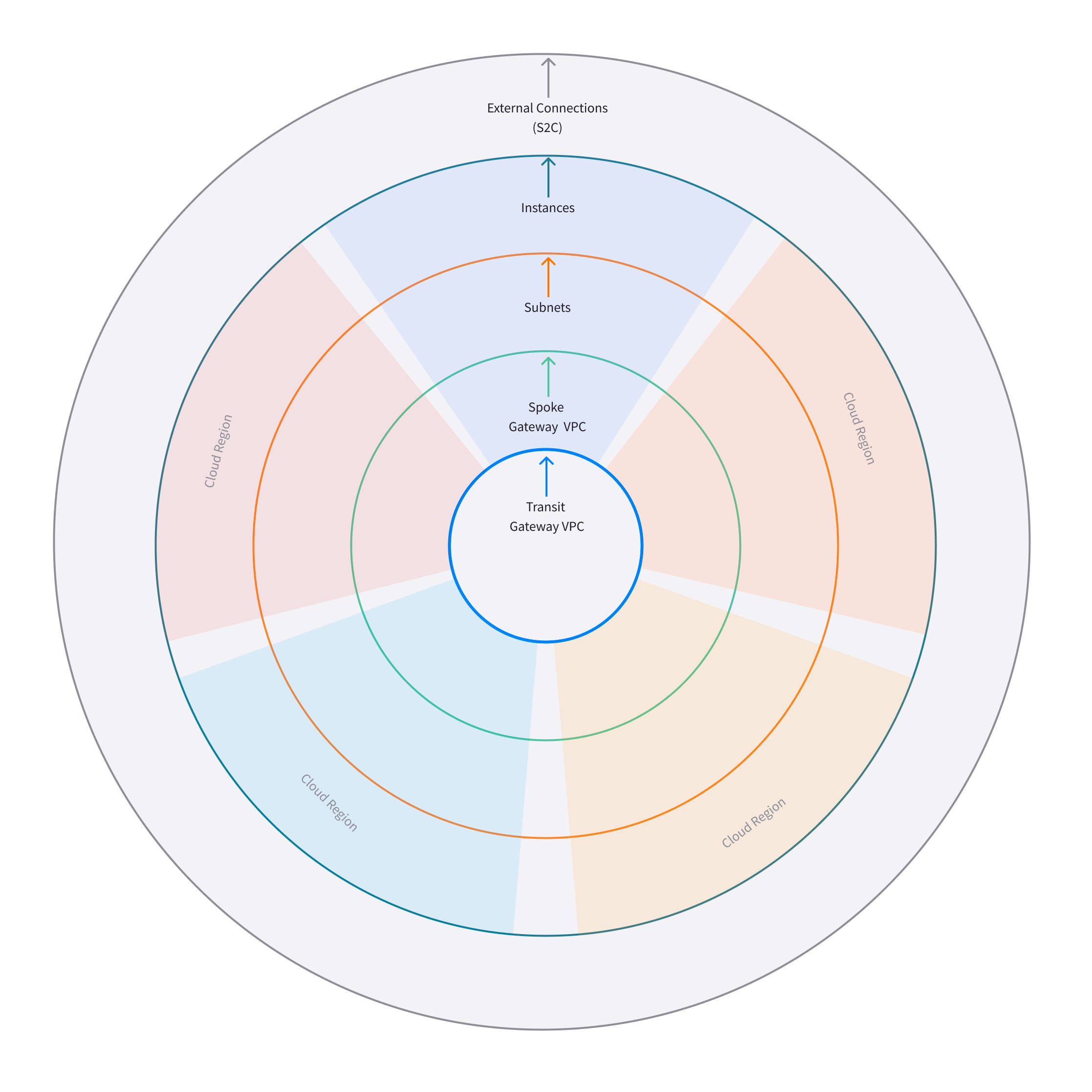
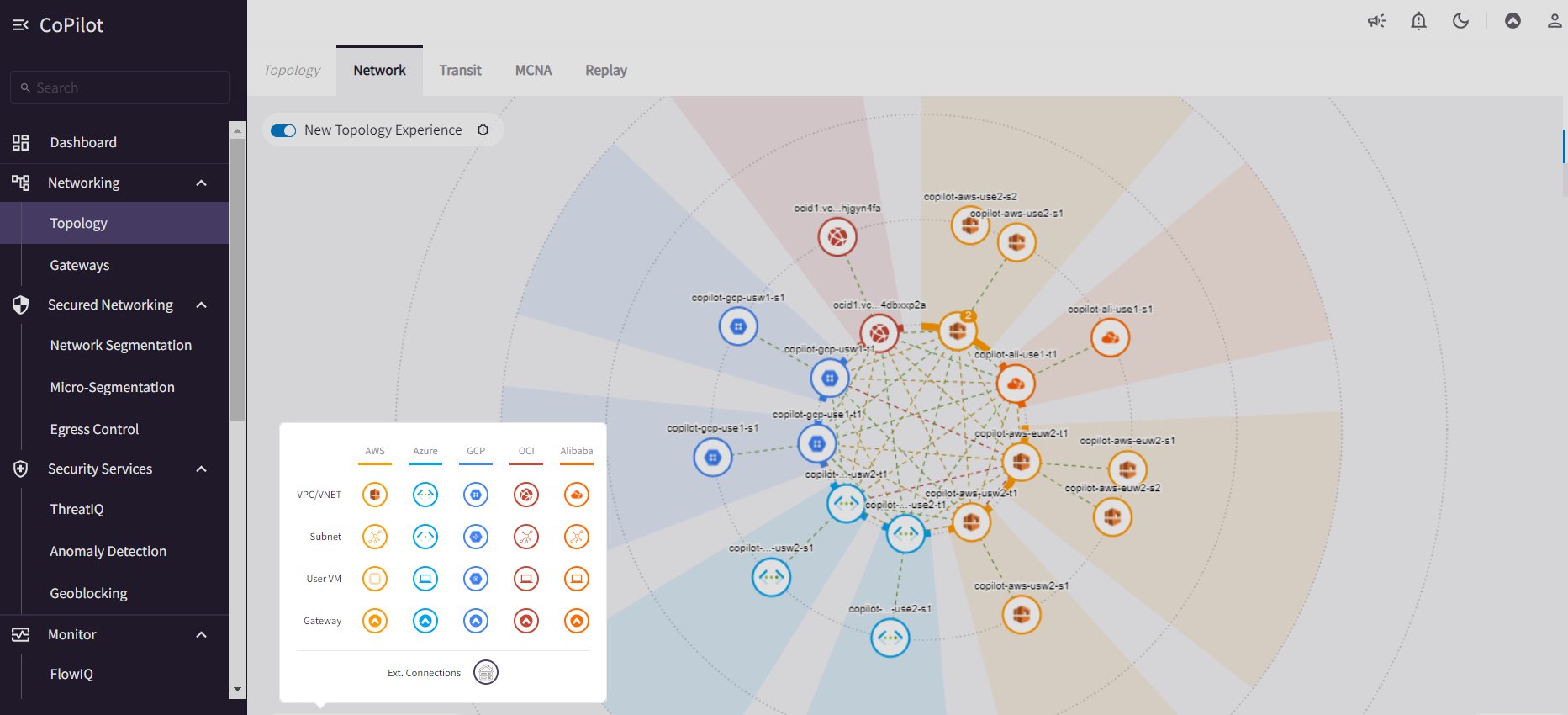 * **New FlowIQ Experience** with updated UI design for Geolocation page,
visualization of source and destination flows (Sankey chart), and other views.
Updated FlowIQ overview page with more capabilities for viewing flow details.
CoPilot Home > Monitor > FlowIQ.
* **Disk Utilization UI in Settings** shows the number of days/weeks before the
current data disk usage is expected to reach the free space threshold.
Provides recommendations for what disk size would meet data retention needs
based on existing disk usage. Set data retention policies for CoPilot data.
CoPilot Home > Settings > Disk Utilization.
* **New FlowIQ Experience** with updated UI design for Geolocation page,
visualization of source and destination flows (Sankey chart), and other views.
Updated FlowIQ overview page with more capabilities for viewing flow details.
CoPilot Home > Monitor > FlowIQ.
* **Disk Utilization UI in Settings** shows the number of days/weeks before the
current data disk usage is expected to reach the free space threshold.
Provides recommendations for what disk size would meet data retention needs
based on existing disk usage. Set data retention policies for CoPilot data.
CoPilot Home > Settings > Disk Utilization.
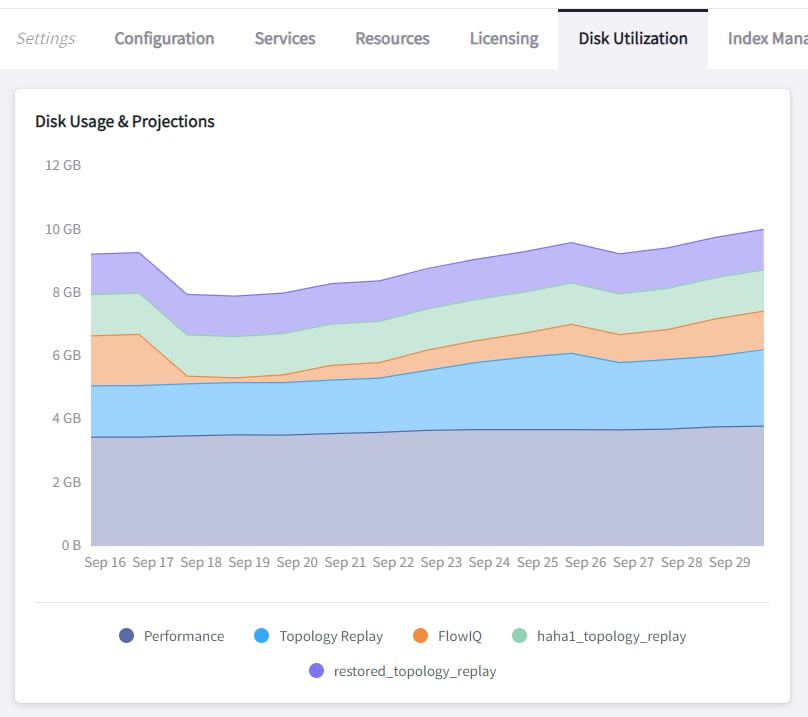
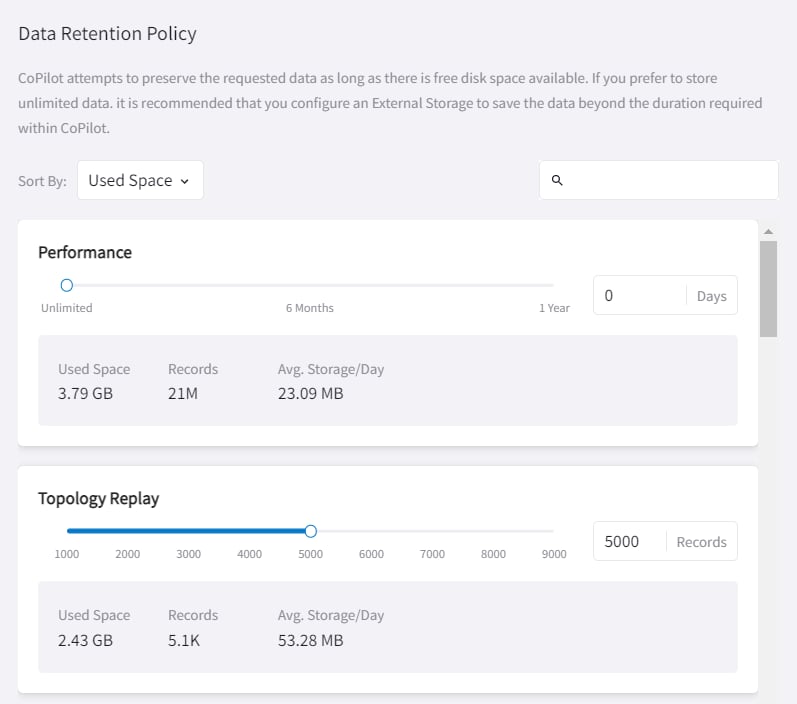 * **CoPilot licensing unified with Controller** — A separate license for CoPilot
is no longer required. The Aviatrix Controller license covers the use of
CoPilot. The CoPilot licensing page now displays the Aviatrix Controller
license details. CoPilot Home > Settings > Licensing.
* **Performance Improvements** for Alerts (Notifications) and database lookup
tasks that run behind the scenes.
* **CoPilot Feature Enablement** SKU workflows for application administrators to
enable and disable CoPilot features. CoPilot Home > Settings >
Licensing.
* **Security updates**
**CoPilot Release 2.5.4 (9/23/2022)**
* Performance improvements
**CoPilot Release 2.5.3 (9/16/2022)**
* Performance improvements to AppIQ and Dashboard.
**Feature Enhancement in CoPilot release 2.5.3**
* **FlightCheck SAP Destination Report** – If your enterprise runs SAP, you can
quickly identify SAP known ports to see the resources in your network
communicating with SAP services. When you generate a Flight Check Report, the
report results now include a **Potential SAP Services** section that shows
where SAP may be running in the environment. For more information about
Reports, see *Working with Reports*.
**CoPilot Release 2.5.2 (9/06/2022)**
* Bug Fix.
**Issue Corrected in CoPilot release 2.5.2**
* **Bug fix** — This release includes a fix required for infrastructure support.
Please note it is recommended to allow updates to your CoPilot image for
receiving the latest software versions.
**CoPilot Release 2.5.1 (8/30/2022)**
* Bug Fix.
**Issue Corrected in CoPilot release 2.5.1**
* **AVX-27965** — Removed the Cluster tab from Settings so it is not visible for
single CoPilot deployments.
**CoPilot Release 2.5.0 (8/24/2022)**
**Feature Enhancements in CoPilot release 2.5.0**
* **Remote Support Function** – You can now allow an Aviatrix Support member to
SSH into your CoPilot instance without having to open a security group. The
SSH tunnel is enabled and disabled by you, so you have full control over the
instance. To enable the SSH tunnel, go to Settings > Services > Remote
Support and set the option to **Enabled**. Provide the port number shown to
your Suppport representative. After the Support issue is resolved and access
to your instance is no longer needed, set the option to **Disabled**.
* **Run Gateway Diagnostics from Cloud Routes** – A gateway diagnostics button
is now available on the Cloud Routes page, enabling you to perform diagnostic
tasks for your Aviatrix gateways directly from that page. Performing
diagnostics from Cloud Routes can dramatically reduce the time spent
troubleshooting issues. To run diagnostics for a gateway, go to Cloud Routes
\> Gateway Routes. In the gateways list table, locate the Gateway
Diagnostics button grouped with the Search in Topology and Filter in FlowIQ
buttons. Click the button to open the gateway diagnostics dialog. Running
diagnostics from a gateway is also still available from the Topology page by
clicking on any gateway in the topology map and then clicking DIAG in the node
properties pane.
**CoPilot Release 2.4.2 (8/12/2022)**
(Note: The following releases were built for internal use only: 2.4.0, 2.4.1)
**Feature Enhancements in CoPilot release 2.4.2**
* **Export Reports to TSV** – Starting with CoPilot release 2.4.2, you can
download Inventory and FlightCheck reports as TSV (Tab Separated Value). For
more information about Reports, see Working with Reports in *Aviatrix CoPilot
User Reference Guide*.
* **Alerts UI** – The display has been changed to a data grid which enables you
to search, filter, and export alert instances. The alert detail panel is also
changed to use the new design system which improves user interaction and
clarity.
**CoPilot Release 2.3.1 (8/8/2022)**
* Bug Fix.
**Issue Corrected in CoPilot release 2.3.1**
* **AVX-26866** — A fix to a bug causing upgrades to fail from Release 2.2.2 on
Appliance Version 1 CoPilot instance.
**CoPilot Release 2.3.0 (7/28/2022)**
**Feature Enhancements in CoPilot release 2.3.0**
* (Notifications) **Set alerts based on**:
* The percentage of disk free — Percent Disk Free condition
* The percentage of memory free — Percent Memory Free condition
* The status (potential outage detection) of the underlay connection —
Underlay Connection Status condition
This alert indicates a potential underlay communication issue. Potential
causes of this alert include a CSP link outage, a misconfigured security group
or ACL, a firewall blocking traffic, and a router dropping packets. For more
information, see *Underlay Connection Status Alert*.
* (System messages) **Notification for gateway tunnel limit** — CoPilot sends a
notification if the limit for allowed number of gateway tunnels is reached.
* (Private Preview Features in Release 2.3.0) The following private preview
feature is available in this release:
* **CostIQ** – CostIQ offers visibility into costs of resources across all
clouds in your multicloud network that are managed by Aviatrix Controller.
Costs are currently reported as percentages of total traffic generated by
end instances in spoke gateways. For more information about CostIQ, see
*Working with CostIQ*.
**CoPilot Release 2.2.2 (7/22/2022)**
* Bug Fix.
**Issue Corrected in CoPilot release 2.2.2**
* **AVX-26326** — A fix is delivered for a bug that was causing new deployments
on OCI/GCP/Azure to fail for release 2.2.1.
**CoPilot Release 2.2.1 (7/15/2022)**
(Note: The following release was built for internal use only: 2.2.0)
* Improved license handling.
**Issues Corrected in CoPilot release 2.2.1**
* **AVX-25226** — In CoPilot Cloud Routes, the Cloud column was incorrectly
displaying a cloud type of "AWS China" or "ARM China" for some managed
resources.
* **AVX-25009** — When a CoPilot license expired, you were locked out even
though other licenses were associated with your CoPilot Customer ID. CoPilot
now uses all available licenses and does not require that you reset your
CoPilot Customer ID to use them.
**CoPilot Release 2.1.1 (7/07/2022)**
* Bug fixes.
**Issues Corrected in CoPilot release 2.1.1**
* **AVX-25643** — CoPilot was logging users out after every page reload.
* **AVX-24413** — ThreatGuard: When notifications were enabled for ThreatGuard,
the Block Threats slider was automatically switching back to Enabled.
**CoPilot Release 2.1.0 (7/06/2022)**
* (Anomalies) **New Anomaly Charts** — For a given anomaly, you can now view a
24-hour chart showing the time of day each metric within the anomaly deviated
from its fingerprinted behavior. The chart also shows the severity of the full
anomaly at the time the metric deviated. You can mark the full anomaly as not
an anomaly from inside the chart dialog. If marked as not an anomaly, CoPilot
will learn the new data point for all the deviated metrics in addition to the
existing fingerprinted baseline and update all charts in the anomalies
dashboard to reflect the learning.
* (Reports) **New FlightCheck Report** — Create a report showing the results of
validation checks run on your Aviatrix platform. The report will show you
if: 1) your CSP account status is not intact (the IAM policy deviates from the
Aviatrix default policy), 2) backups are not configured, 3) gateways are
down, 4) syslog is not configured, 5) SAML login is not enabled, and 6)
connections are down. The report also shows your current controller version,
the latest controller version, the controller Apache version, and the CoPilot
version.
* (Syslog config) **TCP Support for syslog** — TCP is now supported for enabling
syslog for CoPilot egress FQDN & audit data (TCP port 5000 (default)).
* UI enhancements
**CoPilot Release 2.0.6 (6/24/2022)**
* Bug fix that resolves available disk space issues for customers who were
previously impacted by issue **AVX-24966**.
**CoPilot Release 2.0.5 (6/23/2022)**
* Minor bug fixes.
**Issue Corrected in CoPilot release 2.0.5**
* **AVX-24966** — After the release of CoPilot 2.0.4, some disk cleanup policies
were not enforced. This issue has been fixed. If you observed that available
disk space was lower than the `Free disk threshold` set in Settings >
Advanced Settings and you cannot start CoPilot, please contact Aviatrix
Support for assistance.
**CoPilot Release 2.0.4 (6/17/2022)**
(Note: The following releases were built for internal use only: 2.0.0, 2.0.1,
2.0.2, 2.0.3)
* (Application Administration) **Data Migration** — Starting with CoPilot
release 2.0.4, you can now migrate data from one (source) CoPilot instance to
another (destination) CoPilot instance. Migration of CoPilot data is not
supported across clouds. Data migration is supported across regions,
availability zones, and VPCs/VNets within the same cloud. For instructions on
migrating CoPilot data from one CoPilot instance to another, see *About
Migrating CoPilot Data* in *Aviatrix CoPilot Deployment Guide*.
* (Permissions) **Improved read-only access views** — CoPilot now hides/disables
some actions in the UI for users logging in with a read-only account.
Controller user accounts that belong to a group that have read\_only
permissions will no longer be able to perform certain actions: Saving and
deleting filter groups (FlowIQ), saving and deleting topology layouts
(Topology), deleting change-set data (Topology Replay), creating and deleting
scaling policies (Performance), resolving and deleting alerts (Notifications),
creating and deleting network domains (Security), and many more actions that
are reserved for groups with all\_write and all\_security\_write permissions.
* (Login Page) **New login page** — The CoPilot login page now has a new look
and feel and includes options for remembering your login credentials and
resetting your password.
* (Public Preview Features in Release 2.0.4) The following public preview
feature is available in this release:
* **Micro-segmentation** – Micro-segmentation provides granular network
security policy enforcement for distributed applications in the cloud. It
enables a unified network access policy model for your applications with
distributed points of policy enforcement throughout your network. The
micro-segmentation public preview feature is available starting from
Controller release 6.7.1319. For information about micro-segmentation, see
Secure Networking with Micro-Segmentation in the Aviatrix product
documentation.
* (Security - Public Preview Features) The **Micro-segmentation** public preview
feature has the following enhancements (starting from Controller release
6.7.1319):
* **Micro-segmentation logging** – For the micro-segmentation rules with
logging enabled, a policy monitor is now introduced that shows which rules
were hit by network traffic. The policy monitor displays logs that meet the
criteria configured in your rules. You can filter the information by
timestamp, related rule, and more criteria. You can also configure a
retention period for how long to store the logs.
* **Micro-segmentation rule priority** – You can now specify a priority number
to the micro-segmentation rules you create. The priority number determines
the order in which your rules are applied. A lower priority number indicates
higher precedence, with the highest priority being 0.
* **Micro-segmentation system messages** – You can now view a list of system
messages about your micro-segmentation configurations by clicking the bell
icon in the CoPilot action bar.
* For information about micro-segmentation, see Secure Networking with
Micro-Segmentation in the Aviatrix product documentation.
**CoPilot Release 1.11.3 (5/23/2022)**
* (Security) **Geoblocking** — You can now select a country to block IP traffic
coming into and coming from the country. When Geoblocking is enabled for a
country, a tag-based security policy is implemented on each gateway to deny
traffic for IP addresses associated with the country. All gateways in your
VPC/VNets will block. When you unblock a country, the tag is removed from all
gateways and the stateful firewall rules instantiated on them for that country
are removed. For more information about Geoblocking and how to enable it, see
Enable Geoblocking in *Aviatrix CoPilot User Reference Guide*.
* **Attention**: A CSP-region IP may be blocked if that region is in the
blocked country. For example, if the public IP for your service is
registered in a specific country by the CSP and you block that country.
* Performance improvements.
* Minor bug fixes.
*CoPilot Release 1.10.0, 1.10.1 (5/09/2022)*
* (Performance) **Create Policies for Scaling Managed Resources** — As in prior
releases, CoPilot monitors the resource utilization (telemetry) data for all
managed resources — gateways and controller — across your Aviatrix transit
network (multicloud and single cloud). You can now create policies based on
the telemetry data that guide you on when to replace or *scale* the managed
resources up or down. When gateway virtual machines/instances exceed your
policy thresholds, CoPilot generates a resource-scale alert. From the alerts
page, you can scale up or down directly from CoPilot. When choosing the
instance size, CoPilot displays the supported instance sizes for Aviatrix
gateways in their respective cloud service provider. Policies are set on a per
VPC/VNet basis. All gateways within the given VPC/VNet are monitored. You
create the policies in CoPilot under Performance > Scaling > Policies.
For information about creating resource-scale policies, see Resizing managed
resources (gateways) based on policies in *Aviatrix CoPilot User Reference
Guide*.
* (Private Preview Features in Release 1.10.0) The following private preview
feature is available in this release:
* **Micro-segmentation** – Micro-segmentation provides granular network
security policy enforcement for distributed applications in the cloud. It
enables a unified network access policy model for your applications with
distributed points of policy enforcement throughout your network. The
micro-segmentation private preview feature is available starting from
Controller release 6.7.1185. For information about micro-segmentation, see
the Aviatrix product documentation.
* Performance improvements.
* Minor bug fixes.
**CoPilot Release 1.9.0, 1.9.1 (4/27/2022)**
* (Topology) **Limit Topology Render** — The Limit Topology Render configuration
option is added to Settings > Advanced Settings > Topology Environment
Settings. Enable this option if your network infrastructure is large and the
full visible topology cannot be rendered in the topology map. In this case,
you can still use the topology map feature by using filters to load scaled
down portions of your topology. When this option is disabled (default),
CoPilot will automatically attempt to load the full topology of your
infrastructure in the map when the Topology page is opened. To enable the
option, go to Settings > Advanced Settings > Topology Environment
Settings, set the option to **Enabled**, and click **Save**.
* (Security) **Network Segmentation for inter-VPC/VNet connectivity
(reachability)** — You can now enable network segmentation in your Aviatrix
Transit Network via the CoPilot user interface. Note the following points:
* You can still enable network segmentation for inter-VPC/VNet connectivity
using Aviatrix Controller (as in prior releases).
* The term *network domain* used in CoPilot is synonymous with *security
domain* used in Controller (the term *security domain* will eventually be
deprecated).
* The network segmentation configurations you set in Aviatrix Controller can
be accessed and modified in Aviatrix CoPilot and vice versa.
* When enabling network segmentation via CoPilot, you navigate to Security
\> Network Segmentation > Network Domain and click **Transit Gateways**
to specify the Aviatrix transit gateways you want enabled for network
segmentation. In the same view, you click **+ Network Domain** to create
your network domains and specify how the resources you associate with them
are allowed to communicate with each other. For detailed instructions, see
the discussion about enabling network segmentation using CoPilot in the
CoPilot documentation.
* (Performance) Improvements to chart displays.
* Performance improvements.
* Minor bug fixes.
**CoPilot Releases 1.8.0, 1.8.1, 1.8.2, 1.8.3 (4/05/2022), 1.8.4 (4/11/2022)**
* (Anomalies - New!) **Network Behavior Analytics** — You can now select any
VPC/VNet(s) in your clouds to have CoPilot learn their behaviors based on a
group of metrics and alert you when it detects anomalous behavior in them.
When configured for network behavior analytics, CoPilot performs continuous
network behavior analysis of the VPC/VNet workloads during a configurable
learning period. The learned behavior or *fingerprint* is a behavioral
baseline against which CoPilot can detect abnormal network operating patterns
or *anomalies*. Anomalies could represent threats on your network, systems
being down, high traffic for a planned launch, or some other abnormal
behavior. For information about enabling network behavior analytics, see
*Working with Anomalies*.
* (FlowIQ) **FlowIQ Filter by CSP Tags** — You can now search for traffic using
your cloud-native instance tags and VPC tags. Use the tags in FlowIQ filters
that take an address field like Source Address or Destination Address. For
example, to see traffic flows between business units, this filter group with
the AND operand will show traffic flows between accounting and engineering
resources where the CSP tag associated with each resource is Name =
`department` and Value = `accounting` or `engineering` respectively :
> Source Address is equal to department accounting
>
> Destination Address is equal to department engineering
* (ThreatIQ with ThreatGuard) **Prepend/Append ThreatGuard Rules** — By default,
ThreatGuard firewall rules *append* instantiated rules — Aviatrix Controller
adds the ThreatGuard rule to the end of the rules list at the time the threat
triggered the rule. You can now choose to have ThreatGuard firewall rules
*prepend* instantiated rules where Aviatrix Controller adds the ThreatGuard
rule to the beginning of the rules list at the time the threat triggered the
rule. The prepend feature is available starting from Controller release
6.6.5544. From the ThreatIQ > ThreatGuard page, select the prepend option
when configuring ThreatGuard blocking. For more information, see *About
ThreatIQ Firewall Rules*.
* (Notifications) **Edit Alerts** — You can now edit alert configurations. From
the Notifications > Configure > Configured Alerts list, locate the alert
and click on the blue pen icon. Make any changes needed to the name,
condition, email recipient, or webhook payload and then click **Update**. For
more information, see *Edit Notifications*.
* Performance Improvements.
* Bug fixes.
**CoPilot Release 1.7.1, 1.7.2 (2/23/2022), 1.7.3 (2/24/2022)**
Minor bug fixes.
**CoPilot Release 1.7.0 (2/23/2022)**
* (Reports) — You can create a report that summarizes the resource utilization
(telemetry) data for Aviatrix gateways in a single cloud or across all clouds
in your multicloud network. Of the approximately 80 performance metrics that
CoPilot exposes (system and network metrics), you can select from any or all
of them to report on for the time period you specify. Per gateway, when
reporting on network metrics, CoPilot aggregates the metrics across all
interfaces (default), or if specified, reports the metrics for each interface.
The data in the report can be organized by gateway or by metric. The report
can be exported in PDF. For information about creating a resource utilization
report, see *Create a Resource Utilization Report*.
* (Topology) — Search and filter for cloud native VPC/VNET/VCN tags — You can
search and filter for VPC/VNET/VCN tags that you set in the native cloud
service provider console. This feature is available starting from Controller
release 6.6. To filter for VPC/VNET/VCN tags, from Topology, click the Toggle
Filter slider to enable it. In the key list, under the CSP Tags category,
select the VPC/VNET/VCN tag to filter for.
* (Topology) — You can create and save topology filters. From the main topology
page, click the **Toggle Filter** slider to access the filter editor page. See
*Create and Save Topology filters*.
* (Topology) When doing packet capture on a gateway from topology, you can now
filter by virtual interfaces.
* (FlowIQ) — The FlowIQ Records page format is improved.
* (Performance) — In performance charts, CoPilot now shows the minimum and
maximum values for metrics so you can see the absolute valleys and peaks for
the metric within the selected timeframe.
* SAML users on Aviatrix Controller with admin permissions also have admin
access in CoPilot.
* (UI Improvement) — The auto-refresh component for setting the refresh interval
in the Performance, Topology, and Settings > Resources pages is replaced by
a button that takes up less space in the UI. Click on the button to set the
refresh interval or disable auto-refresh for that page.
* Performance improvements.
* Minor bug fixes.
**CoPilot Release 1.6.3 (1/31/2022)**
* **Security fix**: This patch mitigates a vulnerability that would allow an
attacker to escalate user permissions.
**CoPilot Release 1.6.2 (1/28/2022)**
* **Security fix**: This patch mitigates a vulnerability that would allow an
attacker to escalate user permissions.
**CoPilot Release 1.6.1 (1/26/2022)**
* Search and filter for instance tags — You can now search and filter for
instance tags in Topology (feature available starting from Controller release
6.6). To filter for instance tags, from Topology, click the Filter slider to
enable it. In the key list, under the CSP Tags category, select the instance
tag to filter for.
* Added auto refresh to the Resources page (Settings).
* Performance improvements.
* Minor bug fixes.
**CoPilot Release 1.6.0 (1/25/2022)**
* (Topology) Packet capture from Topology — You can now capture packets on any
gateway. In a topology map, click on any gateway where you wish to do packet
capture, click DIAG in the node properties pane, and then click the PACKET
CAPTURE tab. In the Packet Capture page, you can further filter on host and
port number and specify the capture time. You can also search and filter by
time, source address, destination address, source port, destination port,
protocol, flags, length, and info. Click Start to start the capture, click
Stop to stop the capture, then click Download to download the pcap file. The
pcap file can be viewed by Wireshark.
* (FlowIQ) You can now filter for information by gateway name using the new
FlowIQ fields: src\_gateway\_name (Source Gateway), dest\_gateway\_name
(Destination Gateway), and gw\_gateway (Gateway Name).
* (ThreatIQ) Custom ThreatIQ IP List — Network administrators can now maintain a
list of IP addresses they consider to be threat IPs. For each IP address in
the custom threat IP list, you can specify a custom severity, classification,
color (for display in lists), and informational note. When a custom threat-IP
list is added, and those threat IPs are detected, the threats are shown in the
ThreatIQ map on the Dashboard. The custom threat IPs are handled by Aviatrix
Controller in the same manner as the threat IPs identified through ThreatIQ
with ThreatGuard (detection, blocking, and unblocking functionality is the
same). In the current release, custom ThreatIQ IP lists must be created in
CoPilot under ThreatIQ > Custom Threat List.
* Support for expanding existing physical volumes — For data disks you already
allocated to your CoPilot deployment, you can increase their size. After
increasing their size via the CSP, log into CoPilot and go to Settings >
Resources. In the Resources page, locate the physical volume in the Disk Usage
table associated with the resized data disk and click its corresponding RESIZE
button. CoPilot resizes the physical volume to match the size of your expanded
disk. TIP: In the Disk Usage table, click the detail control ( ˅ ) to the left
of the Filesystem column for each physical volume until you locate the enabled
RESIZE button.
* (Usability) Latency Charts now have cross hairs that are synced across all
visible charts for easy correlation between metrics.
* Performance improvements.
* Minor bug fixes.
**CoPilot Release 1.5.1 (1/12/2022)**
* (Performance) Performance Charts now have cross hairs that are synced across
all visible charts for easy correlation between metrics.
* (Topology) Run VPC/VNET/VCN diagnostics and submit them to Aviatrix Support
from Topology. From Topology, click on any VPC/VNET/VCN in a topology map, and
then click DIAG in the node properties pane.
* (Notifications>Configure) Use new input box to type in a value (instead of
using the slider) for configuring notification thresholds.
* Performance improvements.
If you deploy Aviatrix CoPilot image version 1.5.1 from the marketplace, the
following disk volume and auto-scaling features are now available:
* New disk (volume) support — You can now allocate data disks (volumes) to your
Aviatrix CoPilot deployment to be used for expandable storage. During instance
creation in the marketplace, you can attach a data disk (data volume) to be
used for CoPilot storage. When you deploy the instance, the initial setup
process will automatically detect the disk/volume you attached during instance
creation and format and attach your disks (a logical disk/volume is created
from all physical disks). As your storage needs increase later (after
deploying), you can also add more disks (volumes) as needed. See *CoPilot Disk
(Volume) Management* for more information.
* Auto-scaling memory support — CoPilot now supports automatic memory sizing for
the ETL and datastore based on the physical memory of the instance at boot.
New base images will default to these automatic settings, but existing
deployments will keep their current configuration unless updated. Memory
settings are still located under Settings > Configuration > Options.
**CoPilot Release 1.5.0 (1/12/2022)**
* **ThreatIQ map in dashboard** — The CoPilot Dashboard now includes the
ThreatIQ map showing any threats over the last 24 hours.
* **New gateway diagnostic features**
You can now perform the following diagnostic tasks for Aviatrix gateways (from
Topology, click on any gateway in a topology map, and then click DIAG in the
node properties pane):
\*\* (TRACEPATH tab) Discover the MTU on the path (if router supports it). \*\*
(TRACELOG tab) Upload a gateway's tracelog directly to Aviatrix Support. The
controller and gateway tracelog is uploaded and the support team notified. \*\*
(SERVICE ACTIONS tab) Check the status of gateway services and restart services.
* Performance improvements and bug fixes.
**Release 1.4.9.3 (12/28/2021)**
* UI improvements. \*\* You can now open Aviatrix Controller from CoPilot. From
the CoPilot dashboard, click the Apps icon in the action bar, and then select
**Controller**. The controller opens in a new browser tab. \*\* Improvements
were made to the ThreatIQ dashboard.
* Performance improvements.
* Minor bug fixes.
**Releases 1.4.9.1, 1.4.9.2**
* **Bug fix** Minor bug fixes.
**Release 1.4.9**
* **New: Inventory Reports** You can now create customized, detailed reports for
all or specific inventory (resources managed by Aviatrix Controller) running
across your multicloud network. To create a custom report, you answer
questions that guide you to include only the information you want in the
report. Each time you specify your criteria, the PDF report view updates in
real time in an adjacent pane. You first specify the cloud provider(s) to
include information about a single cloud or multiple clouds. You then specify
the regions you have resources in that you want to include. You can further
specify the VPCs/VNETs/VCNs in the region(s) and drill down further to specify
the resource types (for example, gateways and instances). You can save and
download the report. Currently, you cannot save a report filter.
* **Enhancement** (ThreatGuard) Now only users logged in to CoPilot who have
Admin/Firewall Admin permissions can enable/disable ThreatGuard blocking.
* **Enhancement** (ThreatGuard) Selective Threat Blocking. You can now be
selective about which VPCs/VNets/VCNs block threat IPs when ThreatGuard
blocking is enabled. By default, all VPCs/VNets/VCNs block when ThreatGuard
blocking is enabled. You can then use the Allow/Deny List to specify which
ones will not block.
* **Enhancement** (Topology) Support for filtering on your own tags you created
in the CSP (supported for tags added to gateways only at this time, not
instances).
* **Enhancement** (Egress) For Egress, CoPilot now shows Rule and Action when a
request hits a rule.
* **Enhancement** Performance improvements.
* **Bug fix** Minor bug fixes.
**Release 1.4.8**
* **New: ThreatGuard** You can now block and get alerted on the threats detected
in your network. A dashboard to configure and view ThreatGuard in action.
* **Enhancement** Improved alerts.
* **Enhancement** More metrics. All of Performance V2 metrics are now supported
for receiving alerts.
* **Enhancement** Ability to pick and choose one/more/all hosts and one/more/all
of interfaces to receive telemetry and node status alerts.
* **Enhancement** Support for filtering domains and hosts in Network
Segmentation graphs.
* **Enhancement** Faster Cloud Routes pages and faster Notifications page.
* **Enhancement** Performance improvements.
* **Bug fix** Minor bug fixes.
**Release 1.4.7.4**
* **Bug fix** Fixes to latencies in Topology.
**Release 1.4.7.3**
* **Enhancement** Improvements to GW, Tunnel, S2C alerts.
* **Enhancement** Performance improvements in backend tasks.
* **Enhancement** Configurable settings for Network Segmentation charts.
* **Bug fix** Fix in V2 Telemetry alerts.
**Release 1.4.7.2**
* **Bug fix** Fixes to Legend in Network Segmentation Page.
* Revert ETL migration for Customers with older than 6.4 Controllers
* **Bug fix** Minor improvements to Performance V2 Charts.
**Release 1.4.7.1**
* **Bug fix** Minor bug fixes in Performance Monitor V2.
**Release 1.4.7**
* **New: ThreatIQ** Real time identification of threats in ThreatIQ.
* **Enhancement** Performance V2. Many more metrics to monitor performance of
hosts, interfaces and tunnels. In the Performance Page, click on **Switch to
V2**.
* **Enhancement** Latencies for Site2Cloud links.
* **Enhancement** You can now filter topology data by node type.
* **Enhancement** Improved Cloud Routes Search and show only the routes with
longest prefix.
* **Enhancement** Upgraded AppIQ with V2 performance metrics.
* **Enhancement** Performance improvements.
* **Bug fix** Minor bug fixes.
**Release 1.4.6.4 (7/07/2021)**
* **Bug fix** Fixes to SSO login.
**Release 1.4.6.3**
* **Enhancement** Improvements to individual alerts per host.
* **Enhancement** In Dashboard, added a chart for instances per region.
* **Bug fix** Fixes to topology replay.
* **Bug fix** Fixes to topology saved layouts.
**Release 1.4.6.3**
* **Enhancement** Improvements to individual alerts per host.
* **Enhancement** In Dashboard, added a chart for instances per region.
* **Bug fix** Fixes to topology replay.
* **Bug fix** Fixes to topology saved layouts.
**Release 1.4.6.2**
* **Bug fix** Fix to the offline upgrade process.
**Release 1.4.1**
* **Bug fix** Fix in Webhooks test button.
**Release 1.4.6**
* **Enhancement** You can now receive individual alert notifications for each
host.
* **Enhancement** AppIQ now works across all clouds.
* **Enhancement** In Topology, you can show and hide latencies.
* **Bug fix** Fixes for Dashboard Charts.
* **Bug fix** Fixes for Security Charts.
**Release 1.4.5.3**
* **Enhancement** In Dashboard, new chart for Instances Per Cloud.
* **Bug fix** Fixes for Gateways Active Sessions and Interfaces.
* **Bug fix** Fixes for Security Charts.
**Release 1.4.5.2**
* **Enhancement** Security updates.
* **Bug fix** Webhook templates bug fix.
**Release 1.4.5.1**
* **Bug fixes** Minor bug fixes in Dashboard pie charts and VPC Routes.
**Release 1.4.5**
* **Enhancement** Support for offline upgrade and offline installation of
CoPilot.
* **Enhancement** Support for templates in Webhooks.
* **Enhancement** Support for Alibaba Cloud.
* Settings -> Index Management Support for searching and filtering indices.
* **Bug fixes** Minor bug fixes.
**Release 1.4.4**
* **Bug fix** Performance Fixes for Dashboard - Overview and Traffic Pages load
faster.
* **Bug fix** Security fixes
* **Improvement** Topology loads better
* **Enhancement** Latencies can now be refreshed at user specified intervals
* **Enhancement** Topology Replay - loads much faster for bigger changes
**Release 1.4.3.3**
* **Bug fix** Security fixes
**Release 1.4.3**
* **Dashboard -> Traffic page** Detailed metrics on data sent and received in
the last hour and day for instances, regions, GWs and VPCs/VNETs/VCNs. Also
shows the trend and detailed traffic chart for each cloud construct. Ties into
FlowIQ for deeper visibility.
* **Security -> Audit** End to end audit on every API call (with response
status, user who made the call, arguments for the call), aggregated hourly,
daily, monthly and fully searchable, filterable and sortable.
* **Search for titles/notes in the topology replay timeline across timestamps**
Replay now ties into Audit so that you know who made the infrastructure
change(s) and when it was (they were) made.
* **SSO** Configure CoPilot in the Controller UI and login into CoPilot from the
Controller directly without having to enter the credentials.
* **Cloud Routes and BGP** section now scale to work with Controller 6.4 API
changes, backward compatible with pre-6.4 APIs.
* **Cloud Routes Search** Search, filter and highlight across routes/GWs for
anything you see on the page (name, routes, cloud provider, status, tunnels).
Search for IP in Subnet also highlights which CIDR the IP is part of.
* Look and feel improvements for Settings Pages and Notifications page.
* **Bug fix** Good number of UX enhancements and bug fixes.
**Release 1.4.2.1**
* A patch update to the release 1.4.2
* **Improvement** in scalability and security. Support 100k+ changes in topology
diff and more than 250k tunnels in the cloud routes section (which is about
40MB of tunnels data rendered in less than 5 secs). We also made improvements
to our middleware to secure CoPilot. We now logout the user immediately from
accessing copilot data, if the user gets deleted from the Controller.
**Release 1.4.2**
* **Scale** Scaled the cloud routes section to handle any number of routes, so
for GWs with 10ks of routes is blazing fast. The Latency charts are scaled too
to handle 1000s of charts each for one topology edge.
* **Search** You can even search and highlight across 1000s of routes across
GWs.
* **Bug fix** We fixed our disk cleanup logic that periodically frees up space
in the copilot instance for a user specified threshold percentage of free
disk.
* **Bug fix** We fixed some bugs in topology replay, talking of which, you can
now hide/show highlited nodes to clear the clutter while viewing changed
nodes.
* **Enhancement** When you receive a 'closed' alert (email or webhook) it also
contains what hosts were previously affected, so customers can use third party
tools (like OpsGenie) to parse for fields of their interest.
* **Improvement** Minor UX improvements
**Release 1.4.1**
* **Bug Fixes**
* **Scale** Large environment support in Latency Monitor and in Replay.
* **Topology Replay** Ability to now add notes and a tag to a change in replay.
**Releases 1.4.0.1, 1.4.0.2**
* **Enhancement** Enhanced Topology Replay to add zoom and move to preview
timeline
* **Enhancement** Throttle Latency Calls to reduce Controller cpu usage (for
large scale env), removed duplicate latency calls for edges
* **Bug fix** Topology Transit View - Single node clusters for VPC, Fix for
Spokes with Peering Connections, Connect S2C to regions
* **Bug fix** Dashboard not showing OCI in Geo Map
* **Bug fix** Segments not showing up randomly on Domain Segmentation. Truncate
long labels and add tooltip
**Release 1.4.0**
* **CoPilot Theme** New Dark Mode The moon icon in the CoPilot header can be
toggled to switch between light mode and dark mode.
* **Topology Replay** Full view of what's changed in your infrastructure.
Instantly see any change (for ex: GWs go up/down, tunnels flap, peerings
added) to your topology at any timestamp and manage your changesets.
* **Multi Cloud Network Segmentation** Now in Security tab, Logical view ->
you can visualize which spoke (or Site2Cloud instance) can reach which other
spokes based on the network domains they are part of. In the physical view
-> you can visualize the spokes (or S2C instances) grouped by the transit
gateways and their reachability based on the network domains they are attached
to.
* **Transit View for Topology** Topology Revamped. Clear the clutter and
visualize multicloud topology with just the Aviatrix transits connected to
regions. Double click to open/close VPC/VNET clusters.
* **Improved FlowIQ Filters** Use "not equal to" in a filter rule to specify
negation. Group filter rules using "NOT" to specify negation of all the filter
rules together.
* **Interface Stats** Use the Diag button in topology to view interface
statistics for a gateway
**Releases 1.3.2.1, 1.3.2.2, 1.3.2.3**
* **Bug fix** Fixes to saved filter groups in FlowIQ
* **Bug fix** Fixes to pie charts in FlowIQ Trends
* **Bug fix** Fixes to top navigation header to always show it
* **Enhancement** Better error checking for dashboard APIs
* **Enhancement** Changes to slider step while defining alerts for Rx, Tx and
RxTx metrics
**Release 1.3.2**
* **Enhanced FlowIQ Filters** Now filter FlowIQ results by performing complex
queries by doing logical ANDs and ORs between different filters. Filter groups
can now be searched and selected in FlowIQ
* **Alerts** Now get alerted when a Site2Cloud tunnel or BGP connection status
changes
* **Enhanced Diagnosis in Topology** Test connectivity from a selected gateway
to a host IP
* **Session Visibility** Active Sessions for a selected Gateway
* **Enhanced Index Management and Data Retention policies** Now you can better
control how long you want to retain data for each of FlowIQ, Performance,
FlowIQ, latencies.
* **Multicloud AppIQ Support** AppIQ supports all clouds (FlightPath may not
work across all clouds)
* **Performance Monitoring** A much cleaner legend for performance monitoring
charts
* **Topology Enhancement** New Truncate/expand labels in topology
**Release 1.3.1.2**
* **Bug fix** to flight path in AppIQ report
* **Enhancement** Change Cluster Labels in Topology to VPC Labels
* **Enhancement** Gov Cloud icons show up in Topology
**Release 1.3.1.1**
> * **Bug fix** Fixes to latency tracker
**Release 1.3.1**
* **Enhancement** Receive email and webhook alerts when a Gateway or Tunnel is
down
* **Latencies** View historical latencies and perform search to filter latencies
of interest
* **Enhancement** Cleaner topology with truncated labels and latency numbers
align along edges
* **Enhancement** Cleaner topology in AppIQ
* **Enhancement** Filter table columns in GW Routes and VPC Routes
**Release 1.3.0**
* **Security** Egress FQDN Dashboard, search and live monitoring
* **Alerts** Webhooks integration for alerts - Use Webhooks to alert on
telemetry data
**Release 1.2.1.2**
* **Bug fix** A fix to AppIQ inconsistency in topology instances
**Release 1.2.1.1**
* **Enhancements** Compressed the AppIQ report file size for easier download
* **Bug fix** in BGP routes and AppIQ charts
**Release 1.2.1**
* **AppIQ** generates a comprehensive report of control plane connectivity
between any two cloud endpoints connected with Aviatrix Transit Network which
includes link status, latency, bandwidth, traffic, and performance monitoring
data.
* **CoPilot licensing unified with Controller** — A separate license for CoPilot
is no longer required. The Aviatrix Controller license covers the use of
CoPilot. The CoPilot licensing page now displays the Aviatrix Controller
license details. CoPilot Home > Settings > Licensing.
* **Performance Improvements** for Alerts (Notifications) and database lookup
tasks that run behind the scenes.
* **CoPilot Feature Enablement** SKU workflows for application administrators to
enable and disable CoPilot features. CoPilot Home > Settings >
Licensing.
* **Security updates**
**CoPilot Release 2.5.4 (9/23/2022)**
* Performance improvements
**CoPilot Release 2.5.3 (9/16/2022)**
* Performance improvements to AppIQ and Dashboard.
**Feature Enhancement in CoPilot release 2.5.3**
* **FlightCheck SAP Destination Report** – If your enterprise runs SAP, you can
quickly identify SAP known ports to see the resources in your network
communicating with SAP services. When you generate a Flight Check Report, the
report results now include a **Potential SAP Services** section that shows
where SAP may be running in the environment. For more information about
Reports, see *Working with Reports*.
**CoPilot Release 2.5.2 (9/06/2022)**
* Bug Fix.
**Issue Corrected in CoPilot release 2.5.2**
* **Bug fix** — This release includes a fix required for infrastructure support.
Please note it is recommended to allow updates to your CoPilot image for
receiving the latest software versions.
**CoPilot Release 2.5.1 (8/30/2022)**
* Bug Fix.
**Issue Corrected in CoPilot release 2.5.1**
* **AVX-27965** — Removed the Cluster tab from Settings so it is not visible for
single CoPilot deployments.
**CoPilot Release 2.5.0 (8/24/2022)**
**Feature Enhancements in CoPilot release 2.5.0**
* **Remote Support Function** – You can now allow an Aviatrix Support member to
SSH into your CoPilot instance without having to open a security group. The
SSH tunnel is enabled and disabled by you, so you have full control over the
instance. To enable the SSH tunnel, go to Settings > Services > Remote
Support and set the option to **Enabled**. Provide the port number shown to
your Suppport representative. After the Support issue is resolved and access
to your instance is no longer needed, set the option to **Disabled**.
* **Run Gateway Diagnostics from Cloud Routes** – A gateway diagnostics button
is now available on the Cloud Routes page, enabling you to perform diagnostic
tasks for your Aviatrix gateways directly from that page. Performing
diagnostics from Cloud Routes can dramatically reduce the time spent
troubleshooting issues. To run diagnostics for a gateway, go to Cloud Routes
\> Gateway Routes. In the gateways list table, locate the Gateway
Diagnostics button grouped with the Search in Topology and Filter in FlowIQ
buttons. Click the button to open the gateway diagnostics dialog. Running
diagnostics from a gateway is also still available from the Topology page by
clicking on any gateway in the topology map and then clicking DIAG in the node
properties pane.
**CoPilot Release 2.4.2 (8/12/2022)**
(Note: The following releases were built for internal use only: 2.4.0, 2.4.1)
**Feature Enhancements in CoPilot release 2.4.2**
* **Export Reports to TSV** – Starting with CoPilot release 2.4.2, you can
download Inventory and FlightCheck reports as TSV (Tab Separated Value). For
more information about Reports, see Working with Reports in *Aviatrix CoPilot
User Reference Guide*.
* **Alerts UI** – The display has been changed to a data grid which enables you
to search, filter, and export alert instances. The alert detail panel is also
changed to use the new design system which improves user interaction and
clarity.
**CoPilot Release 2.3.1 (8/8/2022)**
* Bug Fix.
**Issue Corrected in CoPilot release 2.3.1**
* **AVX-26866** — A fix to a bug causing upgrades to fail from Release 2.2.2 on
Appliance Version 1 CoPilot instance.
**CoPilot Release 2.3.0 (7/28/2022)**
**Feature Enhancements in CoPilot release 2.3.0**
* (Notifications) **Set alerts based on**:
* The percentage of disk free — Percent Disk Free condition
* The percentage of memory free — Percent Memory Free condition
* The status (potential outage detection) of the underlay connection —
Underlay Connection Status condition
This alert indicates a potential underlay communication issue. Potential
causes of this alert include a CSP link outage, a misconfigured security group
or ACL, a firewall blocking traffic, and a router dropping packets. For more
information, see *Underlay Connection Status Alert*.
* (System messages) **Notification for gateway tunnel limit** — CoPilot sends a
notification if the limit for allowed number of gateway tunnels is reached.
* (Private Preview Features in Release 2.3.0) The following private preview
feature is available in this release:
* **CostIQ** – CostIQ offers visibility into costs of resources across all
clouds in your multicloud network that are managed by Aviatrix Controller.
Costs are currently reported as percentages of total traffic generated by
end instances in spoke gateways. For more information about CostIQ, see
*Working with CostIQ*.
**CoPilot Release 2.2.2 (7/22/2022)**
* Bug Fix.
**Issue Corrected in CoPilot release 2.2.2**
* **AVX-26326** — A fix is delivered for a bug that was causing new deployments
on OCI/GCP/Azure to fail for release 2.2.1.
**CoPilot Release 2.2.1 (7/15/2022)**
(Note: The following release was built for internal use only: 2.2.0)
* Improved license handling.
**Issues Corrected in CoPilot release 2.2.1**
* **AVX-25226** — In CoPilot Cloud Routes, the Cloud column was incorrectly
displaying a cloud type of "AWS China" or "ARM China" for some managed
resources.
* **AVX-25009** — When a CoPilot license expired, you were locked out even
though other licenses were associated with your CoPilot Customer ID. CoPilot
now uses all available licenses and does not require that you reset your
CoPilot Customer ID to use them.
**CoPilot Release 2.1.1 (7/07/2022)**
* Bug fixes.
**Issues Corrected in CoPilot release 2.1.1**
* **AVX-25643** — CoPilot was logging users out after every page reload.
* **AVX-24413** — ThreatGuard: When notifications were enabled for ThreatGuard,
the Block Threats slider was automatically switching back to Enabled.
**CoPilot Release 2.1.0 (7/06/2022)**
* (Anomalies) **New Anomaly Charts** — For a given anomaly, you can now view a
24-hour chart showing the time of day each metric within the anomaly deviated
from its fingerprinted behavior. The chart also shows the severity of the full
anomaly at the time the metric deviated. You can mark the full anomaly as not
an anomaly from inside the chart dialog. If marked as not an anomaly, CoPilot
will learn the new data point for all the deviated metrics in addition to the
existing fingerprinted baseline and update all charts in the anomalies
dashboard to reflect the learning.
* (Reports) **New FlightCheck Report** — Create a report showing the results of
validation checks run on your Aviatrix platform. The report will show you
if: 1) your CSP account status is not intact (the IAM policy deviates from the
Aviatrix default policy), 2) backups are not configured, 3) gateways are
down, 4) syslog is not configured, 5) SAML login is not enabled, and 6)
connections are down. The report also shows your current controller version,
the latest controller version, the controller Apache version, and the CoPilot
version.
* (Syslog config) **TCP Support for syslog** — TCP is now supported for enabling
syslog for CoPilot egress FQDN & audit data (TCP port 5000 (default)).
* UI enhancements
**CoPilot Release 2.0.6 (6/24/2022)**
* Bug fix that resolves available disk space issues for customers who were
previously impacted by issue **AVX-24966**.
**CoPilot Release 2.0.5 (6/23/2022)**
* Minor bug fixes.
**Issue Corrected in CoPilot release 2.0.5**
* **AVX-24966** — After the release of CoPilot 2.0.4, some disk cleanup policies
were not enforced. This issue has been fixed. If you observed that available
disk space was lower than the `Free disk threshold` set in Settings >
Advanced Settings and you cannot start CoPilot, please contact Aviatrix
Support for assistance.
**CoPilot Release 2.0.4 (6/17/2022)**
(Note: The following releases were built for internal use only: 2.0.0, 2.0.1,
2.0.2, 2.0.3)
* (Application Administration) **Data Migration** — Starting with CoPilot
release 2.0.4, you can now migrate data from one (source) CoPilot instance to
another (destination) CoPilot instance. Migration of CoPilot data is not
supported across clouds. Data migration is supported across regions,
availability zones, and VPCs/VNets within the same cloud. For instructions on
migrating CoPilot data from one CoPilot instance to another, see *About
Migrating CoPilot Data* in *Aviatrix CoPilot Deployment Guide*.
* (Permissions) **Improved read-only access views** — CoPilot now hides/disables
some actions in the UI for users logging in with a read-only account.
Controller user accounts that belong to a group that have read\_only
permissions will no longer be able to perform certain actions: Saving and
deleting filter groups (FlowIQ), saving and deleting topology layouts
(Topology), deleting change-set data (Topology Replay), creating and deleting
scaling policies (Performance), resolving and deleting alerts (Notifications),
creating and deleting network domains (Security), and many more actions that
are reserved for groups with all\_write and all\_security\_write permissions.
* (Login Page) **New login page** — The CoPilot login page now has a new look
and feel and includes options for remembering your login credentials and
resetting your password.
* (Public Preview Features in Release 2.0.4) The following public preview
feature is available in this release:
* **Micro-segmentation** – Micro-segmentation provides granular network
security policy enforcement for distributed applications in the cloud. It
enables a unified network access policy model for your applications with
distributed points of policy enforcement throughout your network. The
micro-segmentation public preview feature is available starting from
Controller release 6.7.1319. For information about micro-segmentation, see
Secure Networking with Micro-Segmentation in the Aviatrix product
documentation.
* (Security - Public Preview Features) The **Micro-segmentation** public preview
feature has the following enhancements (starting from Controller release
6.7.1319):
* **Micro-segmentation logging** – For the micro-segmentation rules with
logging enabled, a policy monitor is now introduced that shows which rules
were hit by network traffic. The policy monitor displays logs that meet the
criteria configured in your rules. You can filter the information by
timestamp, related rule, and more criteria. You can also configure a
retention period for how long to store the logs.
* **Micro-segmentation rule priority** – You can now specify a priority number
to the micro-segmentation rules you create. The priority number determines
the order in which your rules are applied. A lower priority number indicates
higher precedence, with the highest priority being 0.
* **Micro-segmentation system messages** – You can now view a list of system
messages about your micro-segmentation configurations by clicking the bell
icon in the CoPilot action bar.
* For information about micro-segmentation, see Secure Networking with
Micro-Segmentation in the Aviatrix product documentation.
**CoPilot Release 1.11.3 (5/23/2022)**
* (Security) **Geoblocking** — You can now select a country to block IP traffic
coming into and coming from the country. When Geoblocking is enabled for a
country, a tag-based security policy is implemented on each gateway to deny
traffic for IP addresses associated with the country. All gateways in your
VPC/VNets will block. When you unblock a country, the tag is removed from all
gateways and the stateful firewall rules instantiated on them for that country
are removed. For more information about Geoblocking and how to enable it, see
Enable Geoblocking in *Aviatrix CoPilot User Reference Guide*.
* **Attention**: A CSP-region IP may be blocked if that region is in the
blocked country. For example, if the public IP for your service is
registered in a specific country by the CSP and you block that country.
* Performance improvements.
* Minor bug fixes.
*CoPilot Release 1.10.0, 1.10.1 (5/09/2022)*
* (Performance) **Create Policies for Scaling Managed Resources** — As in prior
releases, CoPilot monitors the resource utilization (telemetry) data for all
managed resources — gateways and controller — across your Aviatrix transit
network (multicloud and single cloud). You can now create policies based on
the telemetry data that guide you on when to replace or *scale* the managed
resources up or down. When gateway virtual machines/instances exceed your
policy thresholds, CoPilot generates a resource-scale alert. From the alerts
page, you can scale up or down directly from CoPilot. When choosing the
instance size, CoPilot displays the supported instance sizes for Aviatrix
gateways in their respective cloud service provider. Policies are set on a per
VPC/VNet basis. All gateways within the given VPC/VNet are monitored. You
create the policies in CoPilot under Performance > Scaling > Policies.
For information about creating resource-scale policies, see Resizing managed
resources (gateways) based on policies in *Aviatrix CoPilot User Reference
Guide*.
* (Private Preview Features in Release 1.10.0) The following private preview
feature is available in this release:
* **Micro-segmentation** – Micro-segmentation provides granular network
security policy enforcement for distributed applications in the cloud. It
enables a unified network access policy model for your applications with
distributed points of policy enforcement throughout your network. The
micro-segmentation private preview feature is available starting from
Controller release 6.7.1185. For information about micro-segmentation, see
the Aviatrix product documentation.
* Performance improvements.
* Minor bug fixes.
**CoPilot Release 1.9.0, 1.9.1 (4/27/2022)**
* (Topology) **Limit Topology Render** — The Limit Topology Render configuration
option is added to Settings > Advanced Settings > Topology Environment
Settings. Enable this option if your network infrastructure is large and the
full visible topology cannot be rendered in the topology map. In this case,
you can still use the topology map feature by using filters to load scaled
down portions of your topology. When this option is disabled (default),
CoPilot will automatically attempt to load the full topology of your
infrastructure in the map when the Topology page is opened. To enable the
option, go to Settings > Advanced Settings > Topology Environment
Settings, set the option to **Enabled**, and click **Save**.
* (Security) **Network Segmentation for inter-VPC/VNet connectivity
(reachability)** — You can now enable network segmentation in your Aviatrix
Transit Network via the CoPilot user interface. Note the following points:
* You can still enable network segmentation for inter-VPC/VNet connectivity
using Aviatrix Controller (as in prior releases).
* The term *network domain* used in CoPilot is synonymous with *security
domain* used in Controller (the term *security domain* will eventually be
deprecated).
* The network segmentation configurations you set in Aviatrix Controller can
be accessed and modified in Aviatrix CoPilot and vice versa.
* When enabling network segmentation via CoPilot, you navigate to Security
\> Network Segmentation > Network Domain and click **Transit Gateways**
to specify the Aviatrix transit gateways you want enabled for network
segmentation. In the same view, you click **+ Network Domain** to create
your network domains and specify how the resources you associate with them
are allowed to communicate with each other. For detailed instructions, see
the discussion about enabling network segmentation using CoPilot in the
CoPilot documentation.
* (Performance) Improvements to chart displays.
* Performance improvements.
* Minor bug fixes.
**CoPilot Releases 1.8.0, 1.8.1, 1.8.2, 1.8.3 (4/05/2022), 1.8.4 (4/11/2022)**
* (Anomalies - New!) **Network Behavior Analytics** — You can now select any
VPC/VNet(s) in your clouds to have CoPilot learn their behaviors based on a
group of metrics and alert you when it detects anomalous behavior in them.
When configured for network behavior analytics, CoPilot performs continuous
network behavior analysis of the VPC/VNet workloads during a configurable
learning period. The learned behavior or *fingerprint* is a behavioral
baseline against which CoPilot can detect abnormal network operating patterns
or *anomalies*. Anomalies could represent threats on your network, systems
being down, high traffic for a planned launch, or some other abnormal
behavior. For information about enabling network behavior analytics, see
*Working with Anomalies*.
* (FlowIQ) **FlowIQ Filter by CSP Tags** — You can now search for traffic using
your cloud-native instance tags and VPC tags. Use the tags in FlowIQ filters
that take an address field like Source Address or Destination Address. For
example, to see traffic flows between business units, this filter group with
the AND operand will show traffic flows between accounting and engineering
resources where the CSP tag associated with each resource is Name =
`department` and Value = `accounting` or `engineering` respectively :
> Source Address is equal to department accounting
>
> Destination Address is equal to department engineering
* (ThreatIQ with ThreatGuard) **Prepend/Append ThreatGuard Rules** — By default,
ThreatGuard firewall rules *append* instantiated rules — Aviatrix Controller
adds the ThreatGuard rule to the end of the rules list at the time the threat
triggered the rule. You can now choose to have ThreatGuard firewall rules
*prepend* instantiated rules where Aviatrix Controller adds the ThreatGuard
rule to the beginning of the rules list at the time the threat triggered the
rule. The prepend feature is available starting from Controller release
6.6.5544. From the ThreatIQ > ThreatGuard page, select the prepend option
when configuring ThreatGuard blocking. For more information, see *About
ThreatIQ Firewall Rules*.
* (Notifications) **Edit Alerts** — You can now edit alert configurations. From
the Notifications > Configure > Configured Alerts list, locate the alert
and click on the blue pen icon. Make any changes needed to the name,
condition, email recipient, or webhook payload and then click **Update**. For
more information, see *Edit Notifications*.
* Performance Improvements.
* Bug fixes.
**CoPilot Release 1.7.1, 1.7.2 (2/23/2022), 1.7.3 (2/24/2022)**
Minor bug fixes.
**CoPilot Release 1.7.0 (2/23/2022)**
* (Reports) — You can create a report that summarizes the resource utilization
(telemetry) data for Aviatrix gateways in a single cloud or across all clouds
in your multicloud network. Of the approximately 80 performance metrics that
CoPilot exposes (system and network metrics), you can select from any or all
of them to report on for the time period you specify. Per gateway, when
reporting on network metrics, CoPilot aggregates the metrics across all
interfaces (default), or if specified, reports the metrics for each interface.
The data in the report can be organized by gateway or by metric. The report
can be exported in PDF. For information about creating a resource utilization
report, see *Create a Resource Utilization Report*.
* (Topology) — Search and filter for cloud native VPC/VNET/VCN tags — You can
search and filter for VPC/VNET/VCN tags that you set in the native cloud
service provider console. This feature is available starting from Controller
release 6.6. To filter for VPC/VNET/VCN tags, from Topology, click the Toggle
Filter slider to enable it. In the key list, under the CSP Tags category,
select the VPC/VNET/VCN tag to filter for.
* (Topology) — You can create and save topology filters. From the main topology
page, click the **Toggle Filter** slider to access the filter editor page. See
*Create and Save Topology filters*.
* (Topology) When doing packet capture on a gateway from topology, you can now
filter by virtual interfaces.
* (FlowIQ) — The FlowIQ Records page format is improved.
* (Performance) — In performance charts, CoPilot now shows the minimum and
maximum values for metrics so you can see the absolute valleys and peaks for
the metric within the selected timeframe.
* SAML users on Aviatrix Controller with admin permissions also have admin
access in CoPilot.
* (UI Improvement) — The auto-refresh component for setting the refresh interval
in the Performance, Topology, and Settings > Resources pages is replaced by
a button that takes up less space in the UI. Click on the button to set the
refresh interval or disable auto-refresh for that page.
* Performance improvements.
* Minor bug fixes.
**CoPilot Release 1.6.3 (1/31/2022)**
* **Security fix**: This patch mitigates a vulnerability that would allow an
attacker to escalate user permissions.
**CoPilot Release 1.6.2 (1/28/2022)**
* **Security fix**: This patch mitigates a vulnerability that would allow an
attacker to escalate user permissions.
**CoPilot Release 1.6.1 (1/26/2022)**
* Search and filter for instance tags — You can now search and filter for
instance tags in Topology (feature available starting from Controller release
6.6). To filter for instance tags, from Topology, click the Filter slider to
enable it. In the key list, under the CSP Tags category, select the instance
tag to filter for.
* Added auto refresh to the Resources page (Settings).
* Performance improvements.
* Minor bug fixes.
**CoPilot Release 1.6.0 (1/25/2022)**
* (Topology) Packet capture from Topology — You can now capture packets on any
gateway. In a topology map, click on any gateway where you wish to do packet
capture, click DIAG in the node properties pane, and then click the PACKET
CAPTURE tab. In the Packet Capture page, you can further filter on host and
port number and specify the capture time. You can also search and filter by
time, source address, destination address, source port, destination port,
protocol, flags, length, and info. Click Start to start the capture, click
Stop to stop the capture, then click Download to download the pcap file. The
pcap file can be viewed by Wireshark.
* (FlowIQ) You can now filter for information by gateway name using the new
FlowIQ fields: src\_gateway\_name (Source Gateway), dest\_gateway\_name
(Destination Gateway), and gw\_gateway (Gateway Name).
* (ThreatIQ) Custom ThreatIQ IP List — Network administrators can now maintain a
list of IP addresses they consider to be threat IPs. For each IP address in
the custom threat IP list, you can specify a custom severity, classification,
color (for display in lists), and informational note. When a custom threat-IP
list is added, and those threat IPs are detected, the threats are shown in the
ThreatIQ map on the Dashboard. The custom threat IPs are handled by Aviatrix
Controller in the same manner as the threat IPs identified through ThreatIQ
with ThreatGuard (detection, blocking, and unblocking functionality is the
same). In the current release, custom ThreatIQ IP lists must be created in
CoPilot under ThreatIQ > Custom Threat List.
* Support for expanding existing physical volumes — For data disks you already
allocated to your CoPilot deployment, you can increase their size. After
increasing their size via the CSP, log into CoPilot and go to Settings >
Resources. In the Resources page, locate the physical volume in the Disk Usage
table associated with the resized data disk and click its corresponding RESIZE
button. CoPilot resizes the physical volume to match the size of your expanded
disk. TIP: In the Disk Usage table, click the detail control ( ˅ ) to the left
of the Filesystem column for each physical volume until you locate the enabled
RESIZE button.
* (Usability) Latency Charts now have cross hairs that are synced across all
visible charts for easy correlation between metrics.
* Performance improvements.
* Minor bug fixes.
**CoPilot Release 1.5.1 (1/12/2022)**
* (Performance) Performance Charts now have cross hairs that are synced across
all visible charts for easy correlation between metrics.
* (Topology) Run VPC/VNET/VCN diagnostics and submit them to Aviatrix Support
from Topology. From Topology, click on any VPC/VNET/VCN in a topology map, and
then click DIAG in the node properties pane.
* (Notifications>Configure) Use new input box to type in a value (instead of
using the slider) for configuring notification thresholds.
* Performance improvements.
If you deploy Aviatrix CoPilot image version 1.5.1 from the marketplace, the
following disk volume and auto-scaling features are now available:
* New disk (volume) support — You can now allocate data disks (volumes) to your
Aviatrix CoPilot deployment to be used for expandable storage. During instance
creation in the marketplace, you can attach a data disk (data volume) to be
used for CoPilot storage. When you deploy the instance, the initial setup
process will automatically detect the disk/volume you attached during instance
creation and format and attach your disks (a logical disk/volume is created
from all physical disks). As your storage needs increase later (after
deploying), you can also add more disks (volumes) as needed. See *CoPilot Disk
(Volume) Management* for more information.
* Auto-scaling memory support — CoPilot now supports automatic memory sizing for
the ETL and datastore based on the physical memory of the instance at boot.
New base images will default to these automatic settings, but existing
deployments will keep their current configuration unless updated. Memory
settings are still located under Settings > Configuration > Options.
**CoPilot Release 1.5.0 (1/12/2022)**
* **ThreatIQ map in dashboard** — The CoPilot Dashboard now includes the
ThreatIQ map showing any threats over the last 24 hours.
* **New gateway diagnostic features**
You can now perform the following diagnostic tasks for Aviatrix gateways (from
Topology, click on any gateway in a topology map, and then click DIAG in the
node properties pane):
\*\* (TRACEPATH tab) Discover the MTU on the path (if router supports it). \*\*
(TRACELOG tab) Upload a gateway's tracelog directly to Aviatrix Support. The
controller and gateway tracelog is uploaded and the support team notified. \*\*
(SERVICE ACTIONS tab) Check the status of gateway services and restart services.
* Performance improvements and bug fixes.
**Release 1.4.9.3 (12/28/2021)**
* UI improvements. \*\* You can now open Aviatrix Controller from CoPilot. From
the CoPilot dashboard, click the Apps icon in the action bar, and then select
**Controller**. The controller opens in a new browser tab. \*\* Improvements
were made to the ThreatIQ dashboard.
* Performance improvements.
* Minor bug fixes.
**Releases 1.4.9.1, 1.4.9.2**
* **Bug fix** Minor bug fixes.
**Release 1.4.9**
* **New: Inventory Reports** You can now create customized, detailed reports for
all or specific inventory (resources managed by Aviatrix Controller) running
across your multicloud network. To create a custom report, you answer
questions that guide you to include only the information you want in the
report. Each time you specify your criteria, the PDF report view updates in
real time in an adjacent pane. You first specify the cloud provider(s) to
include information about a single cloud or multiple clouds. You then specify
the regions you have resources in that you want to include. You can further
specify the VPCs/VNETs/VCNs in the region(s) and drill down further to specify
the resource types (for example, gateways and instances). You can save and
download the report. Currently, you cannot save a report filter.
* **Enhancement** (ThreatGuard) Now only users logged in to CoPilot who have
Admin/Firewall Admin permissions can enable/disable ThreatGuard blocking.
* **Enhancement** (ThreatGuard) Selective Threat Blocking. You can now be
selective about which VPCs/VNets/VCNs block threat IPs when ThreatGuard
blocking is enabled. By default, all VPCs/VNets/VCNs block when ThreatGuard
blocking is enabled. You can then use the Allow/Deny List to specify which
ones will not block.
* **Enhancement** (Topology) Support for filtering on your own tags you created
in the CSP (supported for tags added to gateways only at this time, not
instances).
* **Enhancement** (Egress) For Egress, CoPilot now shows Rule and Action when a
request hits a rule.
* **Enhancement** Performance improvements.
* **Bug fix** Minor bug fixes.
**Release 1.4.8**
* **New: ThreatGuard** You can now block and get alerted on the threats detected
in your network. A dashboard to configure and view ThreatGuard in action.
* **Enhancement** Improved alerts.
* **Enhancement** More metrics. All of Performance V2 metrics are now supported
for receiving alerts.
* **Enhancement** Ability to pick and choose one/more/all hosts and one/more/all
of interfaces to receive telemetry and node status alerts.
* **Enhancement** Support for filtering domains and hosts in Network
Segmentation graphs.
* **Enhancement** Faster Cloud Routes pages and faster Notifications page.
* **Enhancement** Performance improvements.
* **Bug fix** Minor bug fixes.
**Release 1.4.7.4**
* **Bug fix** Fixes to latencies in Topology.
**Release 1.4.7.3**
* **Enhancement** Improvements to GW, Tunnel, S2C alerts.
* **Enhancement** Performance improvements in backend tasks.
* **Enhancement** Configurable settings for Network Segmentation charts.
* **Bug fix** Fix in V2 Telemetry alerts.
**Release 1.4.7.2**
* **Bug fix** Fixes to Legend in Network Segmentation Page.
* Revert ETL migration for Customers with older than 6.4 Controllers
* **Bug fix** Minor improvements to Performance V2 Charts.
**Release 1.4.7.1**
* **Bug fix** Minor bug fixes in Performance Monitor V2.
**Release 1.4.7**
* **New: ThreatIQ** Real time identification of threats in ThreatIQ.
* **Enhancement** Performance V2. Many more metrics to monitor performance of
hosts, interfaces and tunnels. In the Performance Page, click on **Switch to
V2**.
* **Enhancement** Latencies for Site2Cloud links.
* **Enhancement** You can now filter topology data by node type.
* **Enhancement** Improved Cloud Routes Search and show only the routes with
longest prefix.
* **Enhancement** Upgraded AppIQ with V2 performance metrics.
* **Enhancement** Performance improvements.
* **Bug fix** Minor bug fixes.
**Release 1.4.6.4 (7/07/2021)**
* **Bug fix** Fixes to SSO login.
**Release 1.4.6.3**
* **Enhancement** Improvements to individual alerts per host.
* **Enhancement** In Dashboard, added a chart for instances per region.
* **Bug fix** Fixes to topology replay.
* **Bug fix** Fixes to topology saved layouts.
**Release 1.4.6.3**
* **Enhancement** Improvements to individual alerts per host.
* **Enhancement** In Dashboard, added a chart for instances per region.
* **Bug fix** Fixes to topology replay.
* **Bug fix** Fixes to topology saved layouts.
**Release 1.4.6.2**
* **Bug fix** Fix to the offline upgrade process.
**Release 1.4.1**
* **Bug fix** Fix in Webhooks test button.
**Release 1.4.6**
* **Enhancement** You can now receive individual alert notifications for each
host.
* **Enhancement** AppIQ now works across all clouds.
* **Enhancement** In Topology, you can show and hide latencies.
* **Bug fix** Fixes for Dashboard Charts.
* **Bug fix** Fixes for Security Charts.
**Release 1.4.5.3**
* **Enhancement** In Dashboard, new chart for Instances Per Cloud.
* **Bug fix** Fixes for Gateways Active Sessions and Interfaces.
* **Bug fix** Fixes for Security Charts.
**Release 1.4.5.2**
* **Enhancement** Security updates.
* **Bug fix** Webhook templates bug fix.
**Release 1.4.5.1**
* **Bug fixes** Minor bug fixes in Dashboard pie charts and VPC Routes.
**Release 1.4.5**
* **Enhancement** Support for offline upgrade and offline installation of
CoPilot.
* **Enhancement** Support for templates in Webhooks.
* **Enhancement** Support for Alibaba Cloud.
* Settings -> Index Management Support for searching and filtering indices.
* **Bug fixes** Minor bug fixes.
**Release 1.4.4**
* **Bug fix** Performance Fixes for Dashboard - Overview and Traffic Pages load
faster.
* **Bug fix** Security fixes
* **Improvement** Topology loads better
* **Enhancement** Latencies can now be refreshed at user specified intervals
* **Enhancement** Topology Replay - loads much faster for bigger changes
**Release 1.4.3.3**
* **Bug fix** Security fixes
**Release 1.4.3**
* **Dashboard -> Traffic page** Detailed metrics on data sent and received in
the last hour and day for instances, regions, GWs and VPCs/VNETs/VCNs. Also
shows the trend and detailed traffic chart for each cloud construct. Ties into
FlowIQ for deeper visibility.
* **Security -> Audit** End to end audit on every API call (with response
status, user who made the call, arguments for the call), aggregated hourly,
daily, monthly and fully searchable, filterable and sortable.
* **Search for titles/notes in the topology replay timeline across timestamps**
Replay now ties into Audit so that you know who made the infrastructure
change(s) and when it was (they were) made.
* **SSO** Configure CoPilot in the Controller UI and login into CoPilot from the
Controller directly without having to enter the credentials.
* **Cloud Routes and BGP** section now scale to work with Controller 6.4 API
changes, backward compatible with pre-6.4 APIs.
* **Cloud Routes Search** Search, filter and highlight across routes/GWs for
anything you see on the page (name, routes, cloud provider, status, tunnels).
Search for IP in Subnet also highlights which CIDR the IP is part of.
* Look and feel improvements for Settings Pages and Notifications page.
* **Bug fix** Good number of UX enhancements and bug fixes.
**Release 1.4.2.1**
* A patch update to the release 1.4.2
* **Improvement** in scalability and security. Support 100k+ changes in topology
diff and more than 250k tunnels in the cloud routes section (which is about
40MB of tunnels data rendered in less than 5 secs). We also made improvements
to our middleware to secure CoPilot. We now logout the user immediately from
accessing copilot data, if the user gets deleted from the Controller.
**Release 1.4.2**
* **Scale** Scaled the cloud routes section to handle any number of routes, so
for GWs with 10ks of routes is blazing fast. The Latency charts are scaled too
to handle 1000s of charts each for one topology edge.
* **Search** You can even search and highlight across 1000s of routes across
GWs.
* **Bug fix** We fixed our disk cleanup logic that periodically frees up space
in the copilot instance for a user specified threshold percentage of free
disk.
* **Bug fix** We fixed some bugs in topology replay, talking of which, you can
now hide/show highlited nodes to clear the clutter while viewing changed
nodes.
* **Enhancement** When you receive a 'closed' alert (email or webhook) it also
contains what hosts were previously affected, so customers can use third party
tools (like OpsGenie) to parse for fields of their interest.
* **Improvement** Minor UX improvements
**Release 1.4.1**
* **Bug Fixes**
* **Scale** Large environment support in Latency Monitor and in Replay.
* **Topology Replay** Ability to now add notes and a tag to a change in replay.
**Releases 1.4.0.1, 1.4.0.2**
* **Enhancement** Enhanced Topology Replay to add zoom and move to preview
timeline
* **Enhancement** Throttle Latency Calls to reduce Controller cpu usage (for
large scale env), removed duplicate latency calls for edges
* **Bug fix** Topology Transit View - Single node clusters for VPC, Fix for
Spokes with Peering Connections, Connect S2C to regions
* **Bug fix** Dashboard not showing OCI in Geo Map
* **Bug fix** Segments not showing up randomly on Domain Segmentation. Truncate
long labels and add tooltip
**Release 1.4.0**
* **CoPilot Theme** New Dark Mode The moon icon in the CoPilot header can be
toggled to switch between light mode and dark mode.
* **Topology Replay** Full view of what's changed in your infrastructure.
Instantly see any change (for ex: GWs go up/down, tunnels flap, peerings
added) to your topology at any timestamp and manage your changesets.
* **Multi Cloud Network Segmentation** Now in Security tab, Logical view ->
you can visualize which spoke (or Site2Cloud instance) can reach which other
spokes based on the network domains they are part of. In the physical view
-> you can visualize the spokes (or S2C instances) grouped by the transit
gateways and their reachability based on the network domains they are attached
to.
* **Transit View for Topology** Topology Revamped. Clear the clutter and
visualize multicloud topology with just the Aviatrix transits connected to
regions. Double click to open/close VPC/VNET clusters.
* **Improved FlowIQ Filters** Use "not equal to" in a filter rule to specify
negation. Group filter rules using "NOT" to specify negation of all the filter
rules together.
* **Interface Stats** Use the Diag button in topology to view interface
statistics for a gateway
**Releases 1.3.2.1, 1.3.2.2, 1.3.2.3**
* **Bug fix** Fixes to saved filter groups in FlowIQ
* **Bug fix** Fixes to pie charts in FlowIQ Trends
* **Bug fix** Fixes to top navigation header to always show it
* **Enhancement** Better error checking for dashboard APIs
* **Enhancement** Changes to slider step while defining alerts for Rx, Tx and
RxTx metrics
**Release 1.3.2**
* **Enhanced FlowIQ Filters** Now filter FlowIQ results by performing complex
queries by doing logical ANDs and ORs between different filters. Filter groups
can now be searched and selected in FlowIQ
* **Alerts** Now get alerted when a Site2Cloud tunnel or BGP connection status
changes
* **Enhanced Diagnosis in Topology** Test connectivity from a selected gateway
to a host IP
* **Session Visibility** Active Sessions for a selected Gateway
* **Enhanced Index Management and Data Retention policies** Now you can better
control how long you want to retain data for each of FlowIQ, Performance,
FlowIQ, latencies.
* **Multicloud AppIQ Support** AppIQ supports all clouds (FlightPath may not
work across all clouds)
* **Performance Monitoring** A much cleaner legend for performance monitoring
charts
* **Topology Enhancement** New Truncate/expand labels in topology
**Release 1.3.1.2**
* **Bug fix** to flight path in AppIQ report
* **Enhancement** Change Cluster Labels in Topology to VPC Labels
* **Enhancement** Gov Cloud icons show up in Topology
**Release 1.3.1.1**
> * **Bug fix** Fixes to latency tracker
**Release 1.3.1**
* **Enhancement** Receive email and webhook alerts when a Gateway or Tunnel is
down
* **Latencies** View historical latencies and perform search to filter latencies
of interest
* **Enhancement** Cleaner topology with truncated labels and latency numbers
align along edges
* **Enhancement** Cleaner topology in AppIQ
* **Enhancement** Filter table columns in GW Routes and VPC Routes
**Release 1.3.0**
* **Security** Egress FQDN Dashboard, search and live monitoring
* **Alerts** Webhooks integration for alerts - Use Webhooks to alert on
telemetry data
**Release 1.2.1.2**
* **Bug fix** A fix to AppIQ inconsistency in topology instances
**Release 1.2.1.1**
* **Enhancements** Compressed the AppIQ report file size for easier download
* **Bug fix** in BGP routes and AppIQ charts
**Release 1.2.1**
* **AppIQ** generates a comprehensive report of control plane connectivity
between any two cloud endpoints connected with Aviatrix Transit Network which
includes link status, latency, bandwidth, traffic, and performance monitoring
data.
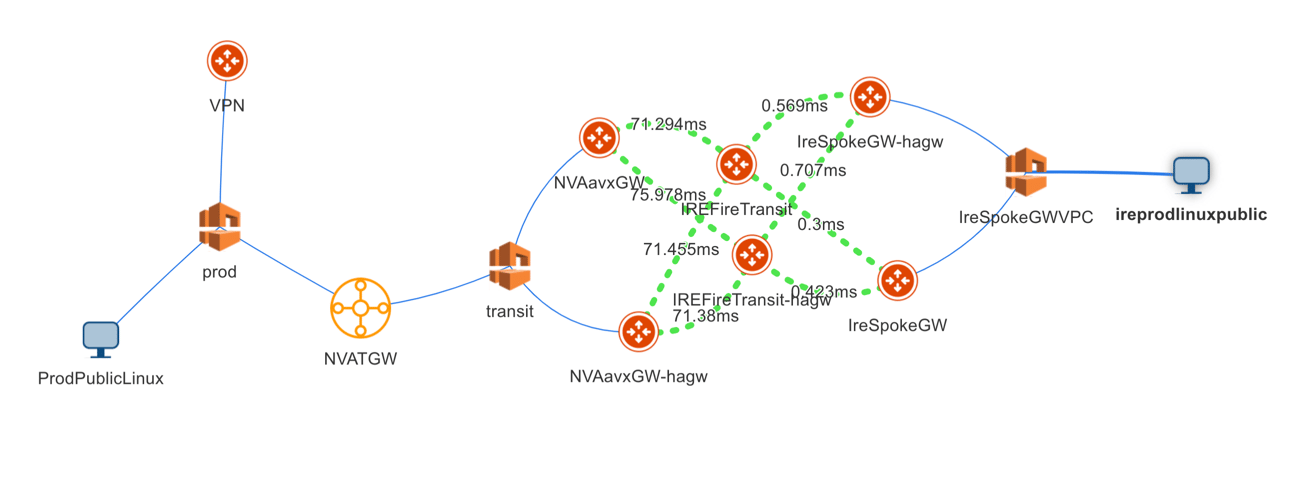
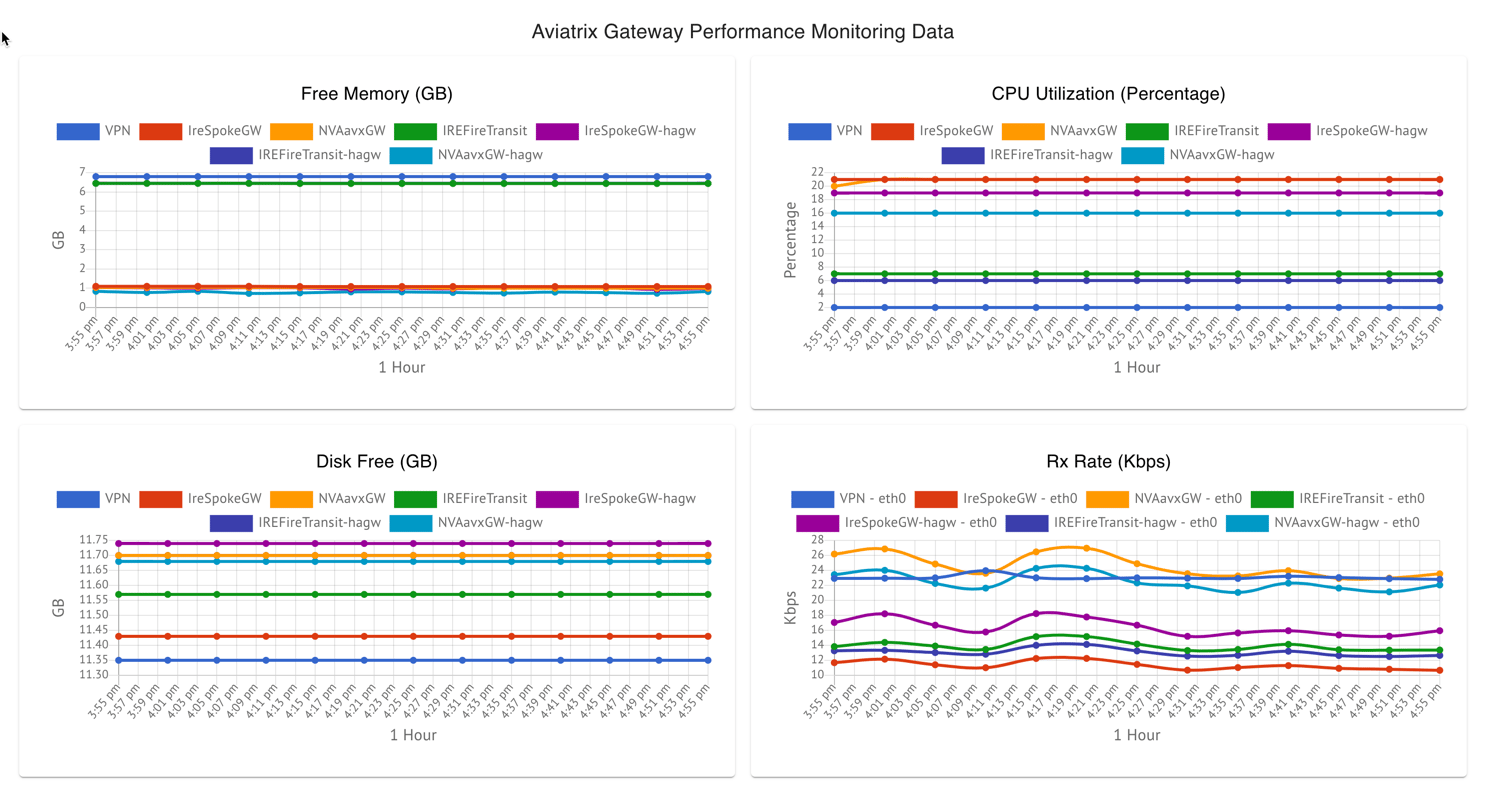
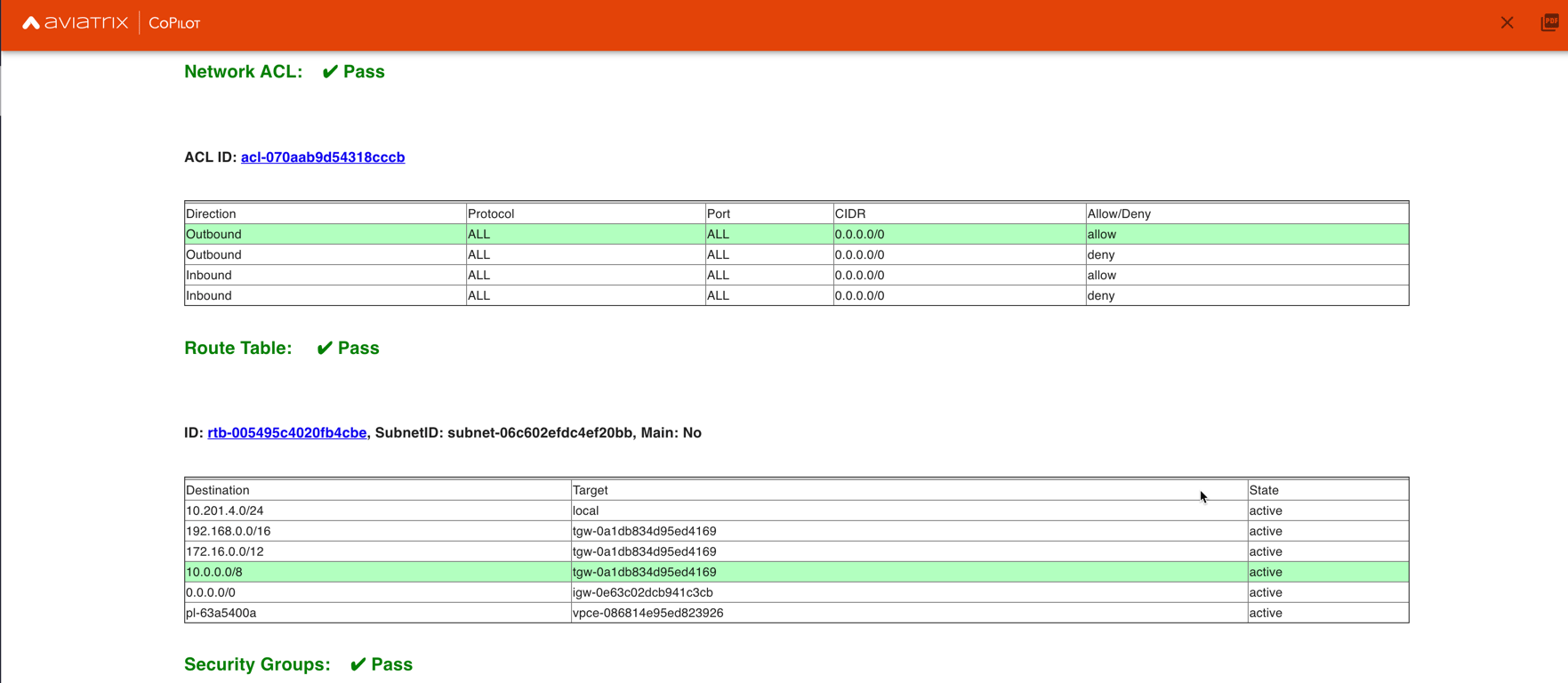 * **BGP Info** shows detailed BGP connections information with routes, map and
status inside Cloud Routes
* **BGP Info** shows detailed BGP connections information with routes, map and
status inside Cloud Routes
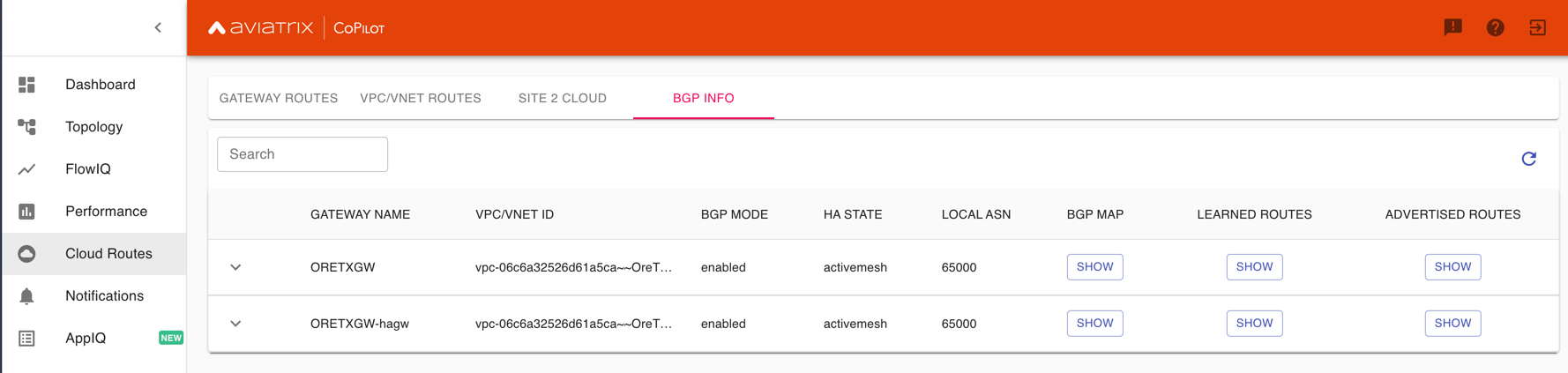
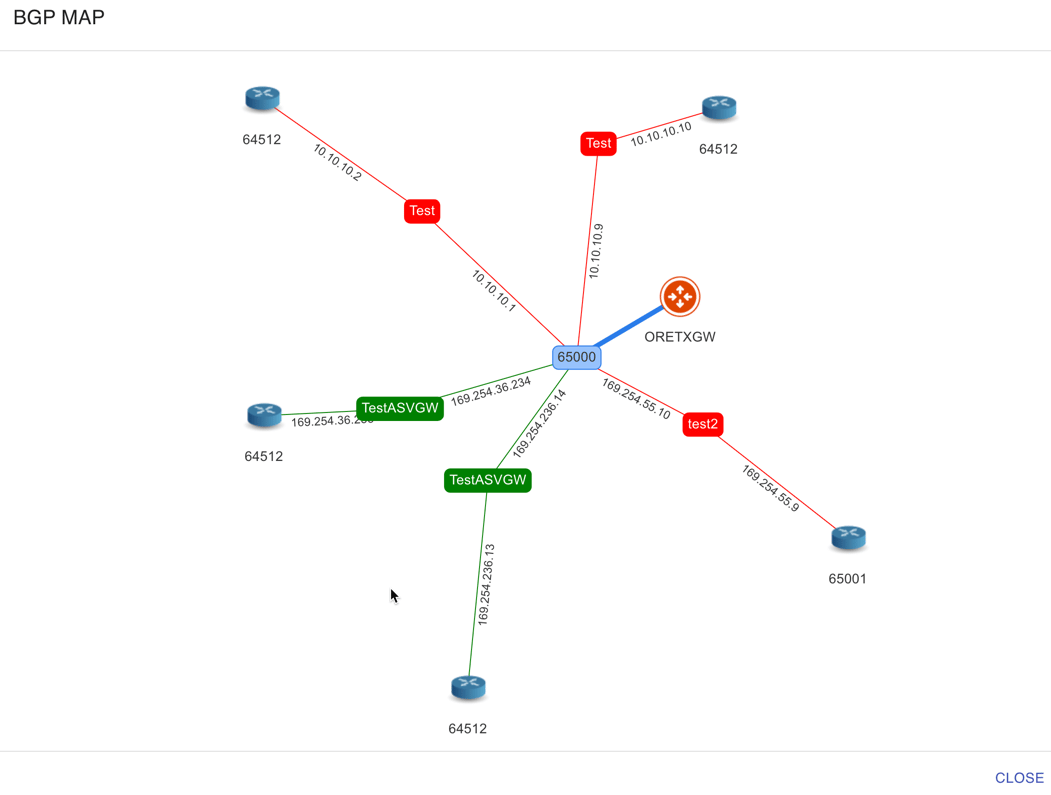
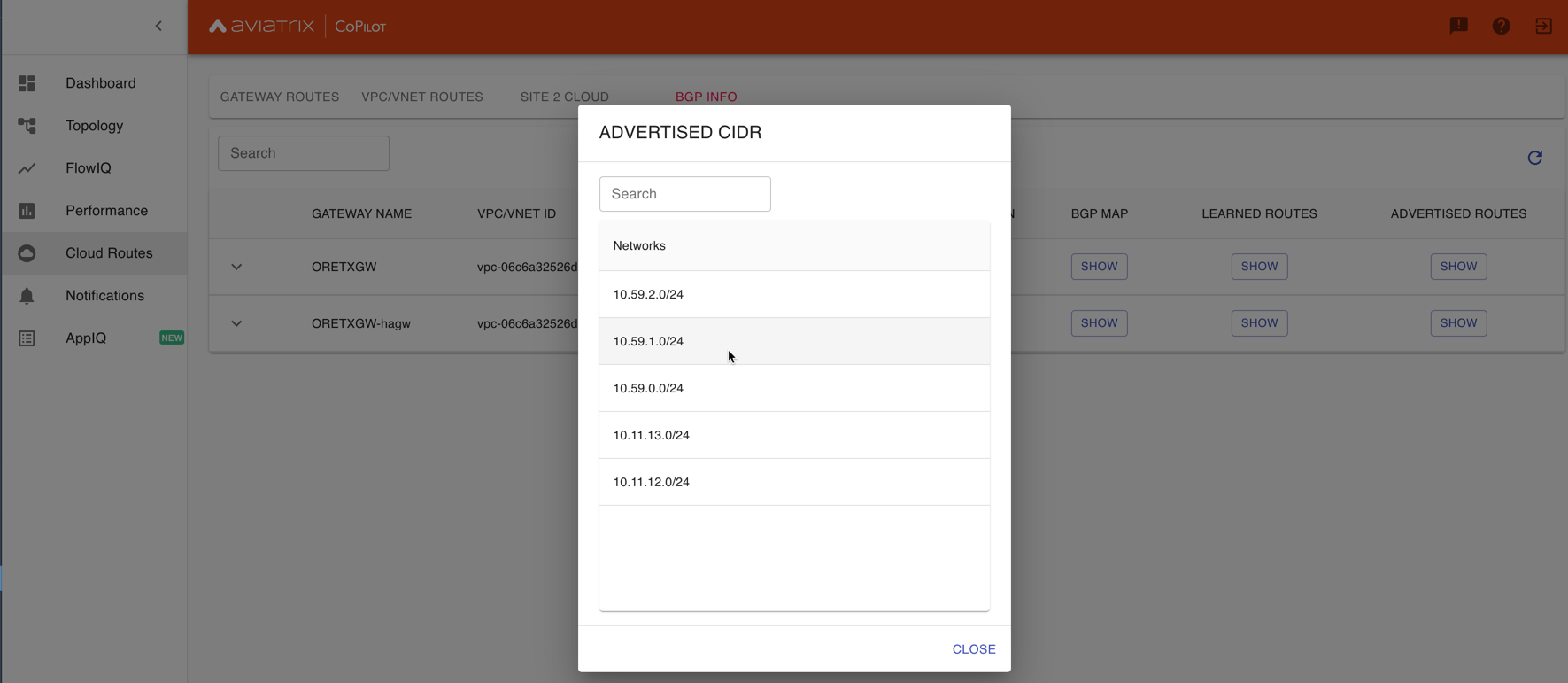 * **Continuous Latency Monitoring** allows to see the continuous historical
latencies data on Topology in Multicloud environment between Transit and
Spoke.
* **Continuous Latency Monitoring** allows to see the continuous historical
latencies data on Topology in Multicloud environment between Transit and
Spoke.
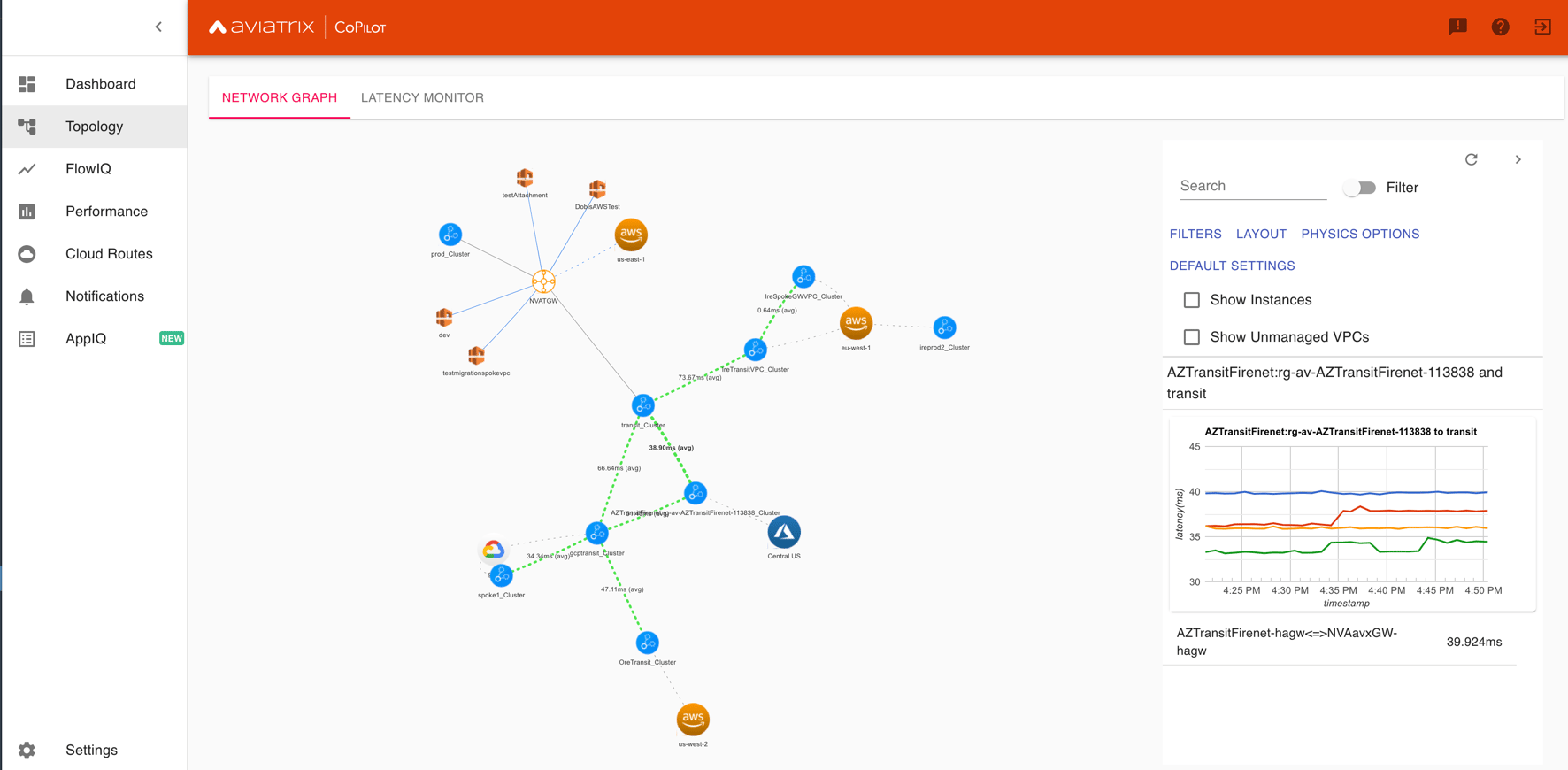
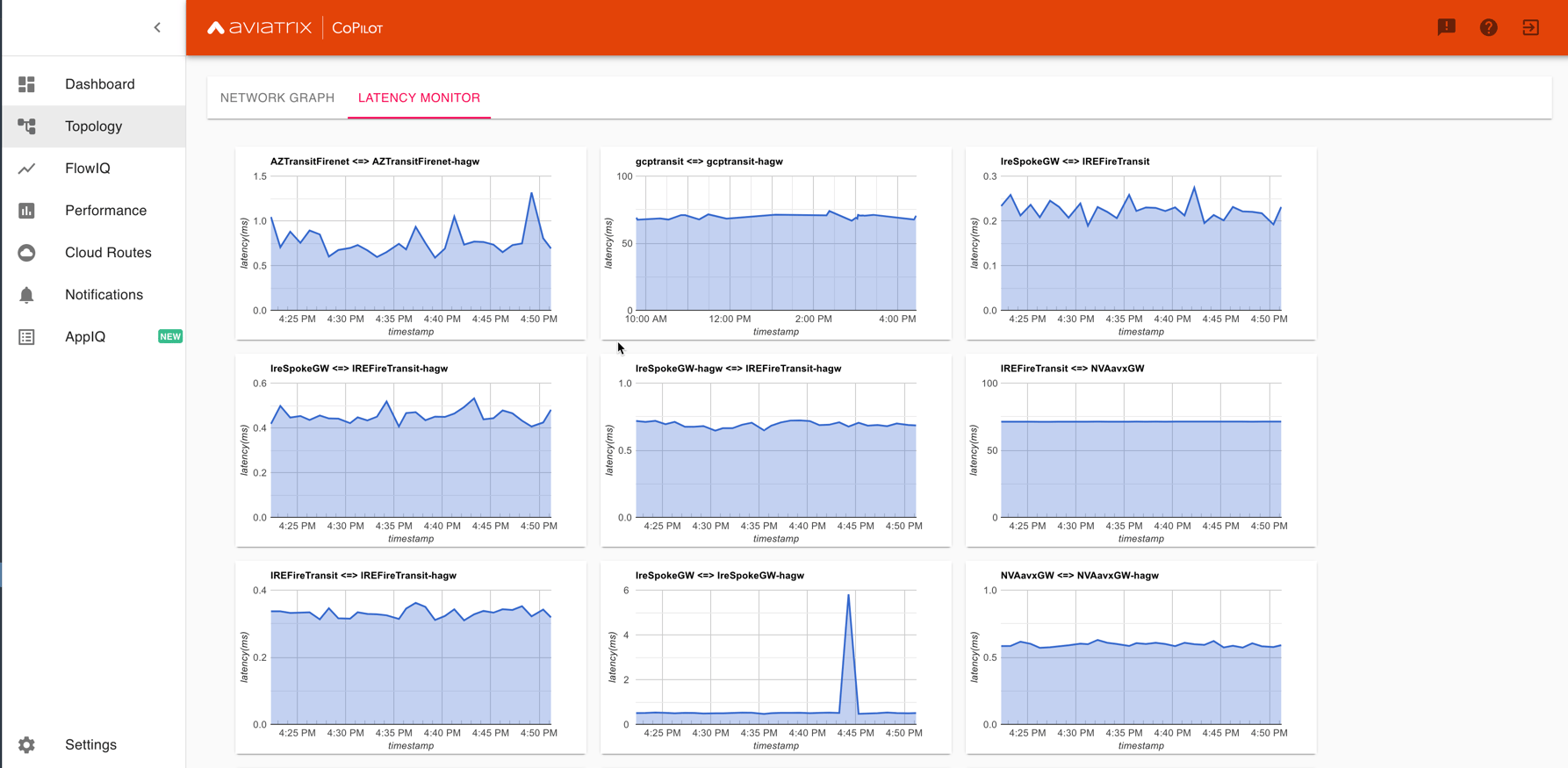 * **Performance Improvements** for Cloud Routes and Scheduled Tasks that run
behind the scenes.
**Release 1.2.0.5**
* **Topology Enhancement** Search and Filter capability and Customize Topology
Layout options
* **Site2Cloud** shows detailed S2C connections information with routes and
status inside Cloud Routes
* **Notification** allows to pause alerts and delete old alert notifications
* **Operational Enhancements** auto delete flowIQ and Perfmon indexes to save
disk space
**Release 1.2.0.3**
Version 1.2.0.3 requires users to enter valid credentials for the Controller
that CoPilot will store as a **Service Account**. This Service Account is needed
so CoPilot can process and send alerts based on configured thresholds. This
Service Account can be a read-only account the user created on the controller.
This dialog will only show one time when no service account has been configured.
The Service Account can be changed in **Settings** .
* **Performance Improvements** for Cloud Routes and Scheduled Tasks that run
behind the scenes.
**Release 1.2.0.5**
* **Topology Enhancement** Search and Filter capability and Customize Topology
Layout options
* **Site2Cloud** shows detailed S2C connections information with routes and
status inside Cloud Routes
* **Notification** allows to pause alerts and delete old alert notifications
* **Operational Enhancements** auto delete flowIQ and Perfmon indexes to save
disk space
**Release 1.2.0.3**
Version 1.2.0.3 requires users to enter valid credentials for the Controller
that CoPilot will store as a **Service Account**. This Service Account is needed
so CoPilot can process and send alerts based on configured thresholds. This
Service Account can be a read-only account the user created on the controller.
This dialog will only show one time when no service account has been configured.
The Service Account can be changed in **Settings** .
 * Notifications Ability to configure and receive alerts when CPU Utilization,
Free Disk, Free Memory, Rx, Tx, Rx Tx of any host exceeds a user specified
threshold Add email addresses of recipients in settings -> notifications to
receive alerts Monitor and manage the lifecycle of alerts from the time they
first triggered to the time they are resolved in the notifications page
* CloudRoutes Multi cloud GW Routes and VPC/VNET Routes with search
functionality
* Topology Cluster Latency Click on connections between 2 clusters and start
latency monitor for all connections between clusters
* FlowIQ Support for CSV export in records page Added support for filtering of
instances using tags Now showing Flow Throughput and Flow Duration data in the
records page
* Bug Fixes Few Bug fixes and performance improvements to load topology and
instances faster
**Release 1.1.9**
* Security Updates
**Release 1.1.8**
* Topology Clustering
* Enhancements to Perf Mon charts with time period support
* Saving of Filter Groups in Flow IQ
**Release 1.1.7.1**
* Topology Highlight
* Performance Monitoring Charts with multiple hosts
* && and || support for FlowIQ Filters
**Release 1.1.6.1**
* Tagging functionality extended, Tag Manager in Settings Pages, Latency Charts,
Filtering in Flow IQ improved
**Release 1.1.5.2**
* Added support for tagging in Topology
* Added support for custom SSL certificate import
**Release 1.1.4.2**
* Addressed the issue with license key validation
**Release 1.1.4 (GA)**
* Enabled license management
* Added support for multi-select
* Added ability to delete indexes
* Added storage auto-delete threshold configuration
* Added diagnostics (ping/traceroute) to topology
## Deprecated Features in CoPilot
This section lists deprecated features in CoPilot.
### Deprecated Topology Views
The following views in Topology are deprecated and are superseded by the **New
Topology Experience** landing page which offers equal and improved
functionality.
It is recommended to use the Topology Overview with **New Topology Experience**
enabled and discontinue using the following views because they will eventually
be removed:
* Airspace > Topology > Overview View with **Classic Experience** enabled
* Airspace > Topology > Transit View
* Airspace > Topology > MCNA View
If you want to enable the classic experiences for Topology map, do the
following:
1. Go to the **CoPilot > Settings > Configuration** page, enable the **Old
Topology Experiences** option, and click **Save**.
2. In the **Copilot > Cloud Fabric > Topology** page, click on the **New
Topology Experience** toggle.
This disables the New Experience in the Overview tab and shows the Classic
Experience and the **Transit** and **MCNA** tabs of the Topology page are
also shown.
## Removed Features from CoPilot
This section lists features, pages, or views that were removed from CoPilot.
### Removed Legacy Traffic & Latencies View
The following view in Traffic & Latencies was removed in CoPilot 3.12.0:
* Monitor > Traffic & Latencies > Latency Monitor with **Classic
Experience** enabled
The view is superseded by the **New Latency Monitor Experience** page which
offers equal and improved functionality.
### Removed Legacy FlowIQ View
The following view in FlowIQ was removed in CoPilot 3.12.0: :
* **Monitor > FlowIQ** with *Classic Experience* enabled
The view is superseded by the *New FlowIQ Experience* landing page which offers
equal and improved functionality.
* Notifications Ability to configure and receive alerts when CPU Utilization,
Free Disk, Free Memory, Rx, Tx, Rx Tx of any host exceeds a user specified
threshold Add email addresses of recipients in settings -> notifications to
receive alerts Monitor and manage the lifecycle of alerts from the time they
first triggered to the time they are resolved in the notifications page
* CloudRoutes Multi cloud GW Routes and VPC/VNET Routes with search
functionality
* Topology Cluster Latency Click on connections between 2 clusters and start
latency monitor for all connections between clusters
* FlowIQ Support for CSV export in records page Added support for filtering of
instances using tags Now showing Flow Throughput and Flow Duration data in the
records page
* Bug Fixes Few Bug fixes and performance improvements to load topology and
instances faster
**Release 1.1.9**
* Security Updates
**Release 1.1.8**
* Topology Clustering
* Enhancements to Perf Mon charts with time period support
* Saving of Filter Groups in Flow IQ
**Release 1.1.7.1**
* Topology Highlight
* Performance Monitoring Charts with multiple hosts
* && and || support for FlowIQ Filters
**Release 1.1.6.1**
* Tagging functionality extended, Tag Manager in Settings Pages, Latency Charts,
Filtering in Flow IQ improved
**Release 1.1.5.2**
* Added support for tagging in Topology
* Added support for custom SSL certificate import
**Release 1.1.4.2**
* Addressed the issue with license key validation
**Release 1.1.4 (GA)**
* Enabled license management
* Added support for multi-select
* Added ability to delete indexes
* Added storage auto-delete threshold configuration
* Added diagnostics (ping/traceroute) to topology
## Deprecated Features in CoPilot
This section lists deprecated features in CoPilot.
### Deprecated Topology Views
The following views in Topology are deprecated and are superseded by the **New
Topology Experience** landing page which offers equal and improved
functionality.
It is recommended to use the Topology Overview with **New Topology Experience**
enabled and discontinue using the following views because they will eventually
be removed:
* Airspace > Topology > Overview View with **Classic Experience** enabled
* Airspace > Topology > Transit View
* Airspace > Topology > MCNA View
If you want to enable the classic experiences for Topology map, do the
following:
1. Go to the **CoPilot > Settings > Configuration** page, enable the **Old
Topology Experiences** option, and click **Save**.
2. In the **Copilot > Cloud Fabric > Topology** page, click on the **New
Topology Experience** toggle.
This disables the New Experience in the Overview tab and shows the Classic
Experience and the **Transit** and **MCNA** tabs of the Topology page are
also shown.
## Removed Features from CoPilot
This section lists features, pages, or views that were removed from CoPilot.
### Removed Legacy Traffic & Latencies View
The following view in Traffic & Latencies was removed in CoPilot 3.12.0:
* Monitor > Traffic & Latencies > Latency Monitor with **Classic
Experience** enabled
The view is superseded by the **New Latency Monitor Experience** page which
offers equal and improved functionality.
### Removed Legacy FlowIQ View
The following view in FlowIQ was removed in CoPilot 3.12.0: :
* **Monitor > FlowIQ** with *Classic Experience* enabled
The view is superseded by the *New FlowIQ Experience* landing page which offers
equal and improved functionality.