> ## Documentation Index
> Fetch the complete documentation index at: https://docs.aviatrix.com/llms.txt
> Use this file to discover all available pages before exploring further.
# Account with Access Key for AWS China Accounts
> This document describes how to set up an Aviatrix access account in AWS by using an IAM user access key and secret ID, instead of IAM roles. This onboarding method is designed for AWS China accounts.
This document describes how to set up an Aviatrix access account in AWS by using
an IAM user access key and secret ID, instead of IAM roles. This onboarding
method is designed for AWS China accounts.
If you are onboarding a standard AWS account, use IAM roles.
## Creating an IAM Policy
1. Log into the AWS console > IAM > Policies. Click **Create Policy**, and then
click **JSON**. Delete the example JSON text.
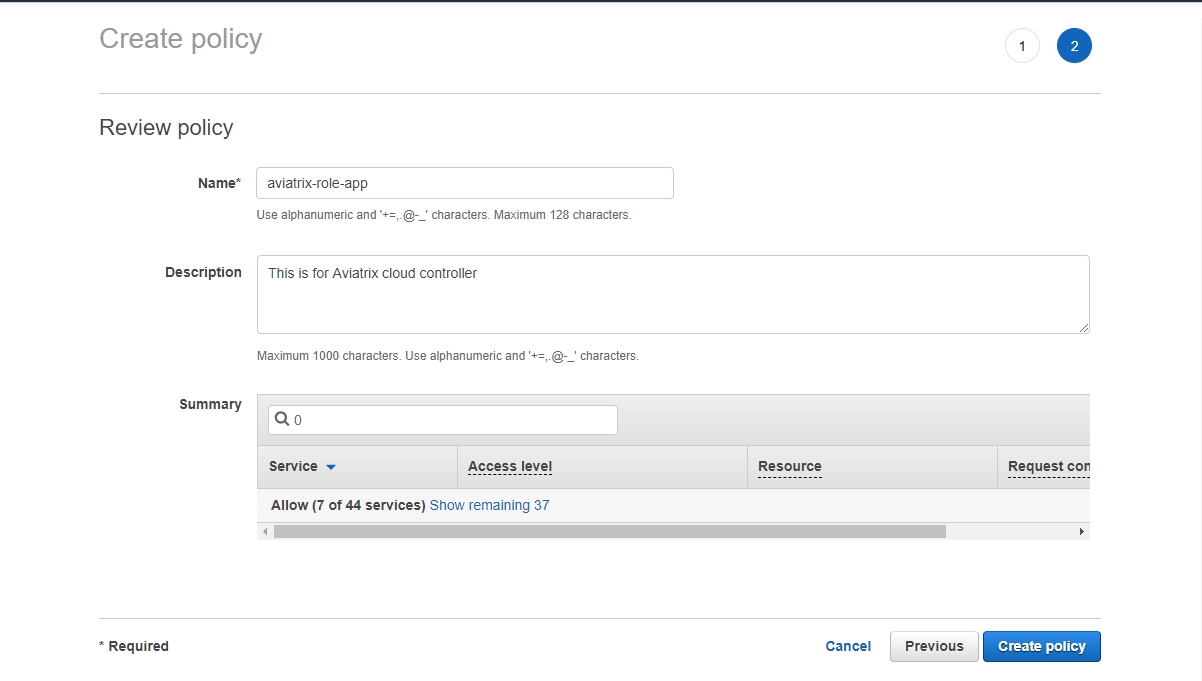
2. Copy and paste the
[Aviatrix AWS policy](https://s3-us-west-2.amazonaws.com/aviatrix-download/IAM_access_policy_for_CloudN.txt)
to create a new IAM policy, as shown below. Give policy a name:
aviatrix-role-app.
 ## Creating an IAM User
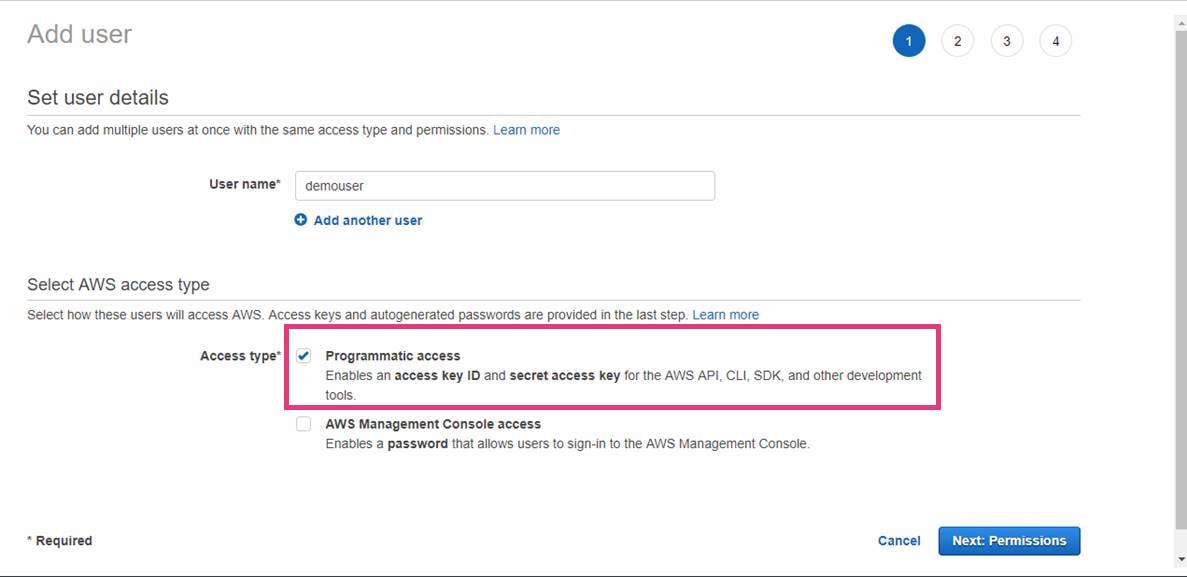
1. Log in to the AWS Console > IAM > Users.
2. Click **Add user** to create a new IAM user and allow programmable access, as
shown below.
## Creating an IAM User
1. Log in to the AWS Console > IAM > Users.
2. Click **Add user** to create a new IAM user and allow programmable access, as
shown below.
 ### Attaching the Policy to the User
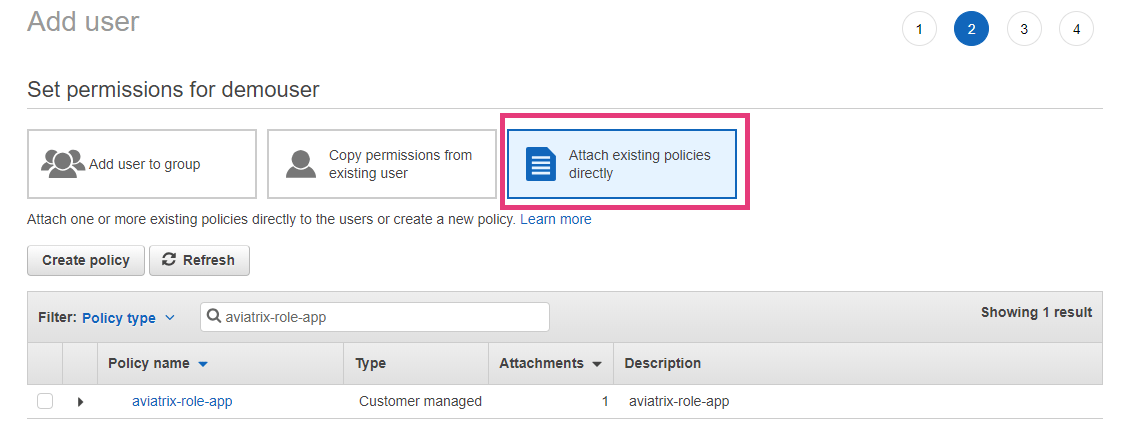
Next, attach the created policy to this IAM user, as shown below.
### Attaching the Policy to the User
Next, attach the created policy to this IAM user, as shown below.
 ## Setting up an Access Key and Secret Access Key
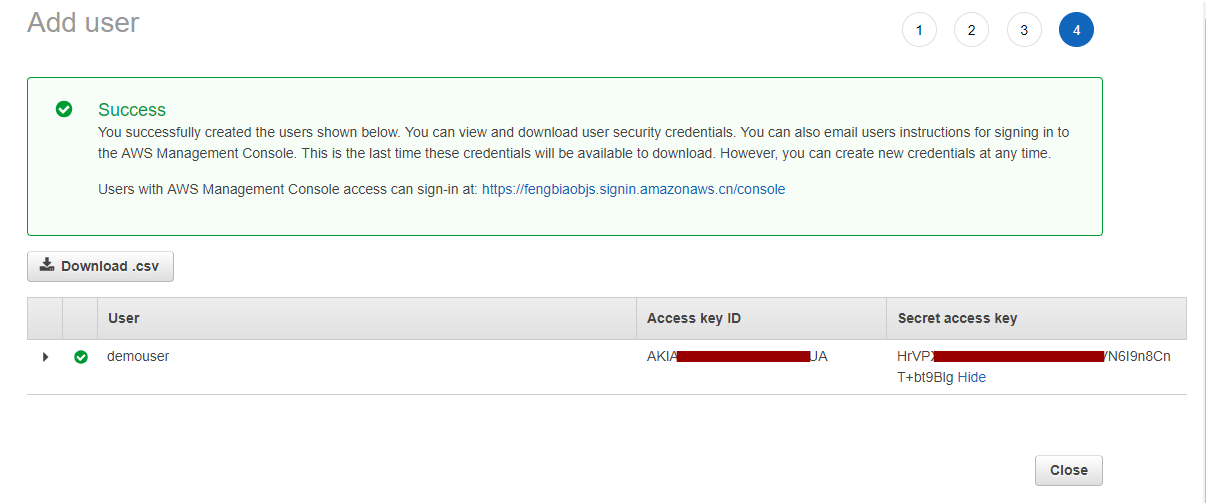
Finally, create an access key and secret key to be used by the Aviatrix access
account for this IAM user.
## Setting up an Access Key and Secret Access Key
Finally, create an access key and secret key to be used by the Aviatrix access
account for this IAM user.