> ## Documentation Index
> Fetch the complete documentation index at: https://docs.aviatrix.com/llms.txt
> Use this file to discover all available pages before exploring further.
# Managing the Relationship Between Feeds and ExternalGroups
> The Groups > Feeds tab provides information from Aviatrix-managed external security feeds, such as Countries, Threat Feeds, and SaaS-based services like Azure Services/Service Regions and GitHub services.
The Groups > Feeds tab provides information from Aviatrix-managed external
security feeds, such as Countries, Threat Feeds, and SaaS-based services like
Azure Services/Service Regions and GitHub services. Aviatrix stays up-to-date
with the latest external security feeds so that you can leverage them instantly.
The Controller automatically adds the latest feeds to the Feeds tab. Your DCF
policies will always reflect the most current data available from these feeds.
The Feeds tab cannot be edited directly; instead, its data is used to define
ExternalGroups, which are then applied in Distributed Cloud Firewall (DCF) rules
to filter traffic based on the selected criteria.
 Enable the DCF feature to avail the ExternalGroups.
You cannot have an ExternalGroup as both a source and a destination in a DCF rule.
If the same public CIDR is present in a VPC/VNet and in an ExternalGroup, and
the DCF rule containing this ExternalGroup is blocking traffic, the
inter-VPC/VNet traffic that uses this public CIDR may get blocked as well.
## SaaS-Based Services
The SaaS-based service feeds provide regularly updated IP address information
categorized by service and region. This data can be used to create
ExternalGroups on the Groups > ExternalGroups tab, enabling precise traffic
filtering in Distributed Cloud Firewall (DCF) rules.
* Azure Services: IP addresses of Microsoft Azure services categorized by
Service and Region. For more information see
[https://www.microsoft.com/en-us/download/details.aspx?id=56519](https://www.microsoft.com/en-us/download/details.aspx?id=56519).
* GitHub Services: IP addresses of GitHub services categorized by service. For
more information see
[https://docs.github.com/en/rest/meta?apiVersion=2022-11-28](https://docs.github.com/en/rest/meta?apiVersion=2022-11-28).
The Azure and GitHub services are only available with Controller version
7.2.4496 and higher.
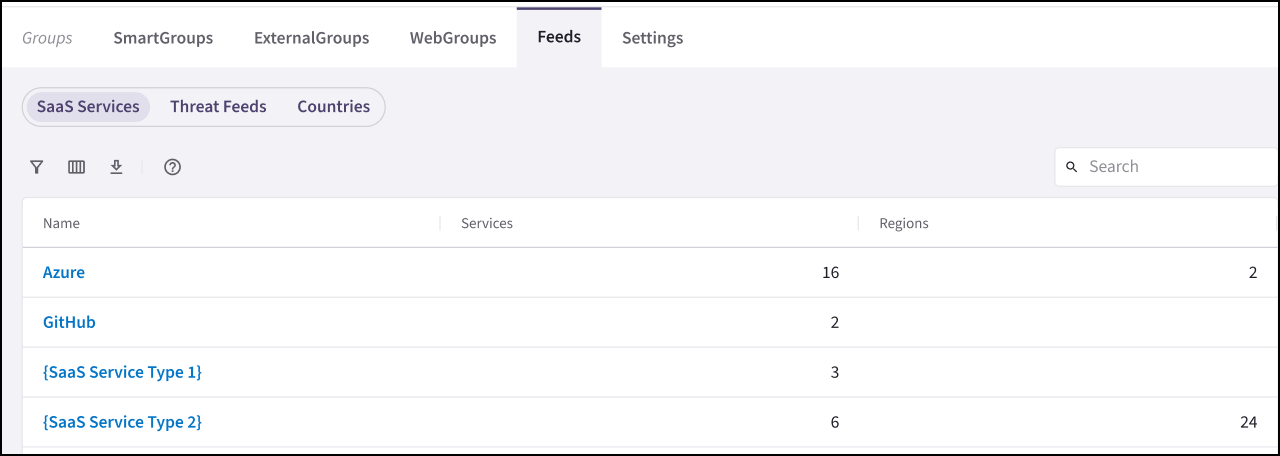
You can click Azure or GitHub under Feeds > SaaS Services to view the details of
the available services and their associated IP addresses, and the rules where
they are used.
## Threat Feeds
The Groups > Feeds tab includes threat intelligence feeds that provide regularly
updated information about malicious IP addresses, source types, and countries.
If the Distributed Cloud Firewall (DCF) feature is disabled, the Threat Feeds
are not available.
Enable the DCF feature to avail the ExternalGroups.
You cannot have an ExternalGroup as both a source and a destination in a DCF rule.
If the same public CIDR is present in a VPC/VNet and in an ExternalGroup, and
the DCF rule containing this ExternalGroup is blocking traffic, the
inter-VPC/VNet traffic that uses this public CIDR may get blocked as well.
## SaaS-Based Services
The SaaS-based service feeds provide regularly updated IP address information
categorized by service and region. This data can be used to create
ExternalGroups on the Groups > ExternalGroups tab, enabling precise traffic
filtering in Distributed Cloud Firewall (DCF) rules.
* Azure Services: IP addresses of Microsoft Azure services categorized by
Service and Region. For more information see
[https://www.microsoft.com/en-us/download/details.aspx?id=56519](https://www.microsoft.com/en-us/download/details.aspx?id=56519).
* GitHub Services: IP addresses of GitHub services categorized by service. For
more information see
[https://docs.github.com/en/rest/meta?apiVersion=2022-11-28](https://docs.github.com/en/rest/meta?apiVersion=2022-11-28).
The Azure and GitHub services are only available with Controller version
7.2.4496 and higher.
You can click Azure or GitHub under Feeds > SaaS Services to view the details of
the available services and their associated IP addresses, and the rules where
they are used.
## Threat Feeds
The Groups > Feeds tab includes threat intelligence feeds that provide regularly
updated information about malicious IP addresses, source types, and countries.
If the Distributed Cloud Firewall (DCF) feature is disabled, the Threat Feeds
are not available.
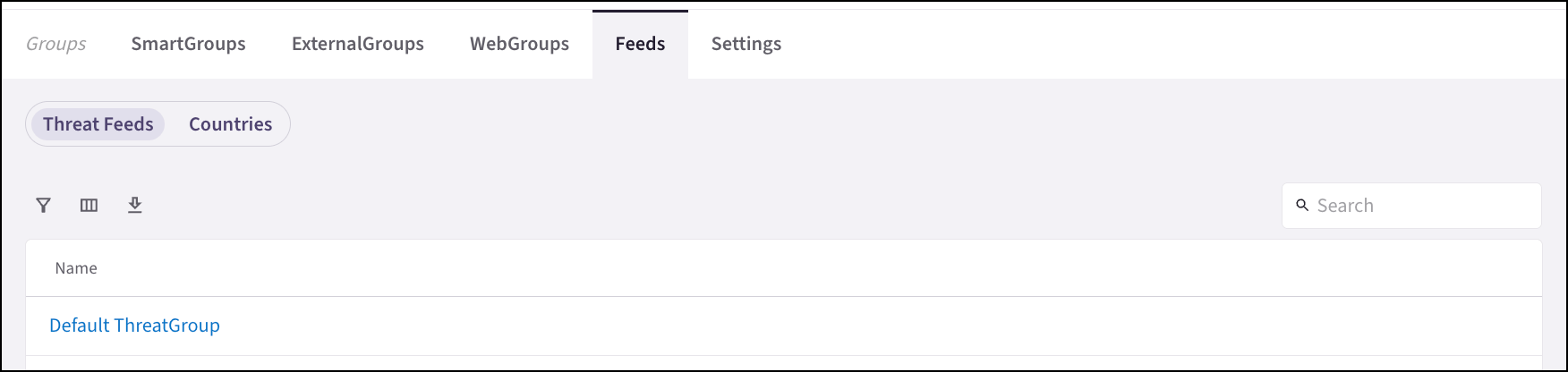 You can click Default ThreatGroup under Feeds > Threat Feeds to view the details
of the Default ThreatGroup, which is a collection of IP addresses, source types,
countries, and more that are known to be malicious. This feed is updated
regularly and can be used in Distributed Cloud Firewall (DCF) rules to block
traffic from these IP addresses.
## Countries
The Groups > Feeds > Countries sub-tab displays pre-populated countries. Click
on the name of a country to show its details and rule references.
You can click Default ThreatGroup under Feeds > Threat Feeds to view the details
of the Default ThreatGroup, which is a collection of IP addresses, source types,
countries, and more that are known to be malicious. This feed is updated
regularly and can be used in Distributed Cloud Firewall (DCF) rules to block
traffic from these IP addresses.
## Countries
The Groups > Feeds > Countries sub-tab displays pre-populated countries. Click
on the name of a country to show its details and rule references.
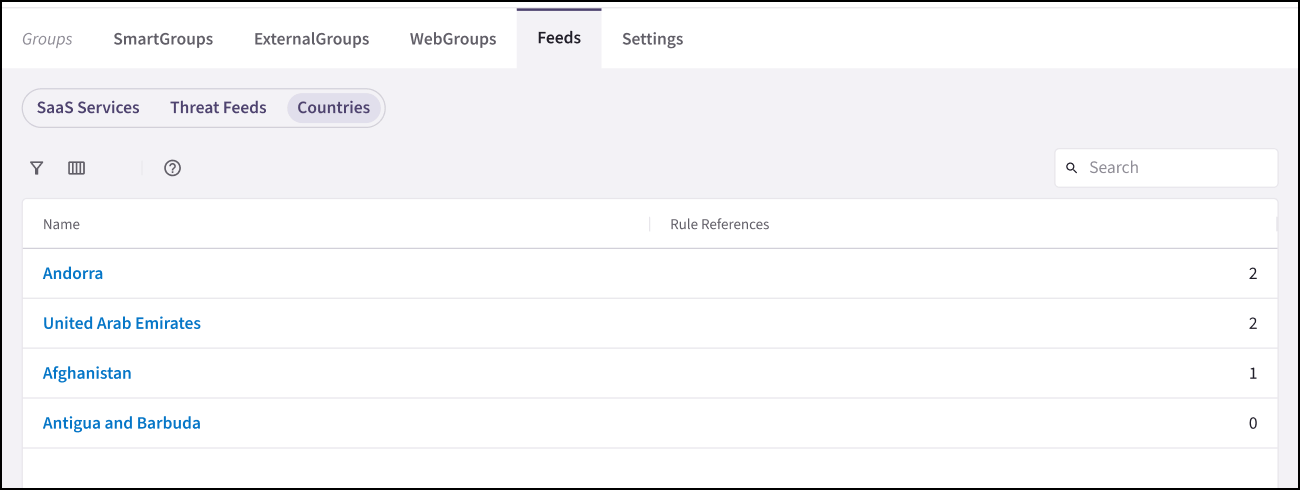 You can click a country under Feeds > Countries to view the details of that
country, including its associated IP addresses and the rules where it is used.
This information can be used to create ExternalGroups on the Groups >
ExternalGroups tab, enabling precise traffic filtering in Distributed Cloud
Firewall (DCF) rules.
## Related Topics
* [Creating an ExternalGroup](https://legacy.docs.aviatrix.com/documentation/latest/security/externalgroup-create.html)
* Creating a WebGroup
* [Cloning a Group](https://legacy.docs.aviatrix.com/documentation/latest/security/groups-cloning.html)
* [Editing a Group](https://legacy.docs.aviatrix.com/documentation/latest/security/groups-edit.html)
* [Deleting a Group](https://legacy.docs.aviatrix.com/documentation/latest/security/groups-delete.html)
You can click a country under Feeds > Countries to view the details of that
country, including its associated IP addresses and the rules where it is used.
This information can be used to create ExternalGroups on the Groups >
ExternalGroups tab, enabling precise traffic filtering in Distributed Cloud
Firewall (DCF) rules.
## Related Topics
* [Creating an ExternalGroup](https://legacy.docs.aviatrix.com/documentation/latest/security/externalgroup-create.html)
* Creating a WebGroup
* [Cloning a Group](https://legacy.docs.aviatrix.com/documentation/latest/security/groups-cloning.html)
* [Editing a Group](https://legacy.docs.aviatrix.com/documentation/latest/security/groups-edit.html)
* [Deleting a Group](https://legacy.docs.aviatrix.com/documentation/latest/security/groups-delete.html)