> ## Documentation Index
> Fetch the complete documentation index at: https://docs.aviatrix.com/llms.txt
> Use this file to discover all available pages before exploring further.
# Setting Up Okta SAML with Profile Attribute
> This guide demonstrates the use of the Profile attribute in Okta so each SAML user can be assigned a different VPN profile.
This guide demonstrates the use of the **Profile** attribute in **Okta** so each
SAML user can be assigned a different VPN profile.
## How a VPN Profile Works
The VPN profiles defined at **CoPilot > Cloud Fabric > UserVPN > Profiles**
contain an egress control policy. They are attached to the VPN users defined at
**CoPilot > Cloud Fabric > UserVPN > Users** for controlling their VPN egress
traffic.
If a user does not have an assigned profile, they are considered to have a
blanket **allow-all** policy applied, which means their egress traffic is
unrestricted.
For SAML VPN, the SAML user definition at the IdP has a **Profile** attribute
for specifying a VPN profile, overriding the corresponding user's VPN profile
assigned in CoPilot. If unspecified, the corresponding VPN profile assigned in
CoPilot will be used.
## Setting up the Okta Profile Attribute
1. [Define a new attribute](#defining-a-new-attribute) in the Okta User template
for storing the VPN profile name.
2. [Define an attribute mapping](#defining-an-attribute-mapping) for the new
attribute using the name **Profile** so that the SAML application knows how
to compose the **Profile** information in the SAML response.
3. [Assign VPN profile](#assigning-the-vpn-profile-to-each-saml-user) to each
SAML user.
4. [Validate](#validation) the setup.
## Defining a New Attribute
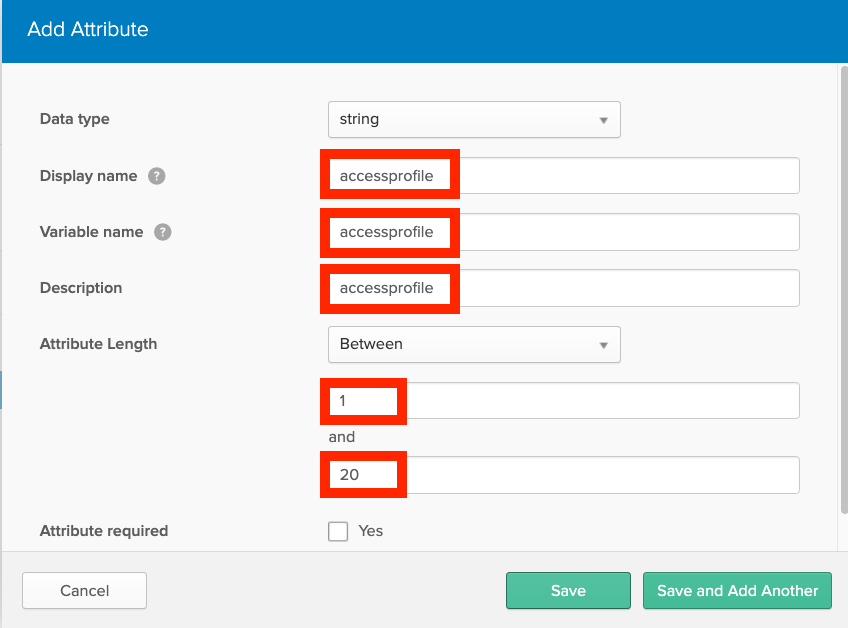
At Okta, define a new attribute in the **User** definition template using
**Okta/Directory/Profile Editor**. In this example, the new attribute is named
**accessprofile** and it can store a string of up to 20 characters.
1. Open Profile Editor at **Okta/Directory/Profile Editor**.
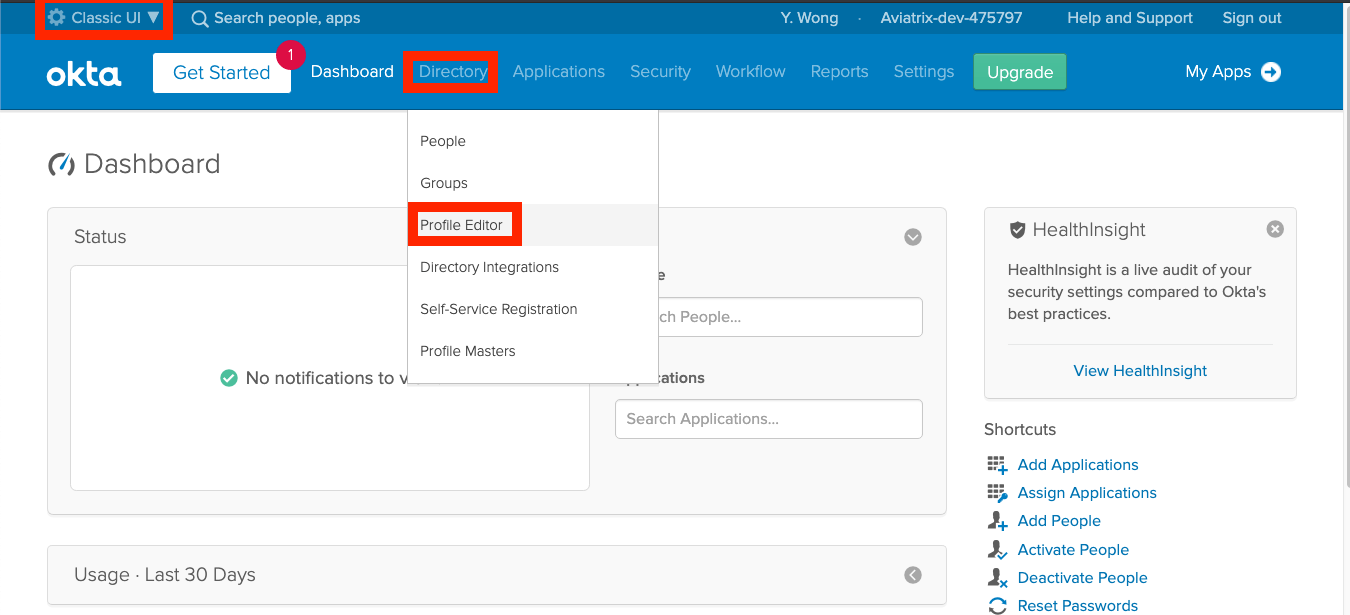 2. Click **Okta** on the left navigation bar to find the **User** definition
template and click **Profile** to open.
2. Click **Okta** on the left navigation bar to find the **User** definition
template and click **Profile** to open.
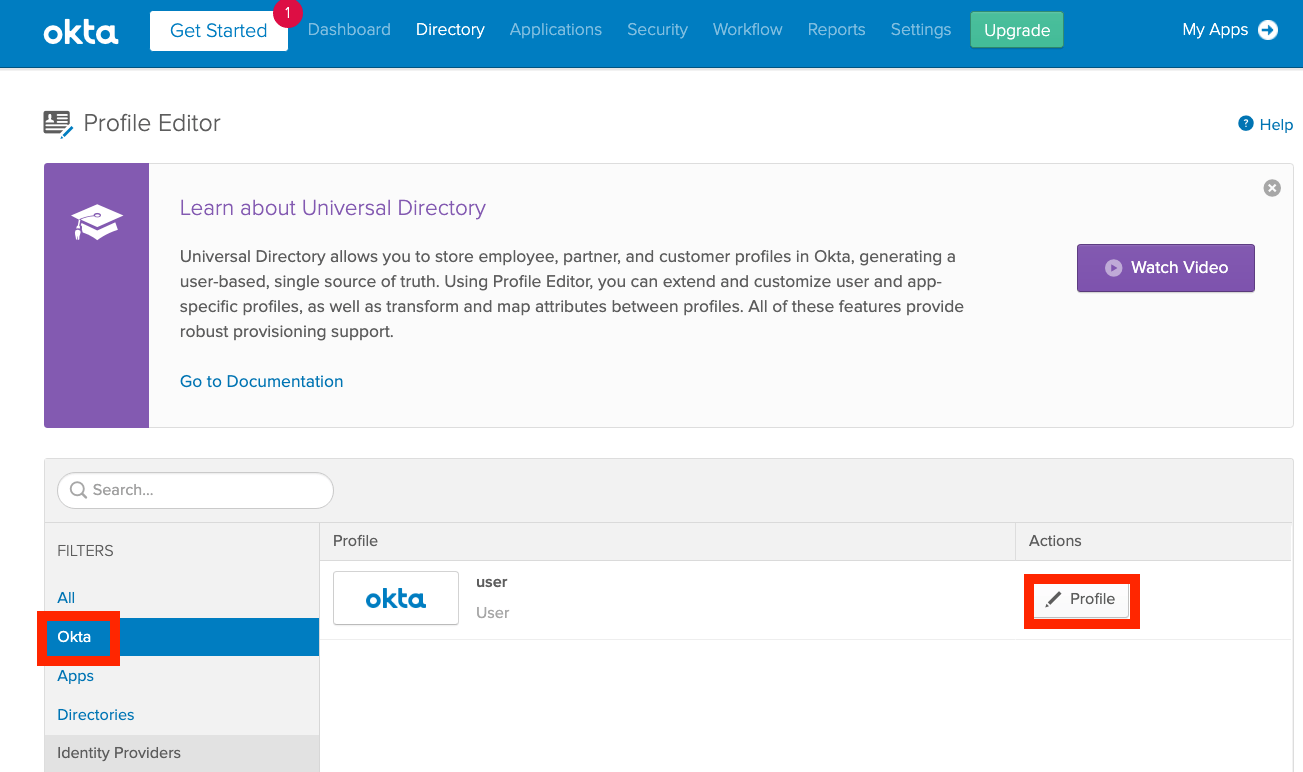 3. Click **Add Attribute** to add a new attribute in the user template.
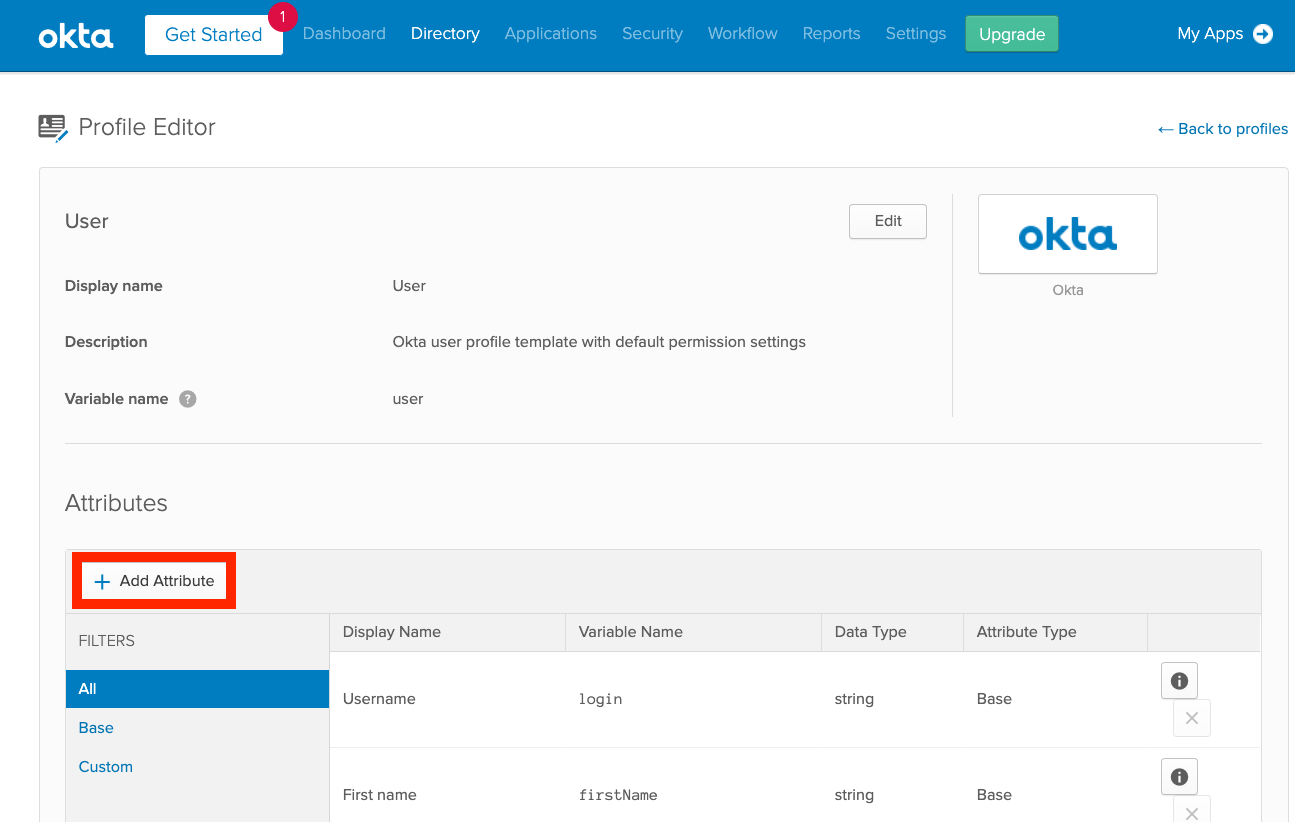 4. Define a string attribute with a name; in this example, we use
**accessprofile**.
4. Define a string attribute with a name; in this example, we use
**accessprofile**.
 ## Defining an Attribute Mapping
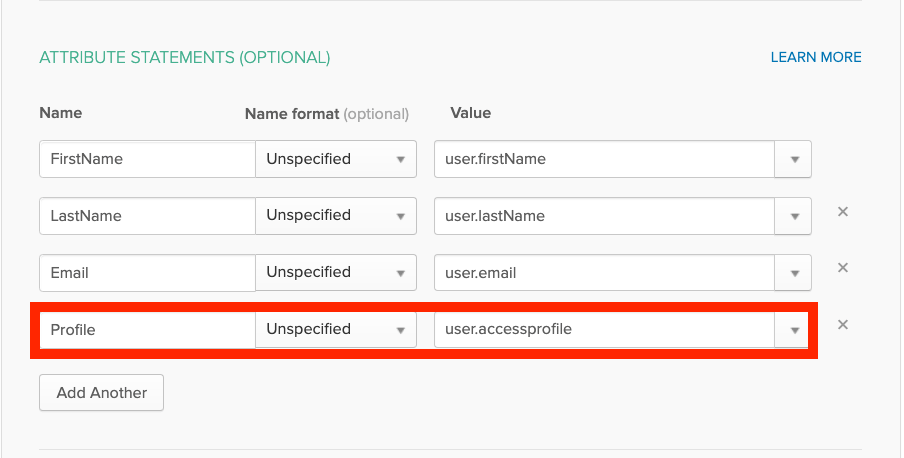
In the SAML application
(`Okta/Applications//General/SAML Settings/Edit`), define a
mapping for the new attribute (e.g., **accessprofile**) using the name
**Profile**. Note that the name **Profile** is required to be an exact match and
the new attribute name is pre-qualified with the keyword **user** for
referencing a property in the user template.
## Defining an Attribute Mapping
In the SAML application
(`Okta/Applications//General/SAML Settings/Edit`), define a
mapping for the new attribute (e.g., **accessprofile**) using the name
**Profile**. Note that the name **Profile** is required to be an exact match and
the new attribute name is pre-qualified with the keyword **user** for
referencing a property in the user template.
 ## Assigning the VPN Profile to Each SAML User
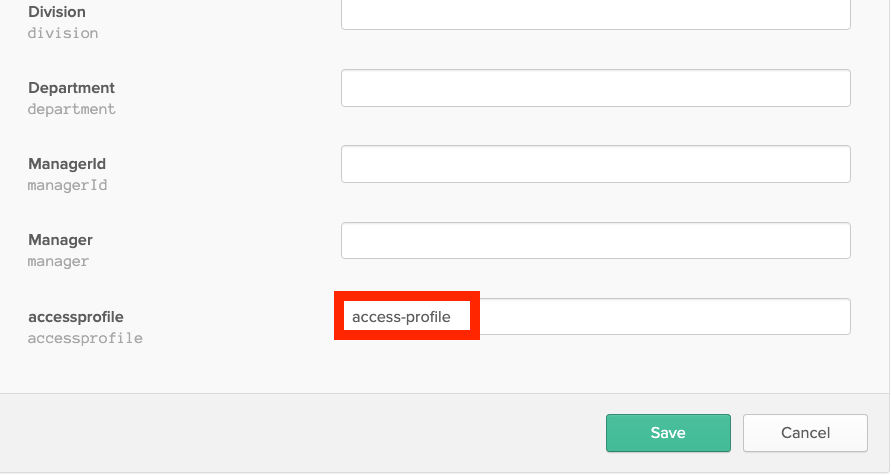
For each SAML application user, edit the user record in the Okta directory for
assigning the VPN profile (`Okta/Directory/People//Profile/Edit`). In
this example, the VPN profile defined at the Controller is named
**access-profile**. Currently, only one profile is allowed per SAML user.
## Assigning the VPN Profile to Each SAML User
For each SAML application user, edit the user record in the Okta directory for
assigning the VPN profile (`Okta/Directory/People//Profile/Edit`). In
this example, the VPN profile defined at the Controller is named
**access-profile**. Currently, only one profile is allowed per SAML user.
 ## Validation
The following example illustrates the use of the SAML user's **Profile**
attribute explained in previous sections:
* It uses an Aviatrix VPN Gateway that has **certificate sharing** enabled. That
is, only one VPN user is created at the Aviatrix VPN Gateway. The
corresponding **ovpn** file will be shared by all SAML VPN users defined in
Okta.
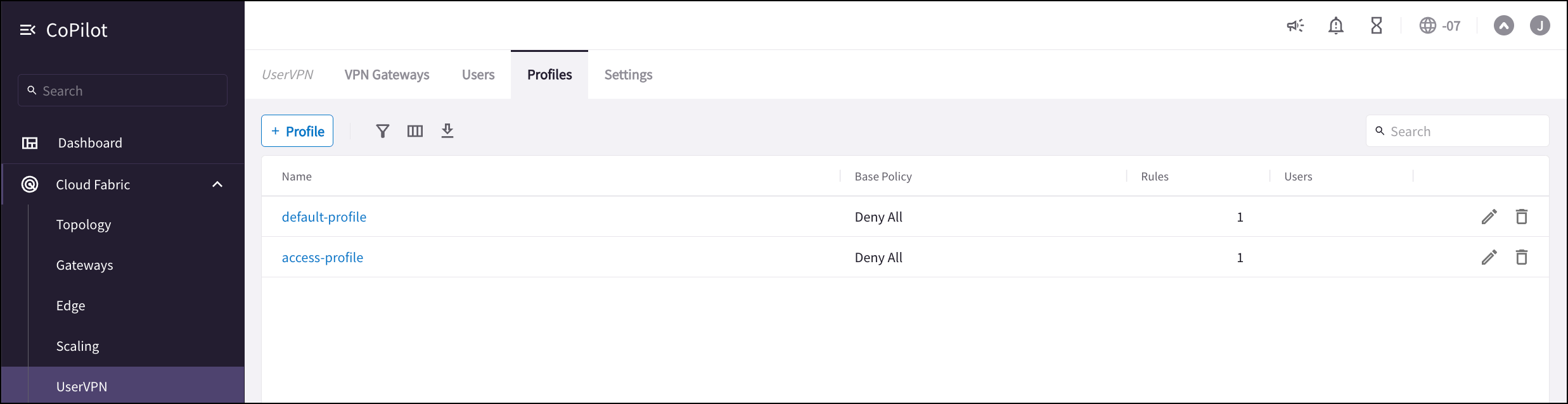
* Two VPN profiles are created: The **default-profile** contains a base deny-all
policy and is attached to the VPN user, stopping all VPN egress traffic by
default. The **access-profile** contains the desired egress-traffic-allow
policies. As a result, only the SAML users who have his/her **Profile**
attribute set to **access-profile** will have the right VPN access while
others will be restricted by the **default-profile**.
* For testing purposes, create two SAML users in Okta, respectively, with and
without setting the **Profile** attribute to **access-profile**.
Here are the steps for setting up the example:
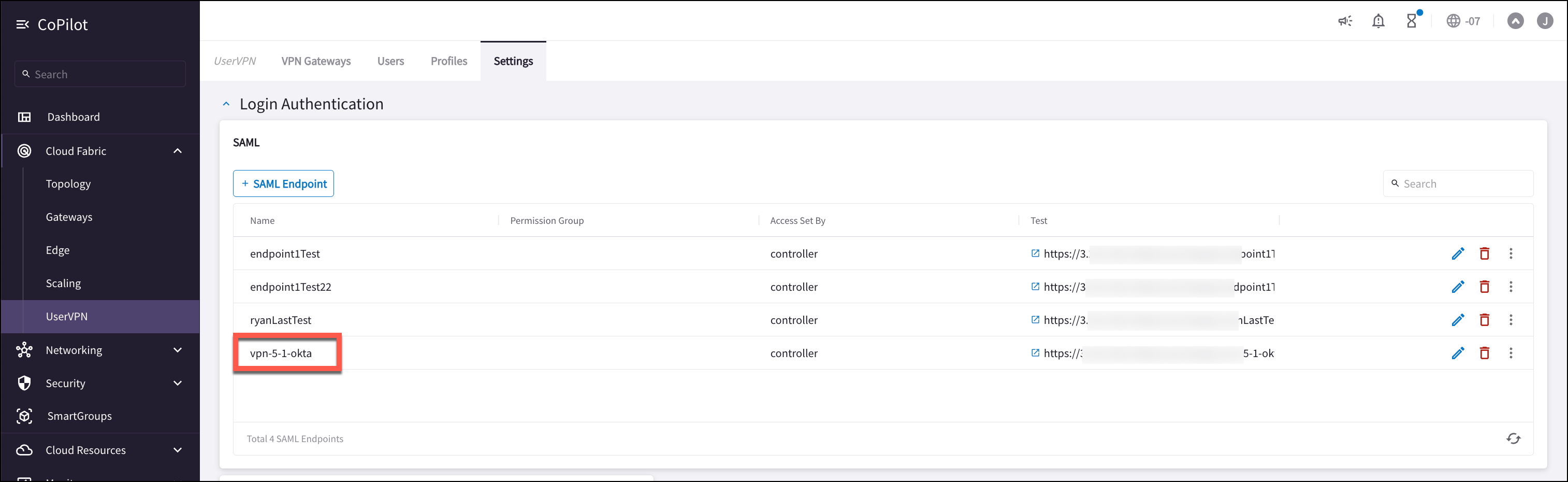
1. Follow the guide
Aviatrix SAML Authentication on Okta IdP
to configure the Controller to authenticate against the Okta IDP. The
Aviatrix SAML Endpoint in this example is named vpn-5-1-okta (**CoPilot >
Cloud Fabric > UserVPN > Settings**):
## Validation
The following example illustrates the use of the SAML user's **Profile**
attribute explained in previous sections:
* It uses an Aviatrix VPN Gateway that has **certificate sharing** enabled. That
is, only one VPN user is created at the Aviatrix VPN Gateway. The
corresponding **ovpn** file will be shared by all SAML VPN users defined in
Okta.
* Two VPN profiles are created: The **default-profile** contains a base deny-all
policy and is attached to the VPN user, stopping all VPN egress traffic by
default. The **access-profile** contains the desired egress-traffic-allow
policies. As a result, only the SAML users who have his/her **Profile**
attribute set to **access-profile** will have the right VPN access while
others will be restricted by the **default-profile**.
* For testing purposes, create two SAML users in Okta, respectively, with and
without setting the **Profile** attribute to **access-profile**.
Here are the steps for setting up the example:
1. Follow the guide
Aviatrix SAML Authentication on Okta IdP
to configure the Controller to authenticate against the Okta IDP. The
Aviatrix SAML Endpoint in this example is named vpn-5-1-okta (**CoPilot >
Cloud Fabric > UserVPN > Settings**):
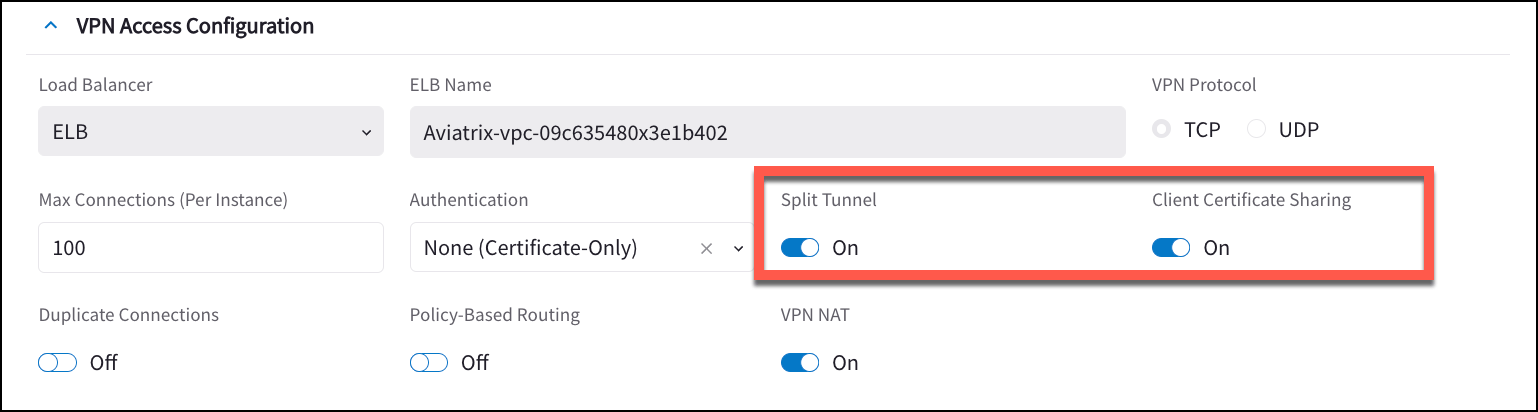
 2. Ensure that your VPN gateway has Client Certificate Sharing and Split Tunnel
enabled.
2. Ensure that your VPN gateway has Client Certificate Sharing and Split Tunnel
enabled.
 3. Create a **default-profile** with base deny-all policy
(`Controller/OpenVPN/Profiles/Add new`). This default-profile will be
attached to the VPN user, i.e., no egress traffic is allowed by default.
4. Create a second profile the **access-profile** with base deny-all policy and
subsequently edit it to add the allowed egress traffic
(`Controller/OpenVPN/Profiles//Edit`). This VPN profile will
be assigned to the SAML User at the Okta IDP. For the purpose of this test,
it can contain any dummy policy.
3. Create a **default-profile** with base deny-all policy
(`Controller/OpenVPN/Profiles/Add new`). This default-profile will be
attached to the VPN user, i.e., no egress traffic is allowed by default.
4. Create a second profile the **access-profile** with base deny-all policy and
subsequently edit it to add the allowed egress traffic
(`Controller/OpenVPN/Profiles//Edit`). This VPN profile will
be assigned to the SAML User at the Okta IDP. For the purpose of this test,
it can contain any dummy policy.
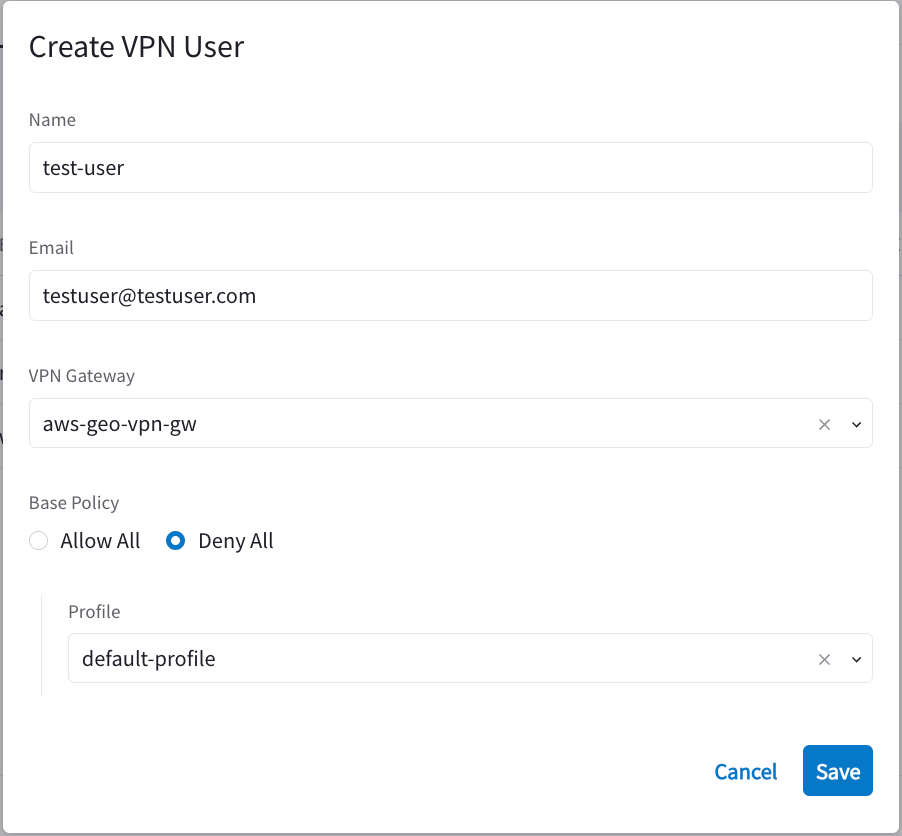
 5. Create one VPN user with the **default-profile**.
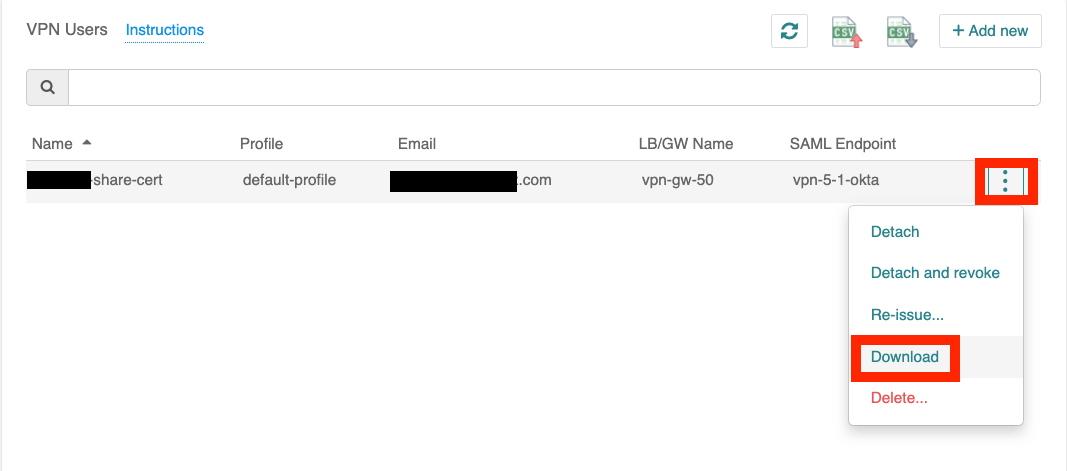
 6. Download the **ovpn** file of the VPN user just created and load it into the
Aviatrix VPN client.
6. Download the **ovpn** file of the VPN user just created and load it into the
Aviatrix VPN client.
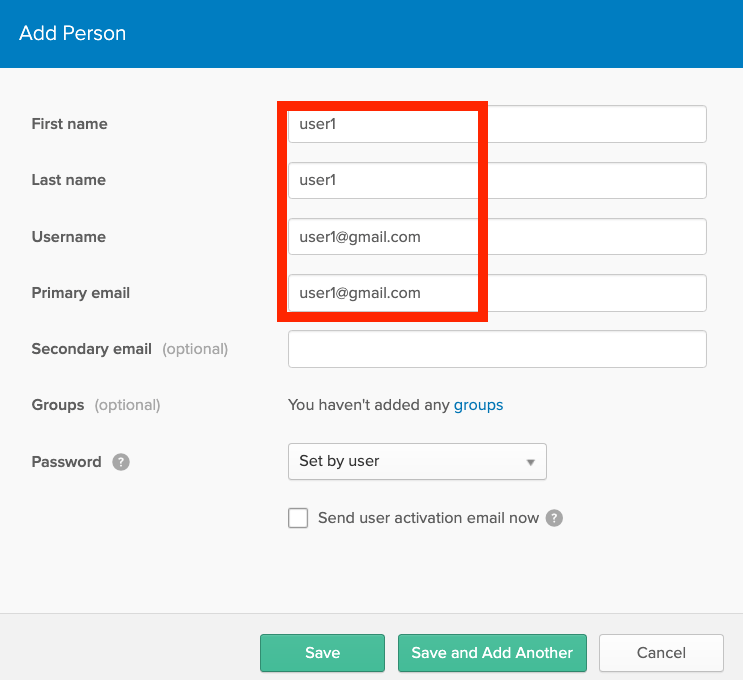
 7. Create two users in Okta (`Okta/Directory/People/Add Person`). For ease of
identification, user1 is given an email address at gmail.com and user2 at
yahoo.com.
7. Create two users in Okta (`Okta/Directory/People/Add Person`). For ease of
identification, user1 is given an email address at gmail.com and user2 at
yahoo.com.
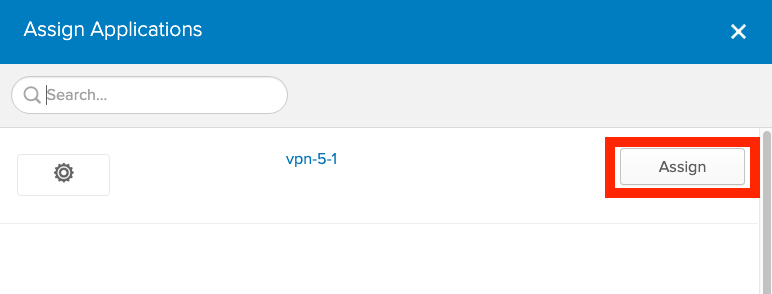
 8. Assign the SAML VPN application to the two users in Okta
(`Okta/Directory/People//Applications/Assign Applications`).
In this example, **vpn-5-1** is our VPN SAML application.
8. Assign the SAML VPN application to the two users in Okta
(`Okta/Directory/People//Applications/Assign Applications`).
In this example, **vpn-5-1** is our VPN SAML application.
 9. Follow Steps 1 and 2 in
[Setup Okta Profile attribute](#setting-up-the-okta-profile-attribute) to
define the **Profile** attribute in Okta.
10. Follow [Assign VPN profile](#assigning-the-vpn-profile-to-each-saml-user) to
set user1's **Profile** attribute to **access-profile**.
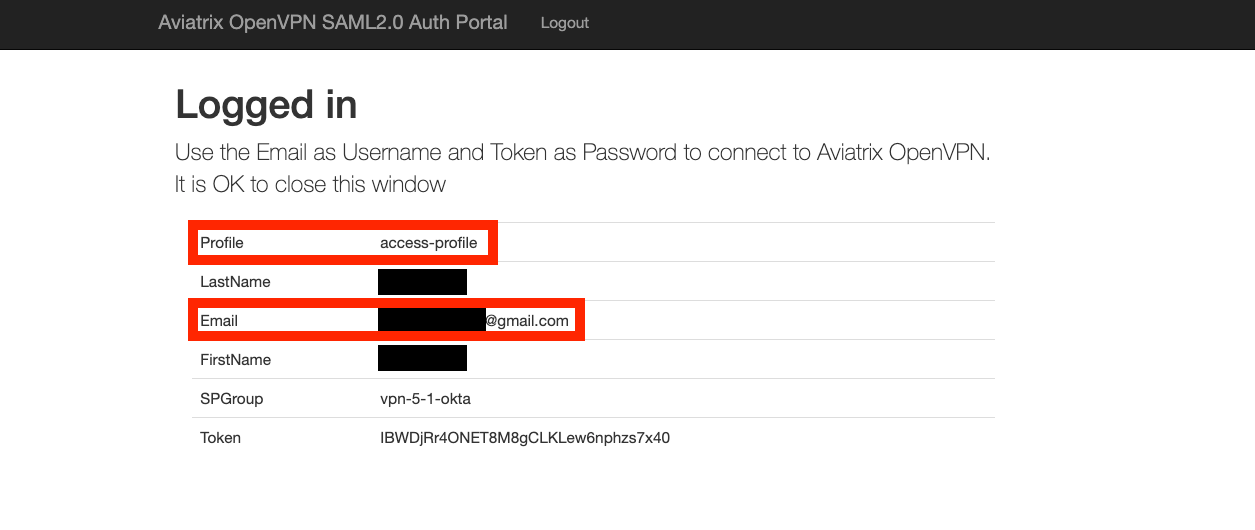
11. From the Aviatrix VPN client, make a VPN connection using user1 Okta
credential and observe the result at **Controller/Dashboard**. Repeat the
same for user2. The following screenshots show the results.
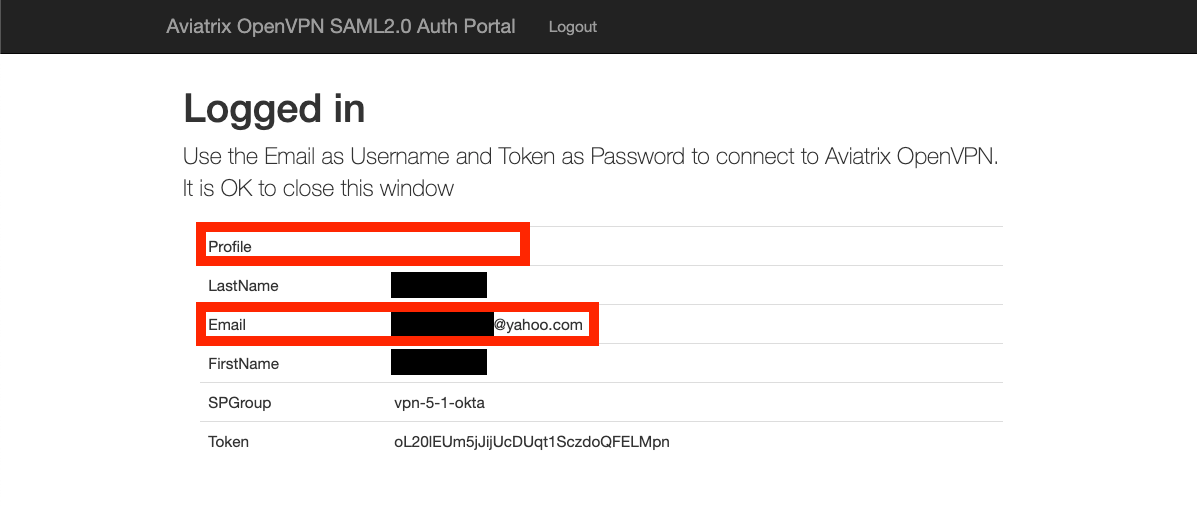
* **User1 (gmail.com)** with **Profile** attribute set to
**access-profile**:
9. Follow Steps 1 and 2 in
[Setup Okta Profile attribute](#setting-up-the-okta-profile-attribute) to
define the **Profile** attribute in Okta.
10. Follow [Assign VPN profile](#assigning-the-vpn-profile-to-each-saml-user) to
set user1's **Profile** attribute to **access-profile**.
11. From the Aviatrix VPN client, make a VPN connection using user1 Okta
credential and observe the result at **Controller/Dashboard**. Repeat the
same for user2. The following screenshots show the results.
* **User1 (gmail.com)** with **Profile** attribute set to
**access-profile**:
 * **User2 (yahoo.com)** without setting the **Profile** attribute: