> ## Documentation Index
> Fetch the complete documentation index at: https://docs.aviatrix.com/llms.txt
> Use this file to discover all available pages before exploring further.
# Migrating to Azure VPN Load Balancer Standard SKU
> Follow these steps to migrate from the Basic Azure VPN Load Balancer SKU to the Standard Azure VPN Load Balancer SKU.
Follow these steps to migrate from the Basic Azure VPN Load Balancer SKU to the Standard Azure VPN Load Balancer SKU. Azure is [deprecating the Basic Load Balancer](https://learn.microsoft.com/en-us/answers/questions/1033471/retirement-announcement-basic-load-balancer-will-b) in September 2025.
Aviatrix recommends migrating when you need to replace your VPN gateway. VPN gateways are automatically updated after you perform the procedure in this document.
You must perform a gateway image upgrade to update your Spoke and Transit gateways to the Standard SKU. You may need to open a ticket with [Aviatrix Support](https://support.aviatrix.com/) to perform your gateway upgrade.
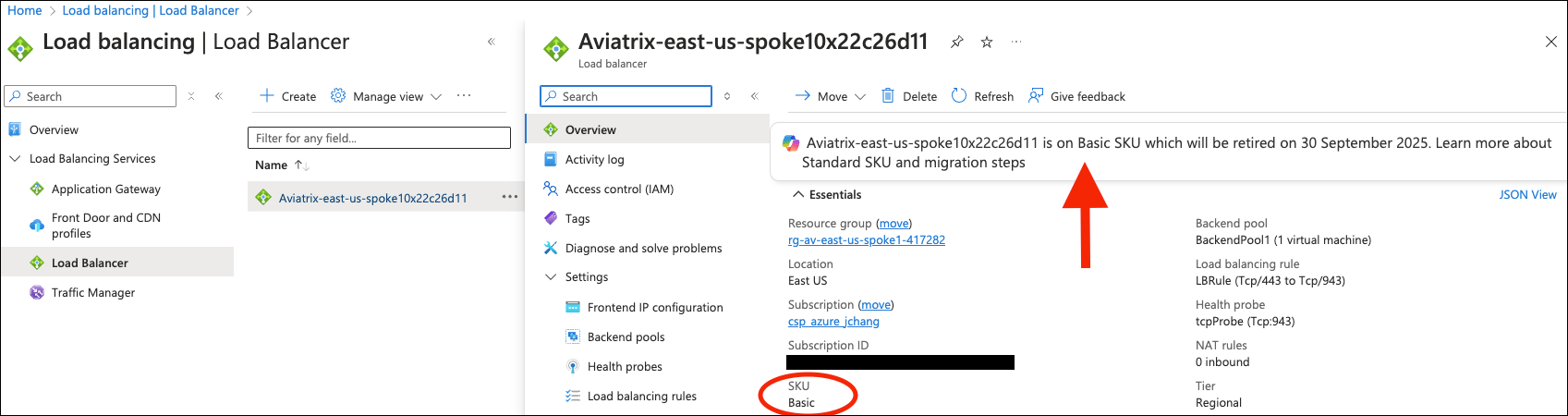
1. In your Azure portal, search for "Load balancer" or "public IP addresses" and identify the Azure VPN Basic Load Balancers that need to be migrated.
 2. In Aviatrix CoPilot, under Cloud Fabric > Use VPN > Users, identify the VPN users connected to the existing load balancer.
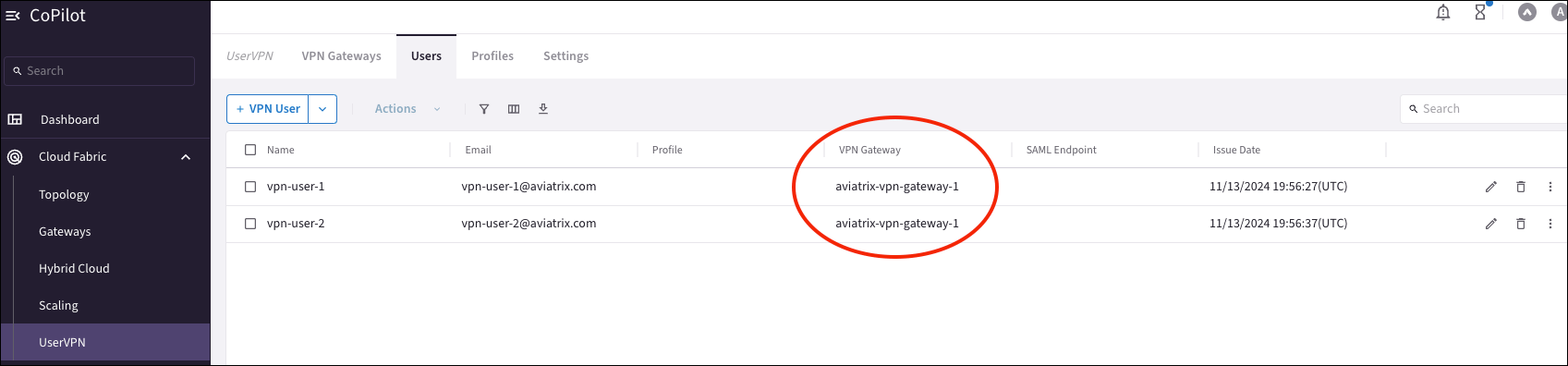 You can also check and detach the VPN users in the Aviatrix Controller under OpenVPN > Users. Remember that the Aviatrix Controller is being deprecated in 2025.
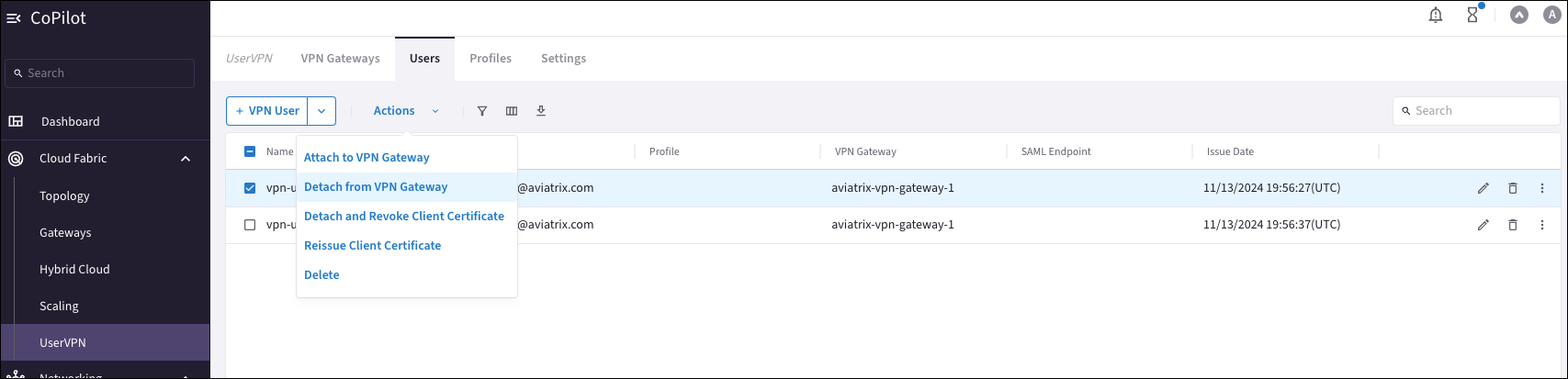
3. Detach the VPN users from the associated VPN gateway.
You can also check and detach the VPN users in the Aviatrix Controller under OpenVPN > Users. Remember that the Aviatrix Controller is being deprecated in 2025.
3. Detach the VPN users from the associated VPN gateway.
 4. On the Cloud Fabric > UserVPN > VPN Gateways tab, delete the VPN gateway.
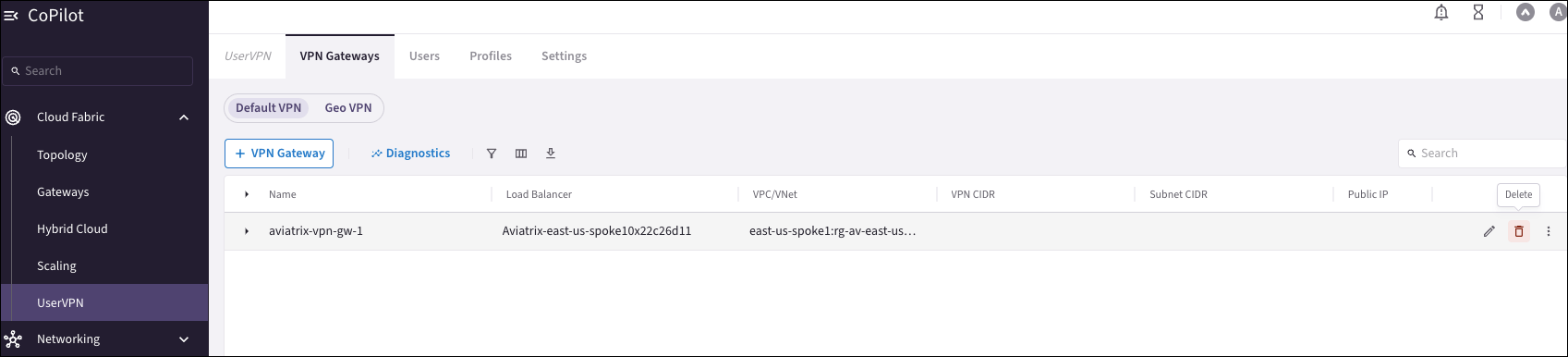 After all VPN users are detached from the associated VPN gateway, and the VPN gateway itself is deleted, this automatically deletes the Load Balancer from the Azure portal.
5. In Aviatrix CoPilot, under Cloud Fabric > UserVPN > VPN Gateways, recreate the VPN gateway. This automatically creates a new Load Balancer in the Azure portal with a standard SKU.
After all VPN users are detached from the associated VPN gateway, and the VPN gateway itself is deleted, this automatically deletes the Load Balancer from the Azure portal.
5. In Aviatrix CoPilot, under Cloud Fabric > UserVPN > VPN Gateways, recreate the VPN gateway. This automatically creates a new Load Balancer in the Azure portal with a standard SKU.
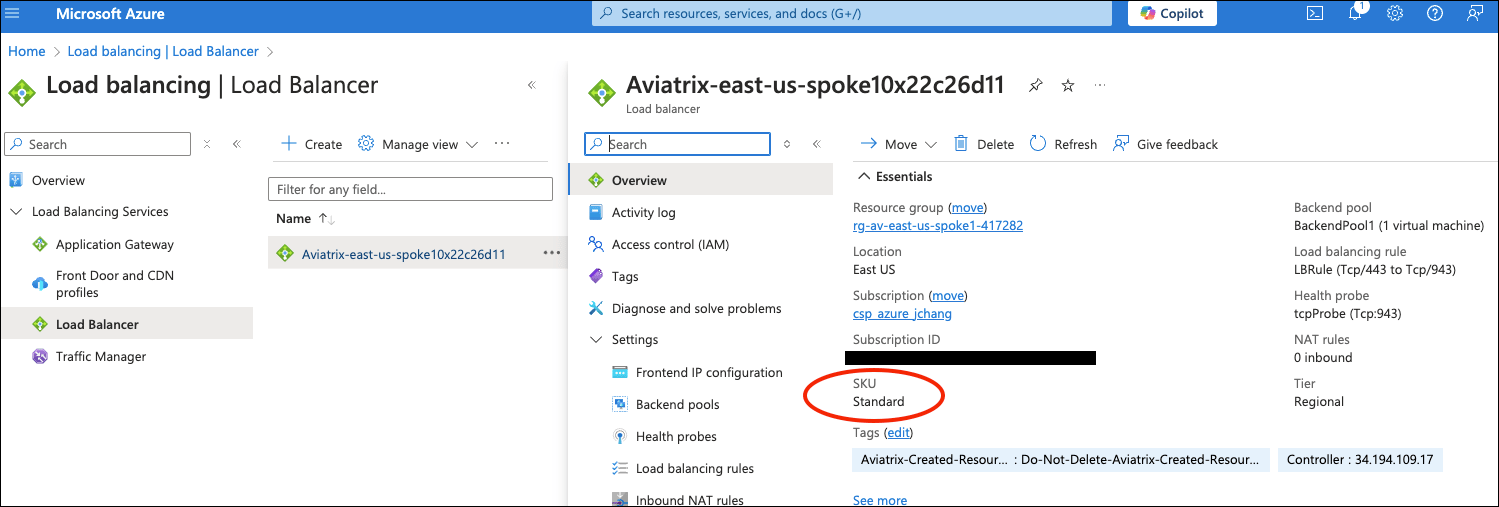 6. On the Cloud Fabric > UserVPN > VPN Users tab, reattach the VPN users to the recreated VPN gateway.
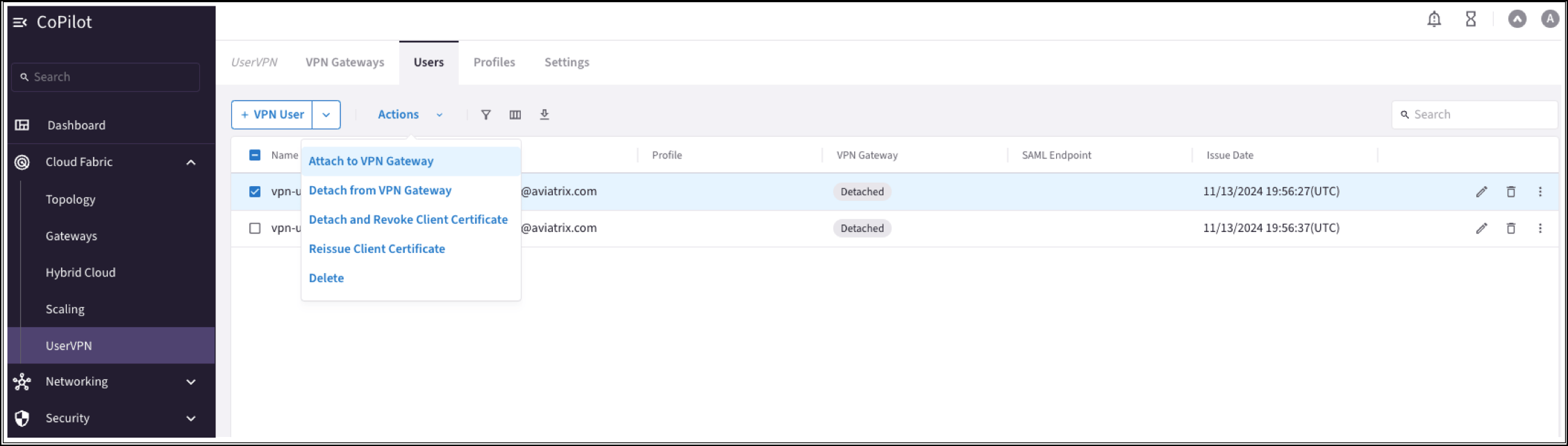 7. Reissue the certificate for the VPN users.
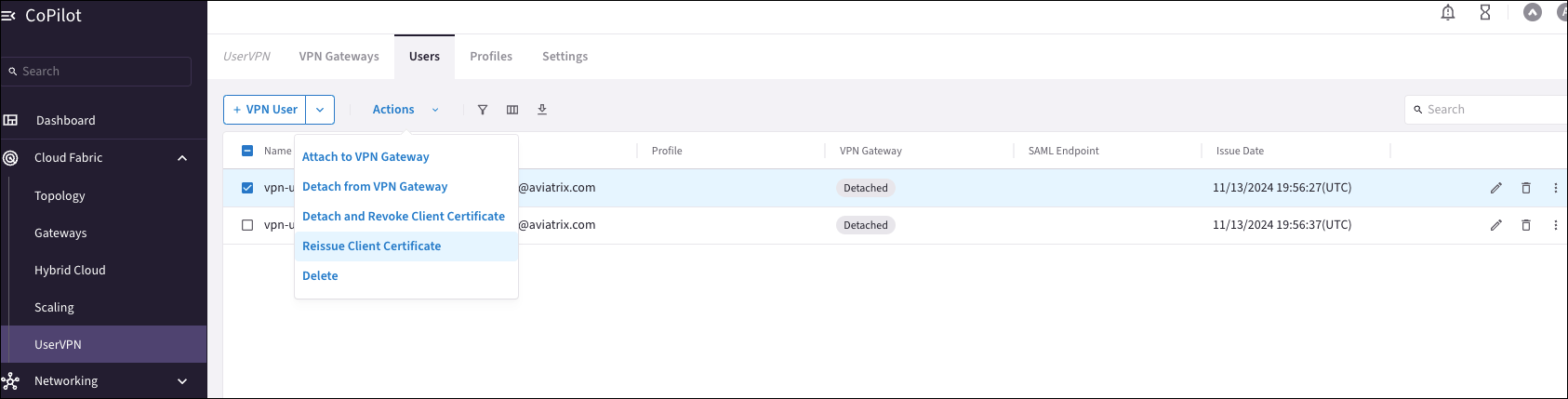 8. For each VPN user, verify the VPN connectivity by trying to connect to the VPN Client.