> ## Documentation Index
> Fetch the complete documentation index at: https://docs.aviatrix.com/llms.txt
> Use this file to discover all available pages before exploring further.
# General Guidelines for Migrating from Legacy ThreatIQ and Geoblocking to Distributed Cloud Firewall
> If you configured ThreatIQ and/or Geoblocking, you can upgrade to Distributed Cloud Firewall (DCF) and its ExternalGroup functionality. This migration requires Controller 8.1 or greater.
If you configured ThreatIQ and/or Geoblocking, you can upgrade to Distributed
Cloud Firewall (DCF) and its ExternalGroup functionality. This migration
requires **Controller 8.1 or greater**. DCF-powered Threat and Geo functionality
provides more granular configuration and can be pushed to any DCF-supported
gateways.
You cannot use ThreatIQ and/or Geoblocking in conjunction with DCF and
ExternalGroups.
ExternalGroups built from the Threat Feeds and Countries feeds are maintained
by Aviatrix and update automatically (roughly daily). You do not need to
download or paste IP lists by hand to keep them current.
These are generalized guidelines only. Reach out to [Aviatrix
Support](https://support.aviatrix.com) for assistance with this migration.
## Upgrading ThreatIQ to Threat Feed ExternalGroups
ThreatIQ is located at Security > ThreatIQ.
In DCF, threat protection is delivered through the **Default ThreatGroup**, an
ExternalGroup fed by the Aviatrix Threat Feed. The feed updates automatically
(roughly daily) and already covers the majority of malicious IPs that ThreatIQ
previously matched, so you do not need to recreate that list manually.
Currently there is no Custom ThreatGroup creation.
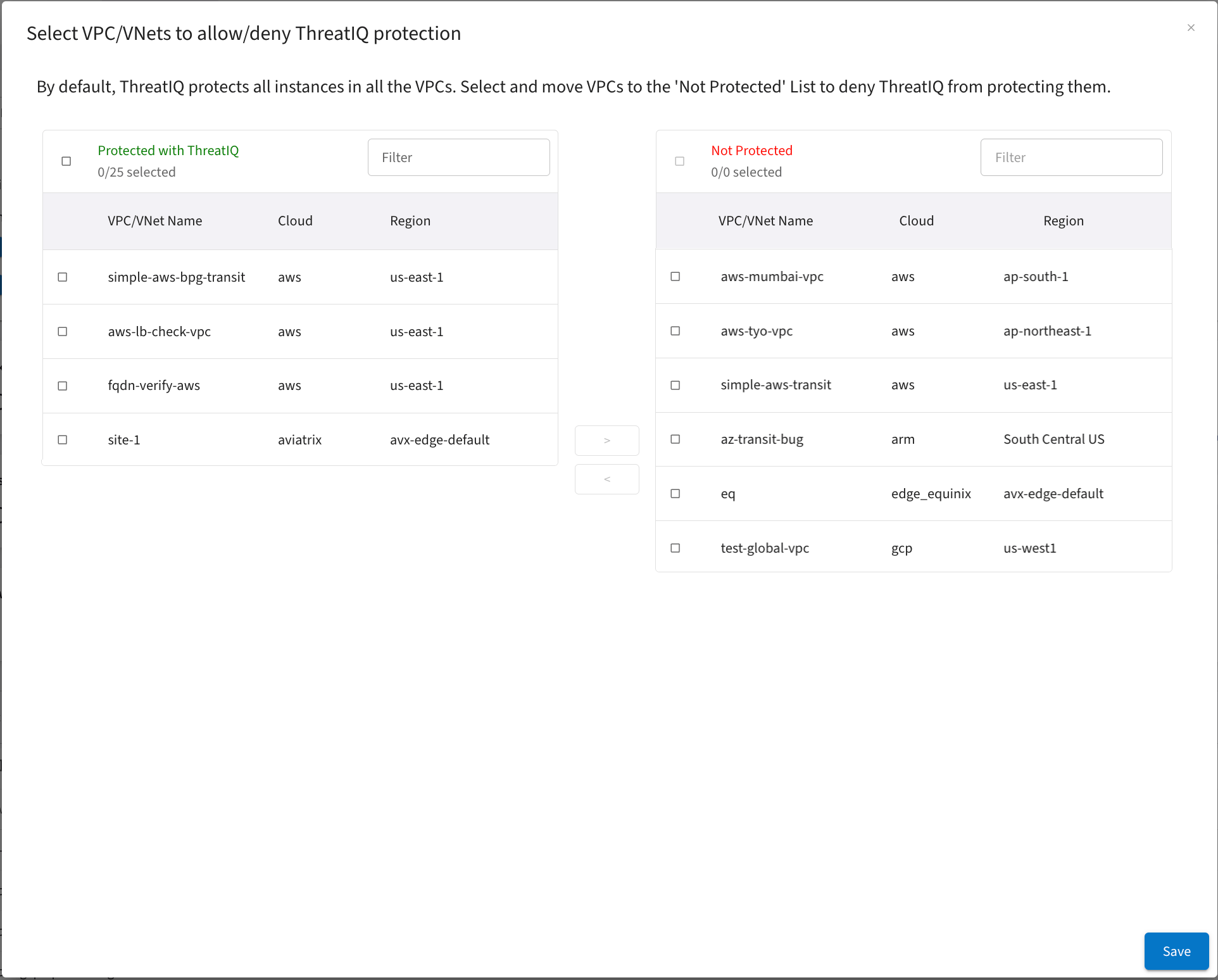
* Any VPC/VNets that are not currently protected on the ThreatIQ > Configure
Exclusion List for VPCs page should have a SmartGroup configured that excludes
those VPC/VNets from threat analysis.
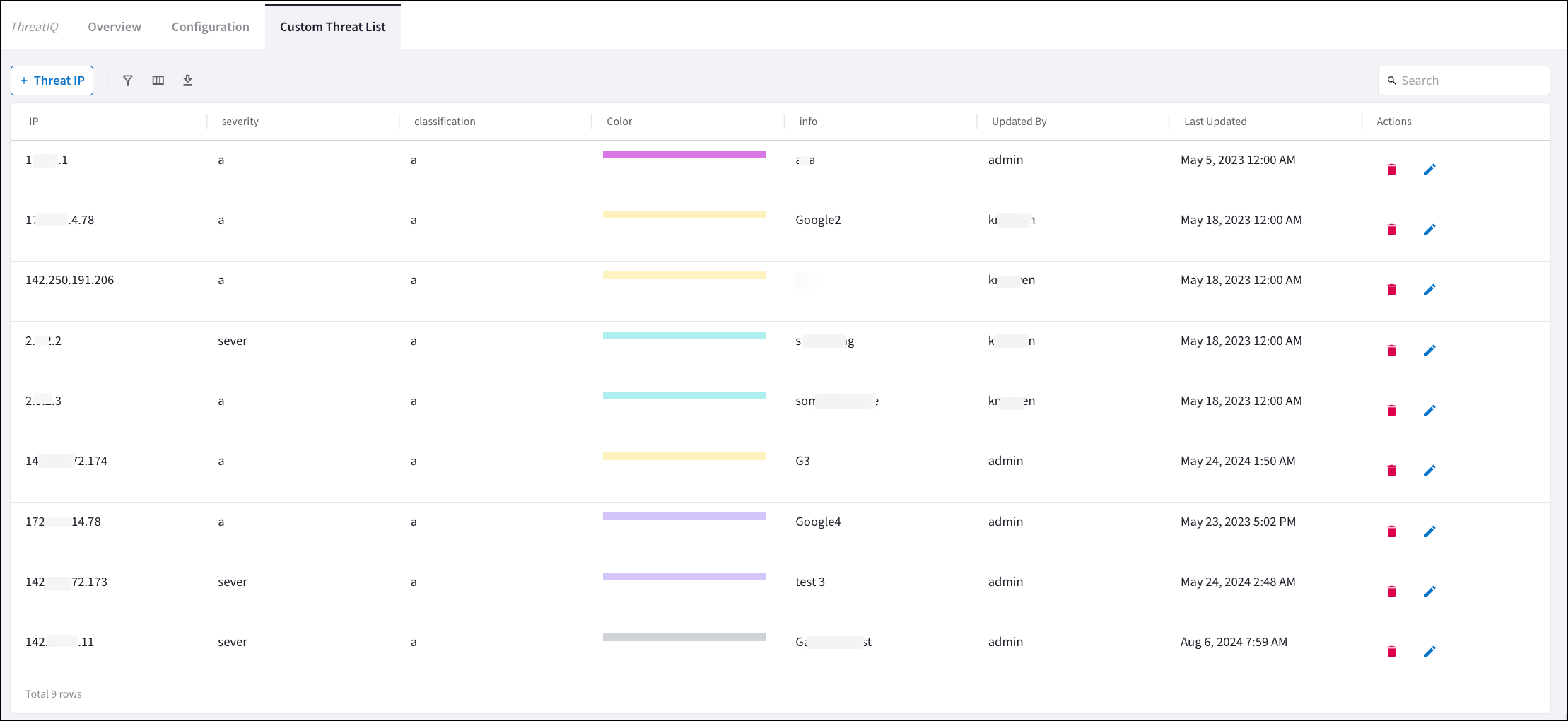
 * For any custom threats you have configured on the ThreatIQ > Custom Threat
list, create a SmartGroup named Custom Threat List that contains those threat
IPs. Use this SmartGroup alongside the Default ThreatGroup so DCF rules cover
both the Aviatrix-managed threat feed and your custom additions.
* For any custom threats you have configured on the ThreatIQ > Custom Threat
list, create a SmartGroup named Custom Threat List that contains those threat
IPs. Use this SmartGroup alongside the Default ThreatGroup so DCF rules cover
both the Aviatrix-managed threat feed and your custom additions.
 Creating a SmartGroup
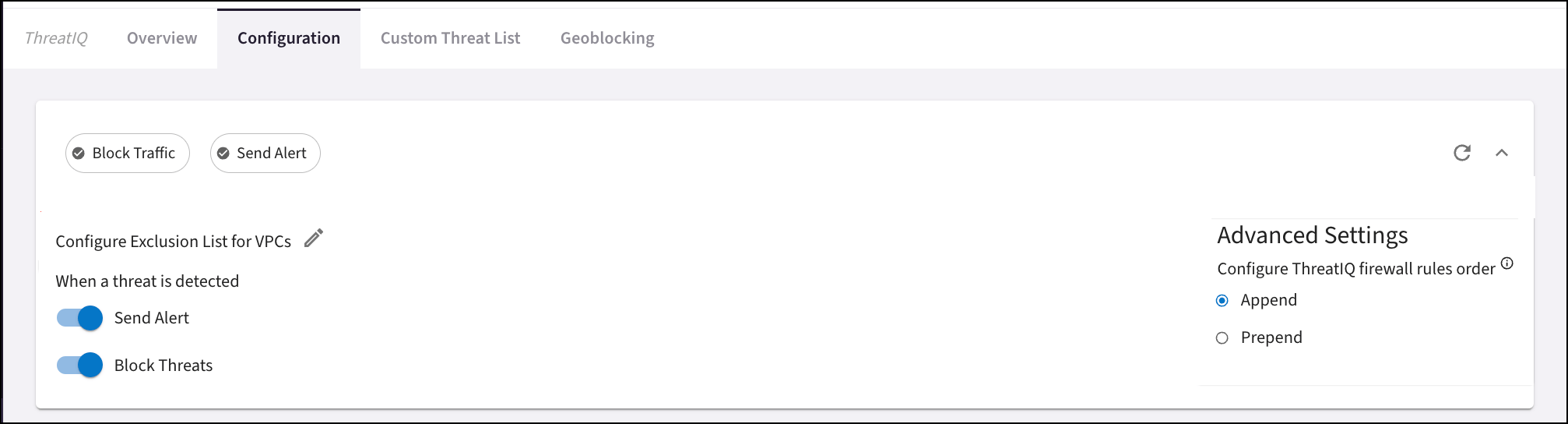
* Check if ThreatIQ > Advanced Settings is set to Append or Prepend. This
determines where new ThreatIQ firewall rules were added. When you create your
threat-based DCF rules, Aviatrix recommends that these be at the top of the
set of rules.
Creating a SmartGroup
* Check if ThreatIQ > Advanced Settings is set to Append or Prepend. This
determines where new ThreatIQ firewall rules were added. When you create your
threat-based DCF rules, Aviatrix recommends that these be at the top of the
set of rules.
 ## Upgrading Geoblocking to Country ExternalGroups
With ExternalGroups > Countries, you have the choice to block specific IPs to
and from a country.
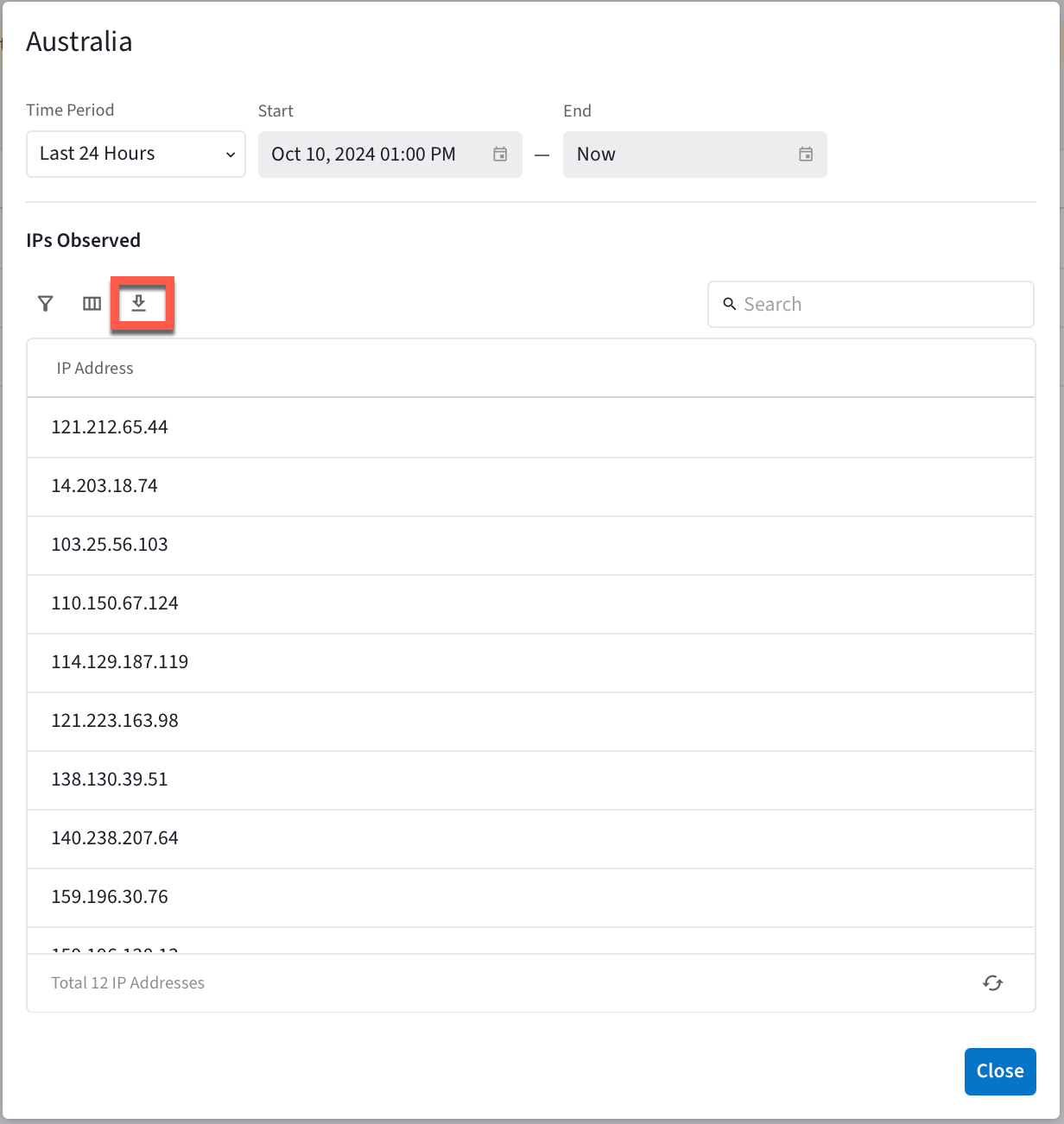
In DCF, Geoblocking is delivered through Country ExternalGroups built from the
Aviatrix-managed Countries feed. Aviatrix keeps the per-country IP membership up
to date (the feed refreshes roughly daily), so you do not need to download or
maintain country IP lists yourself. Recreate your blocked-country selection by
creating an ExternalGroup of type **Countries** rather than building a
SmartGroup from a downloaded IP list.
1. Note the countries you have blocked on the Security > ThreatIQ > Geoblocking
tab.
## Upgrading Geoblocking to Country ExternalGroups
With ExternalGroups > Countries, you have the choice to block specific IPs to
and from a country.
In DCF, Geoblocking is delivered through Country ExternalGroups built from the
Aviatrix-managed Countries feed. Aviatrix keeps the per-country IP membership up
to date (the feed refreshes roughly daily), so you do not need to download or
maintain country IP lists yourself. Recreate your blocked-country selection by
creating an ExternalGroup of type **Countries** rather than building a
SmartGroup from a downloaded IP list.
1. Note the countries you have blocked on the Security > ThreatIQ > Geoblocking
tab.
 2. Create a Country ExternalGroup
that selects the same countries. The ExternalGroup is fed automatically by
the Aviatrix Countries feed, so the IP membership stays current without
manual updates.
## Creating DCF Rules
Create DCF rules that encompass the threat and Country information above.
If ThreatIQ did not have any exception VPCs, ignore Rules 1 and 2.
If you configured the Custom Threat List in ThreatIQ, add the Custom Threat List
SmartGroup created above to Rule 3 as a Source, and to Rule 4 as a Destination.
If ThreatIQ had exception VPCs create the following DCF rules:
| Rule | Description |
| -------------------------------------- | ----------------------------------------------------------------------------------------------------------------------------- |
| Rule 1: Threat Exception Inbound Rule | the Source Group is the ThreatGroups database and the Destination Group is the ThreatIQ Exclusion VPC list. Action is Permit. |
| Rule 2: Threat Exception Outbound Rule | Source Group is the Threat Exclusion VPCs SmartGroup and the Destination is the ThreatGroups database. Action is Permit. |
| Rule | Description |
| --------------------------------------- | ---------------------------------------------------------------------------------------------------------------------------------------------------------------------------------------------------------------------- |
| Rule 3: Inbound Threat Protection Rule | the Source Group is the Default ThreatGroup (under ExternalGroups > Threat Feeds) and the Destination Group is Anywhere. Action is Deny. |
| Rule 4: Outbound Threat Protection Rule | Source Group is Anywhere and the Destination is the Default ThreatGroup (under ExternalGroups > Threat Feeds). Action is Deny. |
Create these geo-based (Country ExternalGroups) DCF rules:
| Rule | Description |
| ------------------------------- | ----------------------------------------------------------------------------------------------------------------------- |
| Rule 5: Inbound Geo Block Rule | Source Group is the Country ExternalGroup that contains the blocked countries; Destination is Anywhere. Action is Deny. |
| Rule 6: Outbound Geo Block Rule | Source Group is Anywhere; Destination is the Country ExternalGroup that contains the blocked countries. Action is Deny. |
## Final Steps
Contact [Aviatrix Support](https://support.aviatrix.com) for final steps
(including disabling ThreatIQ and Geoblocking) and testing the configuration.
## Related Topics
*
Blocking Known Threat IP Traffic using ThreatIQ
* Blocking Traffic from Countries using Geoblocking
* Managing the Relationship Between Feeds and ExternalGroups
* Creating Distributed Cloud Firewall Rules
2. Create a Country ExternalGroup
that selects the same countries. The ExternalGroup is fed automatically by
the Aviatrix Countries feed, so the IP membership stays current without
manual updates.
## Creating DCF Rules
Create DCF rules that encompass the threat and Country information above.
If ThreatIQ did not have any exception VPCs, ignore Rules 1 and 2.
If you configured the Custom Threat List in ThreatIQ, add the Custom Threat List
SmartGroup created above to Rule 3 as a Source, and to Rule 4 as a Destination.
If ThreatIQ had exception VPCs create the following DCF rules:
| Rule | Description |
| -------------------------------------- | ----------------------------------------------------------------------------------------------------------------------------- |
| Rule 1: Threat Exception Inbound Rule | the Source Group is the ThreatGroups database and the Destination Group is the ThreatIQ Exclusion VPC list. Action is Permit. |
| Rule 2: Threat Exception Outbound Rule | Source Group is the Threat Exclusion VPCs SmartGroup and the Destination is the ThreatGroups database. Action is Permit. |
| Rule | Description |
| --------------------------------------- | ---------------------------------------------------------------------------------------------------------------------------------------------------------------------------------------------------------------------- |
| Rule 3: Inbound Threat Protection Rule | the Source Group is the Default ThreatGroup (under ExternalGroups > Threat Feeds) and the Destination Group is Anywhere. Action is Deny. |
| Rule 4: Outbound Threat Protection Rule | Source Group is Anywhere and the Destination is the Default ThreatGroup (under ExternalGroups > Threat Feeds). Action is Deny. |
Create these geo-based (Country ExternalGroups) DCF rules:
| Rule | Description |
| ------------------------------- | ----------------------------------------------------------------------------------------------------------------------- |
| Rule 5: Inbound Geo Block Rule | Source Group is the Country ExternalGroup that contains the blocked countries; Destination is Anywhere. Action is Deny. |
| Rule 6: Outbound Geo Block Rule | Source Group is Anywhere; Destination is the Country ExternalGroup that contains the blocked countries. Action is Deny. |
## Final Steps
Contact [Aviatrix Support](https://support.aviatrix.com) for final steps
(including disabling ThreatIQ and Geoblocking) and testing the configuration.
## Related Topics
*
Blocking Known Threat IP Traffic using ThreatIQ
* Blocking Traffic from Countries using Geoblocking
* Managing the Relationship Between Feeds and ExternalGroups
* Creating Distributed Cloud Firewall Rules