> ## Documentation Index
> Fetch the complete documentation index at: https://docs.aviatrix.com/llms.txt
> Use this file to discover all available pages before exploring further.
# AWS CloudWatch Integration
> If you use CloudWatch, the Aviatrix platform offers a CloudWatch agent for sending syslog from Aviatrix Controller and Aviatrix gateways to your configured AWS CloudWatch instance.
If you use CloudWatch, the Aviatrix platform offers a CloudWatch agent for sending syslog from Aviatrix Controller and Aviatrix gateways to your configured AWS CloudWatch instance.
* Only AWS gateways and Controllers are supported. Other cloud types are not supported.
* AWS gateways created from an access account with AWS secret key and access key are not supported.
## Configuring AWS CloudWatch
In order for Aviatrix Controllers and gateways in different AWS accounts
to send/update logs to the collector's AWS account, follow the
instructions below to set up IAM role and policies on the collector's AWS
account.
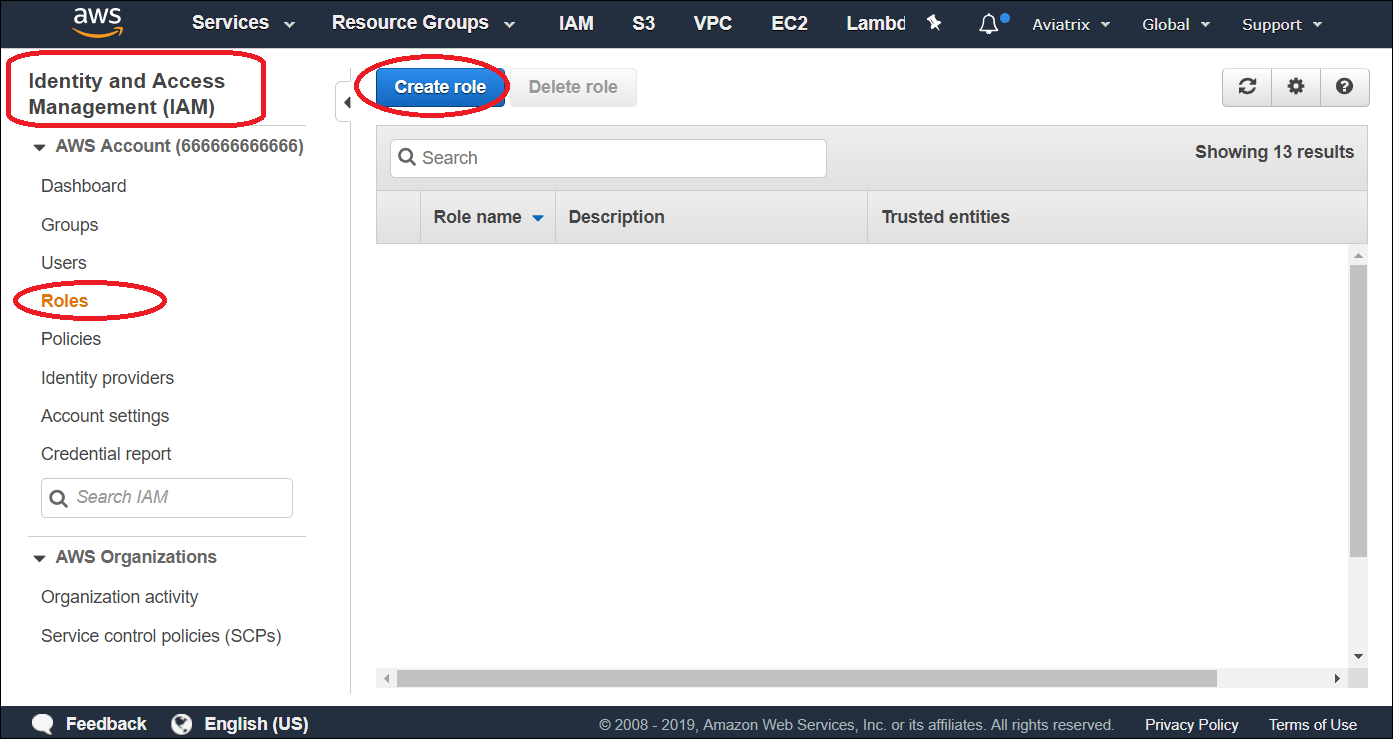
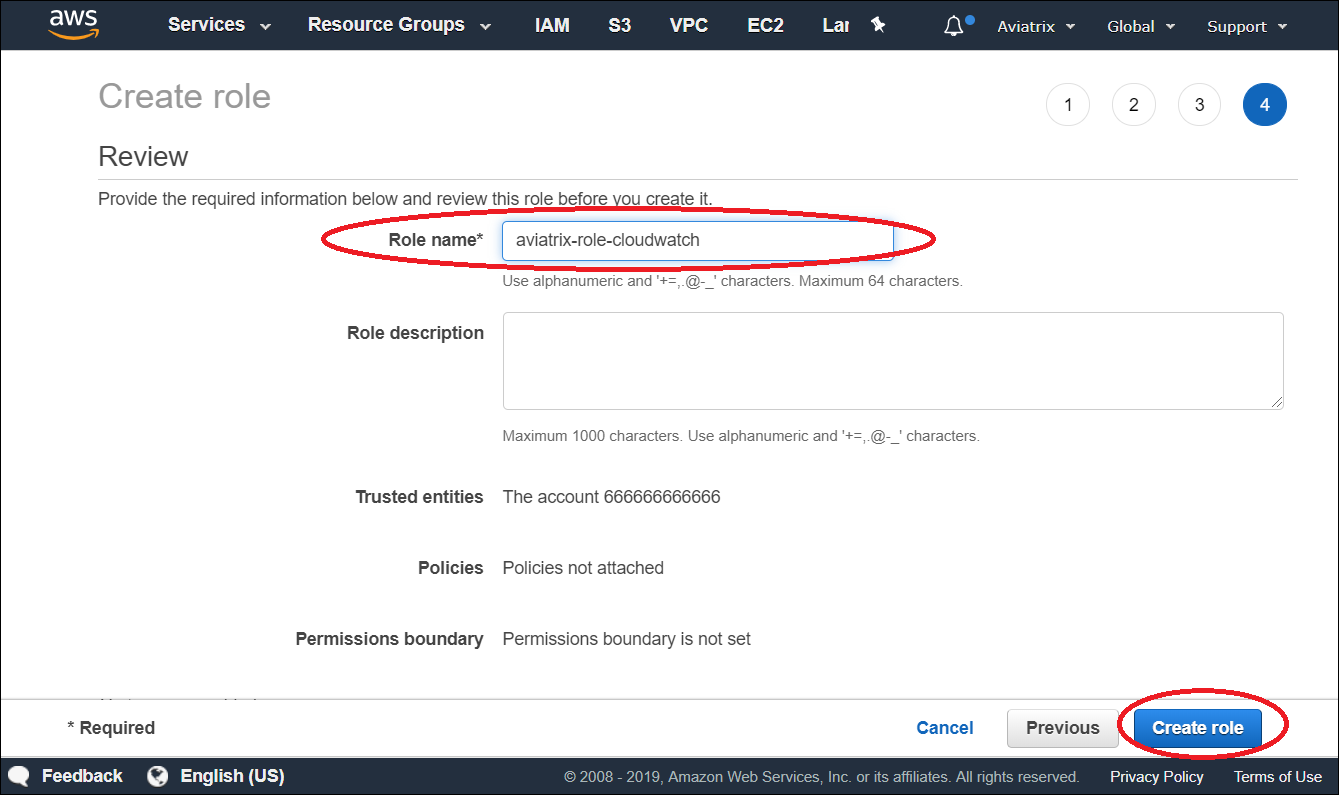
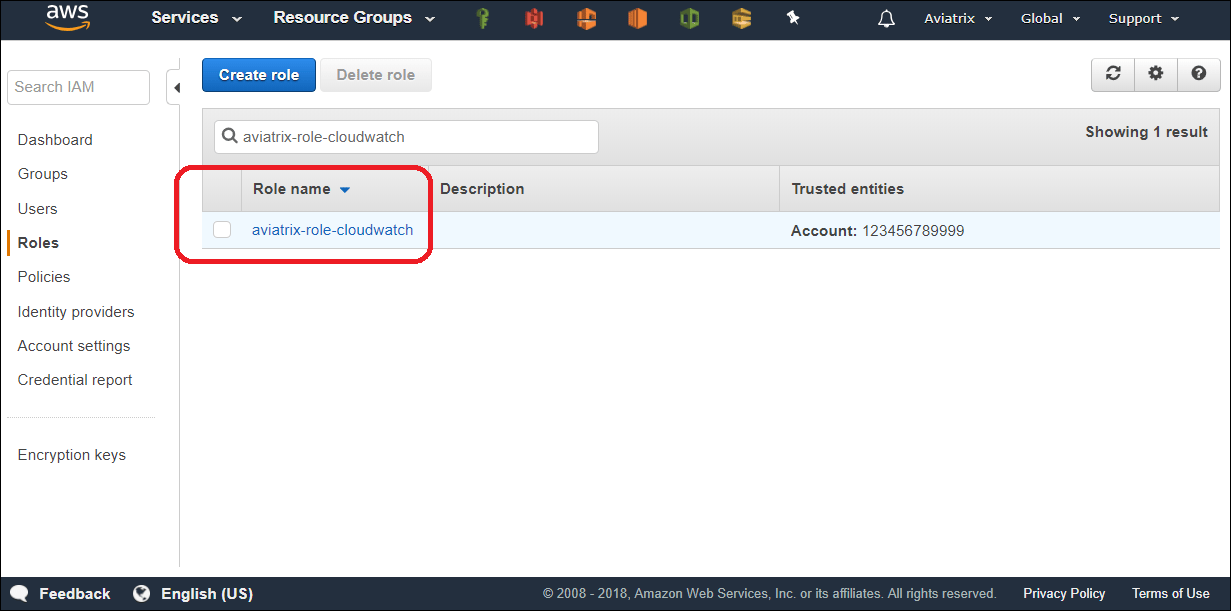
1. Go to AWS console, create an IAM role with a name aviatrix-role-cloudwatch.
2. Add Trust-Relationships for Aviatrix Controllers' and all gateways' AWS accounts. If you are already using CloudWatch for logs from all your AWS accounts, you may have already built the trust relationship between accounts. If this is the case, skip this step.
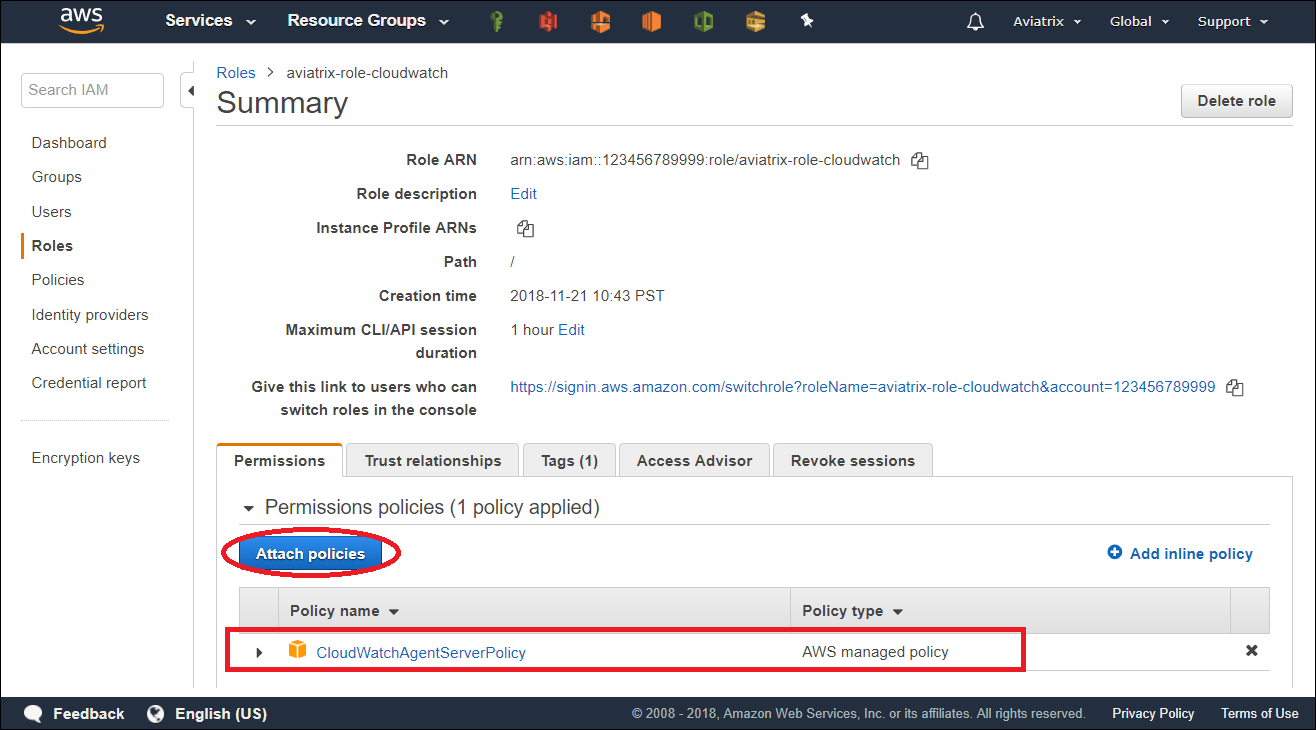
3. Attach AWS IAM Cloudwatch policy to the role aviatrix-role-cloudwatch.
**a: Create an IAM role aviatrix-role-cloudwatch**, make sure the role
name is "aviatrix-role-cloudwatch".
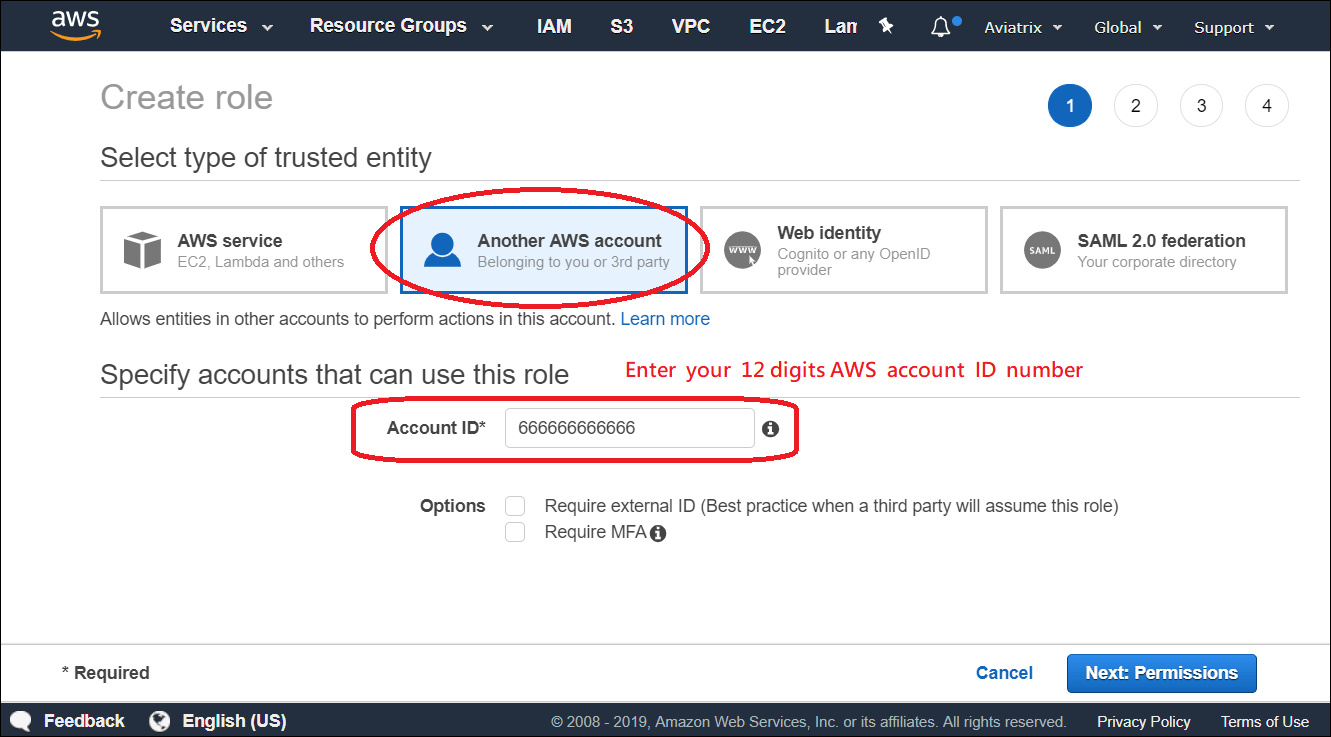
 **b: Add Trust-Relationships for controllers and gateways AWS accounts**
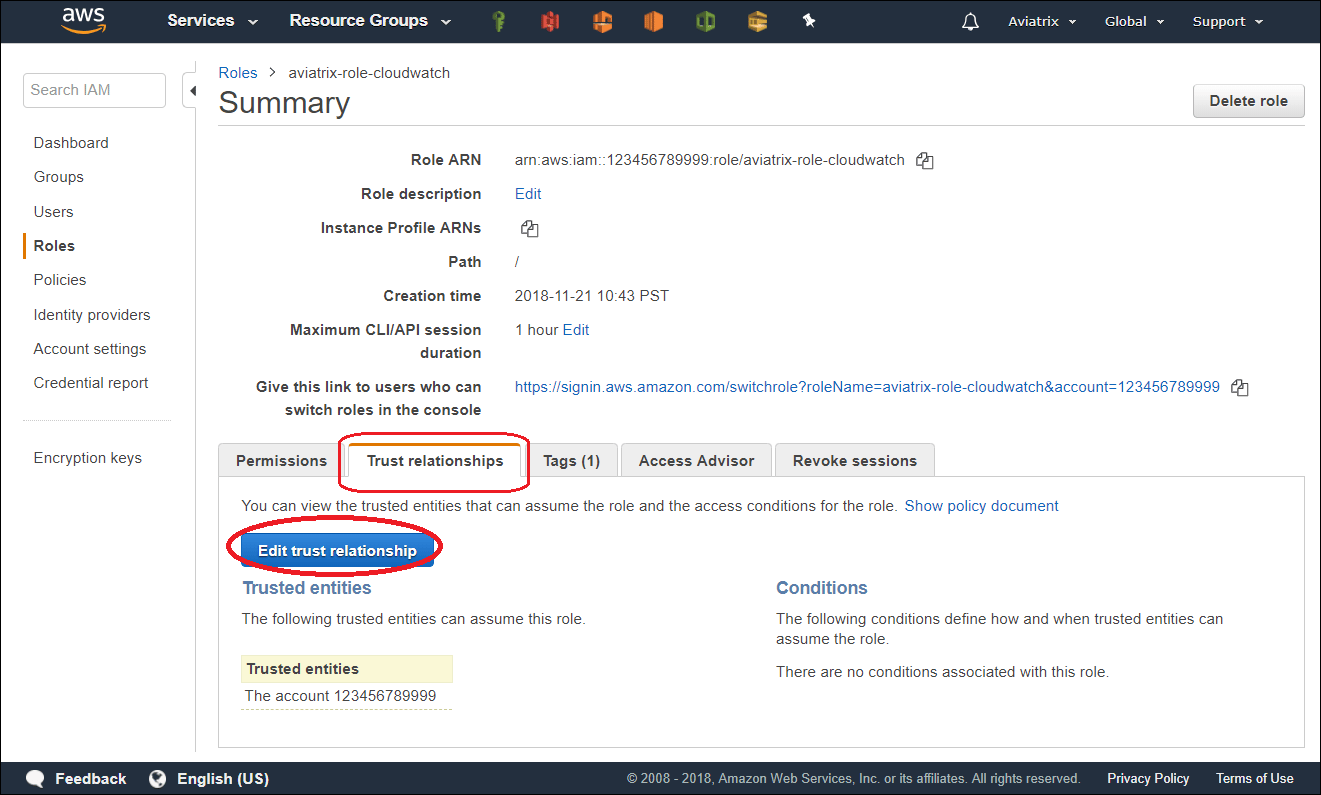
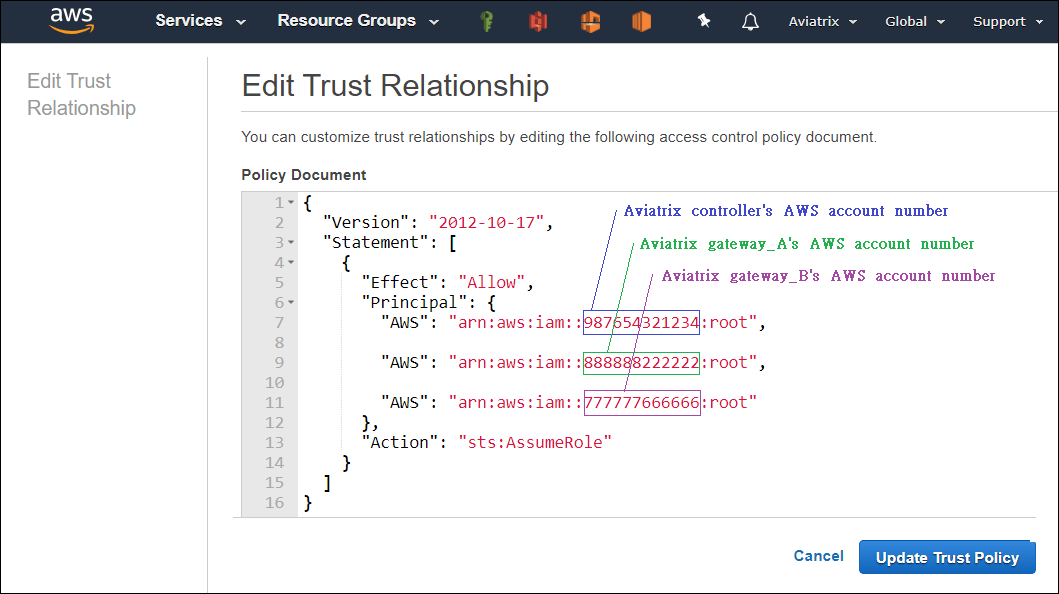 **c: Attach AWS IAM policy for "CloudWatchAgentServerPolicy" to the role**
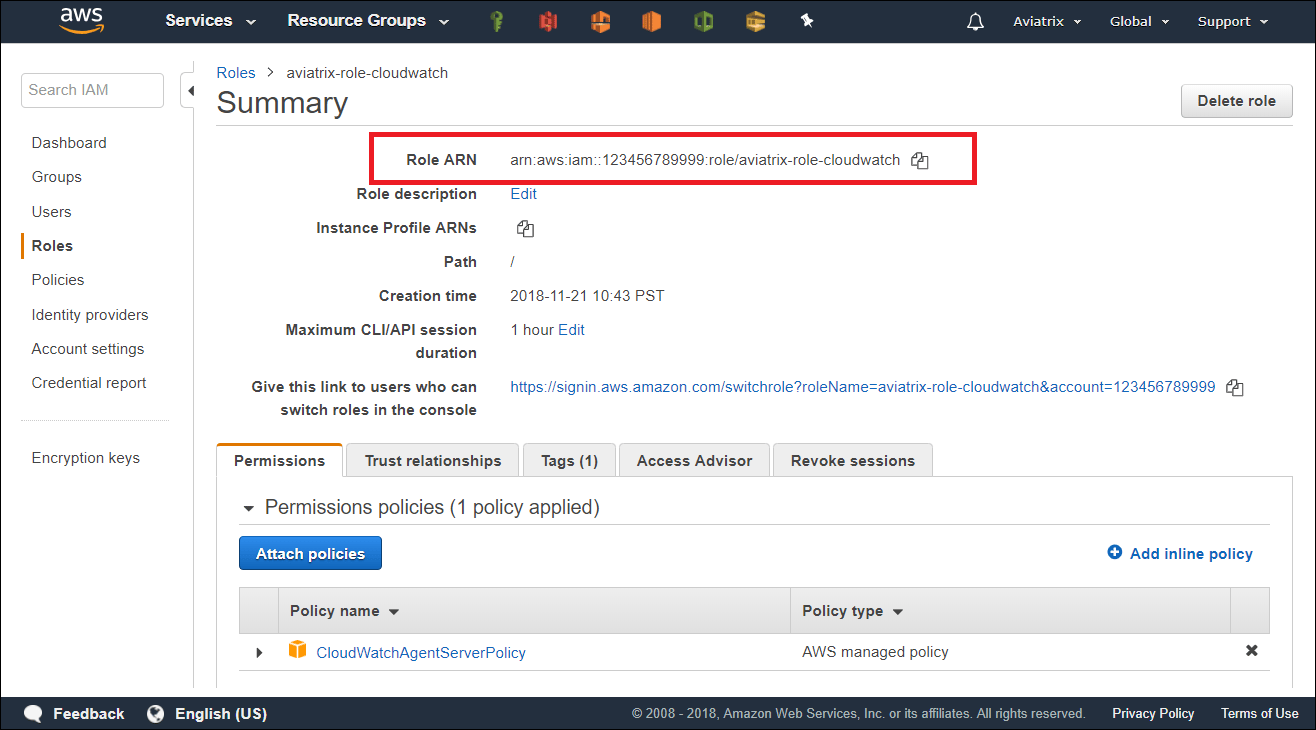
 **d: Retrieve the ARN of the IAM Role**
 ## Enable CloudWatch log on the Controller
If you are using the Aviatrix Controller user interface, you configure the Aviatrix CloudWatch agent in **Controller > Settings > Logging > CloudWatch Agent**.
## Enable CloudWatch log on the Controller
If you are using the Aviatrix Controller user interface, you configure the Aviatrix CloudWatch agent in **Controller > Settings > Logging > CloudWatch Agent**.
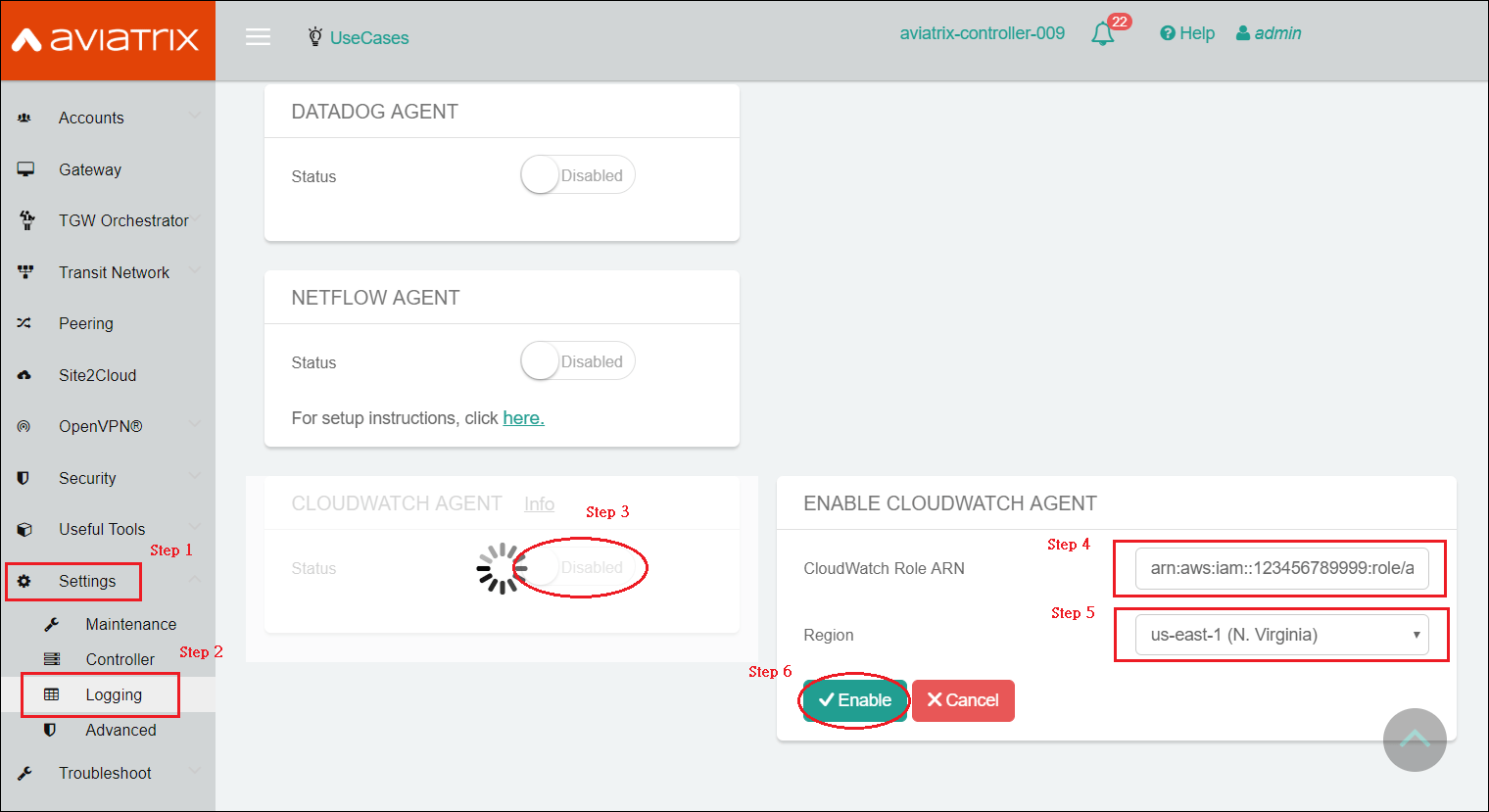 * ARN of IAM role: Specify the ARN of the IAM role in the collector's AWS account.
* Region: Specify which region you wish to store your logs.
If you are using the Aviatrix CoPilot user interface, you configure the Aviatrix CloudWatch agent in **CoPilot > Settings > Configuration > Logging Services > CloudWatch Agent**.
## Verifying your AWS CloudWatch integration
In AWS CloudWatch:
* ARN of IAM role: Specify the ARN of the IAM role in the collector's AWS account.
* Region: Specify which region you wish to store your logs.
If you are using the Aviatrix CoPilot user interface, you configure the Aviatrix CloudWatch agent in **CoPilot > Settings > Configuration > Logging Services > CloudWatch Agent**.
## Verifying your AWS CloudWatch integration
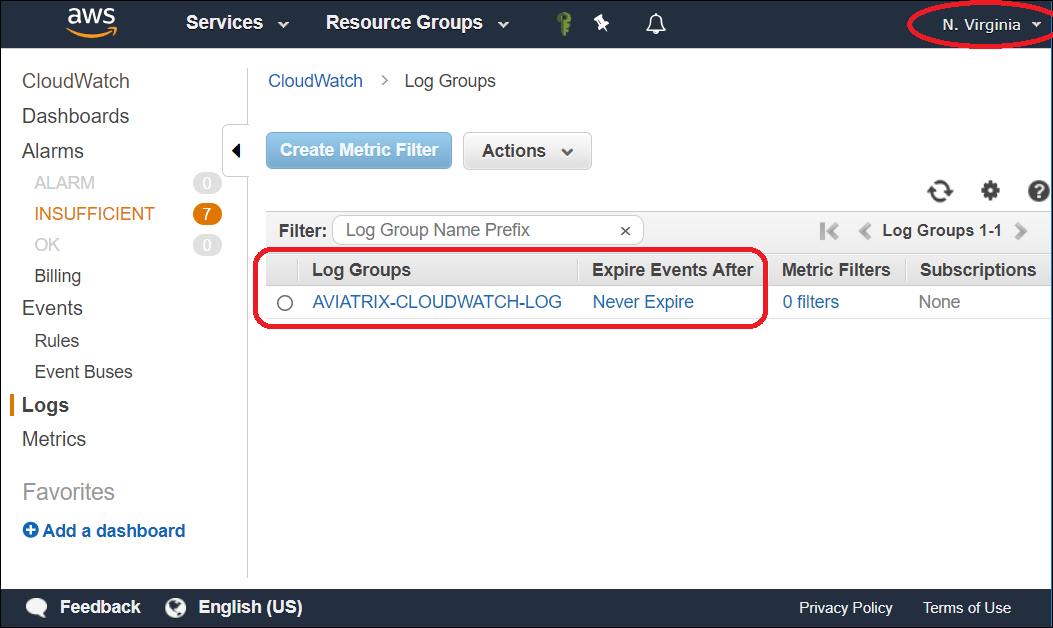
In AWS CloudWatch:
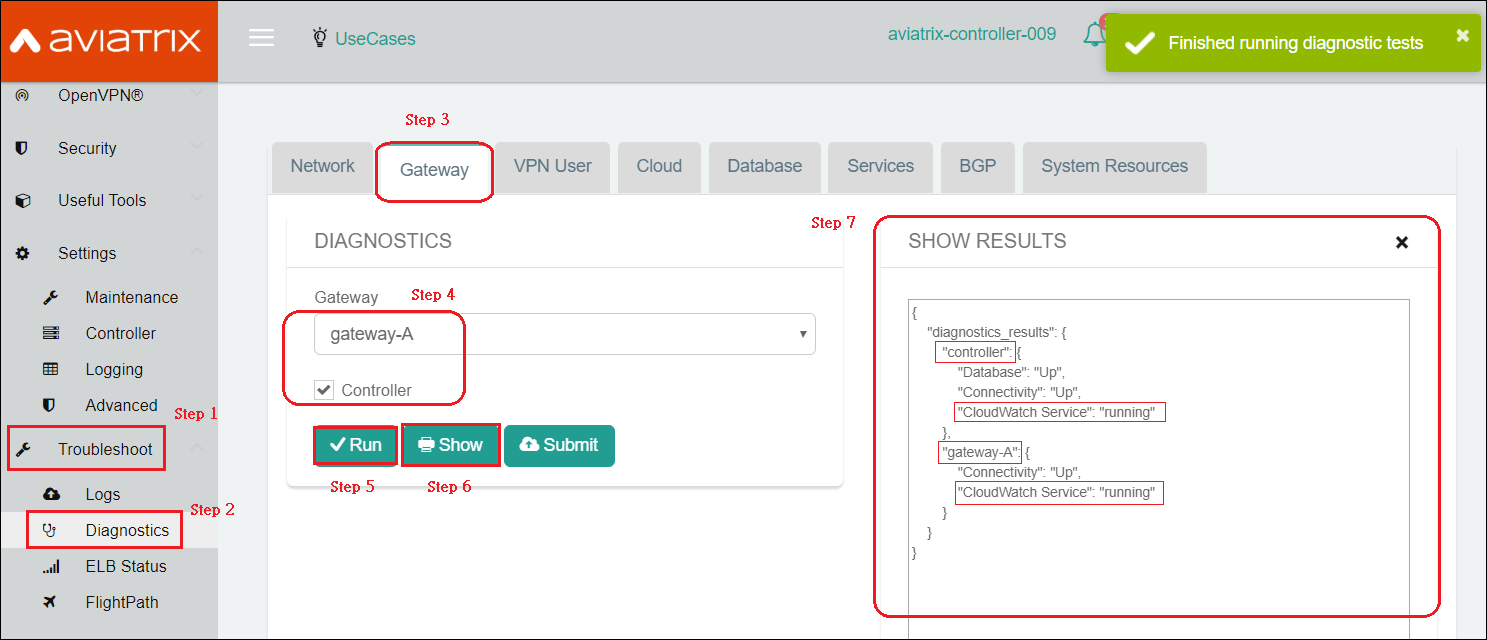
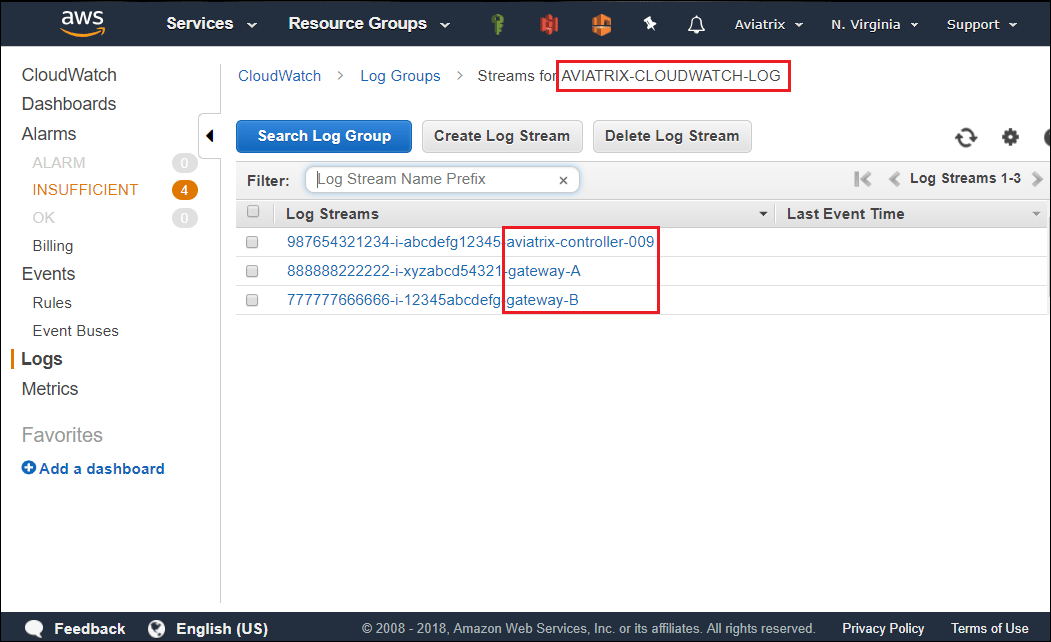 To view the Aviatrix Controller's and Gateways' CloudWatch Service Status:
 Logs from CloudWatch can be exported to S3 buckets. Please follow [AWS Documentation](https://docs.aws.amazon.com/AmazonCloudWatch/latest/logs/S3Export.html).